


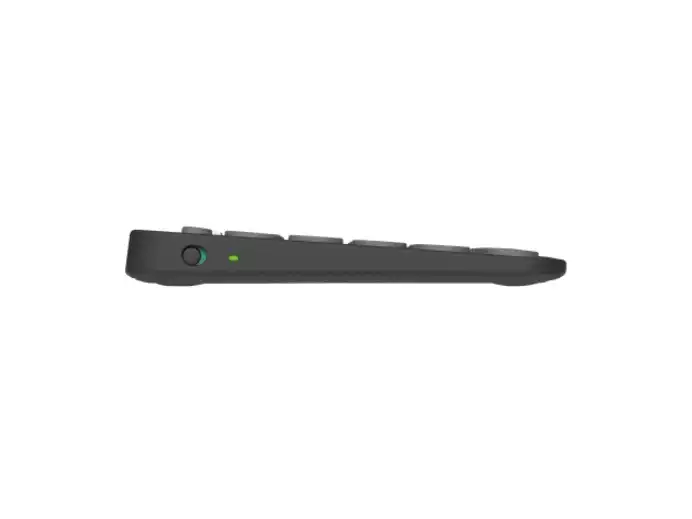
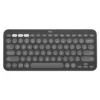
Logitech Pebble Keys 2 K380s Bluetooth Keyboard | 36-Month Battery | Multi-Device | Quiet Typing | For Laptop, PC, iPad, Android (Black)
Meet the Logitech Pebble Keys 2 K380s – where minimalist design meets maximum productivity. This sleek, slim keyboard is engineered for a seamless multi-device lifestyle, allowing you to connect to your computer, tablet, and smartphone simultaneously and switch between them with a single button. But it’s not just about connectivity; it’s about working smarter. The customizable shortcut keys let you capture your screen, pull up the emoji menu, or activate voice dictation instantly, streamlining your daily tasks. Designed for comfort and quiet, its low-profile keys provide a familiar, satisfying typing experience without disturbing those around you. With a remarkable battery life of 36 months, you can set it up and forget about power hassles for years. Its eco-friendly construction, made with recycled plastic, is a bonus for the conscious consumer. It’s the perfect, portable typing companion for your modern workspace. For a complete wireless office setup, pair it with the sleek Logitech Pebble Mouse and explore our range of Mobile & Laptop Accessories to enhance your productivity on the go.
Specifications
- Brand & Model: Logitech Pebble Keys 2 K380s | Part No.: 920-011754
- Connection: Bluetooth Low Energy (3 devices) & Logi Bolt USB receiver compatible
- Battery Life: Up to 36 Months
- Power: 2 x AAA Batteries (Included)
- Key Features: Customizable Shortcut Keys (Emoji, Screenshot, Dictation)
- Typing Feel: Quiet, Laptop-like Scissor Keys
- Design: Slim, Portable, made with Recycled Plastic
- Compatibility: Windows, macOS, iPadOS, iOS, Android, Chrome OS, Linux
- Weight: 415 g
What’s in the Box
- Logitech Pebble Keys 2 K380s Keyboard (Black)
- 2 x AAA Alkaline Batteries (Pre-installed)
- User Documentation
FAQs
1. How many devices can I connect to the Pebble Keys 2 K380s at once?
You can pair the keyboard with up to three different Bluetooth devices simultaneously and switch between them instantly using the Easy-Switch keys.
2. What are the special shortcut keys available?
It has dedicated keys for screen capture, search, voice dictation, emoji menu, and show desktop. Many of these can be further customized with the Logi Options+ software.
3. Is the keyboard compatible with my Android phone?
Yes, it is fully compatible with Android 9.0 or later, allowing you to type comfortably on your smartphone or tablet.
4. How long do the batteries really last?
The keyboard is designed for an exceptional battery life of up to 36 months (3 years) under normal usage conditions, thanks to its power-efficient Bluetooth Low Energy technology.
5. Can I use it with a USB receiver instead of Bluetooth?
Yes, it is compatible with the Logi Bolt USB receiver for a secure, plug-and-play connection. Please note that the receiver is sold separately.
6. Is the typing experience loud?
No, it features a quiet, laptop-like scissor mechanism that provides a soft and comfortable typing experience, ideal for quiet environments.
7. What does “made with recycled plastic” mean?
The keyboard’s plastic content contains a minimum of 49% recycled plastic, reflecting Logitech’s commitment to sustainability.
8. Do I need software to use the special keys?
The basic functions of the shortcut keys work without software. However, to fully customize the F-keys and other shortcuts, you need the free Logi Options+ app for Windows or macOS.
9. Is this a full-size keyboard?
It is a compact keyboard that is slightly smaller than a full-size model, but it retains a practical layout that is easy to adapt to, saving valuable desk space.
10. Can I use it with my iPad?
Absolutely. It is fully compatible with iPadOS 14 or later, making it a perfect wireless typing companion for your iPad.


 No products in the cart.
Reviews
There are no reviews yet.