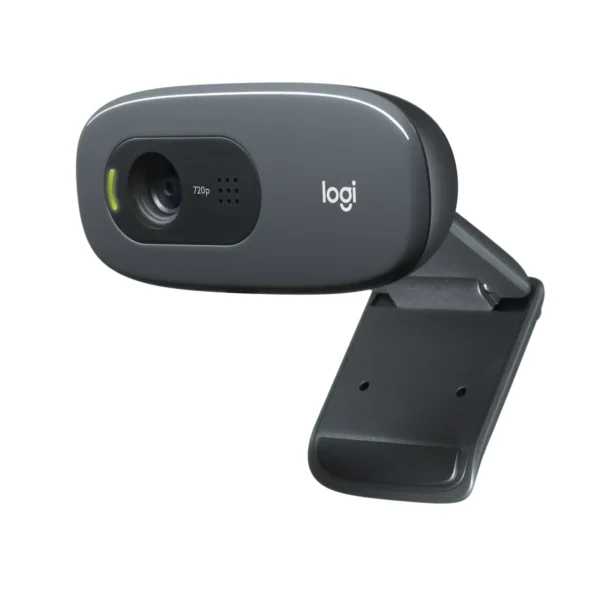
Product Specifications for Logitech C922 Pro Stream Webcam 1080p 60fps Background Replacement, H.264 Encoding for Twitch, YouTube
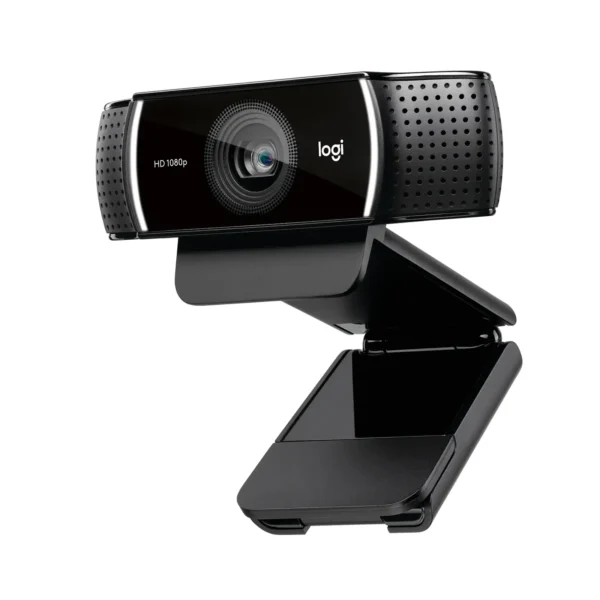
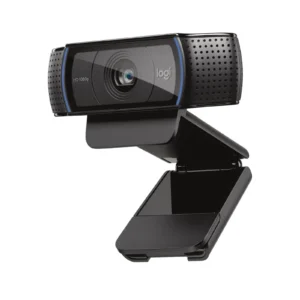
Product Overview: Elevate your professional broadcasting and content creation setup with the Logitech C922 webcam. Designed specifically for Twitch, YouTube, and video conferencing, this advanced streaming camera combines smooth 60fps motion, background replacement technology, and crisp Full HD quality to deliver an exceptional audio-visual experience.
Features & Specs - Connectivity Technology: USB 2.0
Features & Specs - Cable Length: 1.8 meters
Features & Specs - Video Resolution: 1080p/30fps & 720p/60fps
Features & Specs - Field of View: 78°
Features & Specs - Focus Type: Autofocus
Features & Specs - Lens Type: Glass lens
Features & Specs - Built-in Microphone: Dual Stereo Microphones
Features & Specs - Special Features: Background Replacement Technology (Powered by Personify)
Features & Specs - Video Encoding: Advanced H.264 Encoding
Features & Specs - Low-Light Correction: Automatic Low-Light Correction
Features & Specs - Compatible Devices: PC, Laptop, Mac, Chrome OS
Features & Specs - Input Voltage: 5V (USB Powered)
Features & Specs - Power Source: USB Bus Powered
Features & Specs - Plug and Play: Yes
Features & Specs - Included Software: 3-Month XSplit Premium License
Features & Specs - Supported Software: OBS, Streamlabs, XSplit, Zoom, Microsoft Teams
Features & Specs - Frame Rate: Up to 60fps at 720p, 30fps at 1080p
Features & Specs - Chroma Key Support: Dynamic Background Replacement without Green Screen
Features & Specs - Mounting Options: Universal Clip fits laptops, LCDs, or monitors
Features & Specs - Tripod Compatibility: Included Mini Tripod (varies by bundle, check box contents)
Features & Specs - Audio Format: Stereo / Dual Mono
Features & Specs - Digital Zoom: Supported via Logitech Software
Features & Specs - Pan/Tilt/Zoom: Supported via Logitech Software
Features & Specs - Privacy Shutter: Not included
Features & Specs - Operating System Compatibility: Windows 7 or later, macOS 10.9 or later, Chrome OS
Features & Specs - Bandwidth Optimization: H.264 Video Compression
Features & Specs - Sensor Type: Optical CMOS
Features & Specs - Color Depth: 24-bit True Color
Features & Specs - Aperture: f/2.0
Features & Specs - Interface: USB Type-A
Item details - Brand: Logitech
Item details - Model: C922 Pro Stream
Item details - SKU: 960-001090
Item details - MFN Part Number: 960-001090
Item details - Manufacturer: Logitech
Item details - Categories: Logitech > Logitech Gaming
Item details - Tags: Logitech C922 webcam
Item details - Country of Origin: China
Item details - Item Model Number: C922 Pro Stream Webcam
Measurements - Number of Items: 1
Measurements - Item Weight: 162g (with clip and cable)
Measurements - Unit Count: 1 Unit
Measurements - Product Dimensions: 95 mm x 29 mm x 24 mm (Webcam only)
Measurements - Package Dimensions: Standard Retail Box
Measurements - Cable Length: 1.8 m
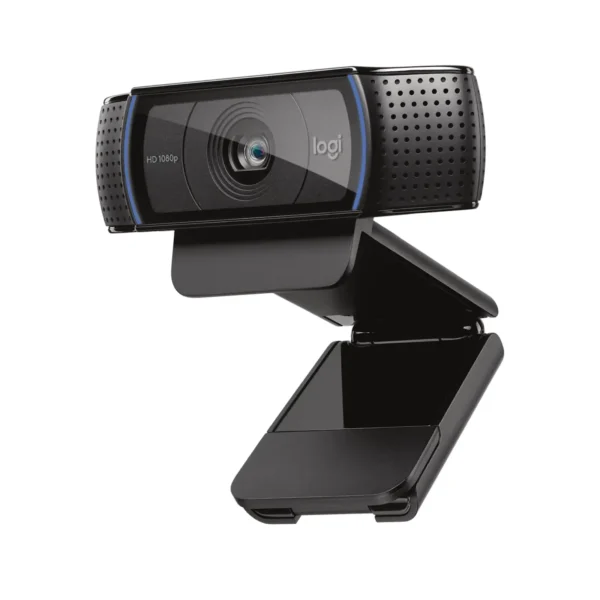
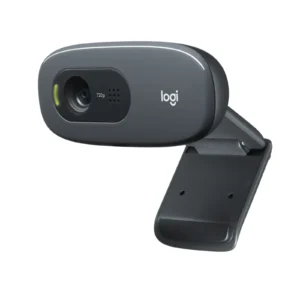
Additional details - Color: Black
Additional details - Enclosure Material: Durable ABS Plastic and Glass Lens
Additional details - Form Factor: Clip-on / Stand Mountable Webcam
Additional details - Style: Modern Streamer Design
Additional details - Theme: Gaming & Content Creation
Additional details - Finish Type: Matte Black
Additional details - LED Indicator: Activity LED (indicates streaming/recording active)
User guide - Usage Instructions: Plug the USB cable into an available USB 2.0 port on your computer. Download companion software for advanced settings.
User guide - Installation: Plug-and-play installation for standard video apps; custom drivers automatically install via Windows/Mac OS.
User guide - Care Instructions: Clean the glass lens gently with a microfiber cloth. Avoid using harsh chemical cleaners or abrasive materials.
User guide - Safety Warnings: Do not expose the device to water, extreme humidity, or high temperatures. Avoid dropping to prevent internal damage.
User guide - Maintenance: Keep the USB port and cable free from dust. Regularly update webcam firmware via Logitech software.
User guide - Certification: CE, FCC, RoHS Compliant
User guide - Compatibility Notes: Background replacement feature requires Windows and compatible streaming software.
User guide - Operating Temperature: 0°C to 40°C
Use Cases - Best For: Live streaming fast-paced gaming, video blogging, and content creation.
Use Cases - Ideal Scenarios: Twitch broadcasting, YouTube tutorials, professional Zoom conferences, and online teaching.
Use Cases - Target Audience: Streamers, gamers, content creators, remote workers, and educators.
Use Cases - Compatible With: OBS Studio, Streamlabs, XSplit, Zoom, Microsoft Teams, Skype, Google Meet.
Use Cases - Not Recommended For: Cinematography or professional movie-grade video production requiring dedicated DSLR cameras.
Pros & Cons - Pros: Ultra-smooth 720p at 60fps video ideal for fast-paced gameplay.
Pros & Cons - Pros: Stunning Full HD 1080p resolution at 30fps for sharp detail.
Pros & Cons - Pros: Built-in background replacement technology without needing a physical green screen.
Pros & Cons - Pros: Advanced H.264 video encoding reduces CPU load and bandwidth usage.
Pros & Cons - Pros: Automatic low-light correction ensures clear video in dim environments.
Pros & Cons - Pros: Dual stereo microphones capture clear, natural audio from multiple angles.
Pros & Cons - Cons: Background replacement feature is optimized for Windows systems only.
Pros & Cons - Cons: Does not include a physical privacy shutter cover.
Pros & Cons - Cons: Requires USB 2.0 or higher port for optimal performance.
Box Contents - Main Unit: Logitech C922 Pro Stream Webcam (with attached 1.8m USB cable)
Box Contents - Cables: Integrated USB 2.0 Cable
Box Contents - Adapters: None Required (Direct USB connection)
Box Contents - Documentation: User Documentation and Quick Start Guide
Box Contents - Warranty Card: Included in user documentation
Box Contents - Other Accessories: Universal Mounting Clip
Warranty & Support - Warranty Period: 1-Year Limited Hardware Warranty
Warranty & Support - Warranty Type: Manufacturer Replacement / Repair Warranty
Warranty & Support - Coverage: Defects in materials and workmanship under normal use
Warranty & Support - Support Contact: Available via Logitech official support website and hotline
Warranty & Support - Return Policy: Subject to standard store return and exchange policy
Warranty & Support - Customer Service Hours: Monday to Friday (Standard Business Hours)
Warranty & Support - Service Locations: Authorized Logitech service centers nationwide





 No products in the cart.

Write a review