Product Specifications for Logitech Extreme 3D Pro Joystick, Precision Twist Rudder, 12 Programmable Buttons, Flight Simulator Control
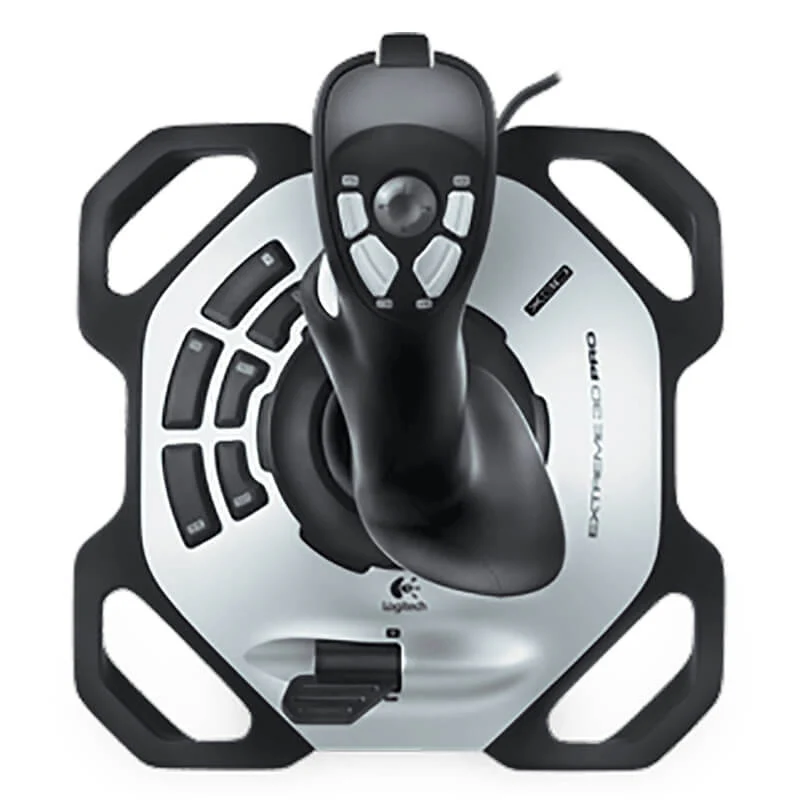
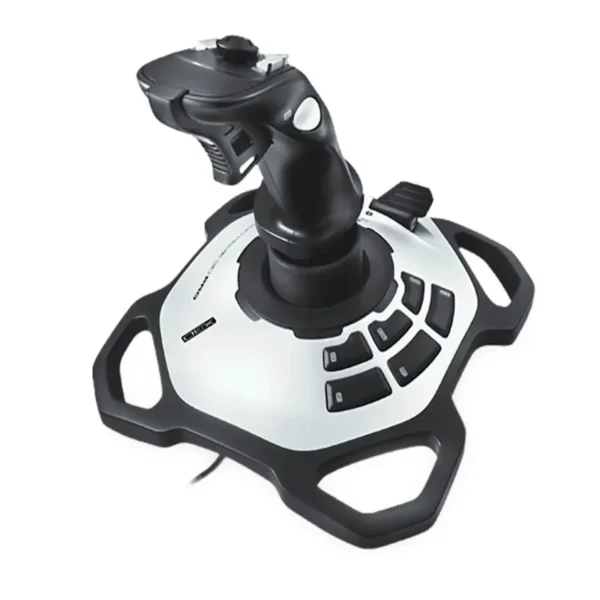
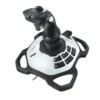
Product Overview: Take full command of your virtual skies with the Logitech Extreme 3D Pro joystick. Engineered for flight simulation enthusiasts, this controller features precision twist-handle rudder control, 12 fully programmable buttons, and an 8-way hat switch for immersive gaming.
Features & Specs - Connector Type: USB Type-A
Features & Specs - Compatible Devices: Personal Computer
Features & Specs - Input Voltage: 5V DC (USB Powered)
Features & Specs - Amperage: 500 mA
Features & Specs - Wattage: Not Applicable
Features & Specs - Output Current: Not Applicable
Features & Specs - Power Source: USB Bus-Powered
Features & Specs - Current Rating: Not Applicable
Features & Specs - Power Plug: USB Standard
Features & Specs - Connectivity Technology: Wired USB
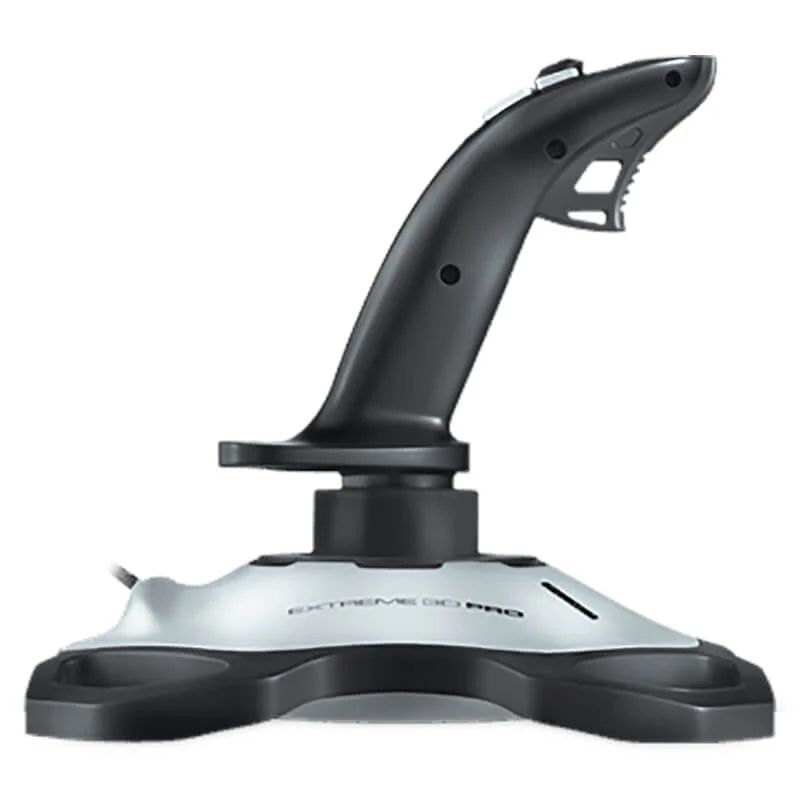
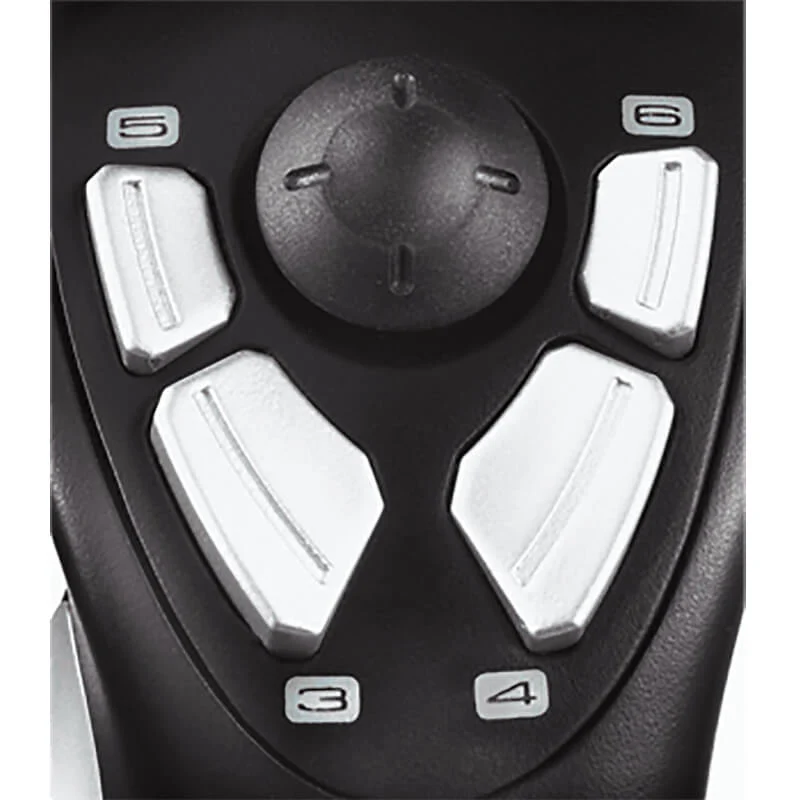
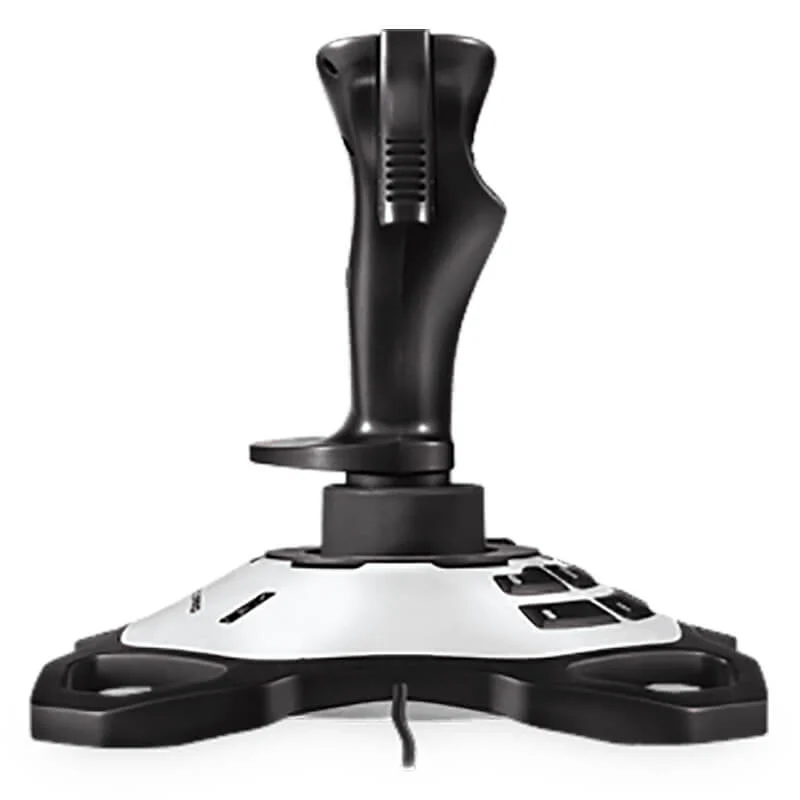
Features & Specs - Special Features: Precision Twist Rudder Control, 12 Programmable Buttons, 8-Way Hat Switch, Rapid-Fire Trigger, Ergonomic Comfort Grip, Weighted Non-Slip Base
Features & Specs - Material: High-Grade Plastic and Weighted Metal Base Plate
Features & Specs - Color: Black and Silver
Features & Specs - Axes of Control: X, Y, Z (Twist Rudder)
Features & Specs - Button Count: 12 Programmable Buttons
Features & Specs - Hat Switch Type: 8-Way Directional Hat Switch
Features & Specs - Trigger Type: Rapid-Fire Trigger
Features & Specs - Base Type: Weighted, Non-Slip Base
Features & Specs - Software Integration: Logitech Gaming Software (Optional for advanced macro programming)
Features & Specs - Plug and Play: Yes
Features & Specs - Dynamic Force Feedback: No
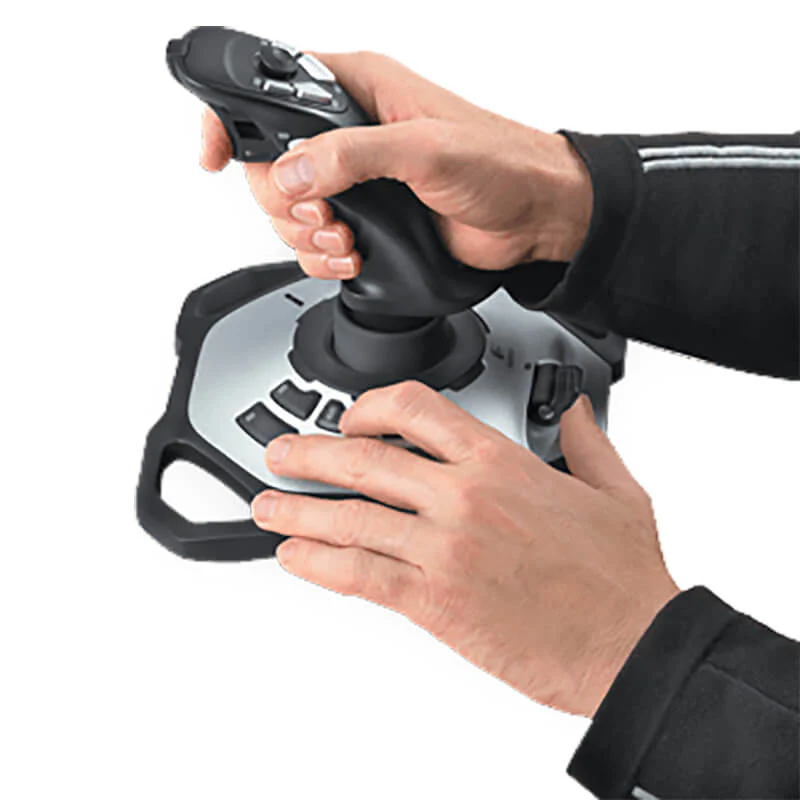
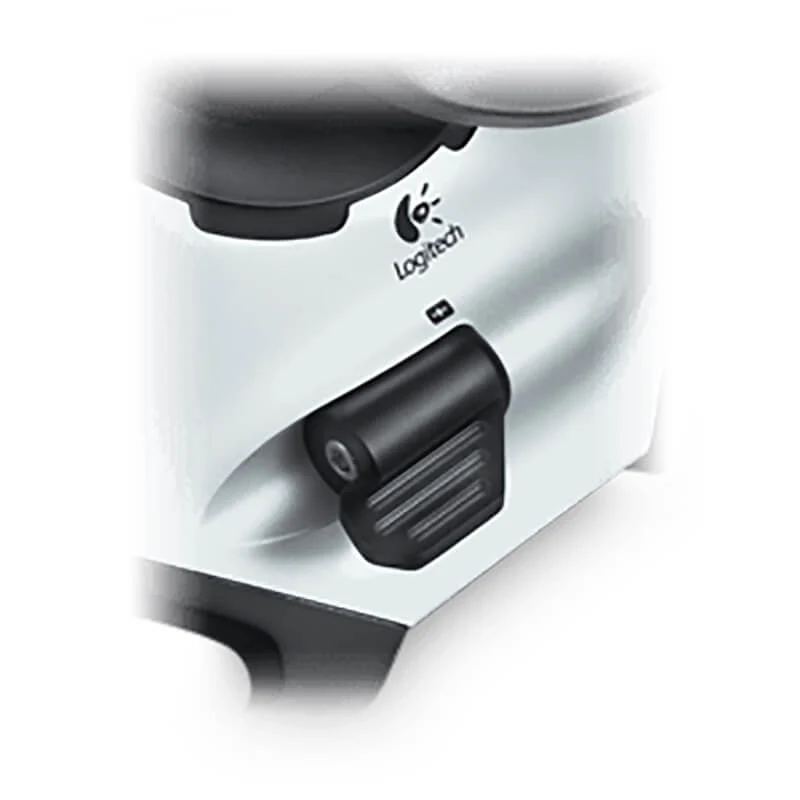
Features & Specs - Throttle Control: Integrated Throttle Lever
Features & Specs - Grip Design: Hand-Contoured Sculpted Grip
Features & Specs - Yaw Control: Twist Handle Integration
Features & Specs - Pitch and Roll: Precision X and Y Axis Sensors
Features & Specs - Driver Requirement: Automatic via Operating System
Features & Specs - LED Indicators: None
Features & Specs - Macro Support: Yes (via software)
Features & Specs - Button Durability: High-cycle tactical switches
Features & Specs - Cable Length: Approx. 1.8 Meters
Item details - Brand: Logitech
Item details - Model Number: Extreme 3D Pro
Item details - SKU: 942-000008
Item details - MFN Part Number: 942-000008
Item details - Manufacturer: Logitech
Item details - Categories: Logitech > Logitech Gaming
Item details - Tags: Flight Simulator Control, Joystick, Gaming Controller
Item details - Country of Origin: China
Item details - Item Model Number: 942-000008
Measurements - Number of Items: 1
Measurements - Item Weight: Standard Flight Controller Weight class
Measurements - Unit Count: 1 Piece
Measurements - Product Dimensions: Standard Desktop Flight Simulator Footprint
Measurements - Package Dimensions: Retail Box Packaging Standard
Additional details - Color: Black / Silver Accent
Additional details - Enclosure Material: Durable Polymer Composite
Additional details - Form Factor: Desktop Flight Stick Controller
Additional details - Style: Right-Handed Ergonomic Flight Sim Joystick
Additional details - Theme: Aviation / Flight Simulation / Space Combat
Additional details - Finish Type: Matte and Textured Grip Finish
User guide - Usage Instructions: Plug the USB cable into an available USB port on your computer. Configure axis sensitivity and button mapping within your preferred flight simulation software.
User guide - Installation: Plug-and-play installation for Windows operating systems. Optional Logitech Gaming Software can be downloaded for macro assignments and custom profiles.
User guide - Care Instructions: Clean the exterior surface with a soft, dry cloth. Avoid exposure to liquids, extreme temperatures, and excessive dust.
User guide - Safety Warnings: Do not apply excessive force to the handle or twist mechanism. Keep away from small children due to small components and cord hazard.
User guide - Maintenance: Periodically check USB connections and keep the base clear of debris to ensure non-slip stability.
User guide - Certification: CE, FCC, RoHS compliant
User guide - Compatibility Notes: Compatible with Windows 10, Windows 8, Windows 7, and Windows Vista. Not natively compatible with modern gaming consoles without third-party adapters.
User guide - Operating Temperature: 0°C to 40°C (32°F to 104°F)
Use Cases - Best For: Flight simulation games, combat flight simulators, and beginner-to-intermediate space sims.
Use Cases - Ideal Scenarios: Microsoft Flight Simulator, DCS World, Star Citizen, and civil aviation training setups.
Use Cases - Target Audience: Flight simulation enthusiasts, virtual pilots, aviation gamers, and hobbyists.
Use Cases - Compatible With: Windows-based PC gaming rigs running flight simulation titles.
Use Cases - Not Recommended For: PlayStation, Xbox, or Nintendo console gaming without dedicated conversion hardware; left-handed users.
Pros & Cons - Pros: Integrated precision twist rudder control for easy yaw handling.
Pros & Cons - Pros: 12 programmable buttons and 8-way hat switch for extensive custom mapping.
Pros & Cons - Pros: Weighted, non-slip base keeps the joystick stable during aggressive maneuvers.
Pros & Cons - Pros: Ergonomic hand-contoured grip designed for extended gaming comfort.
Pros & Cons - Pros: Plug-and-play USB setup for quick installation on Windows PCs.
Pros & Cons - Cons: Ergonomically designed strictly for right-handed users.
Pros & Cons - Cons: Does not include force feedback capabilities.
Pros & Cons - Cons: Lacks modular throttle quadrant separation (integrated throttle lever only).
Box Contents - Main Unit: Logitech Extreme 3D Pro Joystick
Box Contents - Cables: Attached USB Cable
Box Contents - Adapters: None Required
Box Contents - Documentation: User Documentation and Setup Guide
Box Contents - Warranty Card: Included in documentation booklet
Box Contents - Other Accessories: None
Warranty & Support - Warranty Period: 2-Year Limited Hardware Warranty
Warranty & Support - Warranty Type: Manufacturer Hardware Warranty
Warranty & Support - Coverage: Defects in materials and workmanship under normal use
Warranty & Support - Support Contact: Logitech Customer Support Online Portal
Warranty & Support - Return Policy: Subject to retailer standard return and exchange policies
Warranty & Support - Customer Service Hours: Available via Logitech official support website
Warranty & Support - Service Locations: Authorized Logitech service centers worldwide





 No products in the cart.
Write a review