
S
Shahzaib Nadeem✓ Verified purchase17 October 2026
★★★★★
₨ 10,800.00
Available in stock
Get Extra -10% Discount on Bank Transfer: ₨ 9,720.00
Ratings and experiences shared by customers.
Perfect for extending my workspace across two displays.
Best product
Bohat hi convenient hai work from home ke liye!!!
Feels solid, works well, and wasn’t expensive, a keeper.
Rate this product and help other customers make an informed choice.
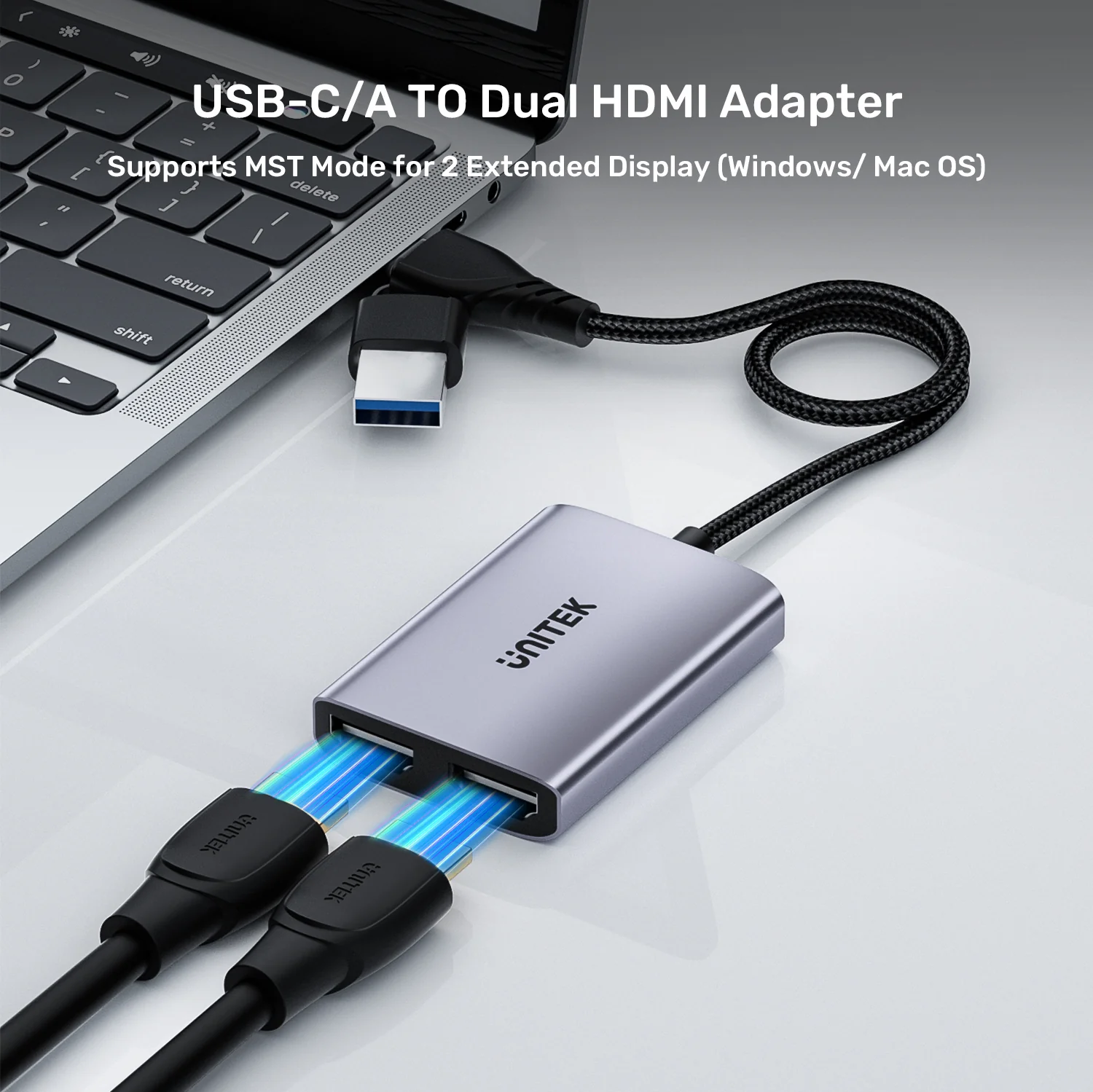
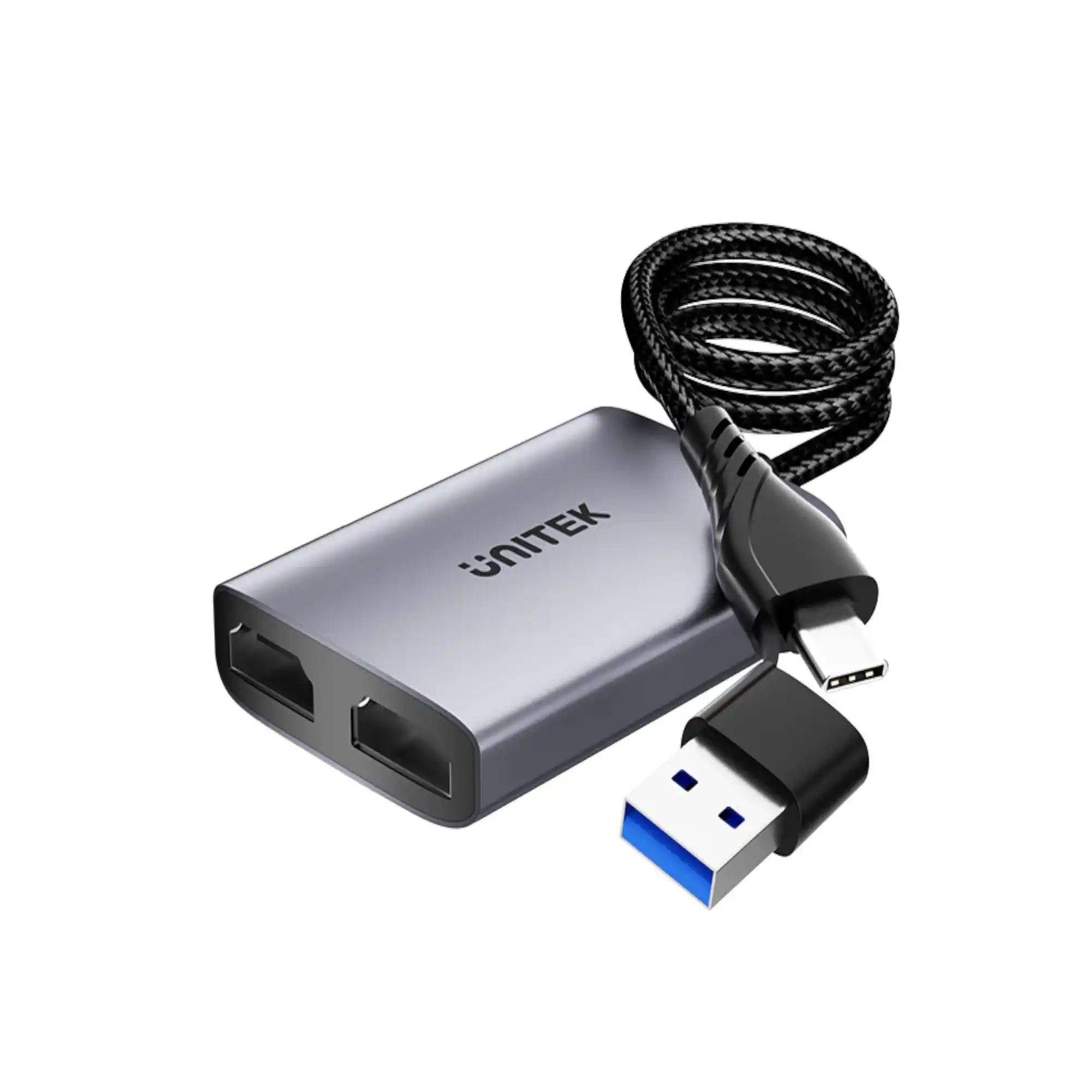
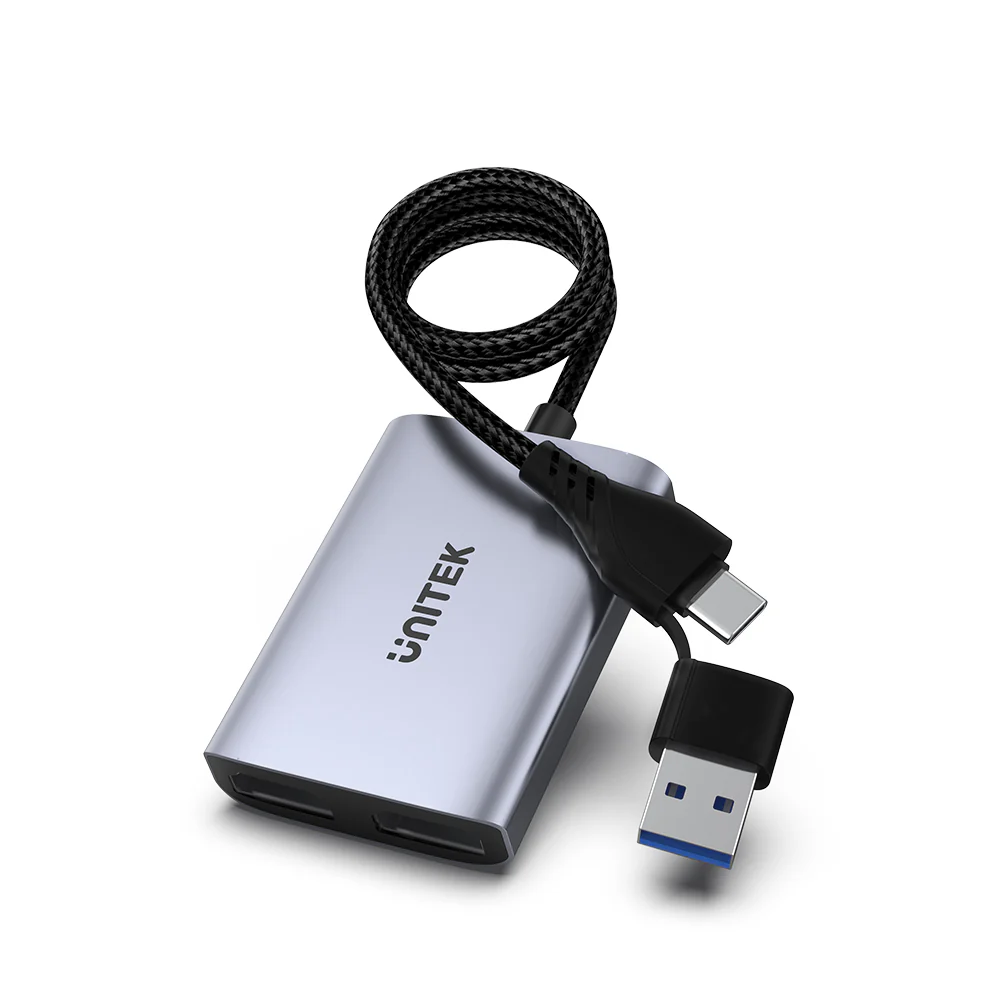
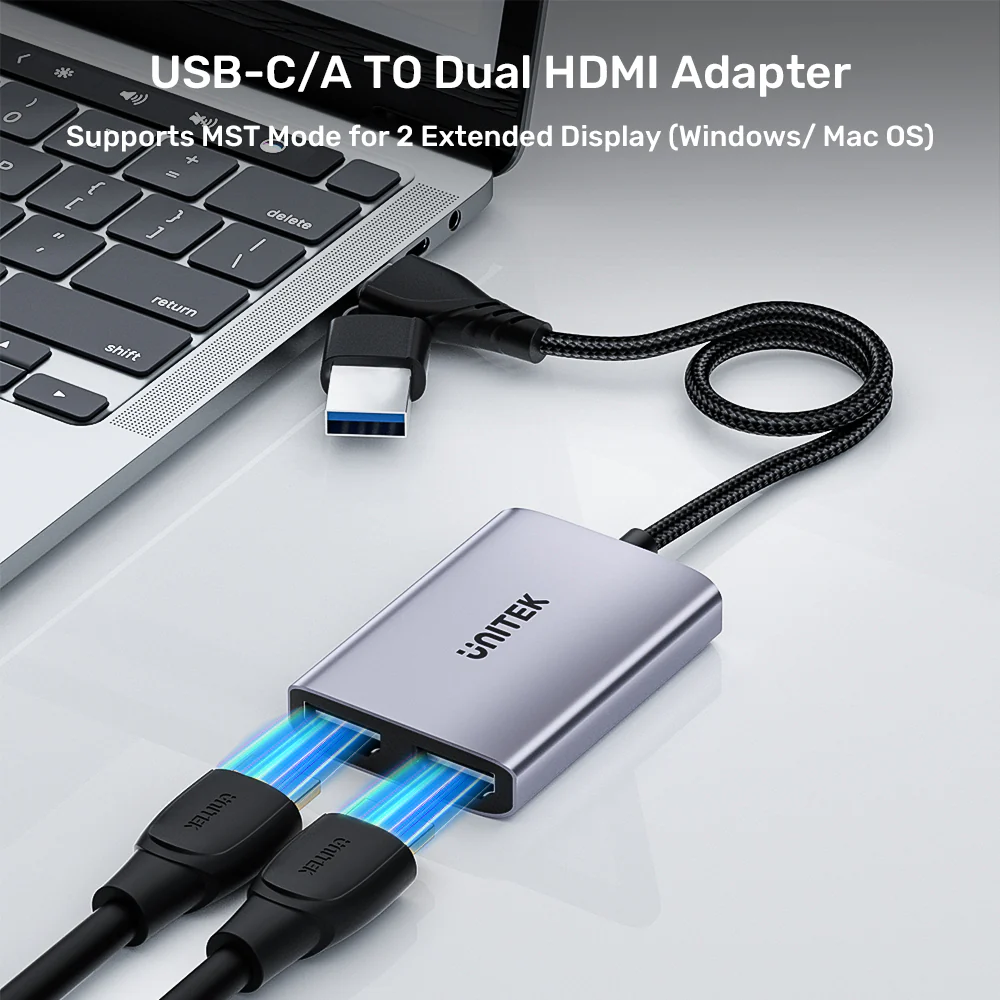
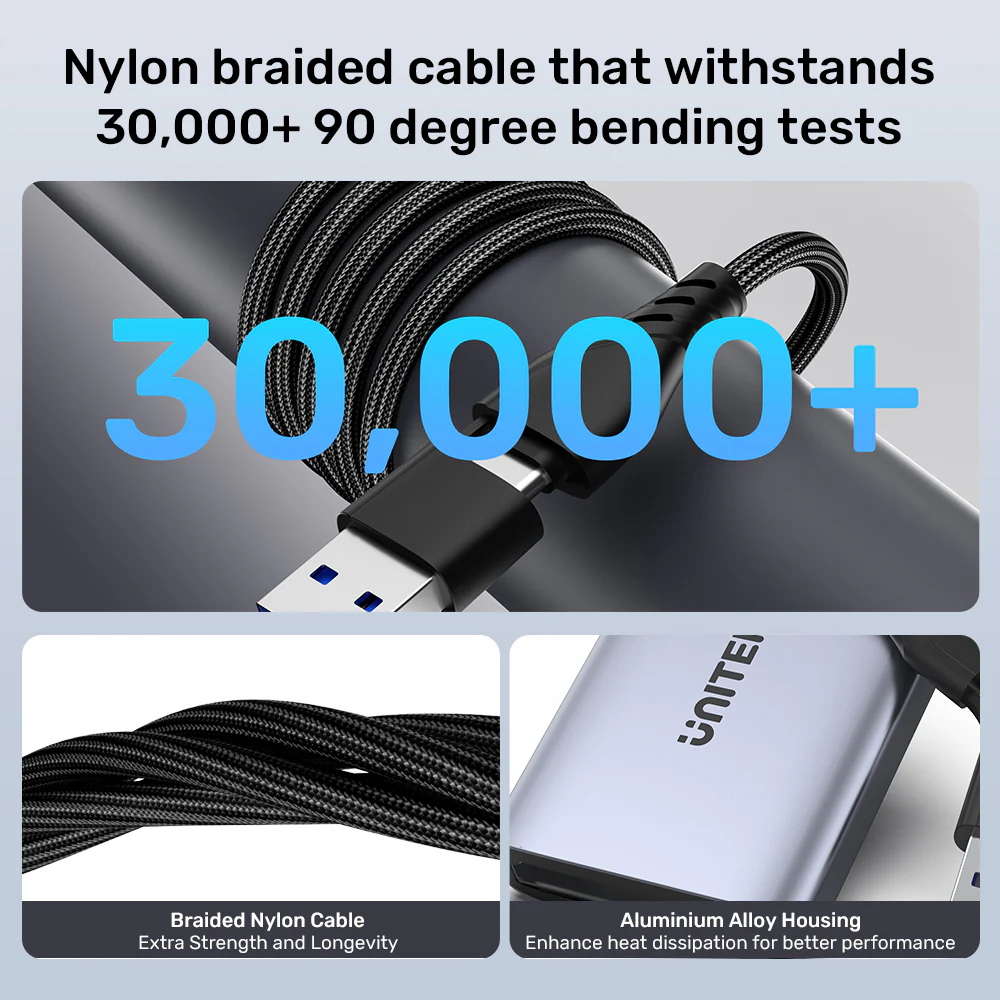
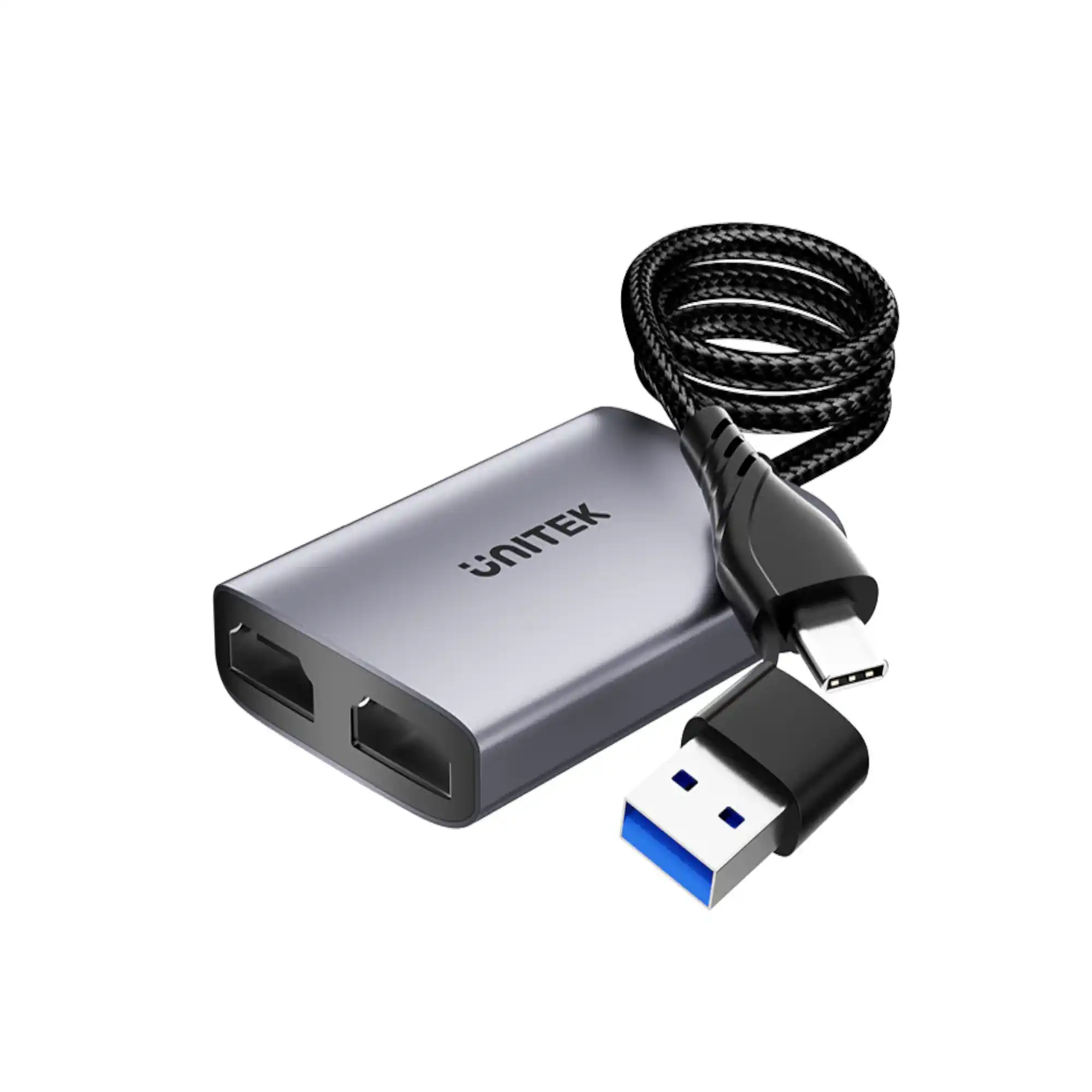
Discover seamless multitasking and dual-display productivity with the UNITEK 2-in-2 USB-C and USB-A to Dual HDMI Adapter. Designed by UNITEK, this versatile usb c to hdmi adapter features a unique hybrid cable supporting both USB-C and USB-A devices, allowing you to easily connect dual monitors at resolutions up to 1920x1080@60Hz for enhanced home office efficiency and online education.
| Connector Type | USB Type-C, USB Type-A to Dual HDMI |
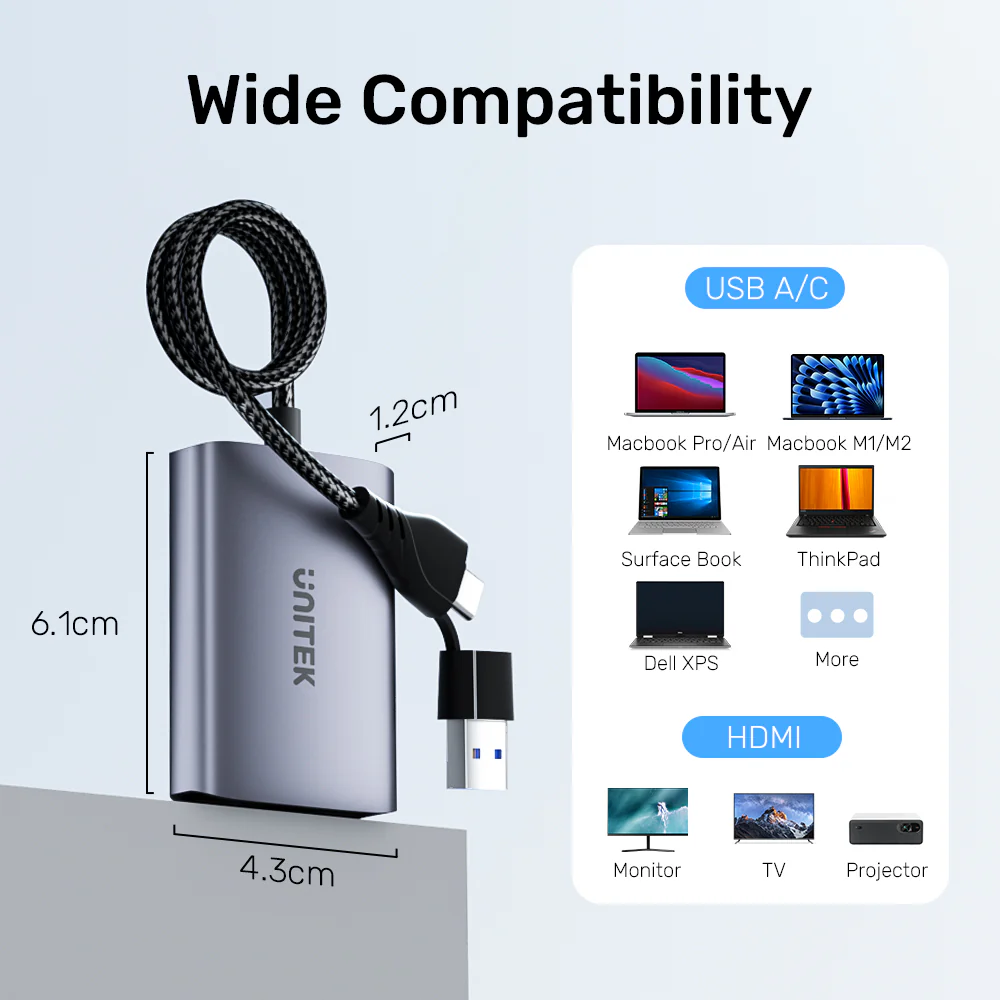
| Compatible Devices | Laptops, PCs, Thunderbolt 3/4 Devices |
| Input Interface | USB-C / USB-A Hybrid Connection |
| Output Interface | Dual HDMI Ports |
| Maximum Resolution | 1920x1080 @ 60Hz per display |
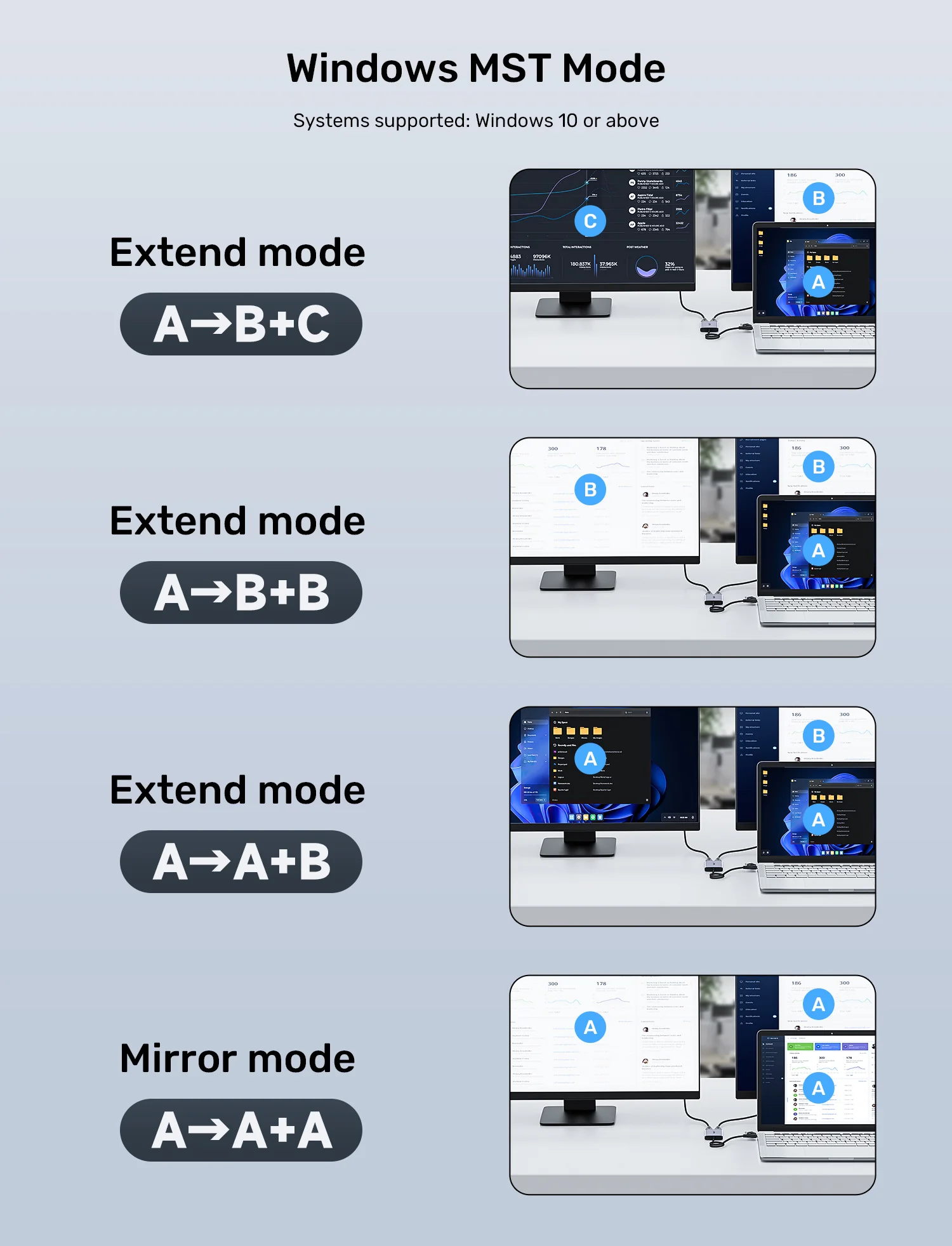
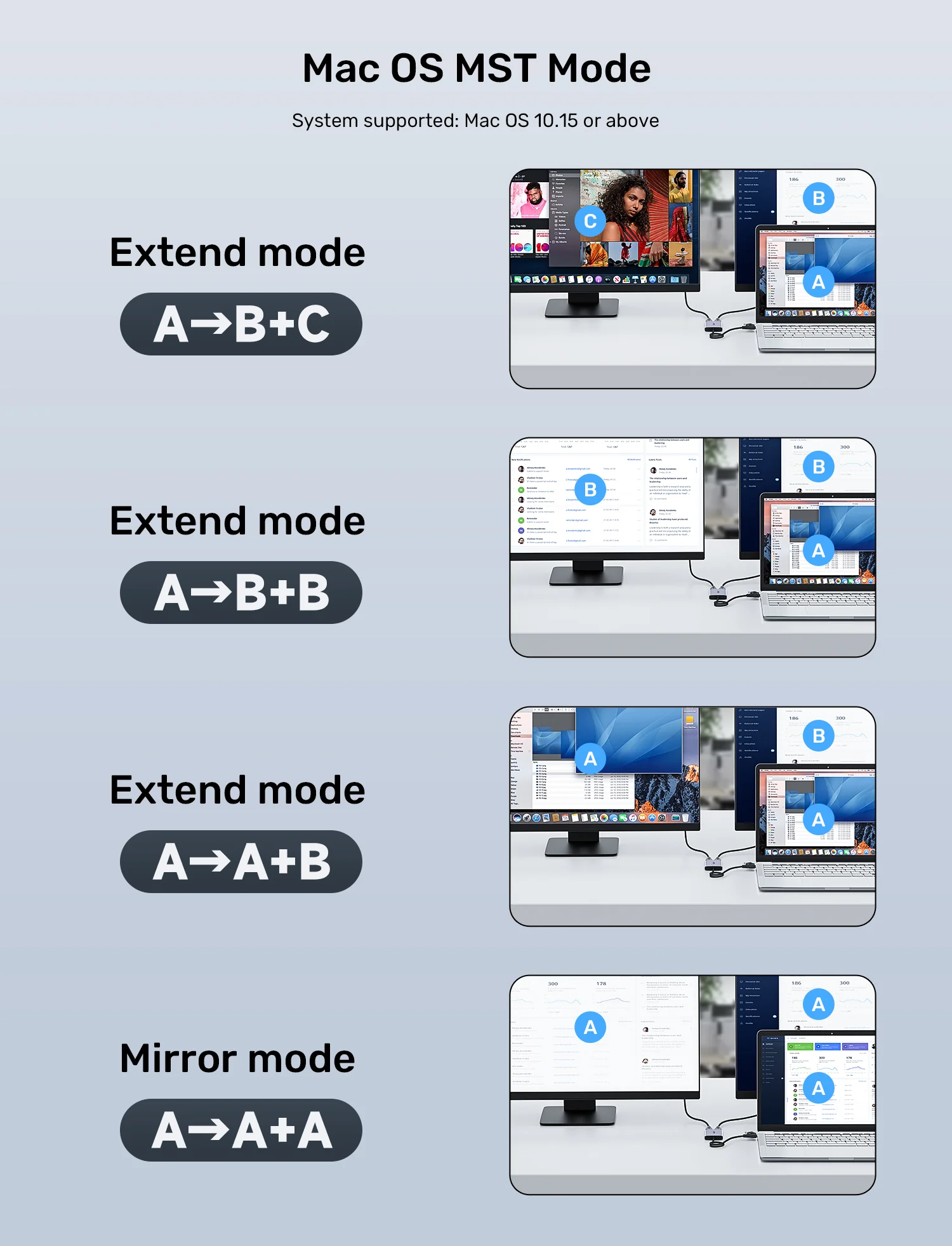
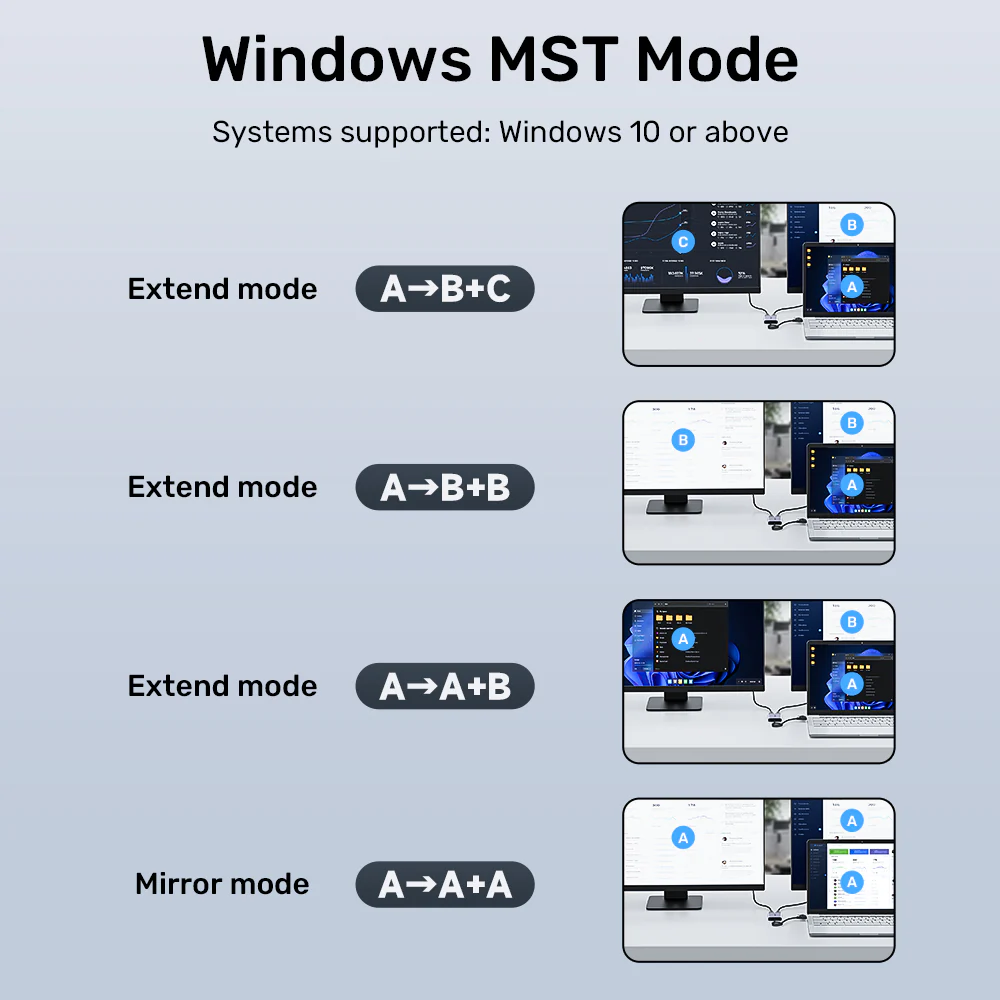
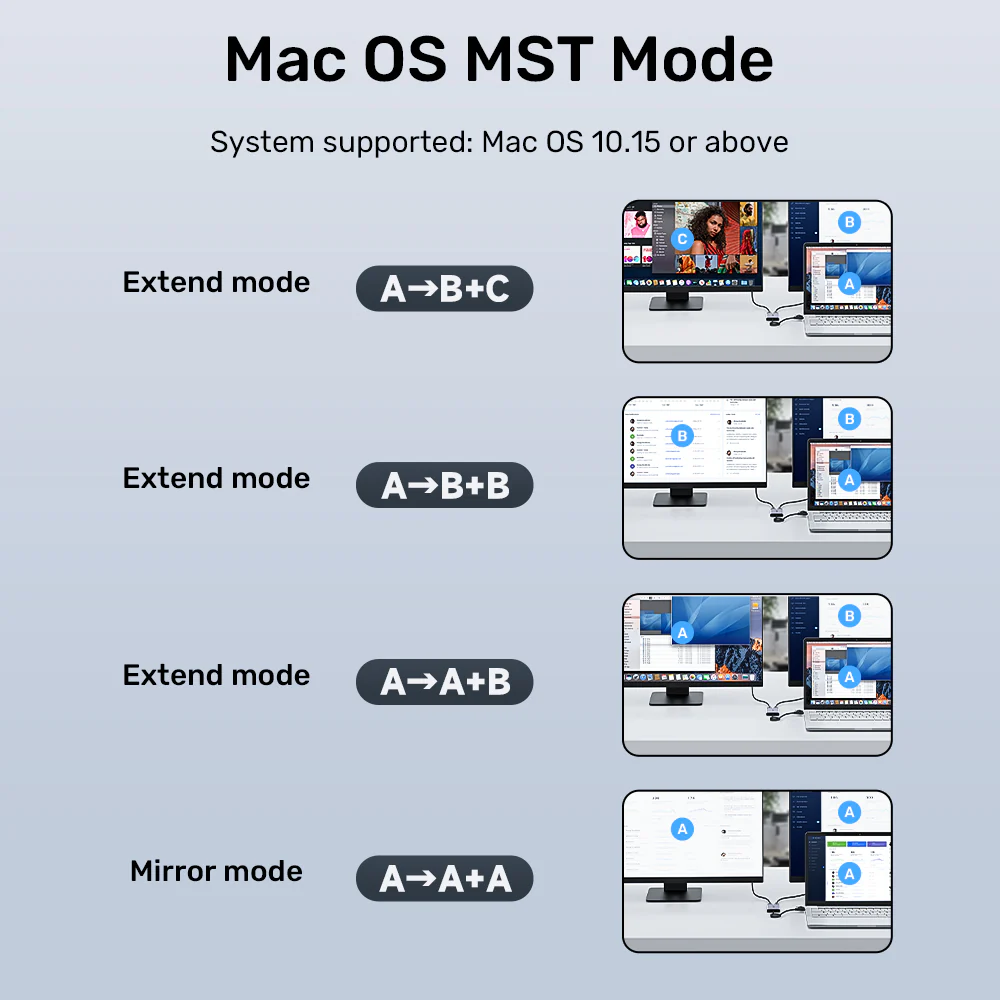
| Display Modes Supported | Mirror Mode (AAA), Extend Mode (AAB, ABB, ABC) |
| Supported Operating Systems | Windows 11, Windows 10, macOS 10.15 or higher (including M1/M2/M3 chips) |
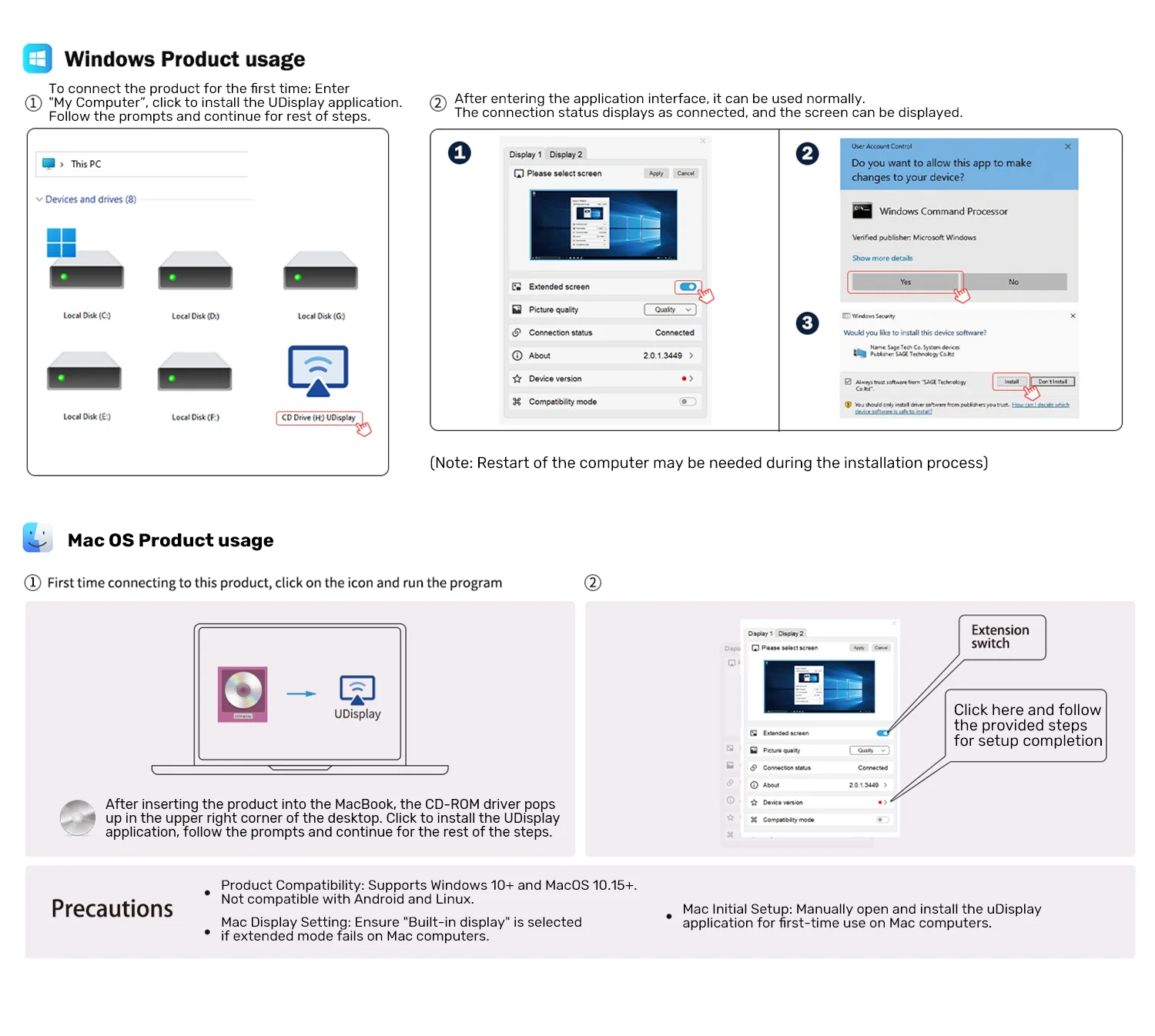
| Required Driver | Udisplay Driver |
| Connectivity Technology | USB / HDMI |
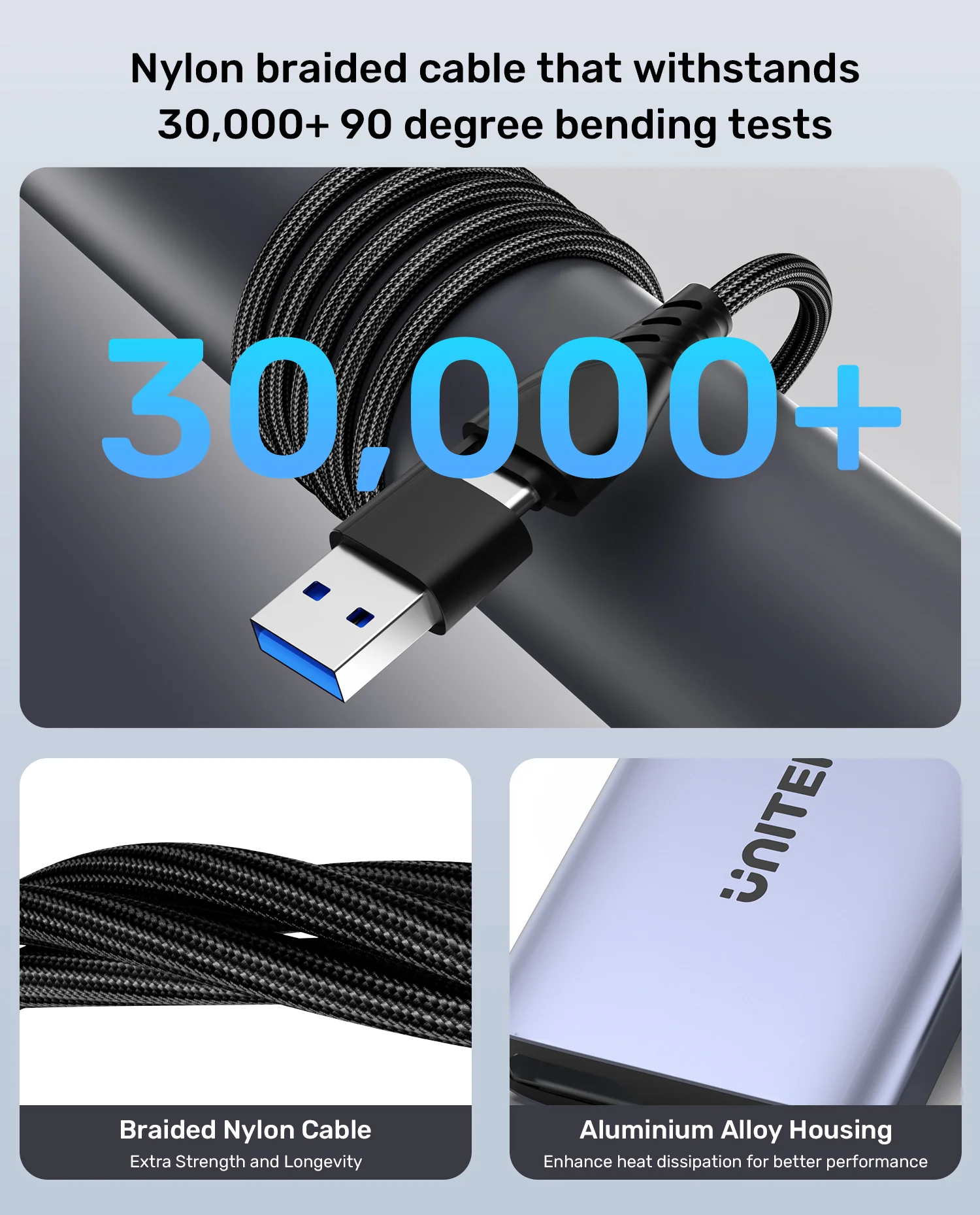
| Special Features | Hybrid cable design, simultaneous dual-screen output, multi-tasking support |
| Safety Protocols | Over-current, over-voltage, short-circuit, and heat dissipation protection |
| Material | High-grade durable housing |
| Color | Standard Modern Finish |
| Power Source | Bus-powered via USB |
| Data Transfer Rate | High-speed video transmission |
| Plug and Play | Requires Udisplay driver installation |
| HDCP Support | Not supported for HDCP-protected content (Netflix, Hulu, YouTube) |
| Target Systems Note | ChromeOS, Android, iOS, Linux are not supported |
| Unix System Note | Requires Udisplay driver installation |
| Multi-Display Capability | Dual Independent Displays |
| Switching Efficiency | Quick switching between projectors |
| Performance Enhancement | Boosts operational efficiency for productivity software |
| Thermal Management | Advanced heating dissipation mechanism |
| Current Protection | Integrated over-current safeguard |
| Voltage Protection | Integrated over-voltage safeguard |
| Short-Circuit Protection | Built-in short-circuit defense |
| Application Scope | Web browsing, office tasks, data analysis |
| Cable Type | Hybrid 2-in-2 Input Cable |
| Portability | Compact and travel-friendly design |
| Installation Method | Driver-based simple setup |
| Brand | UNITEK |
| Model Number | V1427A01 |
| SKU | V1427A01 |
| MFN Part Number | V1427A01 |
| Manufacturer | UNITEK |
| Categories | UNITEK > UNITEK Multifunction Hub |
| Tags | Not Applicable |
| Country of Origin | Standard Manufacturer Location |
| Item Model Number | V1427A01 |
| Number of Items | 1 |
| Item Weight | Standard Lightweight Design |
| Unit Count | 1 Unit |
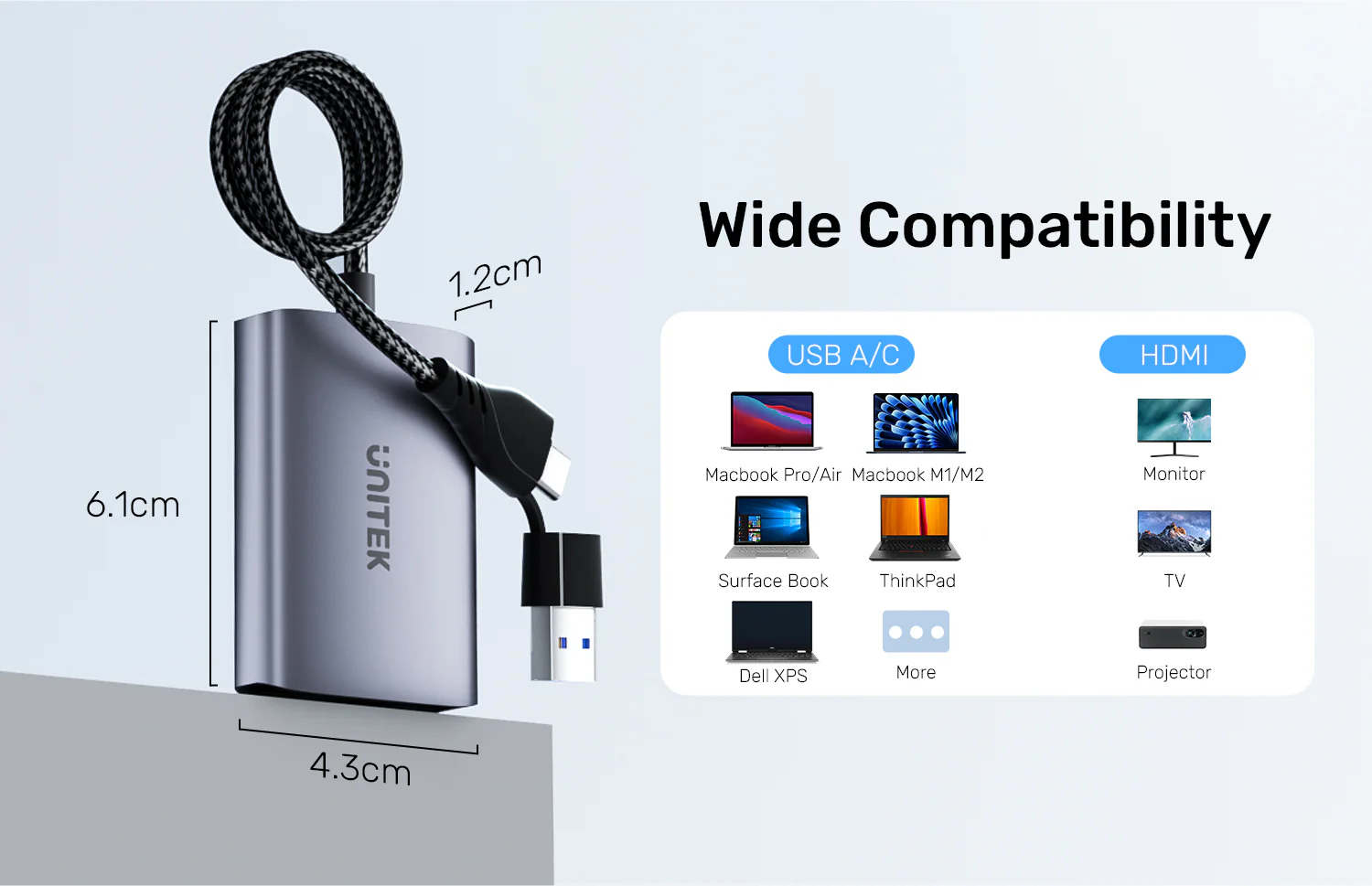
| Product Dimensions | Compact Form Factor |
| Package Dimensions | Retail-ready Packaging Dimensions |
| Color | Professional Finish |
| Enclosure Material | Durable ABS and Metal Alloy Components |
| Form Factor | Multiport Video Adapter Hub |
| Style | Modern Minimalist |
| Theme | Office & Productivity |
| Finish Type | Smooth Matte / Glossy Accent |
| Usage Instructions | Connect the hybrid USB-C/USB-A cable to your computer, plug dual HDMI cables into monitors, and install the Udisplay driver. |
| Installation | Download and install the "Udisplay" driver for your specific operating system (Windows/macOS). |
| Care Instructions | Keep away from liquids, extreme heat, and dust. Disconnect when not in use for extended periods. |
| Safety Warnings | Do not expose to moisture. Avoid dropping or subjecting to heavy physical impact. |
| Maintenance | Clean gently with a soft, dry microfiber cloth. Do not use chemical solvents. |
| Certification | CE, FCC, RoHS compliant standards |
| Compatibility Notes | Requires Udisplay driver; does not support ChromeOS, Android, iOS, or Linux. |
| Operating Temperature | Standard room temperature operation recommended |
| Best For | Multitasking, office productivity, and online education |
| Ideal Scenarios | Data analysis, home office setups, meetings with projector switching |
| Target Audience | Office workers, students, educators, and professionals |
| Compatible With | Windows and macOS computers featuring USB-C, USB-A, or Thunderbolt 3/4 ports |
| Not Recommended For | Gaming, graphics-intensive design work, or streaming HDCP-protected content (Netflix, Hulu, YouTube) |
| Main Unit | UNITEK 2-in-2 USB-C and USB-A to Dual HDMI Adapter |
| Cables | Integrated Hybrid USB-C/USB-A Input Cable |
| Adapters | Built-in Multiport Adapter Unit |
| Documentation | User Manual and Quick Start Guide |
| Warranty Card | Manufacturer Warranty Documentation |
| Warranty Period | Standard Manufacturer Warranty |
| Warranty Type | Replacement or Repair Warranty against factory defects |
| Coverage | Hardware defects in materials and workmanship |
| Support Contact | Available via official UNITEK customer support channels |
| Return Policy | Standard merchant return policy guidelines apply |
| Customer Service Hours | Standard business hours support |
| Service Locations | Authorized service centers worldwide |
The adapter supports a maximum resolution of 1920x1080 at 60Hz for each connected monitor. This ensures clear, high-definition visuals for dual-screen setups, making it suitable for productivity tasks, data analysis, and online education environments where screen clarity is essential.
Yes, the UNITEK V1427A01 features a hybrid cable design that allows it to connect to both USB-C and USB-A ports. This versatility makes it compatible with a wide range of laptops and desktop computers commonly used in Pakistan, regardless of the specific port generation.
Yes, the adapter is fully compatible with Thunderbolt 3 and Thunderbolt 4 devices. It utilizes the hybrid cable interface to ensure seamless connectivity, allowing users to extend or mirror their display workspace across two independent monitors using these high-speed ports.
The adapter supports four distinct display modes: Mirror mode (AAA) and three Extend modes (AAB, ABB, and ABC). These options provide flexibility for different workflows, whether you need to duplicate your screen for presentations or expand your workspace across three total screens.
Yes, the adapter is designed to work with Windows systems and requires the Udisplay driver for proper operation. Installing this driver ensures that the device can effectively manage dual-monitor output and support the various display modes available for your computer.
The adapter is equipped with integrated protection protocols to prevent over-current, over-voltage, and short-circuit issues. Additionally, it includes heat dissipation features to maintain stable performance during extended use, ensuring the device remains reliable for daily home office or educational tasks.
Yes, the adapter is ideal for meetings as it allows you to easily switch between different projectors. By using this single adapter, you can manage dual-monitor setups or connect to external display hardware without needing to carry multiple different adapters for various connection types.
Yes, the adapter supports extend modes (AAB, ABB, and ABC), which allow you to treat your two connected monitors as independent workspaces. This is particularly useful for multitasking, such as viewing data analysis on one screen while working on a document on the other.
Yes, the UNITEK V1427A01 is specifically designed to enhance productivity for online education and home office environments. Its ability to support dual 1080P displays makes it a practical tool for managing web-based software, video conferencing, and multitasking across multiple windows simultaneously.
Yes, the adapter requires the Udisplay driver to function correctly on Windows devices. Users should ensure the driver is installed to enable the full capabilities of the dual HDMI output and to access the various display modes supported by the hardware.
At a glanceEvery detail that matters, in one place. |
 CURRENT PRODUCT
UNITEK 2-in-2 USB-C and USB-A to Dual HDMI Adapter
Explore product
CURRENT PRODUCT
UNITEK 2-in-2 USB-C and USB-A to Dual HDMI Adapter
Explore product
|
 SIMILAR PRODUCT
UNITEK USB-C to Dual 4K HDMI Adapter
Explore product
SIMILAR PRODUCT
UNITEK USB-C to Dual 4K HDMI Adapter
Explore product
|
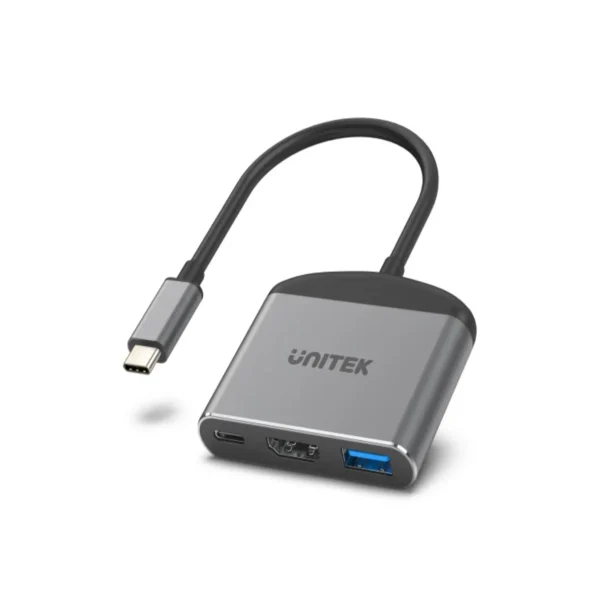 SIMILAR PRODUCT
UNITEK USB-C to HDMI 8K Adapter with USB 3.0 and PD 100W Charging
Explore product
SIMILAR PRODUCT
UNITEK USB-C to HDMI 8K Adapter with USB 3.0 and PD 100W Charging
Explore product
|
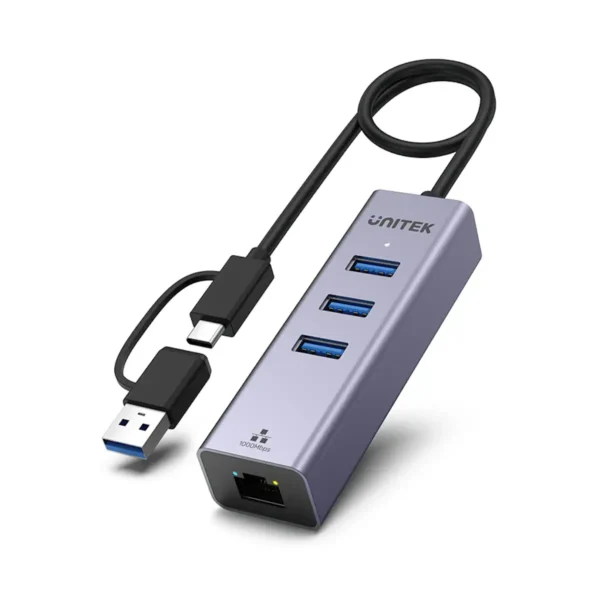 SIMILAR PRODUCT
UNITEK 4-in-1 USB C to Gigabit Ethernet Adapter with 3 Ports USB 3.0 Hub, 5Gbps Data Transfer, Plug and Play
Explore product
SIMILAR PRODUCT
UNITEK 4-in-1 USB C to Gigabit Ethernet Adapter with 3 Ports USB 3.0 Hub, 5Gbps Data Transfer, Plug and Play
Explore product
|
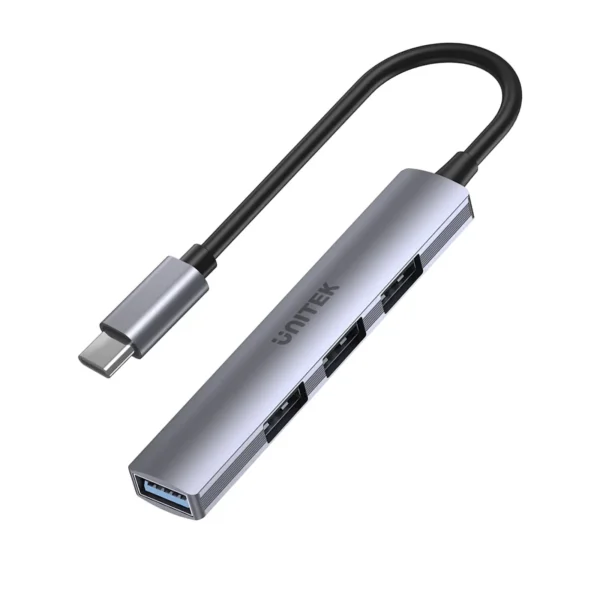 SIMILAR PRODUCT
UNITEK uHUB Q4 USB-C Hub 4-in-1 USB-A Adapter (5Gbps + 3x USB 2.0)
Explore product
SIMILAR PRODUCT
UNITEK uHUB Q4 USB-C Hub 4-in-1 USB-A Adapter (5Gbps + 3x USB 2.0)
Explore product
|
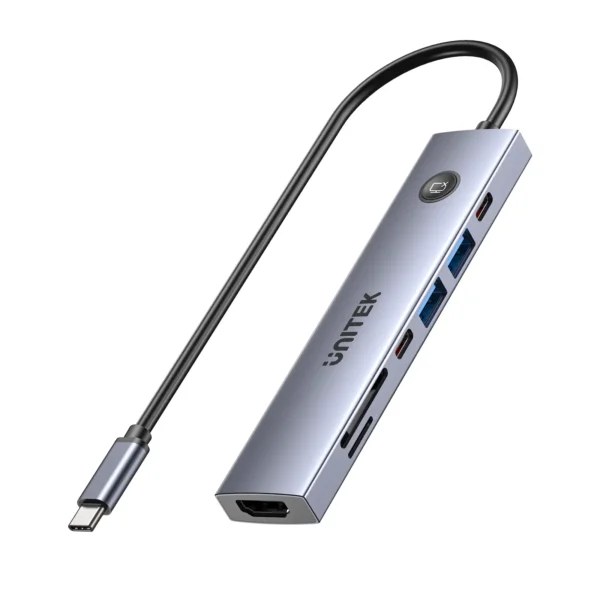 SIMILAR PRODUCT
UNITEK uHUB S7 Pro 7-in-1 5Gbps USB-C Hub with Screen On/Off Button, 4K@60Hz HDMI HDR, 100W PD Charging, 5Gbps Data Ports, Dual SD/microSD Card Readers
Explore product
SIMILAR PRODUCT
UNITEK uHUB S7 Pro 7-in-1 5Gbps USB-C Hub with Screen On/Off Button, 4K@60Hz HDMI HDR, 100W PD Charging, 5Gbps Data Ports, Dual SD/microSD Card Readers
Explore product
|
|---|---|---|---|---|---|---|
| Price | ₨ 10,800.00 | ₨ 17,000.00 | ₨ 10,800.00 | ₨ 10,500.00 | ₨ 6,000.00 | ₨ 11,500.00 |
| Customer Rating | ||||||
| Availability | Available in stock | Available in stock | Available in stock | Available in stock | Available in stock | Available in stock |
| SKU | V1427A01 | V1404B | D1102A | Y-3088B | H1208B | H1124AGY01 |
| Power Source | Bus-powered via USB | — | Bus-powered / USB-C PD Charger | USB Bus-Powered (draws power directly from host device) | USB Bus-powered | USB Bus-Powered or External USB-C PD Charger |
| Audio Support | — | Multi-channel digital audio transmission | Multi-channel digital audio pass-through | — | — | — |
| Video Support | — | — | High Dynamic Range (HDR), HDCP 2.3/2.2 | 4K Video Compatible (via compatible USB-C host DisplayPort Alt Mode) | — | — |
| Maximum Resolution | 1920x1080 @ 60Hz per display | 4K at 60Hz per display | — | — | — | — |
| Number of Items | 1 | 1 | 1 | 1 | 1 | 1 Piece |
| Enclosure Material | Durable ABS and Metal Alloy Components | Aluminium-Alloy | Aluminum Alloy | Anodized Aluminum Alloy | Aluminum Alloy | Premium Anodized Aluminum Alloy |
| Finish Type | Smooth Matte / Glossy Accent | Anodized Metallic Finish | Anodized Matte Finish | Matte Sandblasted Anti-Fingerprint Texture | Matte anodized metallic finish | Matte Metallic Anti-Fingerprint Texture |

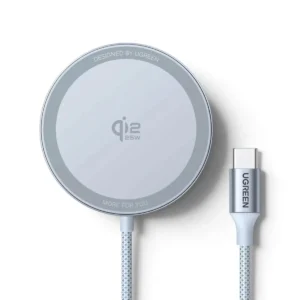 UGREEN 55959 MagFlow Magnetic Wireless Charger 25W, Qi2 Certified Fast Charging Pad for iPhone 18/ 17/ 16/ 15/ 14/ 13/ 12 Series, AirPods 4/3/Pro 2, and Other Qi2-Enabled Devices (Silver)
₨ 14,000.00 Save:₨ 1,000.00(7%)
UGREEN 55959 MagFlow Magnetic Wireless Charger 25W, Qi2 Certified Fast Charging Pad for iPhone 18/ 17/ 16/ 15/ 14/ 13/ 12 Series, AirPods 4/3/Pro 2, and Other Qi2-Enabled Devices (Silver)
₨ 14,000.00 Save:₨ 1,000.00(7%)
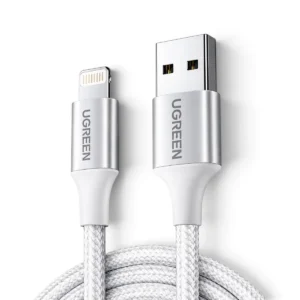 UGREEN 60161 USB-A to Lightning Braided Cable, MFi Certified, Aluminum Case (1 Meter / 3 Feet) – Fast Charging and Data Sync for iPhone, iPad, iPod (Silver)
₨ 6,500.00 Save:₨ 500.00(7%)
UGREEN 60161 USB-A to Lightning Braided Cable, MFi Certified, Aluminum Case (1 Meter / 3 Feet) – Fast Charging and Data Sync for iPhone, iPad, iPod (Silver)
₨ 6,500.00 Save:₨ 500.00(7%)
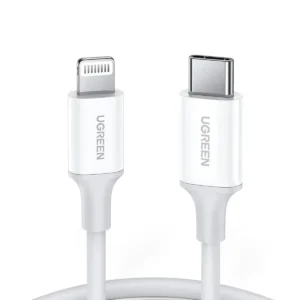 UGREEN 60749 USB-C to Lightning Cable, 6FT MFi Certified, PD Fast Charging, 480Mbps Data Transfer, 60W (Black)
₨ 7,999.00 Save:₨ 501.00(6%)
UGREEN 60749 USB-C to Lightning Cable, 6FT MFi Certified, PD Fast Charging, 480Mbps Data Transfer, 60W (Black)
₨ 7,999.00 Save:₨ 501.00(6%)
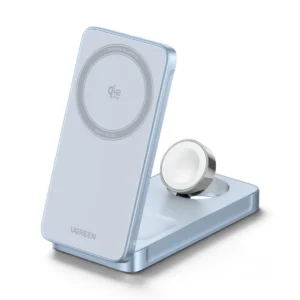 UGREEN 65901 MagFlow 3-in-1 Magnetic Wireless Charger, 25W Qi2 Fast Charging, Foldable Stand, USB-C Input (Space Gray)
₨ 45,000.00 Save:₨ 15,000.00(25%)
UGREEN 65901 MagFlow 3-in-1 Magnetic Wireless Charger, 25W Qi2 Fast Charging, Foldable Stand, USB-C Input (Space Gray)
₨ 45,000.00 Save:₨ 15,000.00(25%)
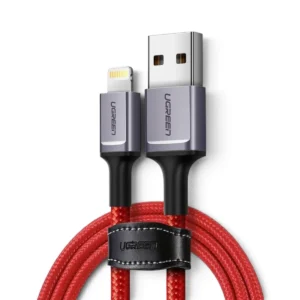 UGREEN 20527 USB 2.0 to Lightning Cable (1 Meter) Nylon Braided, Aluminum Case, 2.4A Fast Charging, 480Mbps Data Sync, MFi Certified for iPhone, iPad, iPod (Black)
₨ 3,200.00 Save:₨ 2,800.00(47%)
UGREEN 20527 USB 2.0 to Lightning Cable (1 Meter) Nylon Braided, Aluminum Case, 2.4A Fast Charging, 480Mbps Data Sync, MFi Certified for iPhone, iPad, iPod (Black)
₨ 3,200.00 Save:₨ 2,800.00(47%)
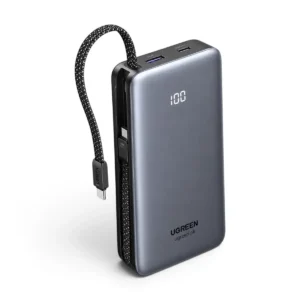 UGREEN 55985B PB528 20000mAh 30W Fast Charging Power Bank with Dual Built-In Braided USB-C Cables, Digital Display, USB-A & USB-C Ports – Grey
₨ 22,000.00
UGREEN 55985B PB528 20000mAh 30W Fast Charging Power Bank with Dual Built-In Braided USB-C Cables, Digital Display, USB-A & USB-C Ports – Grey
₨ 22,000.00
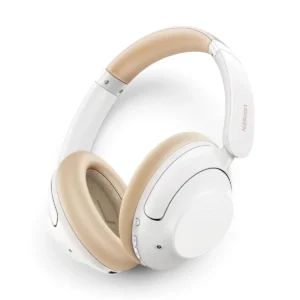 UGREEN 15809 HiTune Max5 HP202 Hybrid ANC Wireless Headphones Hi-Res Audio, Bluetooth 5.4, 75-Hour Battery, 40mm Drivers, LDAC, Low Latency Gaming Mode (Beige)
₨ 26,000.00
UGREEN 15809 HiTune Max5 HP202 Hybrid ANC Wireless Headphones Hi-Res Audio, Bluetooth 5.4, 75-Hour Battery, 40mm Drivers, LDAC, Low Latency Gaming Mode (Beige)
₨ 26,000.00
 UGREEN 35604B Uno 10000mAh 30W Fast Charging Power Bank with Built-In USB-C Cable, TFT Display, USB-A & USB-C Ports – Purple
₨ 22,000.00 Save:₨ 4,500.00(17%)
UGREEN 35604B Uno 10000mAh 30W Fast Charging Power Bank with Built-In USB-C Cable, TFT Display, USB-A & USB-C Ports – Purple
₨ 22,000.00 Save:₨ 4,500.00(17%)

 No products in the cart.
Write a review