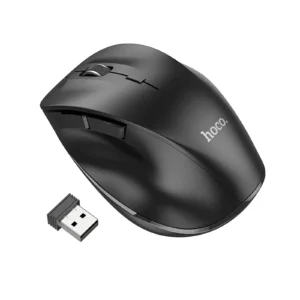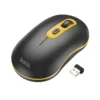
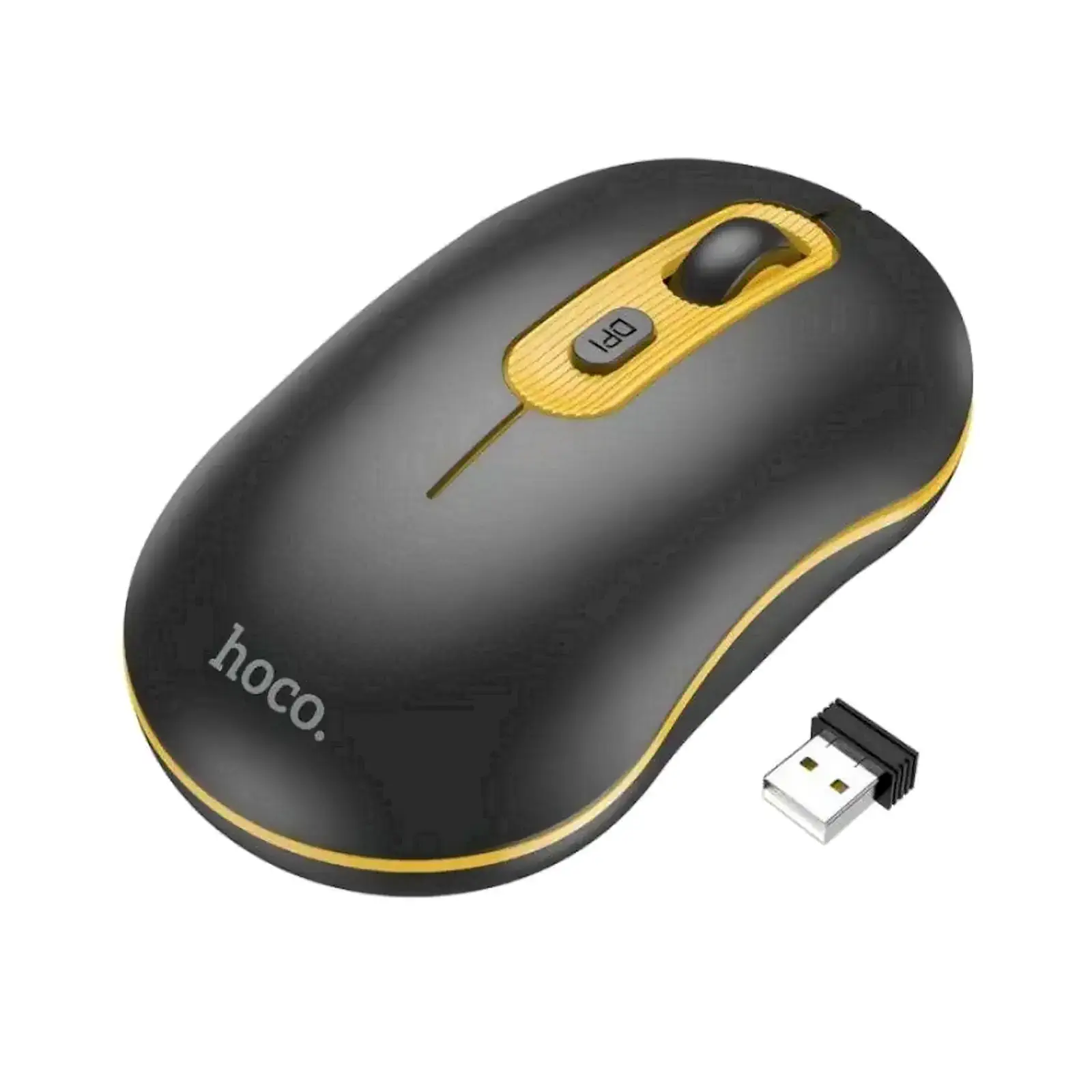
HOCO GM21 Platinum 2.4G Wireless Mouse with 4D Button Plug & Play 10M Range ₨ 3,600.00
Description

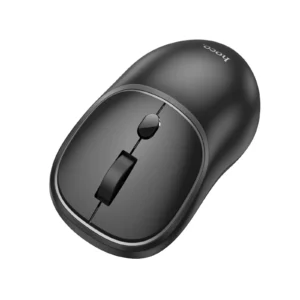
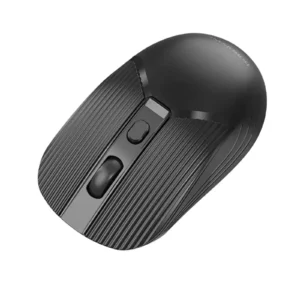
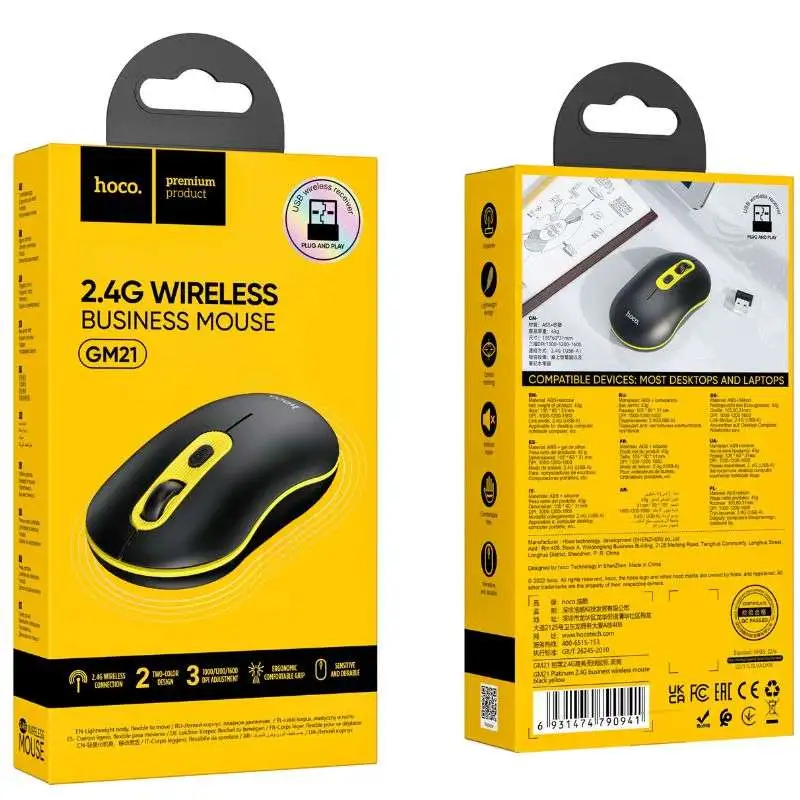
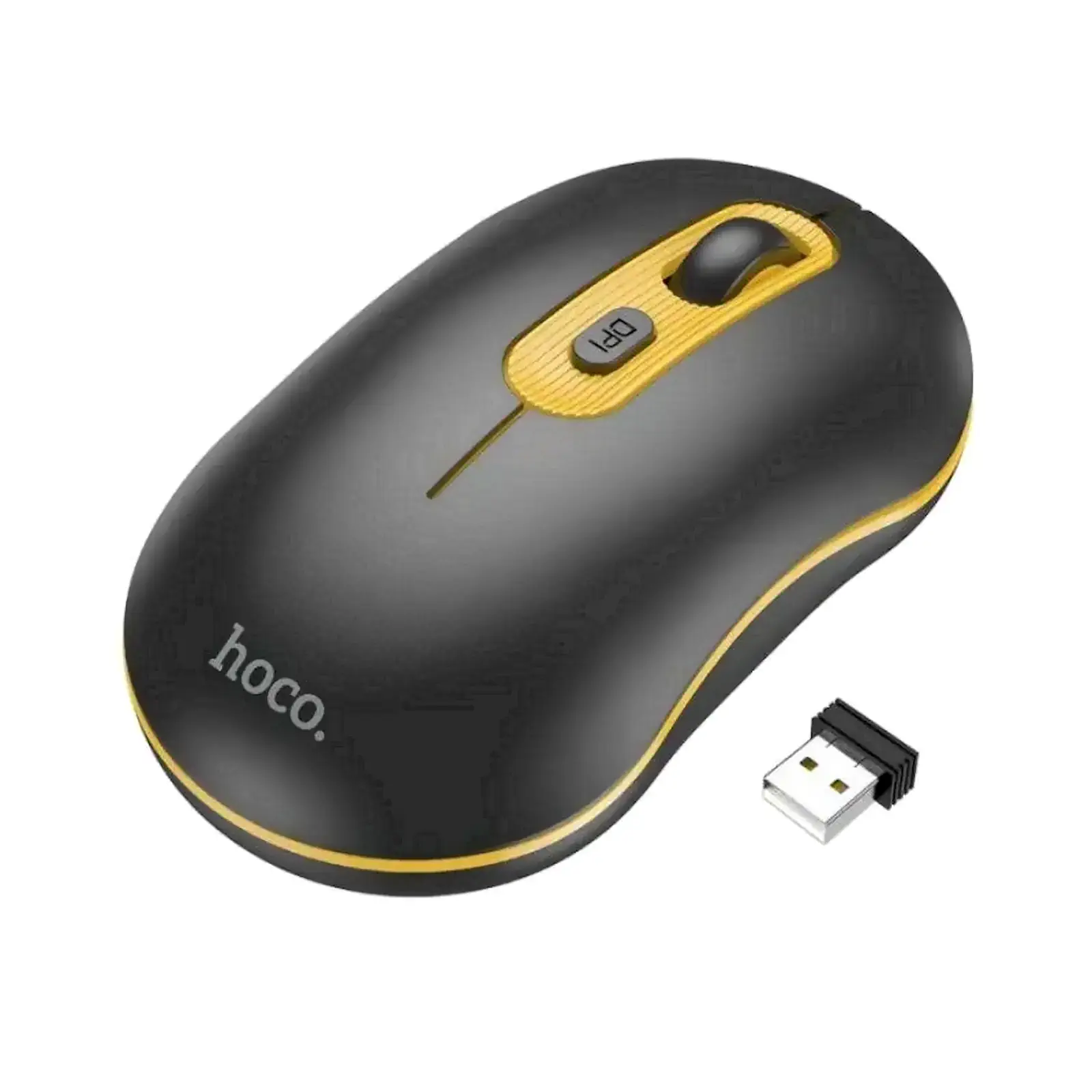
HOCO GM21 Platinum 2.4G Wireless Mouse with 4D Button | Plug & Play | 10M Range | for PC, Laptop, MacBook, Desktop (Black Yellow)

Tired of messy cables and unreliable Bluetooth connections that disrupt your workflow? The Hoco GM21 Platinum Wireless Mouse is your ultimate solution for a clean, efficient, and professional workspace. It features advanced 2.4GHz wireless technology that delivers a rock-solid, lag-free connection, so you can focus on your tasks without any interruptions. The standout 4D button functionality revolutionizes your navigation, allowing for effortless horizontal scrolling through spreadsheets, timelines, and wide web pages—a must-have feature for professionals, students, and designers. Its universal plug-and-play compatibility means it works instantly with almost any system, eliminating frustrating driver installations. This mouse isn’t just about performance; its ergonomic shape ensures comfort during long hours of use, making it a perfect partner for your home office or a great addition to your collection of computer accessories. If you need a reliable connection for other devices, explore our range of networking products like Wi-Fi adapters. For a complete workstation setup, don’t forget to check out our selection of laptop stands and desk organizers.

Specifications

  • Brand: Hoco
  • Model: GM21 Platinum
  • Connectivity: 2.4GHz Wireless via USB Nano Receiver
  • Operating Range: Up to 10 meters
  • Resolution (DPI): 1000 / 1200 / 1600 DPI (Adjustable)
  • Buttons: 6 buttons including 4D scroll wheel (Left, Right, Scroll Wheel, DPI Switch, Forward, Backward)
  • Compatibility: Windows XP/7/8/10/11, macOS, Linux, Chrome OS
  • Power Source: 1 x AA battery (Not Included)
  • Color: Black & Yellow

What’s in the Box

  • Hoco GM21 Platinum Wireless Mouse
  • USB Nano Receiver
  • User Manual

FAQs

1. Is the Hoco GM21 mouse ready to use right out of the box?
Yes, it is plug and play. Simply insert the included nano USB receiver into your computer’s USB port, and it will work immediately without any driver installation.

2. What does “4D Button” mean on this mouse?
The 4D button refers to the side scroll wheel that can not only be clicked but also tilted left and right. This allows for horizontal scrolling, which is extremely useful for navigating large Excel spreadsheets or wide web pages.

3. What is the wireless range of this mouse?
The Hoco GM21 offers a stable wireless connection with a range of up to 10 meters in an open space, giving you plenty of freedom to move around.

4. Which operating systems is this mouse compatible with?
It is widely compatible with Windows (XP, 7, 8, 10, 11), macOS, and Chrome OS. It will work with any device that has a standard USB port.

5. Does the mouse come with a battery?
No, the mouse requires 1 x AA battery to operate, which is not included in the package.

6. How do I change the DPI settings?
There is a dedicated DPI switch button located on top of the mouse. Clicking this button cycles through the available DPI settings (1000, 1200, 1600).

7. Can I use this mouse with a MacBook?
Absolutely. The plug-and-play functionality makes it perfectly compatible with MacBook Air, MacBook Pro, and iMac models that have a USB-A port. For newer MacBooks with only USB-C ports, you will need a simple USB-C to USB-A adapter.

8. What should I do if the mouse stops working or gets disconnected?
First, try turning the mouse off and on again. If the issue persists, unplug the USB receiver, wait a few seconds, and plug it back in. Also, ensure the battery is not depleted.

9. Is the USB receiver stored inside the mouse?
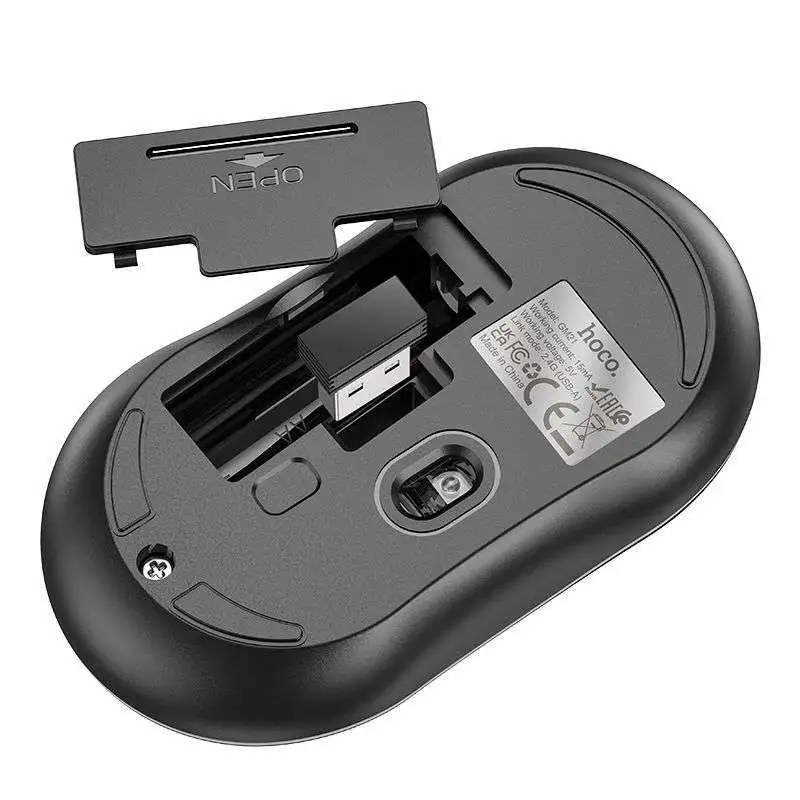
Yes, the nano receiver has a dedicated storage slot inside the mouse’s battery compartment, making it easy to store and transport without losing it.

10. Where can I buy a replacement USB receiver if I lose it?
The receiver that comes with the mouse is paired at the factory. If lost, it cannot be replaced with a generic receiver. Please contact ugreenpk.com customer support for assistance.

Specification

Discover ultimate workflow efficiency with the Hoco GM21 mouse Pakistan, engineered for professionals and students alike. Featuring advanced 2.4G wireless technology, a versatile 4D navigation button, and ergonomic styling, this plug-and-play optical mouse ensures a clutter-free and comfortable computing experience across multiple operating systems.

⚡ Features & Specs
Connector TypeUSB Nano Receiver
Compatible DevicesPC, Laptop, MacBook, Desktop
Input Voltage1.5V
AmperageLow Power Consumption
WattageNot Applicable (Battery Powered)
Output CurrentNot Applicable
Power Source1 x AA Battery
Current RatingStandard Optical Mouse Rating
Power PlugUSB Type-A Nano Receiver
Connectivity Technology2.4GHz Wireless
Special Features4D Button for Horizontal Scrolling, Adjustable DPI, Plug & Play
MaterialDurable ABS Plastic
ColorBlack & Yellow
Wireless RangeUp to 10 meters
Resolution (DPI)1000 / 1200 / 1600 DPI (Adjustable)
Number of Buttons6 Buttons (Left, Right, Scroll Wheel, DPI Switch, Forward, Backward)
Scrolling Mechanism4D Scroll Wheel (Vertical & Horizontal)
Tracking MethodOptical Sensor
Hand OrientationAmbidextrous Ergonomic Shape
LatencyUltra-low lag wireless transmission
Frequency Band2.4 GHz ISM Band
Receiver TypePlug-and-play Nano USB Receiver
Storage SlotBuilt-in receiver storage compartment
Driver RequirementNone (Driverless setup)
Energy SavingAuto-sleep function
Switch LifeHigh durability standard switches
Signal StabilityInterference-resistant transmission
Operating Voltage Range1.2V - 1.5V
Modulation TypeGFSK
Working Current< 10mA
Standby Current< 0.5mA
Sleep Current< 50uA
📋 Item details
BrandHoco
Model NumberGM21 Platinum
SKUHOCO-GM21
MFN Part NumberHOCO-GM21-BLK-YLW
ManufacturerHoco Technology
CategoriesHOCO > HOCO Keyboard Mouse Combo
TagsWireless Mouse, Optical Mouse, Computer Accessories
Country of OriginChina
Item Model NumberGM21
📏 Measurements
Number of Items1 Mouse, 1 Nano Receiver
Item WeightStandard Lightweight Design
Unit Count1 Piece
Product DimensionsStandard Ergonomic Desktop Size
Package DimensionsRetail Box Standard Packaging
🎨 Additional details
ColorBlack and Yellow
Enclosure MaterialMatte and Glossy Plastic Finish
Form FactorErgonomic Contoured Shape
StyleModern Professional Peripheral
ThemeGaming and Productivity
Finish TypeSmooth Anti-Slip Coating
📖 User guide
Usage InstructionsInsert 1 x AA battery, plug the nano USB receiver into an available USB port, and begin using immediately.
InstallationPlug and play; no software or manual driver installation required.
Care InstructionsClean with a dry, soft microfiber cloth. Avoid exposure to liquids and excessive moisture.
Safety WarningsDo not disassemble the device. Keep away from direct heat sources and corrosive substances.
MaintenancePeriodically check battery levels and clean optical sensor lens underneath if dust accumulates.
CertificationCE, FCC, RoHS compliant
Compatibility NotesWorks with USB-A ports. For USB-C only devices like modern MacBooks, a suitable adapter is required.
Operating Temperature0°C to 40°C
🎯 Use Cases
Best ForOffice tasks, spreadsheet navigation, studying, web browsing, and daily computing
Ideal ScenariosHome office setups, corporate desks, remote work, and academic workstations
Target AudienceProfessionals, students, designers, and home computer users
Compatible WithWindows XP/7/8/10/11, macOS, Linux, and Chrome OS
Not Recommended ForHardcore competitive gaming requiring ultra-high polling rates
⚖️ Pros & Cons

Pros

  • Reliable 2.4GHz wireless connection with up to 10 meters range
  • Convenient 4D button allows smooth horizontal scrolling for wide documents
  • Plug-and-play simplicity with no driver installation required
  • Adjustable DPI settings (1000/1200/1600) for customized cursor speed
  • Ergonomic design ensures comfort during long working sessions

Cons

  • Requires 1 x AA battery which is not included in the package
  • Factory-paired USB receiver cannot be replaced with a generic receiver if lost
  • Lacks Bluetooth connectivity options for multi-device pairing
📦 Box Contents
Main UnitHoco GM21 Platinum Wireless Mouse
CablesNone (Wireless Device)
AdaptersUSB Nano Receiver
DocumentationUser Manual and Guide
Warranty CardIncluded in documentation package
Other AccessoriesNone
🛡️ Warranty & Support
Warranty PeriodStandard Manufacturer Warranty
Warranty TypeReplacement or Repair Warranty against manufacturing defects
CoverageCovers internal electrical components and hardware malfunctions
Support ContactAvailable via customer service portal
Return PolicyStandard store return and exchange guidelines apply
Customer Service HoursMonday to Saturday
Service LocationsAuthorized service centers
Reviews
REAL CUSTOMER FEEDBACK

Customer Reviews

Ratings and experiences shared by customers.

0.0★★★★★0 reviews
5 ★
0
4 ★
0
3 ★
0
2 ★
0
1 ★
0

No reviews match this filter yet.

Share your experience

Rate this product and help other customers make an informed choice.

Write a review

Please complete all the fields below to tell us about your experience with this product.

Your rating *
Select 1 to 5 stars


FAQs
PRODUCT SUPPORT

Frequently Asked Questions

11 answers
01How many total buttons does the Hoco GM21 Platinum mouse feature?

The Hoco GM21 features a total of 6 buttons, including the left and right click buttons, a scroll wheel, a DPI switch button, and forward and backward side buttons.

02What kind of wireless technology does the Hoco GM21 Platinum use?

This mouse utilizes advanced 2.4GHz wireless technology to deliver a stable, lag-free connection using the included USB nano receiver.

03What are the adjustable DPI levels available on the Hoco GM21?

The Hoco GM21 offers adjustable resolution settings of 1000 DPI, 1200 DPI, and 1600 DPI, which can be easily cycled through using the top DPI switch button.

04Does the Hoco GM21 wireless mouse require any software installation?

No software or drivers are needed. It features a plug-and-play design that works instantly once you plug the nano USB receiver into your device.

05What type of battery does the Hoco GM21 Platinum mouse take?

The mouse operates using a single AA battery. Please note that the battery is not included in the original package contents.

06Can I connect the Hoco GM21 mouse via Bluetooth?

No, this mouse connects exclusively via a 2.4GHz wireless connection using the dedicated USB nano receiver rather than direct Bluetooth.

07Is the Hoco GM21 mouse compatible with Linux operating systems?

Yes, the Hoco GM21 specifications confirm compatibility with Linux operating systems alongside Windows, macOS, and Chrome OS.

08What items are included in the Hoco GM21 box?

The box contains the Hoco GM21 Platinum Wireless Mouse, the USB nano receiver, and a user manual.

09What color combination is the Hoco GM21 Platinum available in?

The Hoco GM21 features a modern and stylish black and yellow color scheme.

10Does the Hoco GM21 support horizontal scrolling?

Yes, the mouse includes a 4D button functionality with a side scroll wheel and buttons that facilitate smooth horizontal scrolling for efficient navigation.

11Where can I buy HOCO GM21 Platinum 2.4G Wireless Mouse with 4D Button Plug & Play 10M Range (SKU: HOCO-GM21) and what is its price?
You can purchase HOCO GM21 Platinum 2.4G Wireless Mouse with 4D Button Plug & Play 10M Range (SKU: HOCO-GM21) directly from UGREEN PK. Price is ₨ 3,600.00. Visit the product page here: UGREEN PK

Compare Products

⚖At a glanceEvery detail that matters, in one place.
HOCO GM21 Platinum 2.4G Wireless Mouse with 4D Button CURRENT PRODUCT HOCO GM21 Platinum 2.4G Wireless Mouse with 4D Button Plug & Play 10M Range Explore product HOCO GM25 Royal Dual-Mode Wireless Mouse Black SIMILAR PRODUCT HOCO GM25 Royal Dual-Mode Wireless Mouse, 2.4G + Bluetooth 5.2/3.0, 1600 DPI, 4 Buttons Explore product HOCO GM24 Mystic 6D Dual-Mode Wireless Mouse 2.4G SIMILAR PRODUCT HOCO GM24 Mystic 6D Dual-Mode Wireless Mouse 2.4G + Bluetooth 5.2 1600 DPI 6 Programmable Buttons Explore product Logitech 920-003235 Wireless Combo MK220 Keyboard & Mouse Set SIMILAR PRODUCT Logitech Wireless Combo MK220 Keyboard & Mouse Set Explore product HOCO BOROFONE BG5 Wireless Mouse SIMILAR PRODUCT HOCO BOROFONE BG5 Wireless Mouse 1600DPI 2.4G Business Mouse Explore product HOCO GM20 Smooth Gaming Mouse Pad SIMILAR PRODUCT HOCO GM20 Smooth Gaming Mouse Pad (200x240mm) Premium Cloth Surface, Non-Slip Rubber Base Explore product
Price ₨ 3,600.00₨ 5,500.00₨ 4,850.00₨ 10,500.00₨ 4,800.00₨ 1,100.00 Save:₨ 100.00(8%)
Customer Rating No ratings yetNo ratings yetNo ratings yet 5.0 (1)No ratings yetNo ratings yet
Availability

Available in stock

Available in stock

Available in stock

Available in stock

Available in stock

Available in stock

SKU HOCO-GM21GM25HOCO-GM24920-003235BOROFONE-BG5HOCO-GM20
Connectivity Technology 2.4GHz Wireless2.4GHz Wireless, Bluetooth 5.2, Bluetooth 3.0Wireless (2.4GHz + Bluetooth 5.2)2.4GHz Wireless2.4GHz Wireless RFPhysical Surface
Item Weight Standard Lightweight Design65g65 gramsStandard Lightweight Build55g65g
Number of Buttons 6 Buttons (Left, Right, Scroll Wheel, DPI Switch, Forward, Backward)4 Buttons6 Programmable Buttons—6 Buttons (including 4D scroll wheel tilt function)—
Sensor Type ——Optical—Optical Sensor with MX8650 Chipset—
Connector Type USB Nano ReceiverUSB Nano Receiver & BluetoothUSB Nano Receiver & BluetoothUSB ReceiverUSB Nano ReceiverNot Applicable (Wired/Wireless Mouse Compatible)
Compatible Devices PC, Laptop, MacBook, DesktopLaptops, Desktop PCs, Tablets, Smartphones, Smart TVsLaptops, PCs, Desktops, Tablets, SmartphonesPCs, LaptopsLaptops, Desktop Computers, MacBooksOptical Mice, Laser Mice, Gaming Mice, Office Mice
Input Voltage 1.5VStandard DC PowerDC 1.5V (Standard Battery Operated)1.5V (AA Battery)1.5V (Standard AA Battery)Not Applicable