UNITEK uHUB H6 Gloss 6-in-1 USB-C Hub HDMI 4K@30Hz, 3x USB-A 3.0, Gigabit Ethernet, 100W PD ₨ 15,500.00
Description

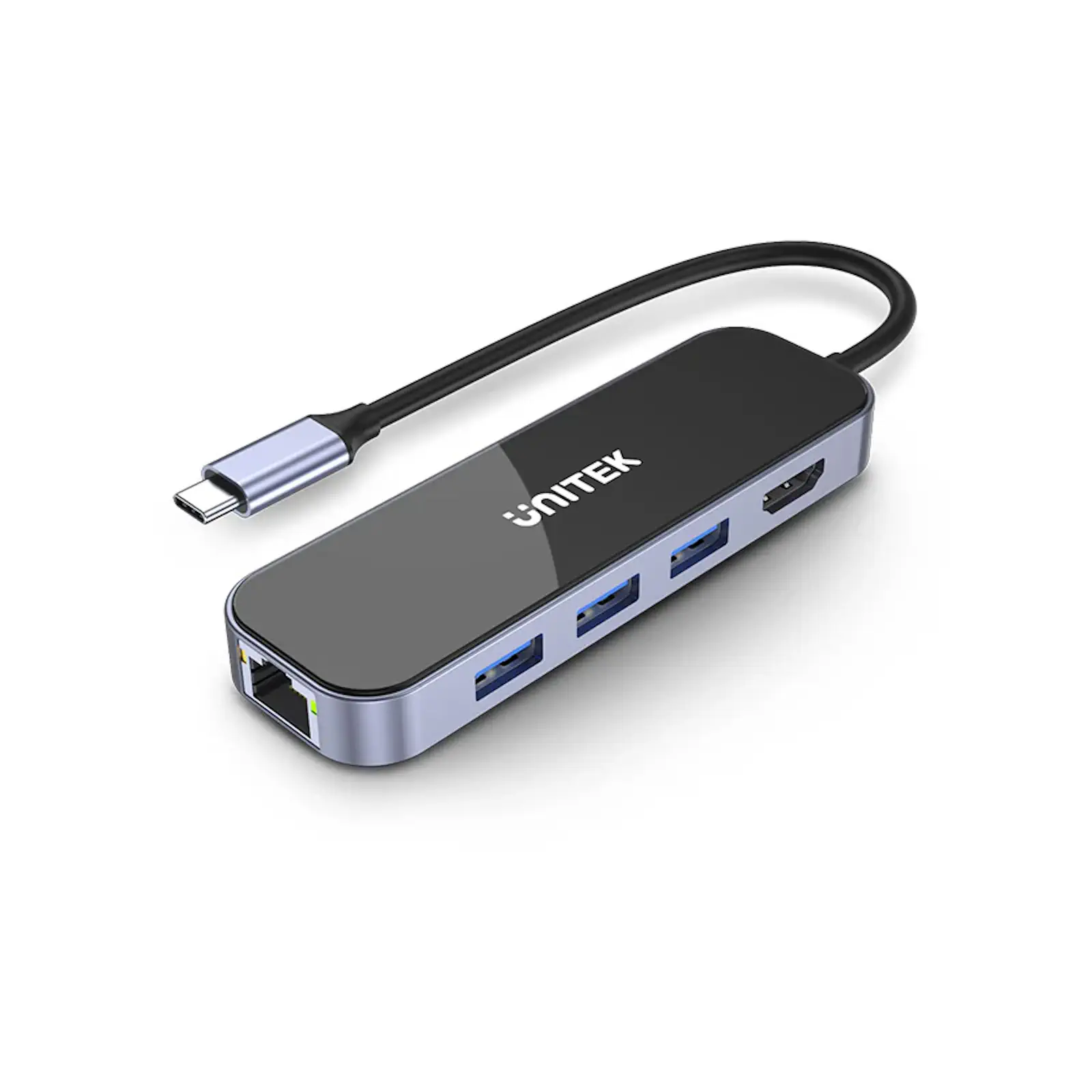
UNITEK D1084A uHUB H6 Gloss 6-in-1 USB-C Hub – HDMI 4K@30Hz, 3x USB-A 3.0, Gigabit Ethernet, 100W PD, Aluminum-Alloy Frame, Compatible with Laptops, Tablets, and More (Black & Space Grey)

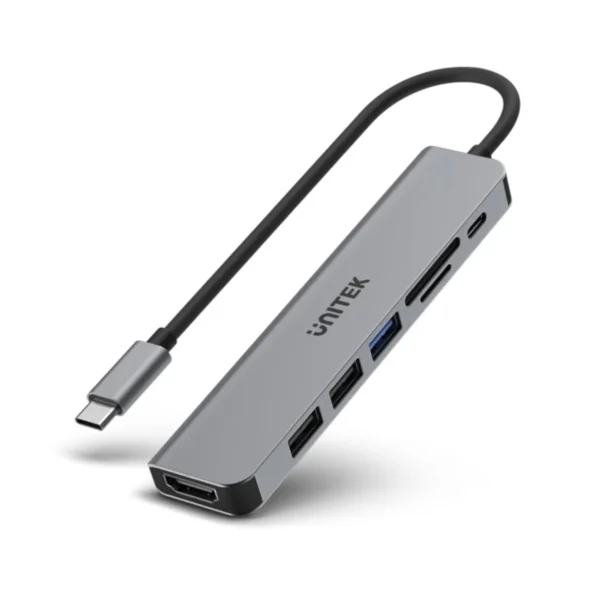
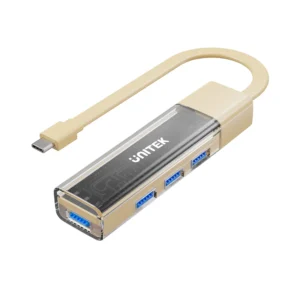
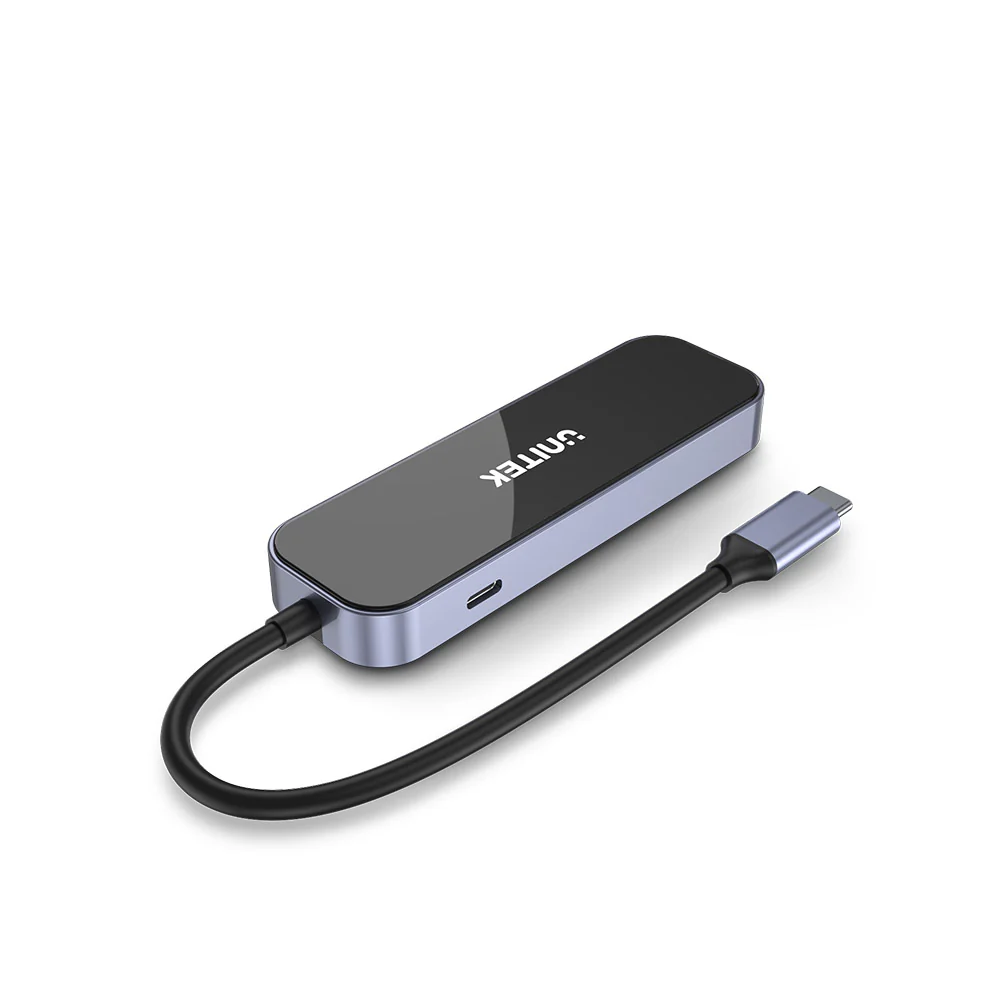
The UNITEK D1084A uHUB H6 Gloss 6-in-1 USB-C Hub is the ultimate solution for expanding your USB-C port into a versatile workstation. Whether you need to connect an external monitor, transfer data, or charge your device, this hub offers everything you need in one compact and stylish device.

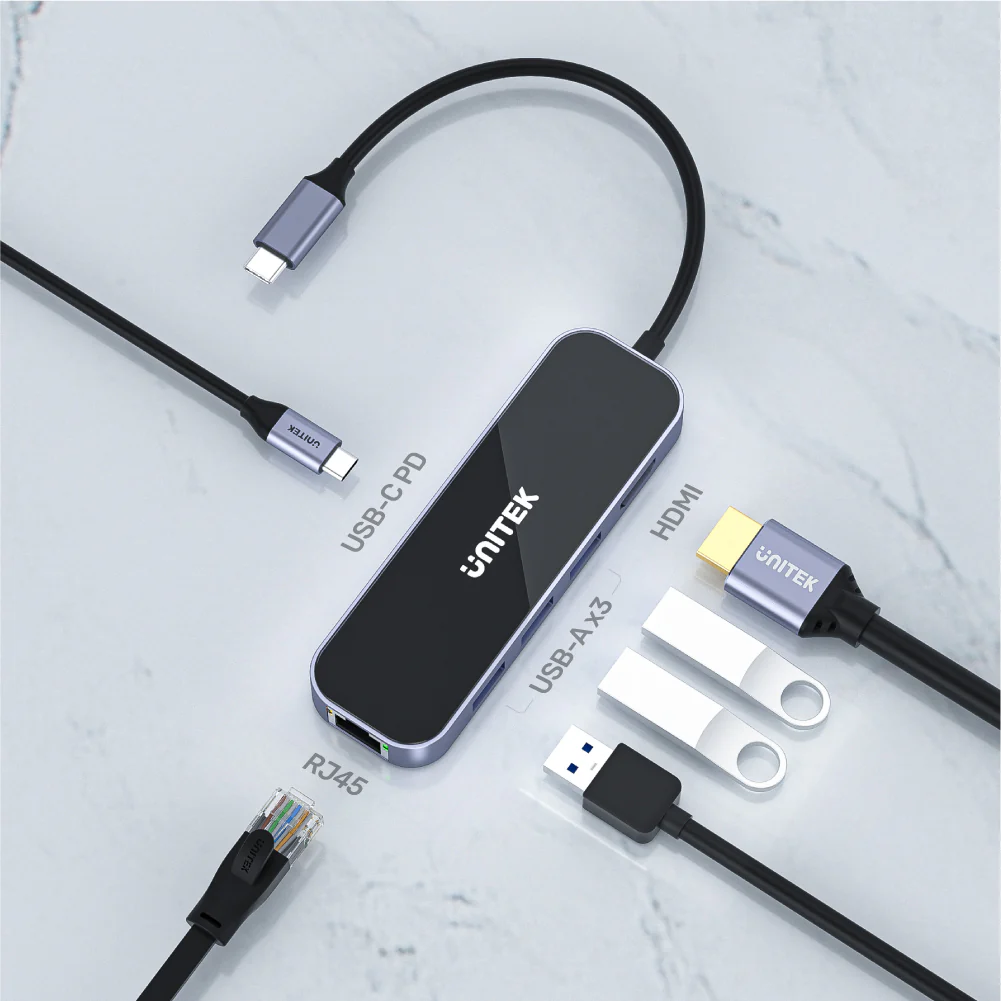
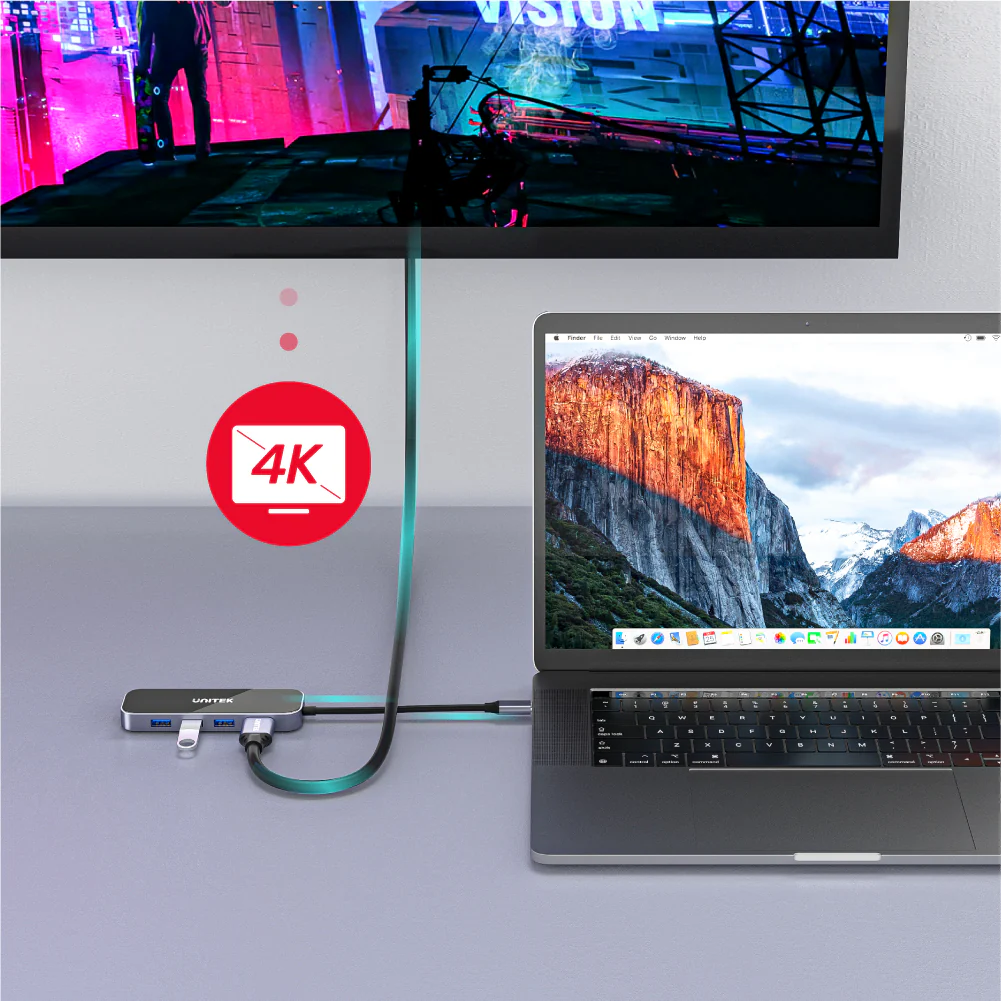
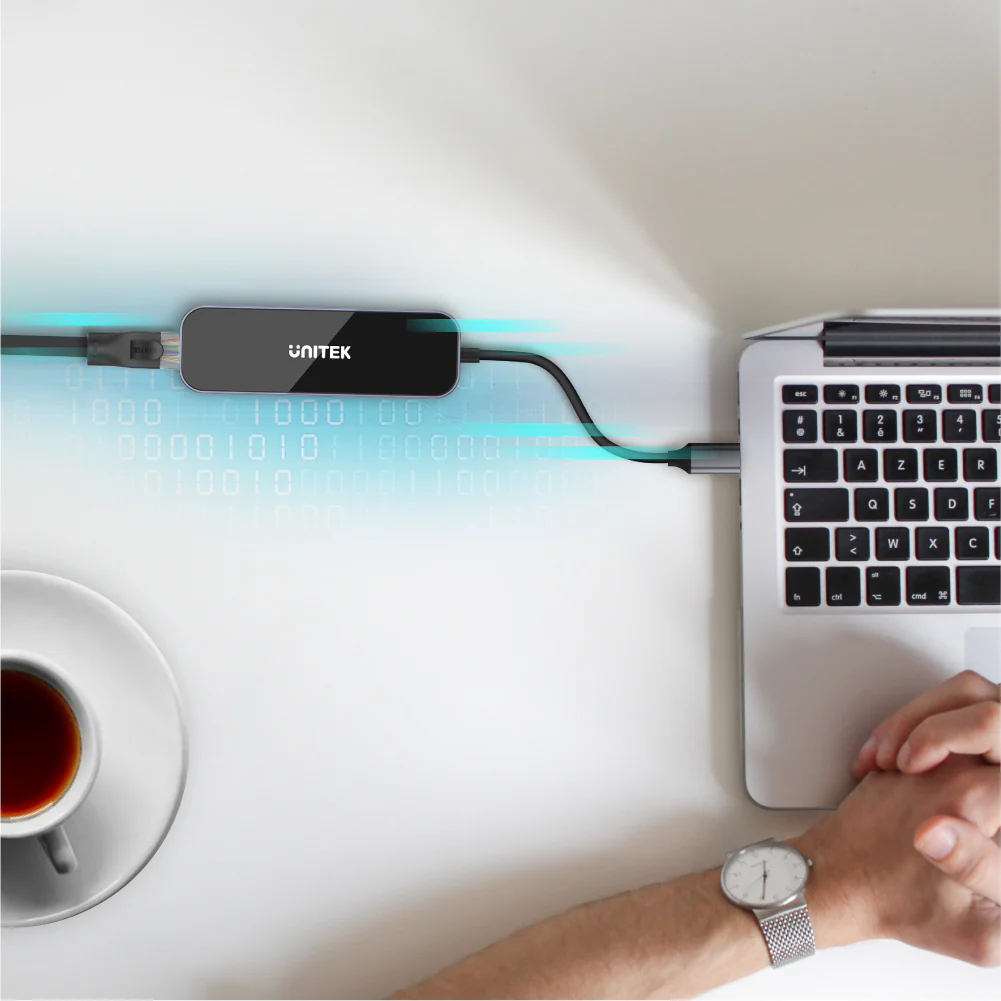
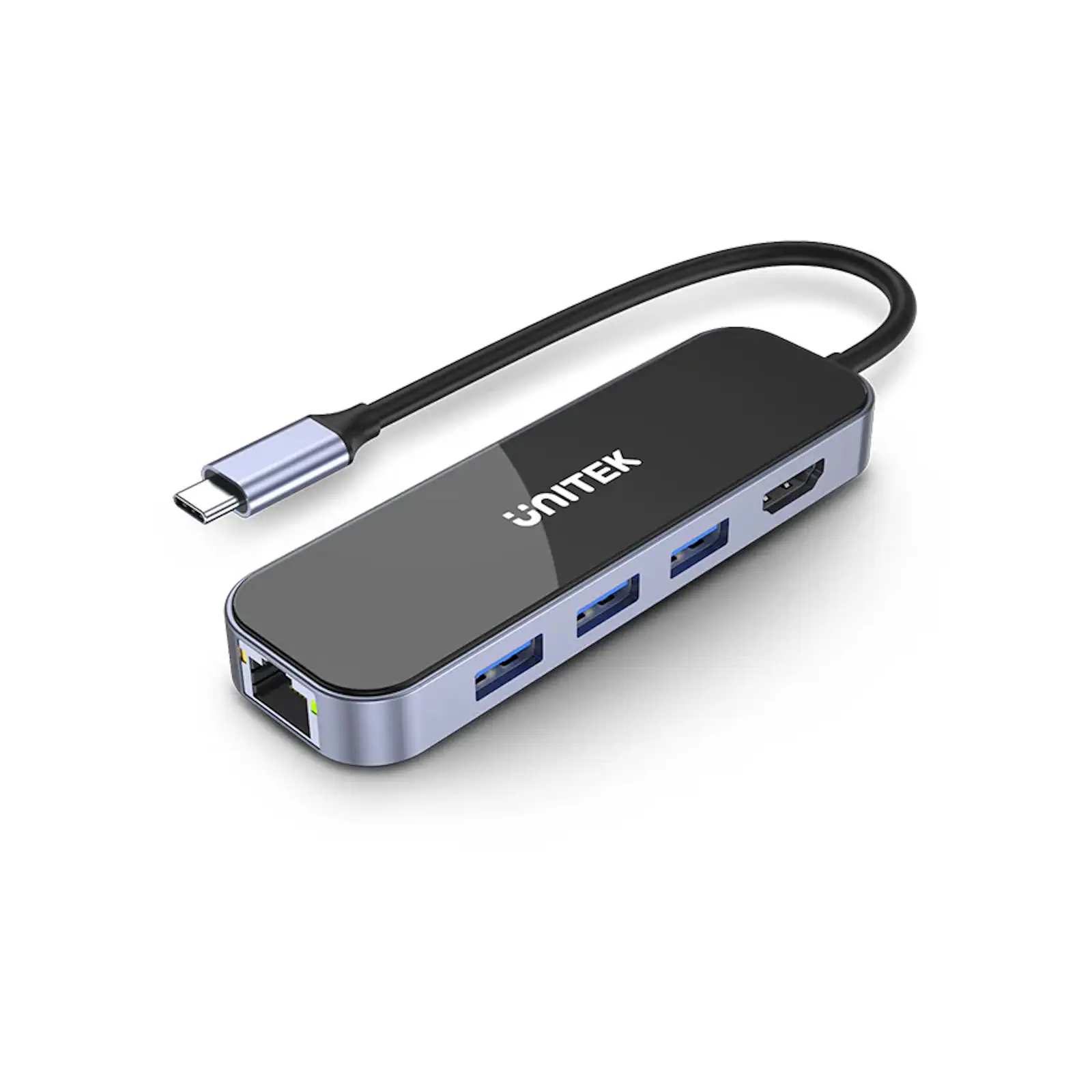
With HDMI 1.4 support, the uHUB H6 delivers Ultra HD 4K resolution at 30Hz, perfect for presentations, streaming, or extending your display. The three USB-A 3.0 ports provide high-speed data transfer up to 5Gbps, while the Gigabit Ethernet port ensures stable and fast wired internet connectivity.

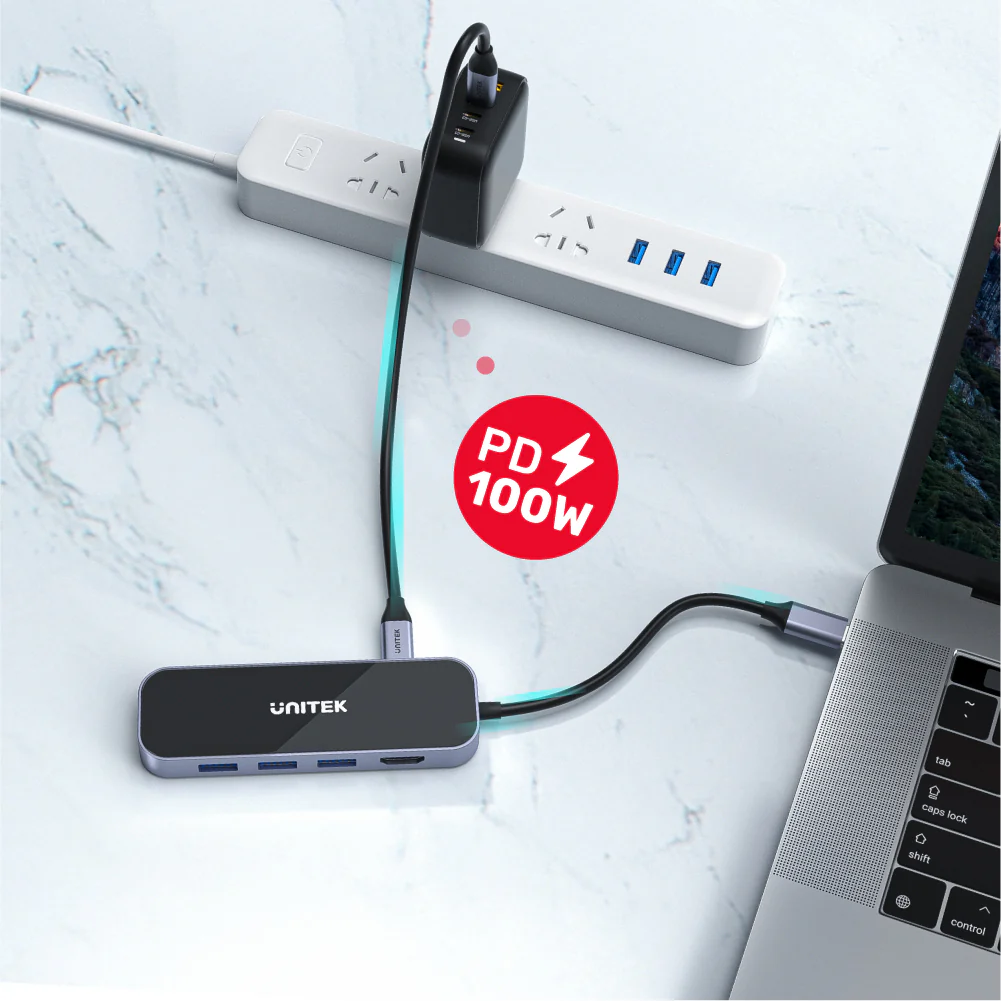
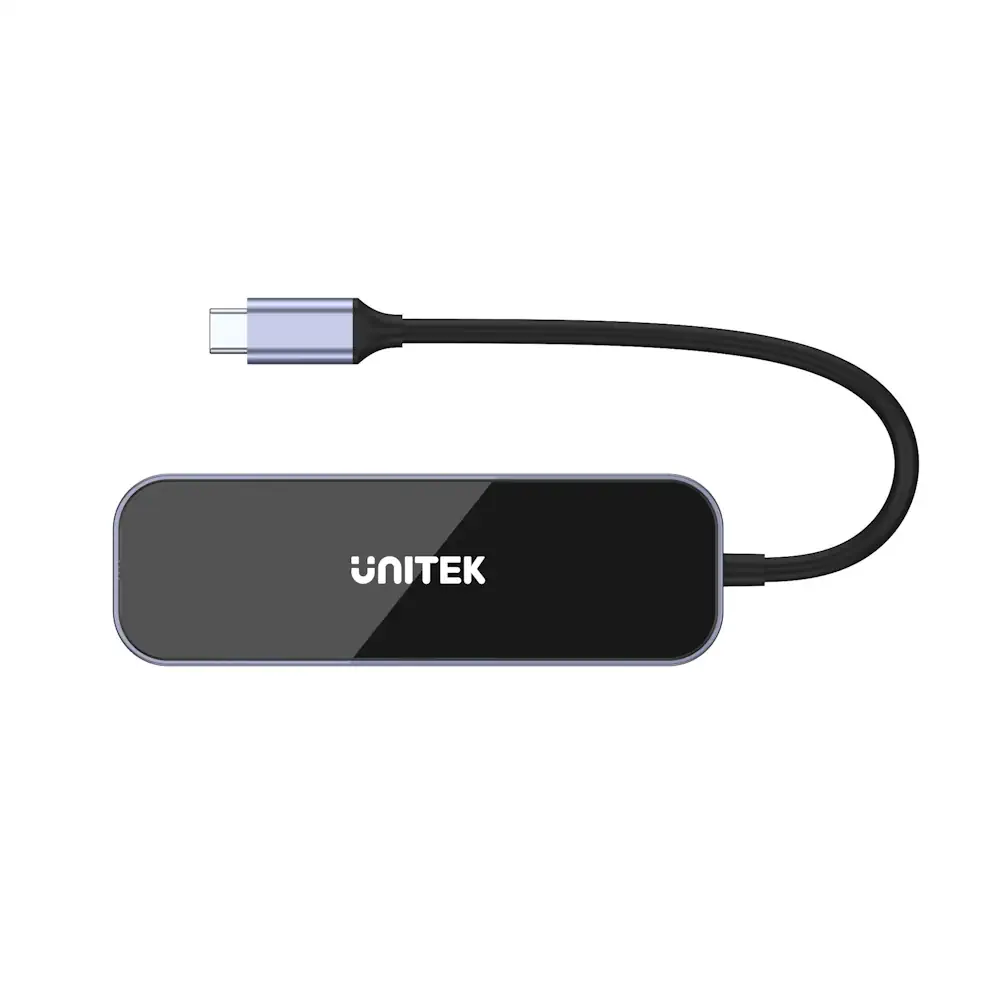
The UNITEK uHUB H6 also features 100W Power Delivery, allowing you to charge your laptop or device while using the hub. Its premium design, featuring an obsidian black tempered glass panel and aluminum-alloy frame, ensures durability and a sleek, modern look.

Compact and portable, this hub is perfect for professionals, students, and travelers. Its 15cm cable provides flexibility for various setups, making it ideal for home, office, or on-the-go use.

Specifications

  • Dimensions: 110.5mm x 34.7mm x 13.4mm
  • Material: Tempered glass surface & aluminum-alloy frame
  • Color: Black & Space Grey
  • Cable Length: 15cm
  • Upstream Port: USB-C
  • Downstream Ports:
  • 1 x HDMI (4K@30Hz)
  • 3 x USB-A 3.0 (5Gbps)
  • 1 x USB-C PD (100W)
  • 1 x Gigabit Ethernet (10/100/1000Mbps)
  • Compatibility: USB-C laptops, tablets, and devices (e.g., MacBook, Dell, HP, etc.)

FAQs

  1. What devices are compatible with this USB-C hub?
    It is compatible with USB-C laptops, tablets, and devices, including MacBook, Dell, HP, and more.
  2. Does this hub support 4K resolution?
    Yes, it supports HDMI 1.4, delivering Ultra HD 4K resolution at 30Hz.
  3. How many USB-A ports does this hub have?
    It has three USB-A 3.0 ports with transfer speeds up to 5Gbps.
  4. Does the hub support Power Delivery?
    Yes, it provides up to 100W (20V/5A) of power delivery for charging your laptop or device.
  5. Can I use this hub for wired internet?
    Yes, it includes a Gigabit Ethernet port with 10/100/1000Mbps bandwidth.
  6. Is the hub durable?
    Yes, it features a tempered glass surface and aluminum-alloy frame for durability and a premium look.
  7. What is the length of the cable?
    The cable is 15cm long, providing flexibility for various setups.
  8. What is included in the package?
    The package includes 1 x uHUB H6 Gloss 6-in-1 USB-C Hub and 1 x User Manual.
  9. Can I use this hub with an Apple M1-based Mac?
    Yes, but note that Apple M1-based Macs support only one external display. For multiple displays, consider a DisplayLink-based hub.
  10. Does the hub support dual monitors?
    No, it supports only one external display via HDMI. For dual monitors, a DisplayLink-based hub is recommended.

Troubleshooting Tips

USB Devices Not Detected in Windows

  1. Press Windows Key + R, type devmgmt.msc, and press Enter.
  2. Under Universal Serial Bus controllers, check if your USB hub is listed without an exclamation mark.
  3. Ensure the USB device is listed according to its chipset or dedicated name.

USB Devices Not Detected in macOS

  1. Click the Apple icon -> About This Mac -> System Report.
  2. Under Hardware, check USB to see if your device is listed.
  3. Refresh the page by pressing Command + R if needed.

External Monitor Disconnects After Sleep Mode (Windows)

  1. Press Windows Key + X -> Control Panel -> Power Options.
  2. Click Change plan settings -> Change advanced power settings.
  3. Expand USB settings -> USB selective suspend setting and set it to Disabled.
  4. Click OK and reconnect the hub if necessary.

Mouse Not Moving Properly Between Displays

  1. Rearrange the monitors in Display settings to match their physical location.
  2. Drag the monitor icons to align with your setup.

Mirroring Primary Display in Windows

  1. Go to Control Panel -> Display -> Adjust Resolution.
  2. Under Multiple displays, select Duplicate these displays.
Specification

Discover the UNITEK uHUB H6 Gloss 6-in-1 USB-C Hub, a versatile 6 in 1 hub designed to elevate your workstation connectivity. Manufactured by UNITEK under model SKU D1084A, this premium hub delivers reliable performance featuring 4K HDMI, ultra-fast data speeds, Gigabit Ethernet, and 100W Power Delivery in a sleek tempered glass finish.

⚡ Features & Specs
Connector TypeUSB Type-C (Upstream)
Compatible DevicesLaptops, Tablets, MacBooks, Dell, HP, and other USB-C enabled devices
Input Voltage20V
Amperage5A
WattageUp to 100W Power Delivery (PD)
Output CurrentMax 5A
Power SourceUSB-C Power Delivery / Bus Powered
Current Rating5A
Power PlugUSB-C Connector
Connectivity TechnologyWired (HDMI, USB 3.0, Gigabit Ethernet, USB-C PD)
Special Features4K@30Hz HDMI Output, 3x USB-A 3.0 Ports (5Gbps), Gigabit Ethernet Port, 100W Power Delivery, Tempered Glass Surface
MaterialTempered Glass & Aluminum-Alloy Frame
ColorBlack & Space Grey
HDMI ResolutionUltra HD 4K @ 30Hz (HDMI 1.4)
Ethernet Bandwidth10/100/1000Mbps Gigabit Ethernet
USB Data Transfer RateUp to 5Gbps (USB 3.0)
Cable Length15 cm
Dimensions110.5mm x 34.7mm x 13.4mm
Upstream Port1 x USB-C
Downstream Ports1 x HDMI, 3 x USB-A 3.0, 1 x USB-C PD, 1 x RJ45 Gigabit Ethernet
Display SupportSingle External Display Support
Plug and PlayYes
Overcurrent ProtectionBuilt-in
Short Circuit ProtectionBuilt-in
Driver RequirementNone (Plug and Play)
Operating System SupportWindows, macOS, iPadOS, Linux, Android
Surface FinishGlossy Obsidian Black Panel
PortabilityLightweight and Compact
ApplicationOffice, Home, Travel, Gaming, Professional Workstations
Interface StandardUSB 3.1 Gen 1 / USB 3.0 backward compatible
📋 Item details
BrandUNITEK
Model NumberuHUB H6 Gloss
SKUD1084A
MFN Part NumberD1084A
ManufacturerUNITEK
CategoriesUNITEK / UNITEK > UNITEK Multifunction Hub
Tags6 in 1 hub
Country of OriginChina
Item Model NumberD1084A
📏 Measurements
Number of Items1
Item WeightStandard Lightweight Portable Build
Unit Count1 Piece
Product Dimensions110.5mm x 34.7mm x 13.4mm
Cable Dimensions15cm Length
Package DimensionsStandard Retail Box Packaging
🎨 Additional details
ColorBlack & Space Grey
Enclosure MaterialTempered Glass Surface & Aluminum-Alloy Frame
Form FactorPortable Multiport Adapter Hub
StyleModern, Glossy, Minimalist
ThemeWorkspace Productivity
Finish TypeObsidian Black Tempered Glass with Metallic Alloy Trim
📖 User guide
Usage InstructionsConnect the integrated USB-C cable directly to your host device USB-C port. Plug external displays, USB peripherals, and Ethernet cables into their respective ports on the hub.
InstallationPlug-and-play setup; no additional software or driver installation required.
Care InstructionsClean the tempered glass surface with a soft, dry micro-fiber cloth. Avoid abrasive cleaners or liquids.
Safety WarningsDo not expose the device to excessive moisture, fire, direct high temperatures, or drop from high elevations.
MaintenanceKeep port openings clean and free from dust accumulation. Disconnect when not in use for extended periods.
CertificationCE, FCC, RoHS Compliant
Compatibility NotesApple M1-based Macs support only one external display. Dual monitor mirroring or extension is restricted to a single external HDMI display output on standard configurations.
Operating Temperature0°C to 45°C recommended operating range
🎯 Use Cases
Best ForExpanding laptop connectivity, connecting 4K monitors, data syncing, and wired networking.
Ideal ScenariosOffice presentations, remote work setups, student study stations, media streaming, and travel workflows.
Target AudienceProfessionals, students, digital nomads, and travelers using modern USB-C laptops or tablets.
Compatible WithMacBook Pro, MacBook Air, Dell XPS, HP Spectre, and other USB-C compatible computing devices.
Not Recommended ForDual-monitor extended desktop setups (supports single external monitor output only).
⚖️ Pros & Cons

Pros

  • Comprehensive 6-in-1 expansion including HDMI, USB-A, Ethernet, and PD.
  • Stunning Ultra HD 4K resolution support at 30Hz.
  • High-speed USB 3.0 data transfer rates up to 5Gbps.
  • Supports robust 100W Power Delivery pass-through charging.
  • Premium obsidian black tempered glass panel and durable aluminum-alloy frame.
  • Compact, lightweight, and highly portable design with a 15cm attached cable.

Cons

  • Supports only a single external display output via HDMI.
  • HDMI refresh rate is capped at 30Hz for 4K resolution.
📦 Box Contents
Main Unit1 x UNITEK uHUB H6 Gloss 6-in-1 USB-C Hub
Cables1 x Integrated 15cm USB-C Upstream Cable
AdaptersNone required (integrated multi-port interface)
Documentation1 x User Manual
Warranty CardIncluded in documentation package
Other AccessoriesNone
🛡️ Warranty & Support
Warranty PeriodStandard Manufacturer Warranty
Warranty TypeReplacement or Repair Warranty against manufacturing defects
CoverageHardware defects, internal circuitry, and functional failures under normal use
Support ContactAvailable via official UNITEK customer service channels
Return PolicySubject to standard store return and exchange policies
Customer Service HoursMonday through Saturday
Service LocationsAuthorized service centers and online support portals
Reviews (2)
REAL CUSTOMER FEEDBACK

Customer Reviews

Ratings and experiences shared by customers.

5.0★★★★★2 reviews
5 ★
2
4 ★
0
3 ★
0
2 ★
0
1 ★
0
A
Asim Nisar✓ Verified purchase14 July 2026
★★★★★

A compact and reliable USB-C hub with 4K HDMI, Gigabit Ethernet, 3 USB 3.0 ports, and 100W PD charging. Premium build quality, stable performance, and an excellent choice for work, travel, and everyday use. Highly recommended.

A
Alee Humair14 March 2025
★★★★★

Share your experience

Rate this product and help other customers make an informed choice.

Write a review

Please complete all the fields below to tell us about your experience with this product.

Your rating *
Select 1 to 5 stars


FAQs
PRODUCT SUPPORT

Frequently Asked Questions

11 answers
01What are the exact physical dimensions of the UNITEK uHUB H6 Gloss?

The UNITEK uHUB H6 Gloss features a compact and portable design with dimensions measuring 110.5mm in length, 34.7mm in width, and 13.4mm in thickness.

02What materials are used to construct the exterior of this USB-C hub?

The hub is built with an obsidian black tempered glass panel combined with a durable aluminum-alloy frame, providing both structural protection and a sleek, modern appearance.

03What is the length of the attached cable on the UNITEK D1084A hub?

The hub comes with a built-in cable that has a length of 15cm, offering convenient flexibility for various desktop and portable computer setups.

04What is the maximum data transfer speed supported by the USB-A ports?

The hub is equipped with three high-speed USB-A 3.0 ports that support data transfer speeds of up to 5Gbps for fast file sharing.

05What Ethernet bandwidth speeds does the built-in network port support?

The integrated Gigabit Ethernet port supports stable, high-speed wired internet connectivity with 10, 100, and 1000Mbps bandwidth capabilities.

06How much electrical power can the USB-C Power Delivery port supply to connected laptops?

The USB-C Power Delivery port provides up to 100W of power, specifically rated at 20V and 5A, allowing you to charge your laptop while using the hub.

07What HDMI version and maximum refresh rate does the video output port support?

The hub utilizes HDMI 1.4 specification to deliver Ultra HD 4K video resolution at a refresh rate of 30Hz for crisp external visuals.

08What items are included inside the original product packaging box?

The retail package contains one unit of the UNITEK uHUB H6 Gloss 6-in-1 USB-C Hub along with a user manual for setup reference.

09How can I fix external monitor disconnections after my Windows laptop wakes up from sleep mode?

Go to Control Panel, open Power Options, select advanced power settings, expand USB settings, set the USB selective suspend setting to disabled, and reconnect the hub.

10Where should I check in Windows Device Manager to confirm the hub is properly connected?

Open Device Manager by typing devmgmt.msc, navigate to the Universal Serial Bus controllers section, and verify that the USB hub is listed without any warning exclamation marks.

11Where can I buy UNITEK uHUB H6 Gloss 6-in-1 USB-C Hub HDMI 4K@30Hz, 3x USB-A 3.0, Gigabit Ethernet, 100W PD (SKU: D1084A) and what is its price?
You can purchase UNITEK uHUB H6 Gloss 6-in-1 USB-C Hub HDMI 4K@30Hz, 3x USB-A 3.0, Gigabit Ethernet, 100W PD (SKU: D1084A) directly from UGREEN PK. Price is ₨ 15,500.00. Visit the product page here: UGREEN PK

Compare Products

⚖At a glanceEvery detail that matters, in one place.
UNITEK D1084A uHUB H6 Gloss 6-in-1 USB-C Hub HDMI Ethernet PD 100W CURRENT PRODUCT UNITEK uHUB H6 Gloss 6-in-1 USB-C Hub HDMI 4K@30Hz, 3x USB-A 3.0, Gigabit Ethernet, 100W PD Explore product UNITEK 4-in-1 USB C to Gigabit Ethernet Adapter with 3 Ports USB 3.0 Hub, 5Gbps Data Transfer, Plug and Play SIMILAR PRODUCT UNITEK 4-in-1 USB C to Gigabit Ethernet Adapter with 3 Ports USB 3.0 Hub, 5Gbps Data Transfer, Plug and Play Explore product UNITEK uHUB S7 Pro 7-in-1 5Gbps USB-C Hub with Screen On/Off Button, 4K@60Hz HDMI HDR, 100W PD Charging, 5Gbps Data Ports, Dual SD/microSD Card Readers SIMILAR PRODUCT UNITEK uHUB S7 Pro 7-in-1 5Gbps USB-C Hub with Screen On/Off Button, 4K@60Hz HDMI HDR, 100W PD Charging, 5Gbps Data Ports, Dual SD/microSD Card Readers Explore product UNITEK D1049A uHUB Q4 Lite 4-in-1 USB-C Hub with MST Dual Display SIMILAR PRODUCT UNITEK uHUB Q4 Lite 4-in-1 USB-C Hub with MST Dual Display, PD 100W, USB-C to 4K HDMI, USB-A Port Explore product UNITEK H1118A uHUB S7+ 7-in-1 USB-C Hub SIMILAR PRODUCT UNITEK uHUB S7+ 7-in-1 USB-C 5Gbps Hub with 4K HDMI and SD/TF Card Reader, 100W Power Delivery Explore product UNITEK D1092A Keyboard with 9-in-1 USB-C Hub SIMILAR PRODUCT UNITEK Keyboard with 9-in-1 USB-C Hub, 3x USB 3.0, 4K HDMI, SD Card, AUX, 100W PD Charging Explore product
Price ₨ 15,500.00₨ 10,500.00₨ 11,500.00₨ 13,999.00₨ 10,500.00₨ 38,000.00
Customer Rating 5.0 (2)No ratings yetNo ratings yetNo ratings yet 5.0 (2) 5.0 (1)
Availability

Available in stock

Available in stock

Available in stock

Available in stock

Available in stock

Available in stock

SKU D1084AY-3088BH1124AGY01D1049AH1118AD1092A
Power Source USB-C Power Delivery / Bus PoweredUSB Bus-Powered (draws power directly from host device)USB Bus-Powered or External USB-C PD ChargerBus-Powered / USB-C PD Charger CompatibleUSB-C Bus Powered / Pass-Through ChargingUSB-C Bus Powered / Pass-Through
Operating System Support Windows, macOS, iPadOS, Linux, Android—Windows, macOS, iPadOS, iOS, AndroidWindows 10/11, macOS 10.6+, Linux, Chrome OS——
HDMI Resolution Ultra HD 4K @ 30Hz (HDMI 1.4)——4K Ultra HD @ 60Hz (3840x2160)Up to 4K@30Hz—
Upstream Port 1 x USB-C1 x USB-C (Supports DisplayPort Alt Mode passthrough where host permits)————
Power Plug USB-C Connector———Type-C Integrated CableUSB Type-C Connector
Data Transfer Speed ———Up to 480 Mbps (USB-A)—Up to 5Gbps
Number of Items 111 Piece111 Set