
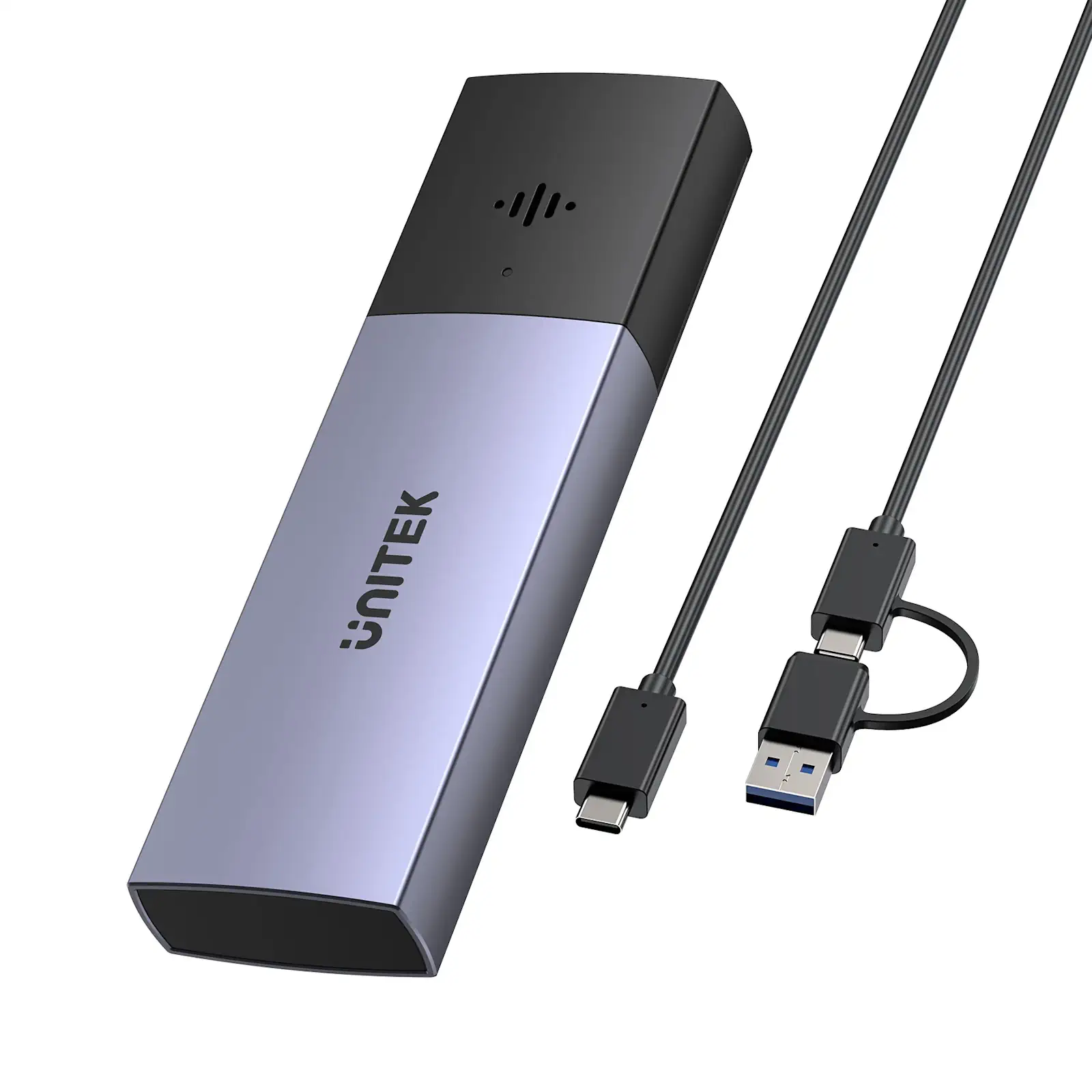

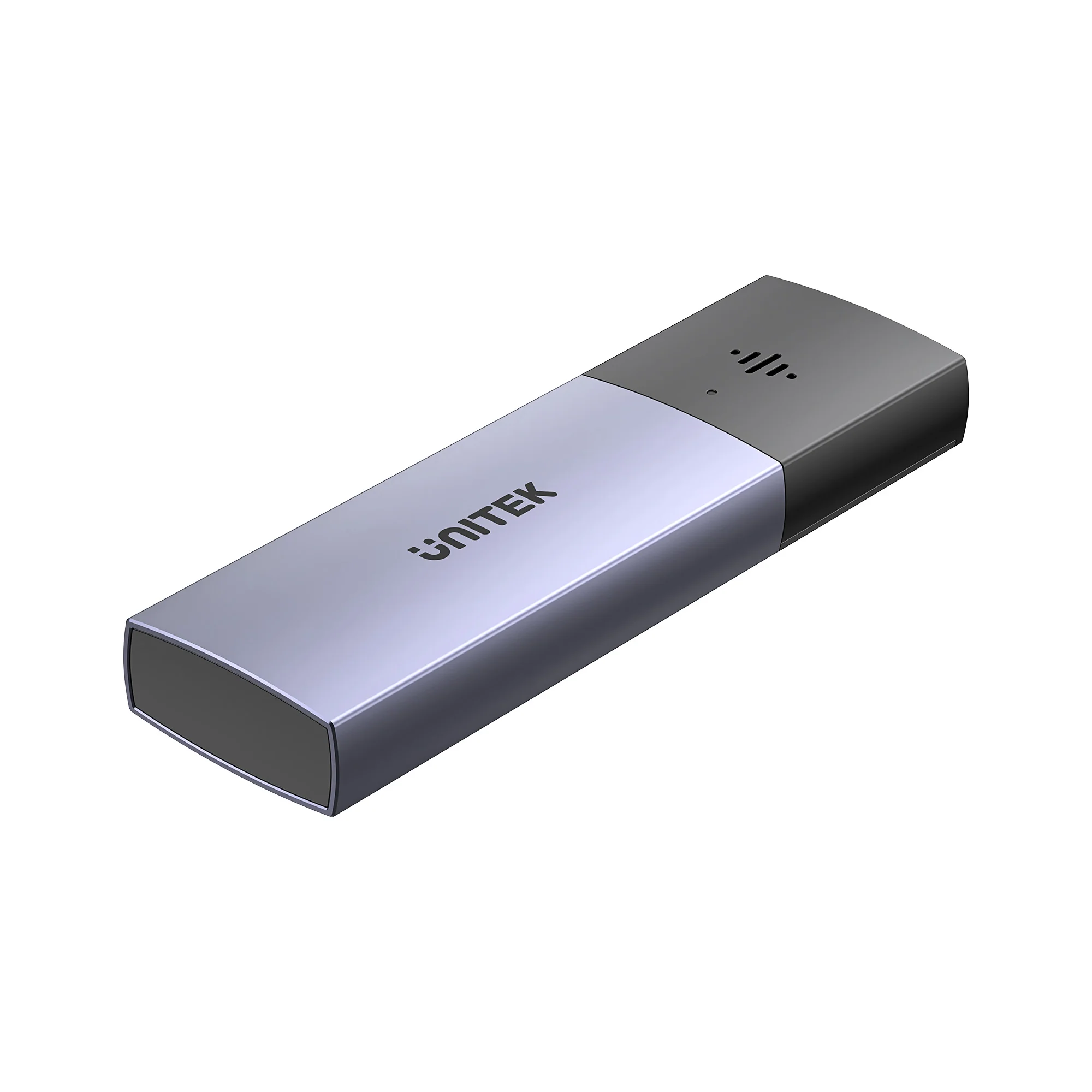
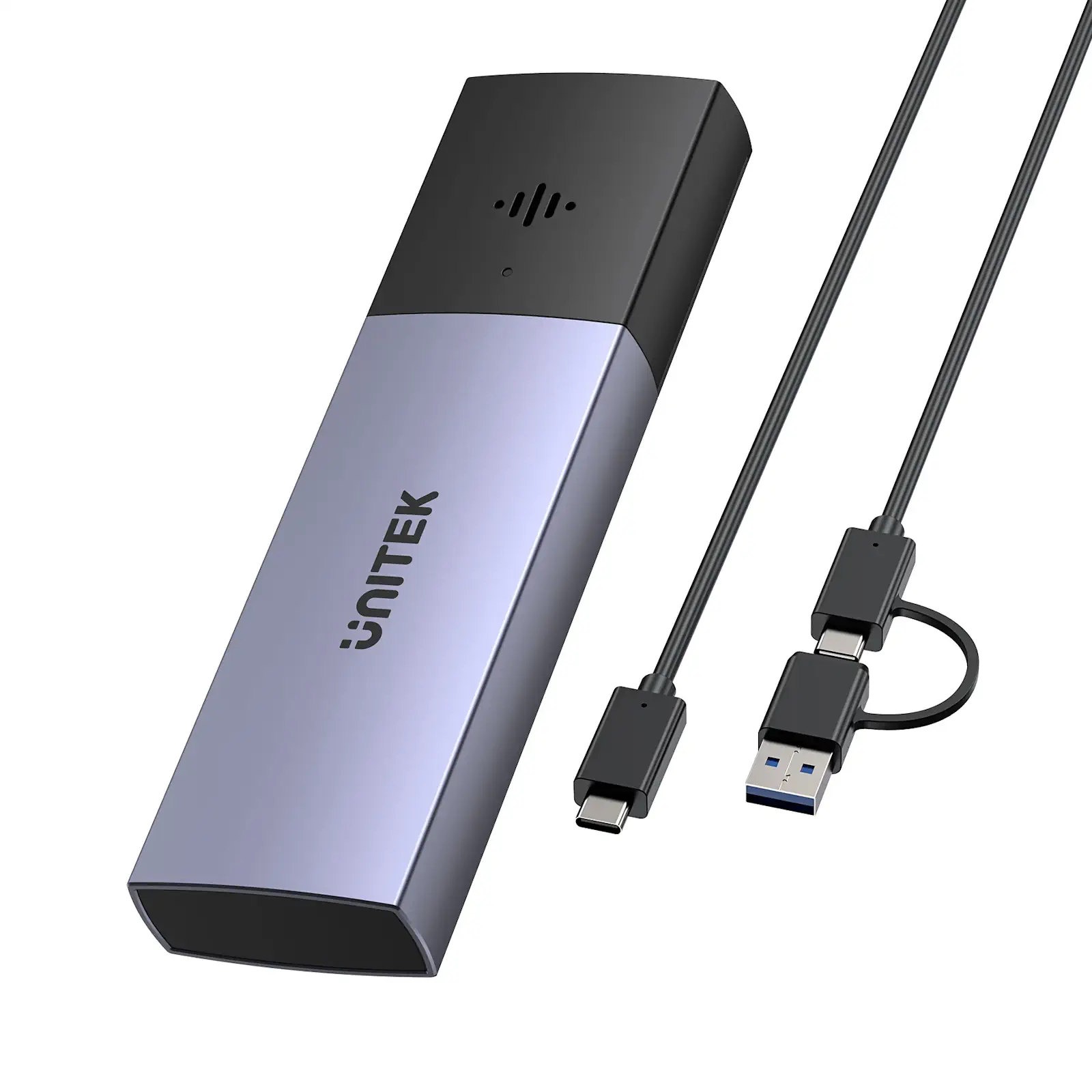
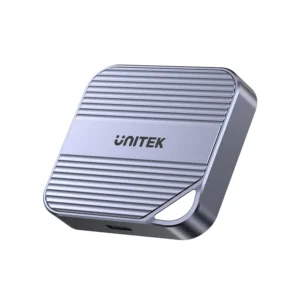
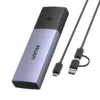
UNITEK S1251AGY01 SolidForce Smart Anti-loss M.2 SSD Enclosure, 10Gbps NVMe SSD Enclosure with Apple Find My Tracking, Bluetooth 5.1 Anti-Loss Alert with Audible Buzzer, Last-Known Location, Supports 2230/2242/2260/2280 M.2 SSDs, Aluminum Space Grey

Never Lose Your Valuable Data Again with Apple Find My Integration
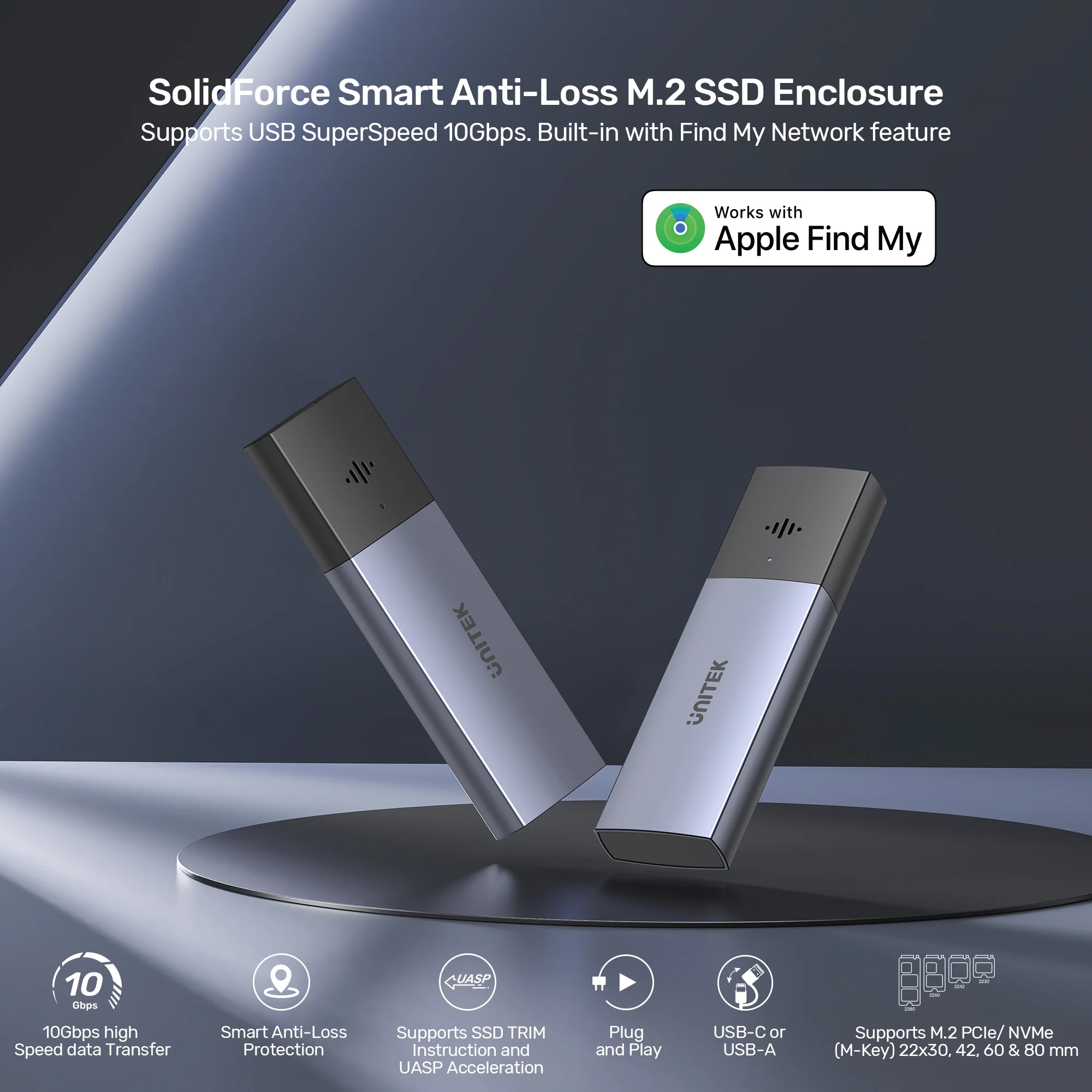
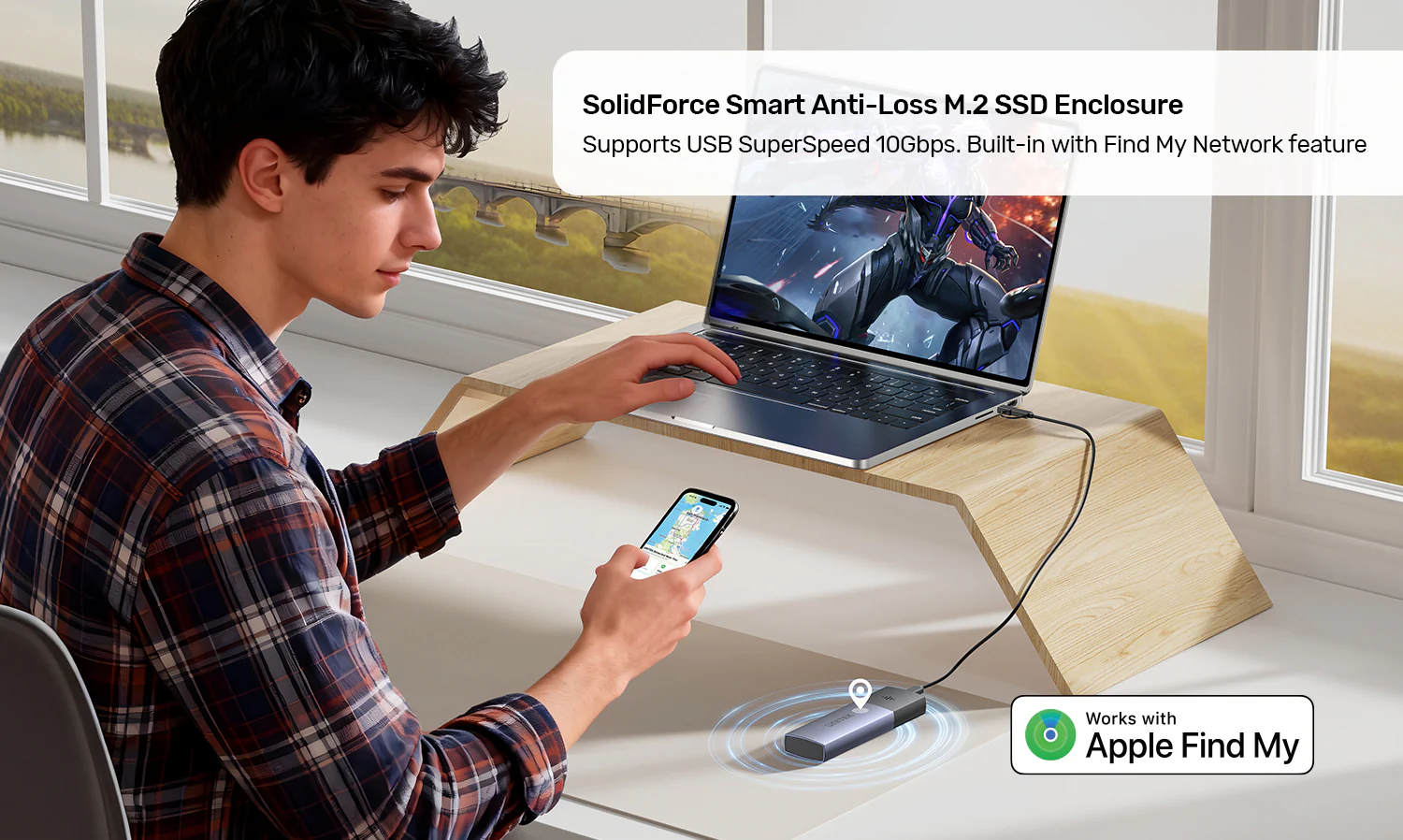
First and foremost, the UNITEK SolidForce Smart Anti-Loss M.2 SSD Enclosure (S1251A) combines blazing 10Gbps transfer speeds with intelligent anti-loss protection via Apple’s Find My network. Receive instant separation alerts, sound the buzzer, and view last-known location if misplaced. Supports NVMe SSDs up to 2280, flexible USB-C/A connection, and universal OS compatibility – perfect for professionals and travelers who can’t afford to lose valuable data. When searching for the Best Anti-Loss SSD Enclosure in Pakistan , look no further – this UNITEK SolidForce enclosure is the top choice for data protection and portability. Check the UNITEK S1251AGY01 Price in Pakistan for exceptional value. For more storage solutions, check out the UNITEK SolidForce Reefer TurboCool USB4 40Gbps M.2 SSD Enclosure and the UNITEK M.2 NVMe SSD Enclosure USB-C 10Gbps.
Apple Find My Network – Track Your SSD Anywhere
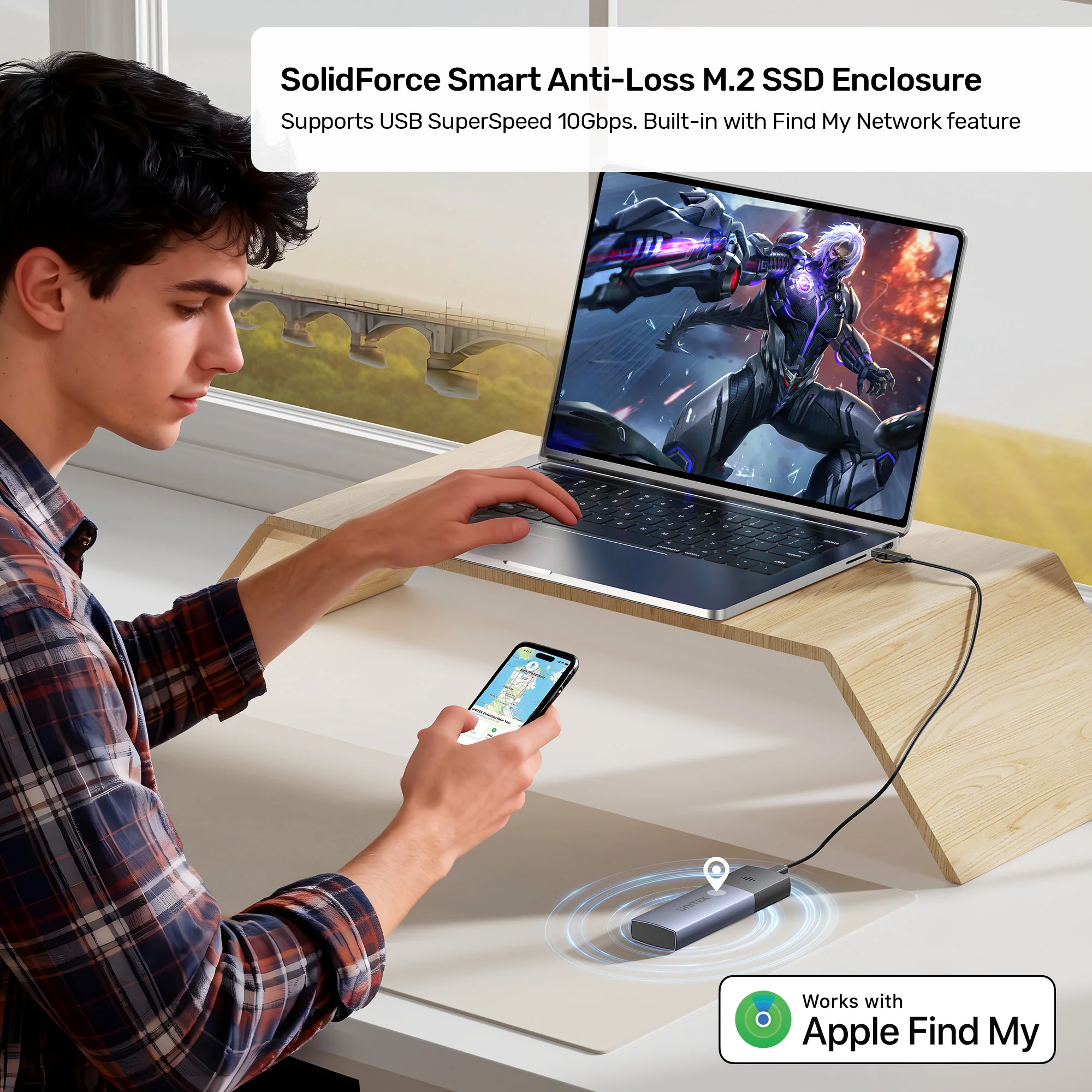
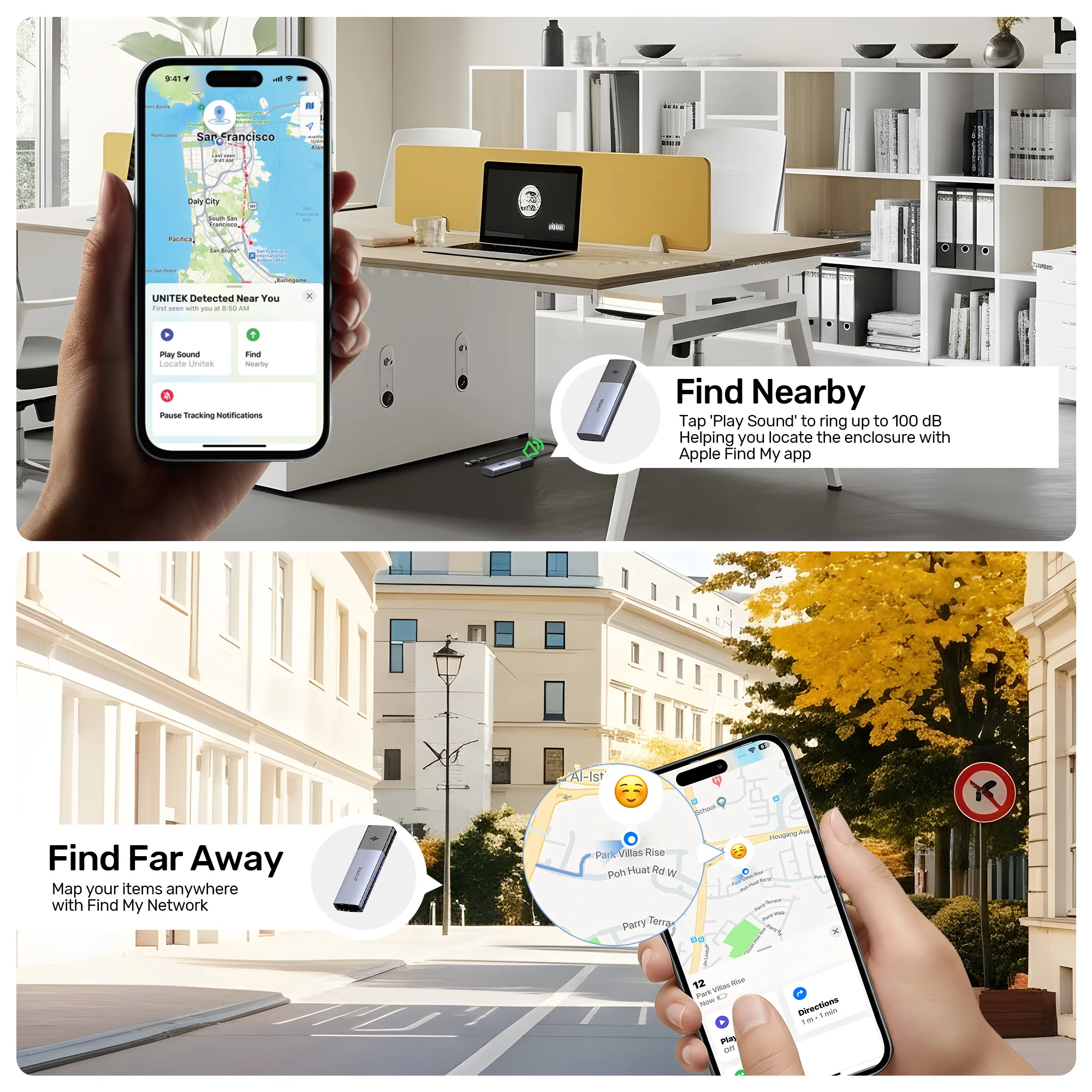
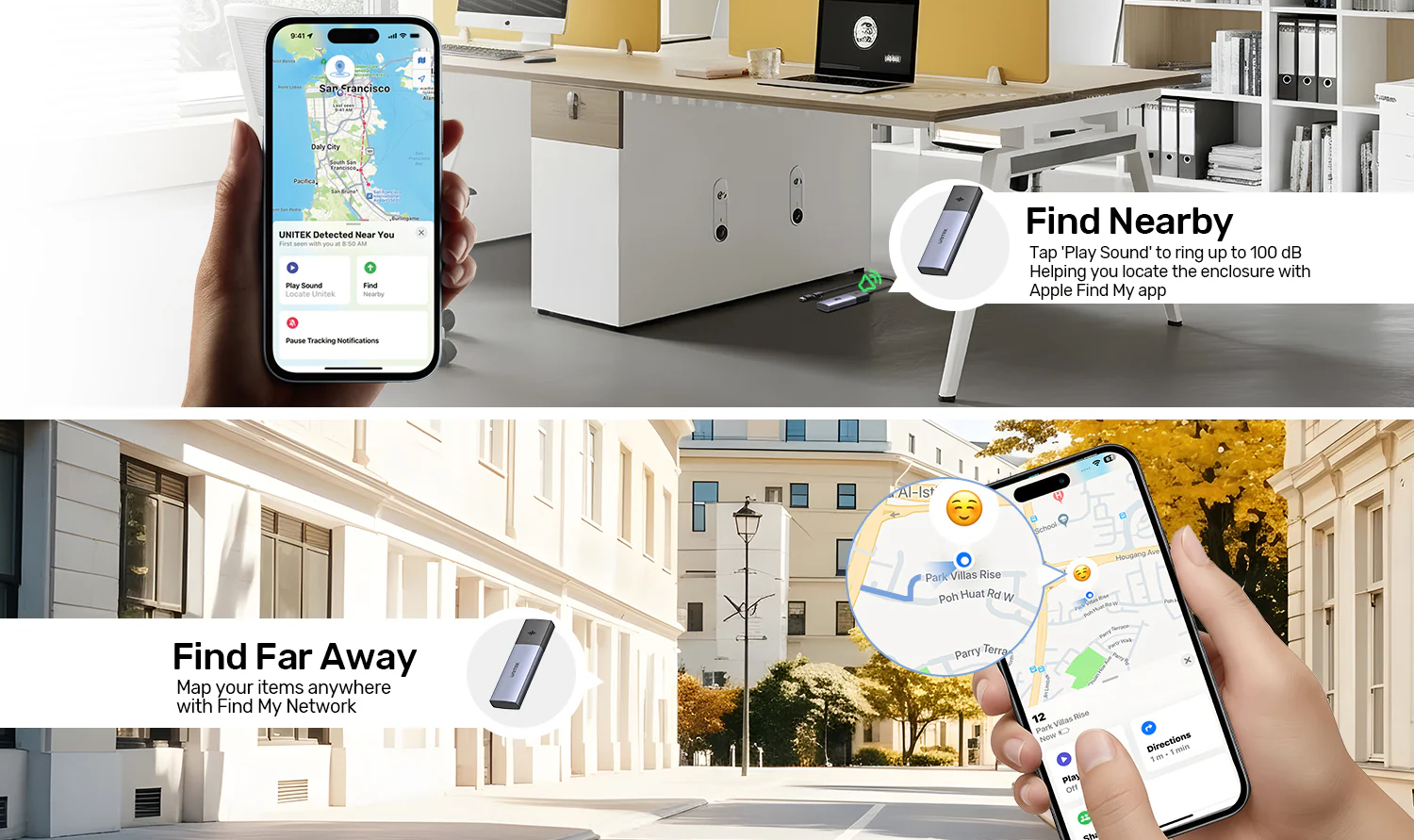
The key advantage is its seamless integration with Apple’s official Find My app for a premium user experience. This feature prevents accidental loss when the SSD enclosure is left behind after use in different locations. Locate your SSD enclosure quickly with the built-in sound alarm. Simply open the Find My app on your iPhone or iPad, go to the Items tab, and add your SolidForce enclosure as a supported item. Once paired, you can:
- View real-time location on a map
- Trigger an audible buzzer to locate nearby
- Receive separation alerts when you leave your SSD behind
- See last-known location with navigation guidance
This is a game-changer for photographers, videographers, IT professionals, and anyone who carries sensitive data. For more smart storage solutions, check out the UNITEK SolidForce Reeler USB 3.2 Gen2 USB-C to M.2 SSD Enclosure.
Smart Anti-Loss Protection with Bluetooth 5.1
The standout feature is its advanced anti-loss technology . Equipped with Bluetooth 5.1 (BLE) 2.4GHz technology supporting RSSI/AoA/AoD multi-mode positioning, this enclosure offers:
- Instant pop-up separation alerts – get notified immediately when you walk away from your SSD
- Last-known location recording in the app with navigation guidance
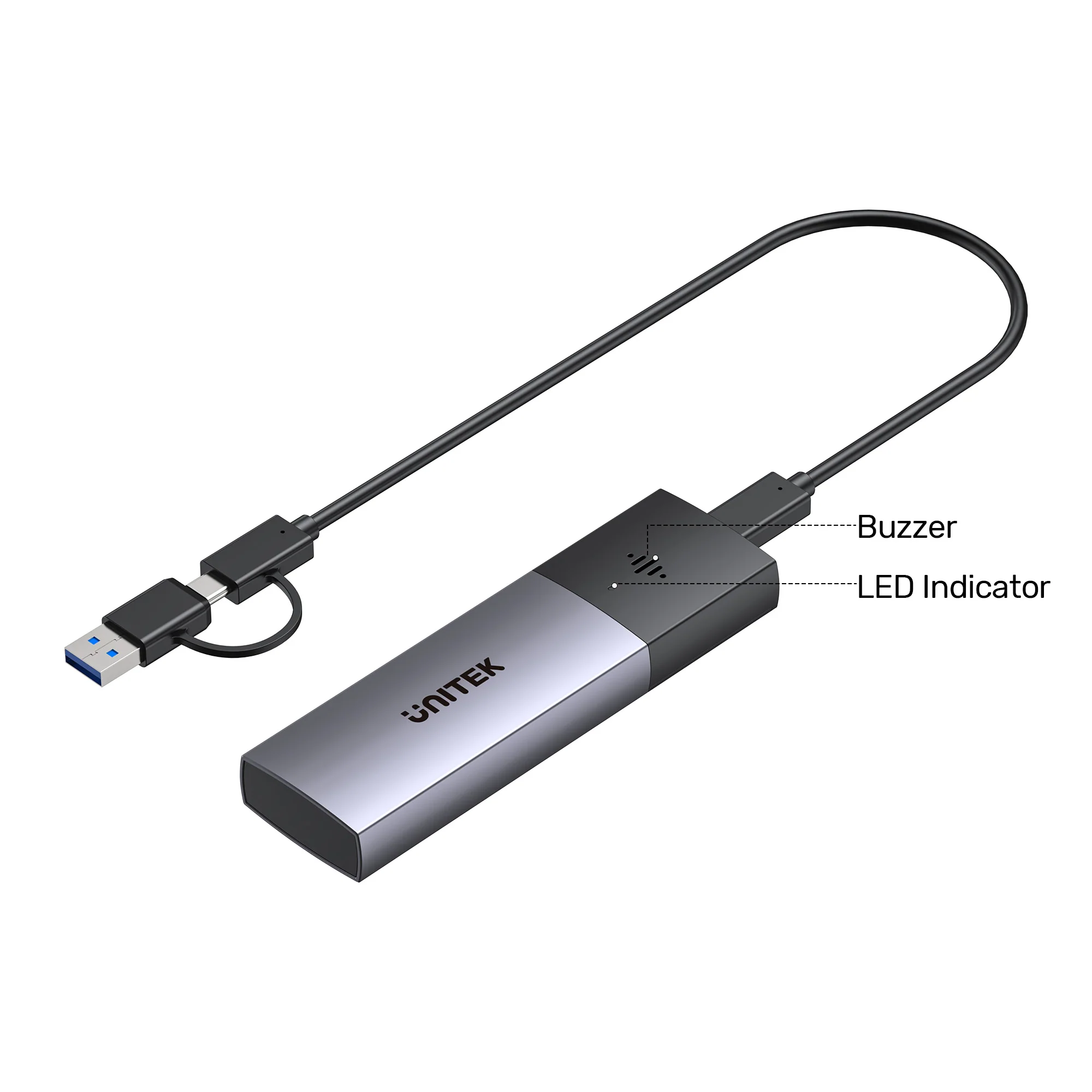
- Audible buzzer alarm for easy retrieval when nearby
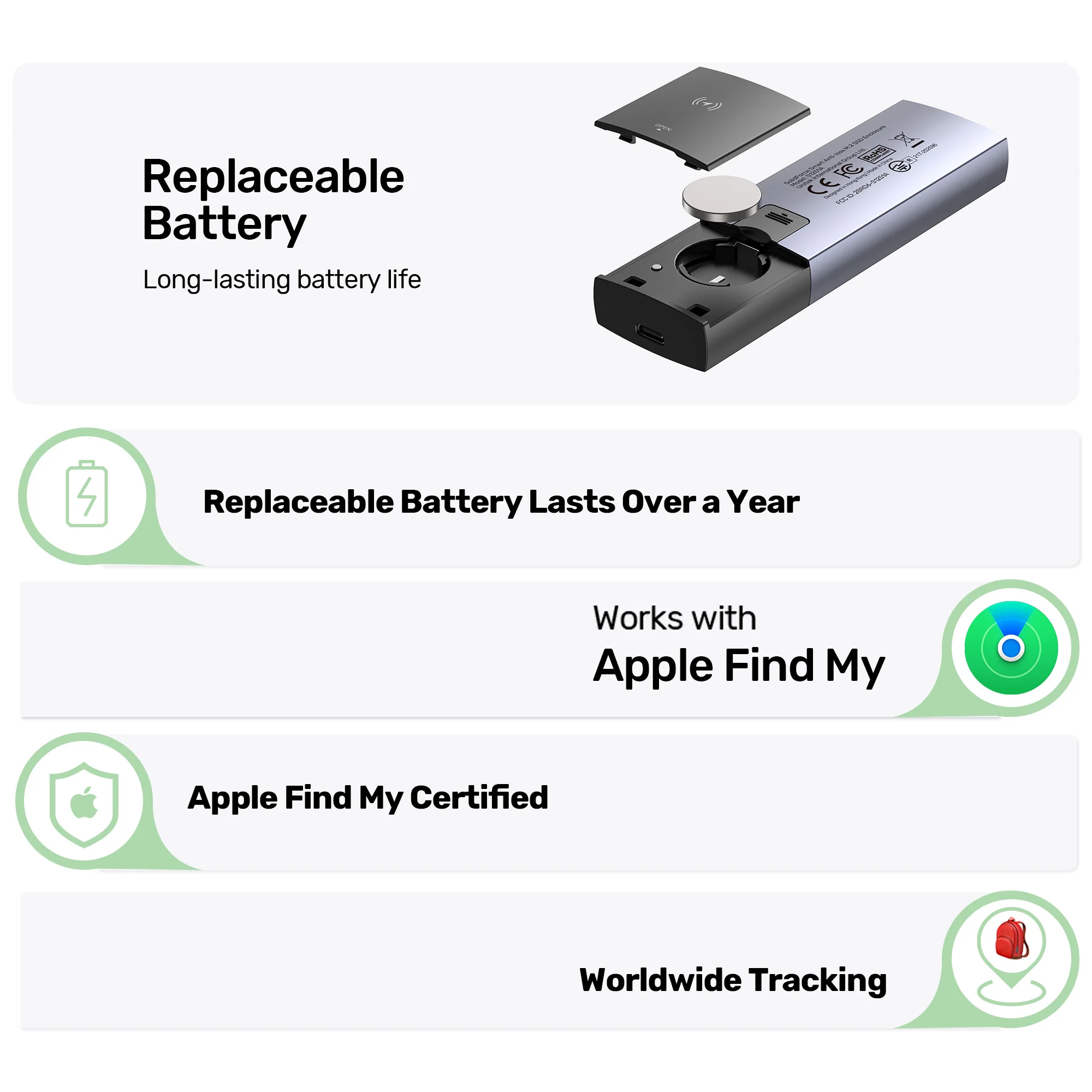
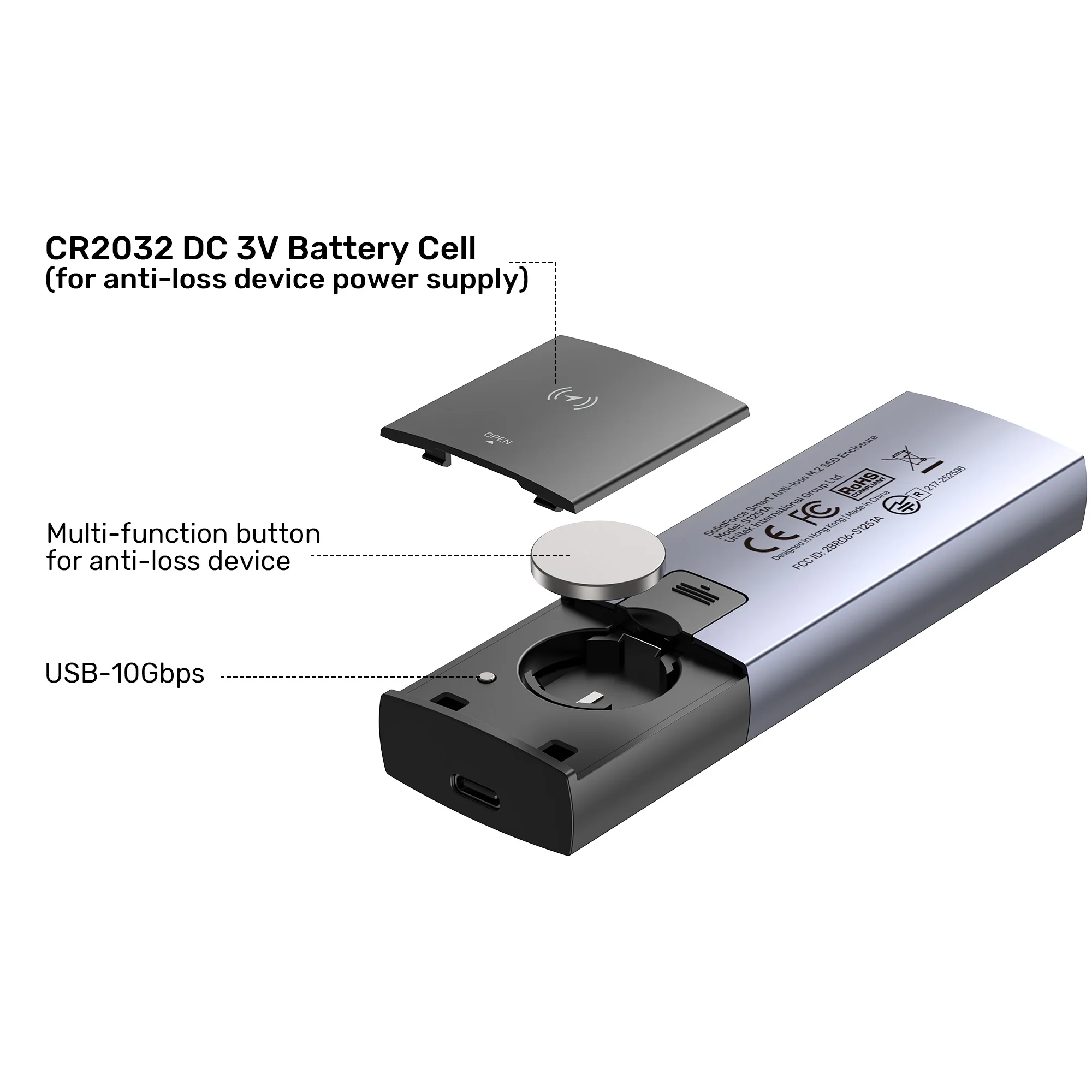
- Powered by a CR2032 battery cell with up to one year of battery life, eliminating frequent battery replacements
The dual-color LED indicator shows:
- Blue solid light – Powered on
- Blue flashing light – Read/Write status
- Green light – Anti-loss tracking status active
For more portable storage options, browse the UNITEK SolidForce PCIe/NVMe M.2 SSD Enclosure Lite.
10Gbps High-Speed NVMe Data Transfer
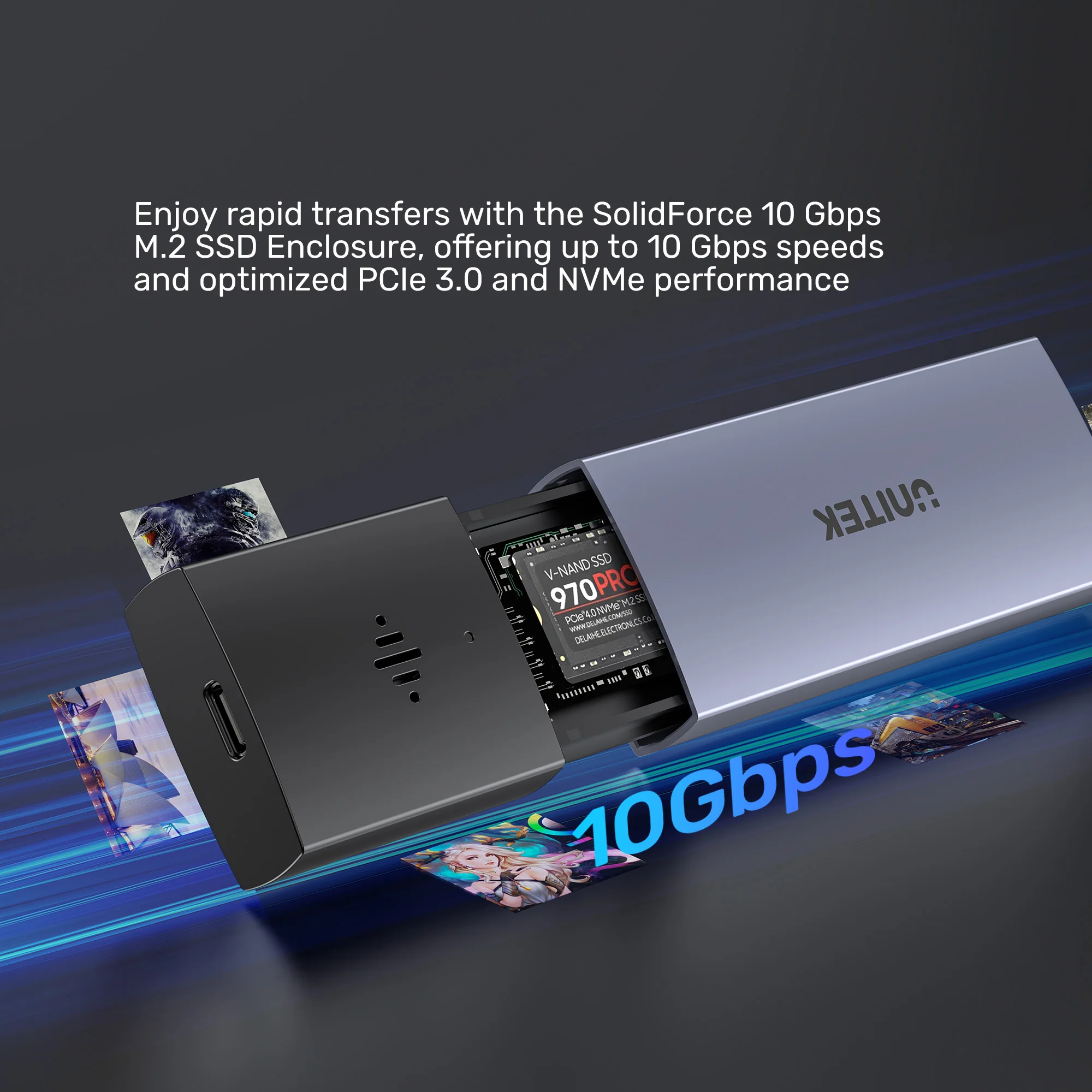
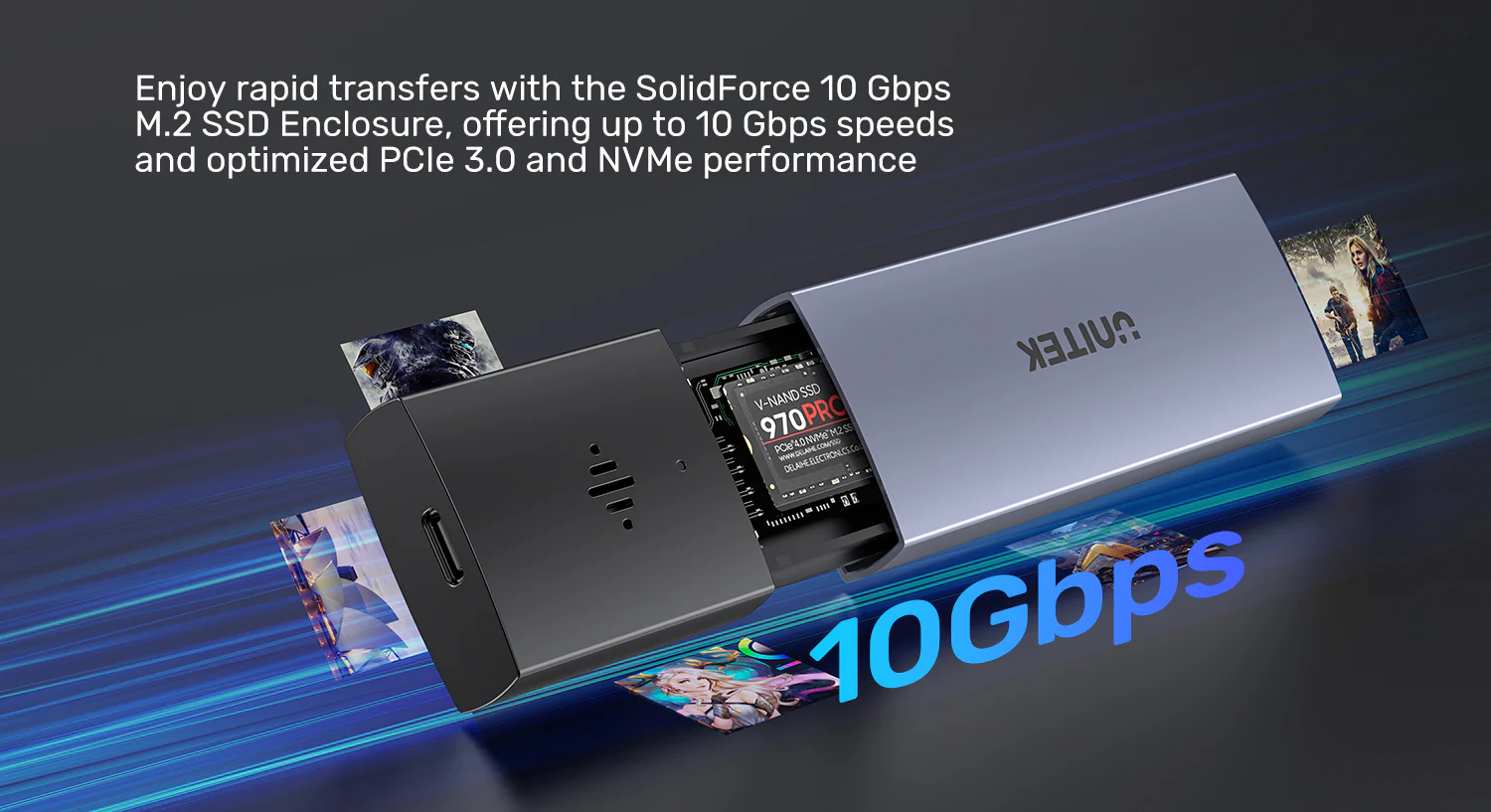
The UNITEK SolidForce 10Gbps Anti-Loss M.2 SSD Enclosure supports upstream transfer speeds of up to 10 Gbps and is compatible with 5 Gbps USB 2.0 transfer speeds. Additionally, it supports SSD TRIM and UASP acceleration , optimizing read/write speeds for ultra-fast data transfers. It fully utilizes PCIe 3.0 and NVMe SSD performance , making it perfect for 4K/8K video editing, large file transfers, and fast backups. For high-speed cables, consider the UNITEK 10Gbps USB-C Cable.
Flexible Port Connection – USB-C and USB-A Compatible
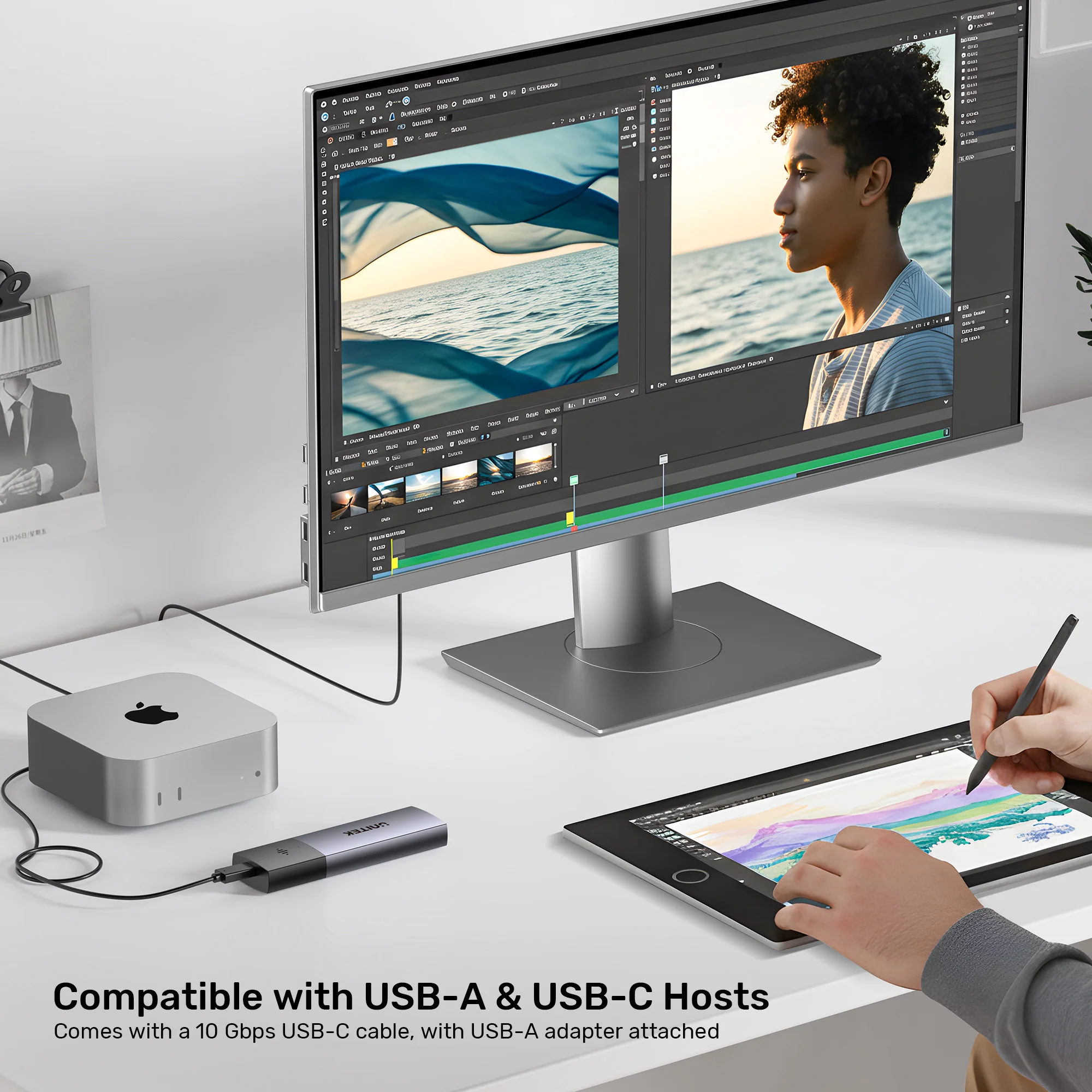
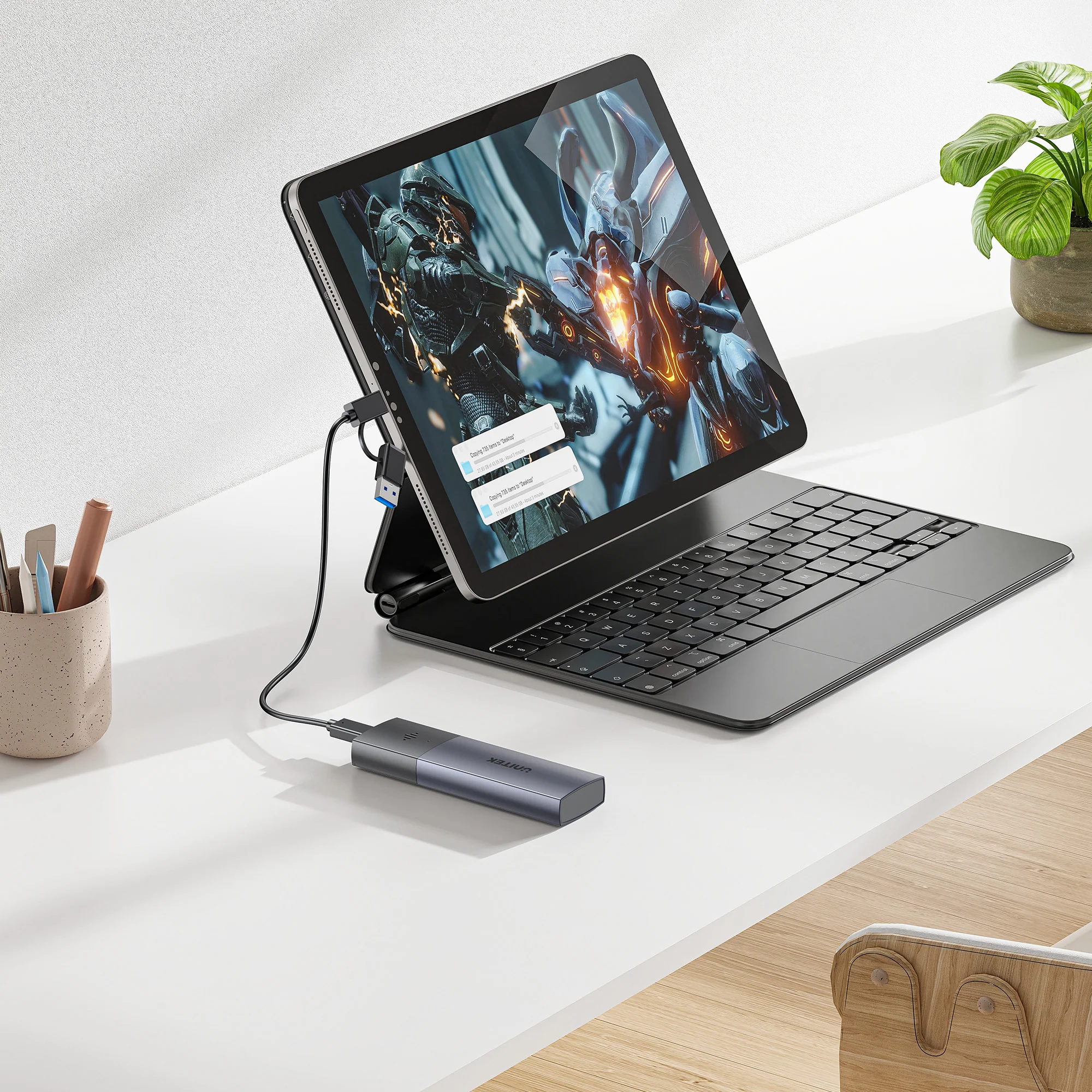
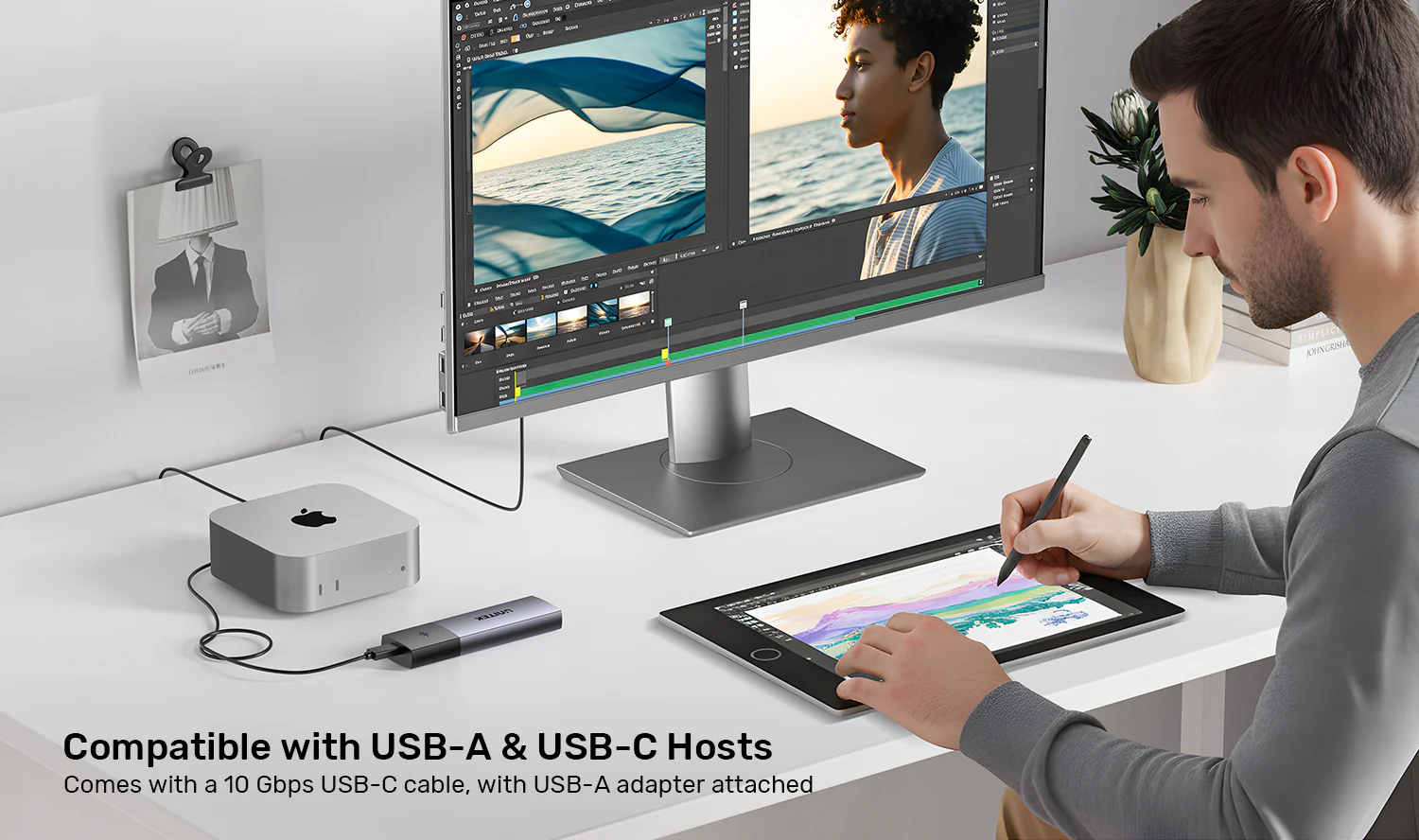
Including a 30cm 10Gbps USB-C to USB-C cable with USB-A adapter , this enclosure offers unparalleled flexibility and great convenience for end users to choose either USB-C or USB-A port to connect their personal devices for easy data transfer. Whether you have a modern MacBook with only USB-C ports or an older PC with USB-A ports, this enclosure has you covered. For more connectivity solutions, check out the UNITEK USB-C to USB-A Adapter.
Supports Multiple M.2 SSD Sizes with Easy Installation
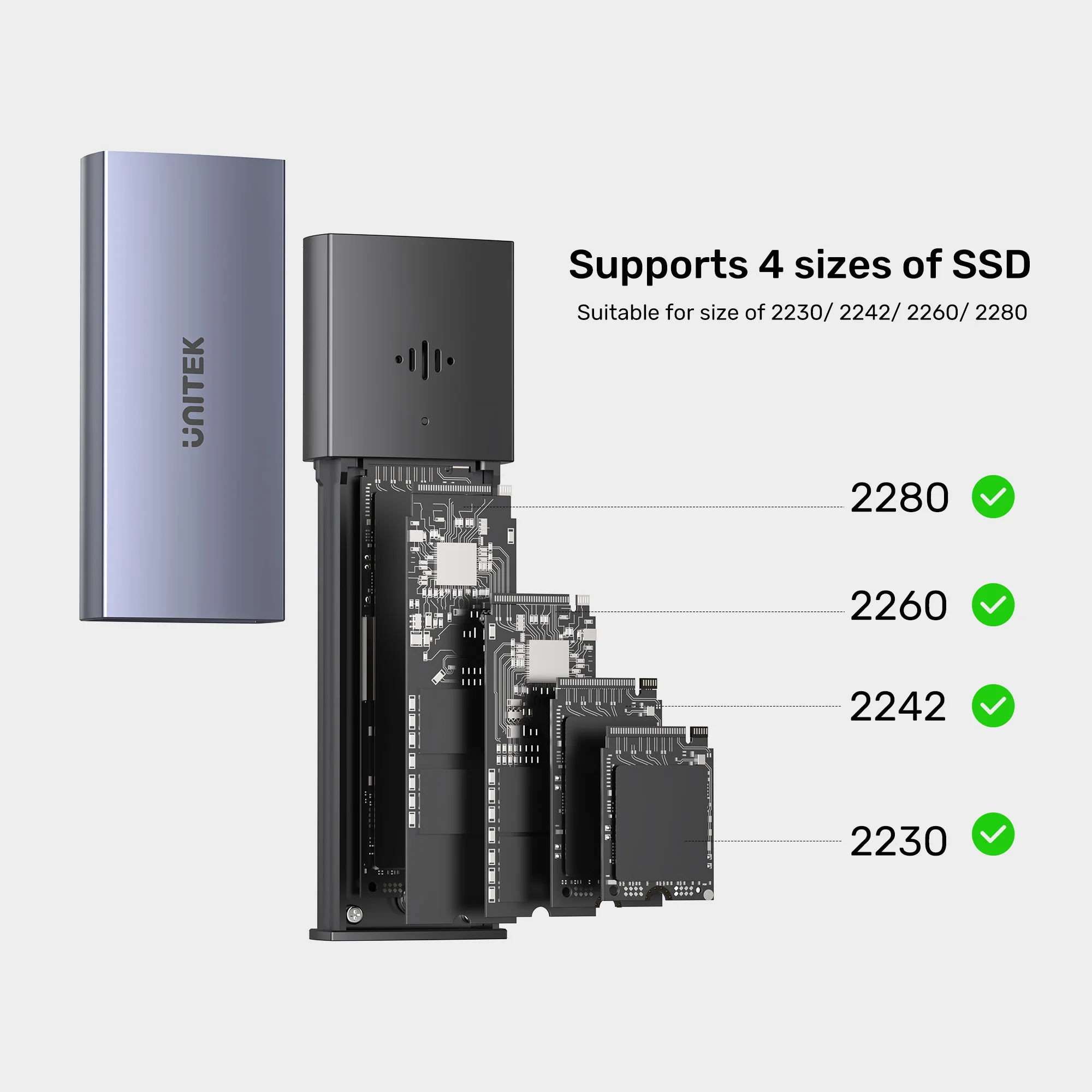
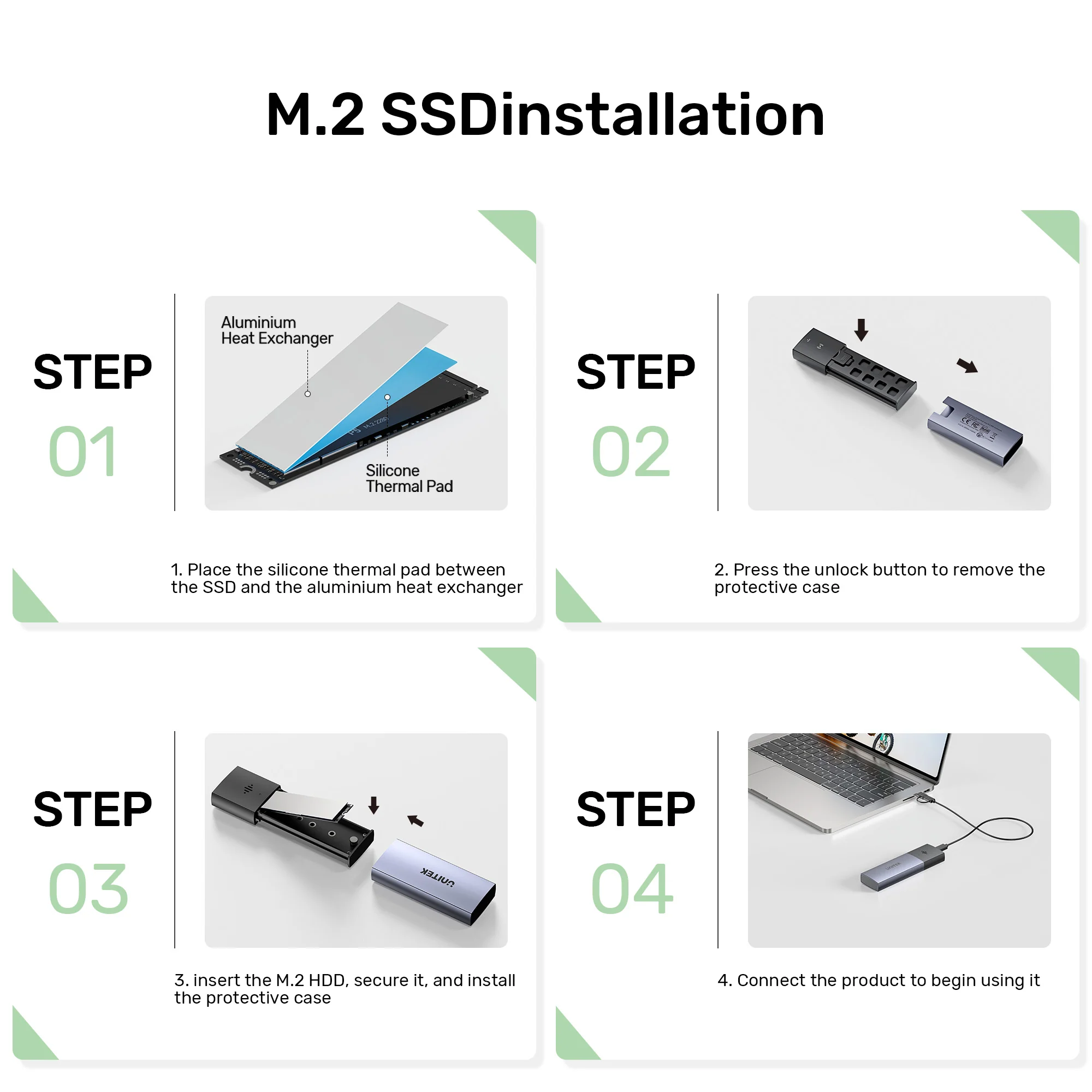
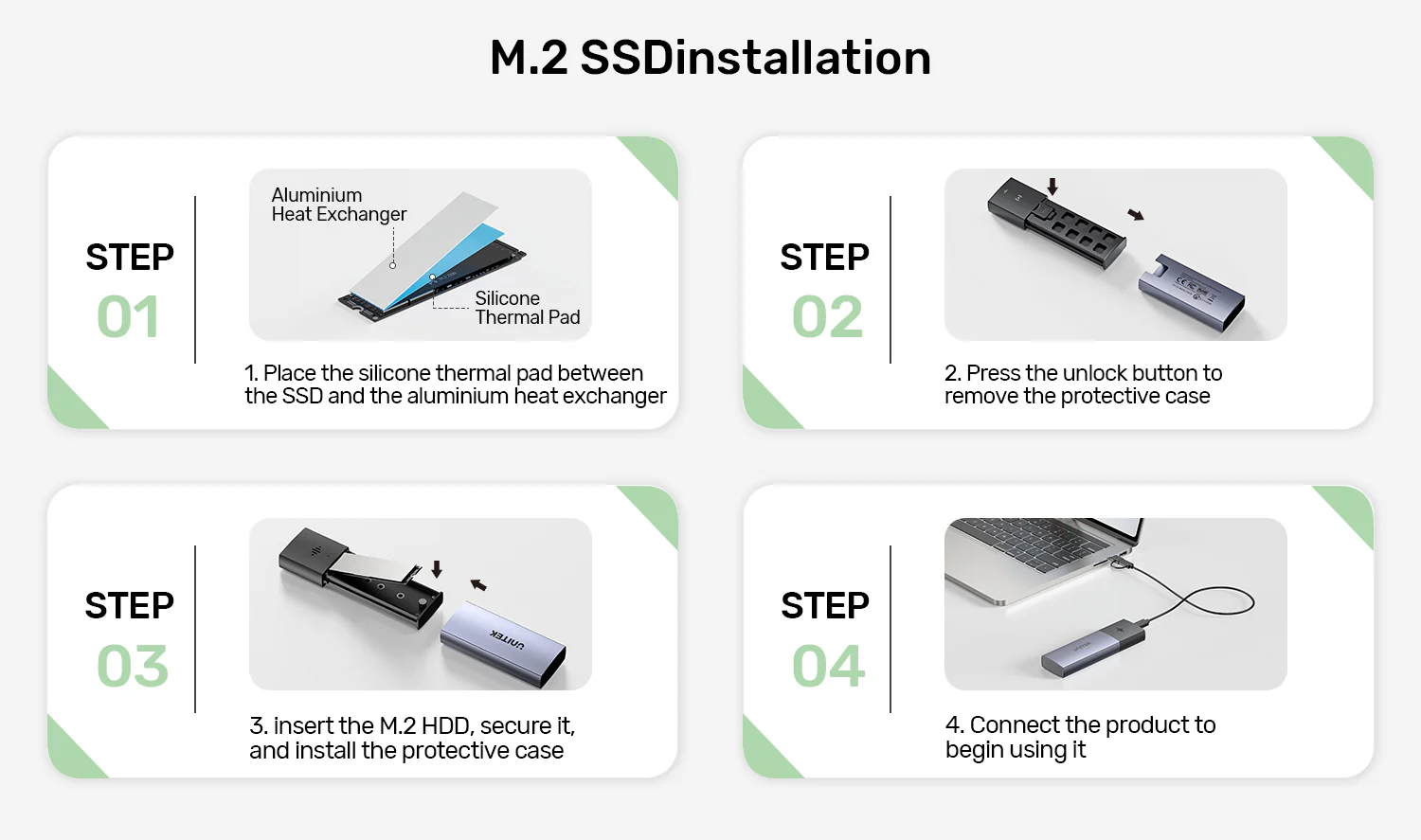
Compatible with 2230, 2242, 2260, and 2280 M.2 PCIe NVMe SSDs. Follow these four easy steps to install your M.2 SSD:
- Place the silicone thermal pad between the SSD and the aluminum heat exchanger
- Press the unlock button to remove the protective case
- Insert the M.2 SSD, secure it firmly, and reinstall the protective case
- Connect the product via the cable to start using it
Quick, tool-free setup ensures optimal heat dissipation and reliable performance. Includes silicone thermal pad and aluminum heat exchanger for optimal heat dissipation. For more UNITEK storage solutions, browse the UNITEK DiskGuard Raiden 2.5″ USB-C to SATA III HDD/SSD Enclosure and the UNITEK USB 3.2 Gen2 M.2 NVMe & SATA SSD Enclosure.
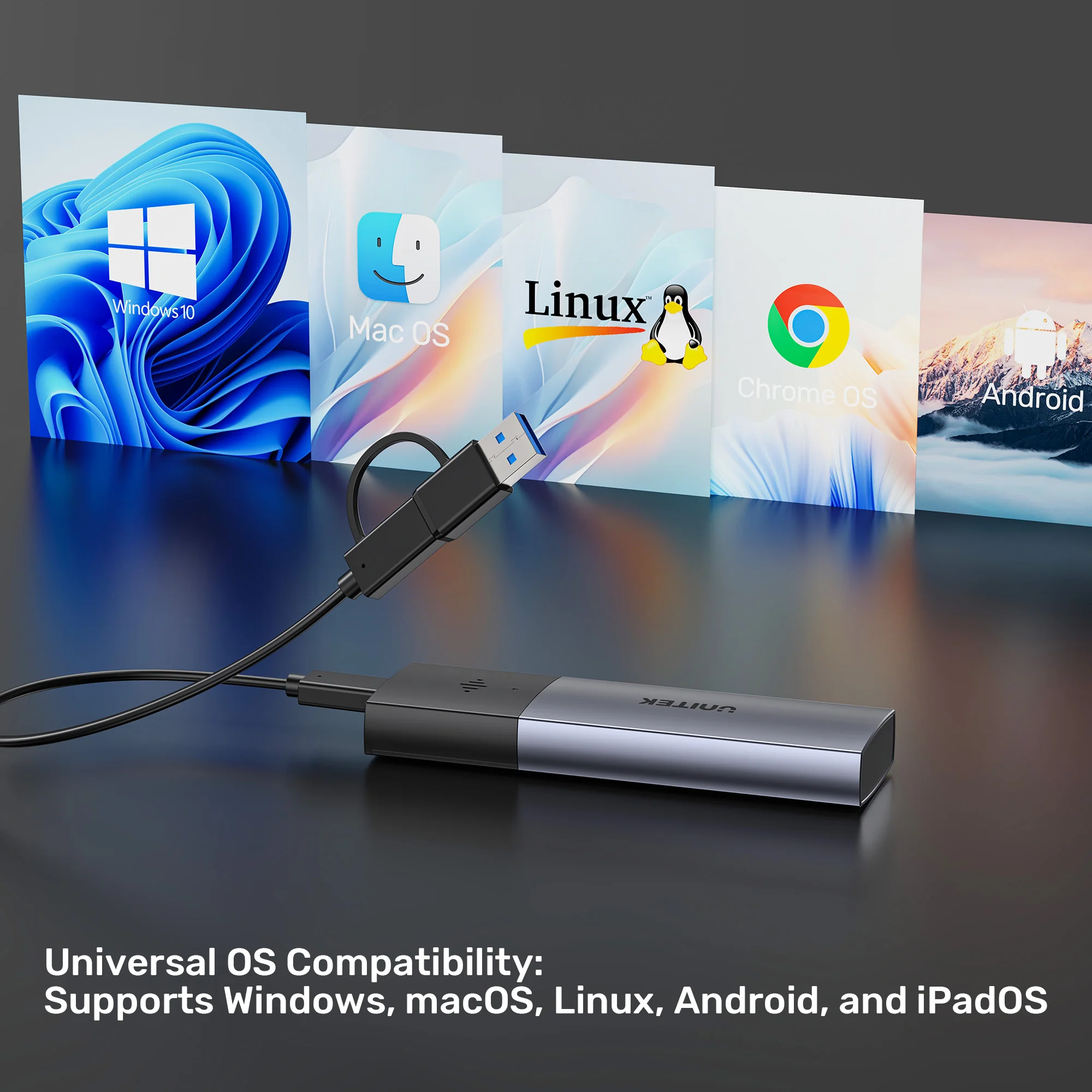
Universal OS Compatibility
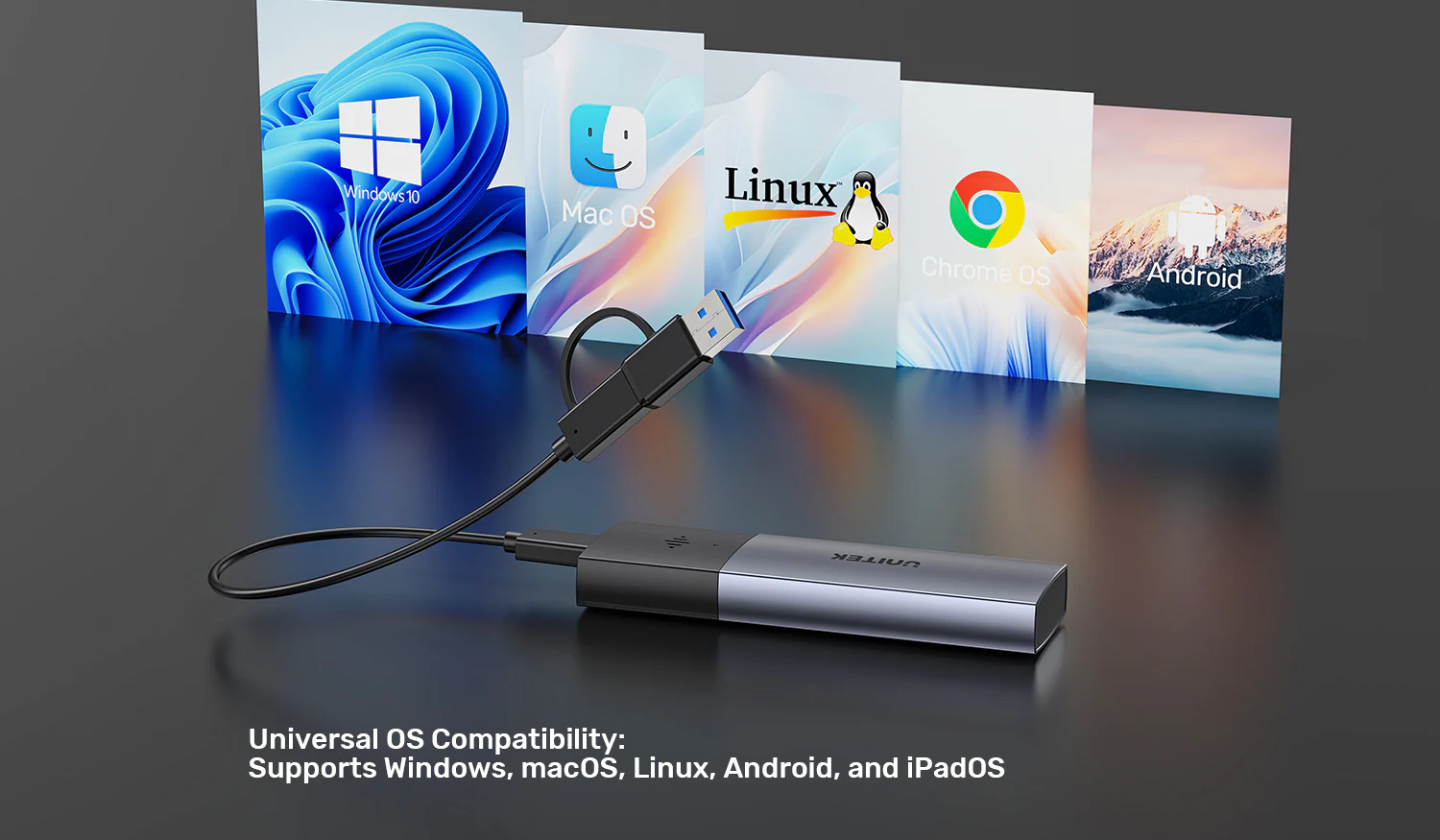
Supports seamless connectivity and data transfer across Windows, macOS, Linux, Android, and iPadOS without the need for additional drivers. Works with any device that supports external storage via USB-C or USB-A. For more UNITEK products, browse the UNITEK HDD/SSD Enclosure collection and the UNITEK Data Cables collection.
Perfect Applications
- Photographers and videographers – Never lose your precious photo and video files
- IT professionals – Secure sensitive client data with tracking capabilities
- Content creators – Fast 10Gbps transfers for 4K/8K video editing
- Frequent travelers – Peace of mind knowing you can track your SSD if left behind
- Students – Protect your thesis, projects, and important documents
- Government agencies – Secure, trackable data storage solution
For a complete mobile workstation setup, pair this enclosure with the UNITEK Docking Station and the UNITEK Laptop Stand.
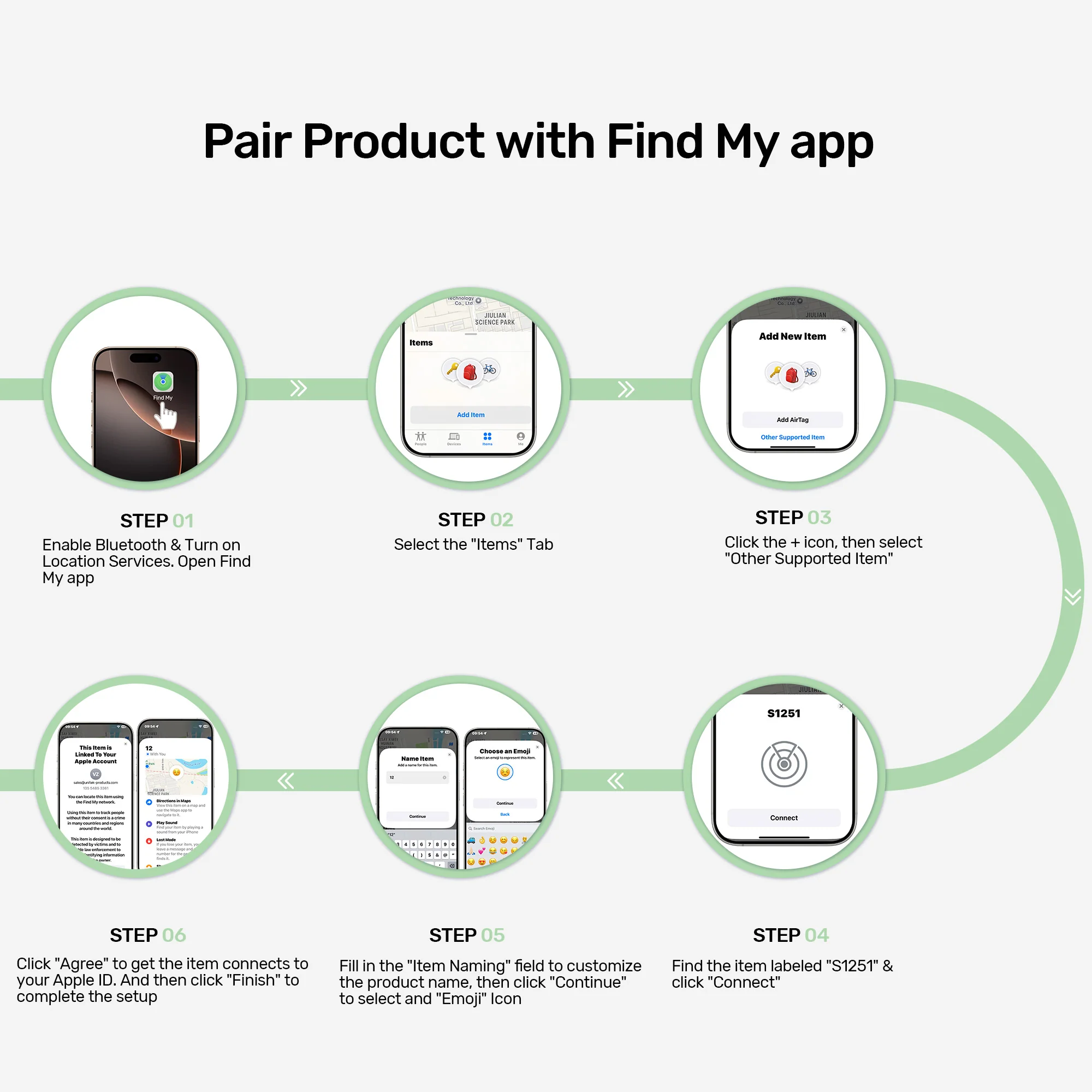
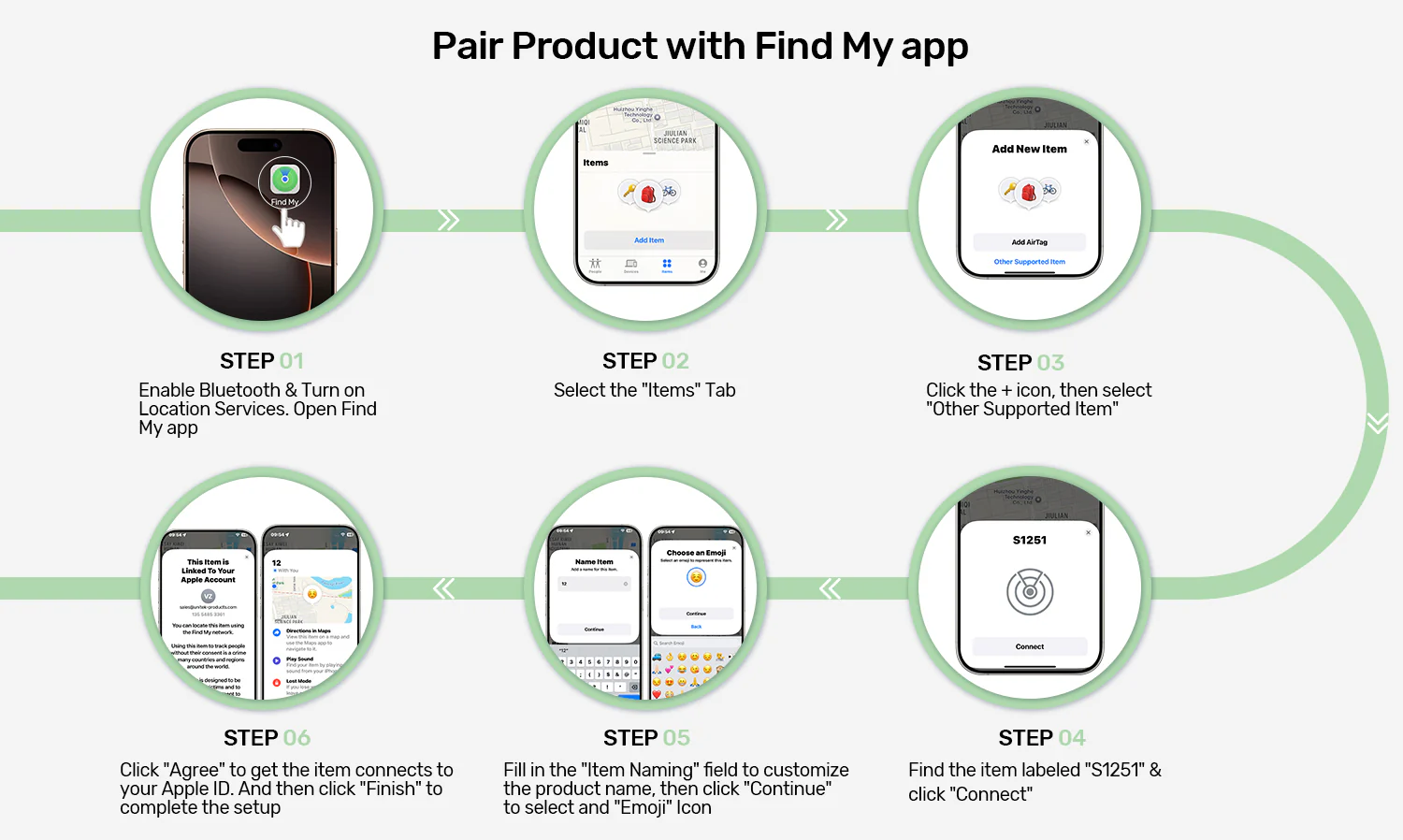
How to Pair with Find My App
Follow these simple steps to connect your SolidForce enclosure to the Find My app and enable tracking:
- Enable Bluetooth & Location Services, then open the Find My app
- Go to the “Items” tab
- Tap the + icon and select “Other Supported Item”
- Find and select “S1251” from the list, then tap “Connect”
- Name your item and choose an emoji icon, then tap “Continue”
- Agree to connect to your Apple ID and tap “Finish” to complete setup
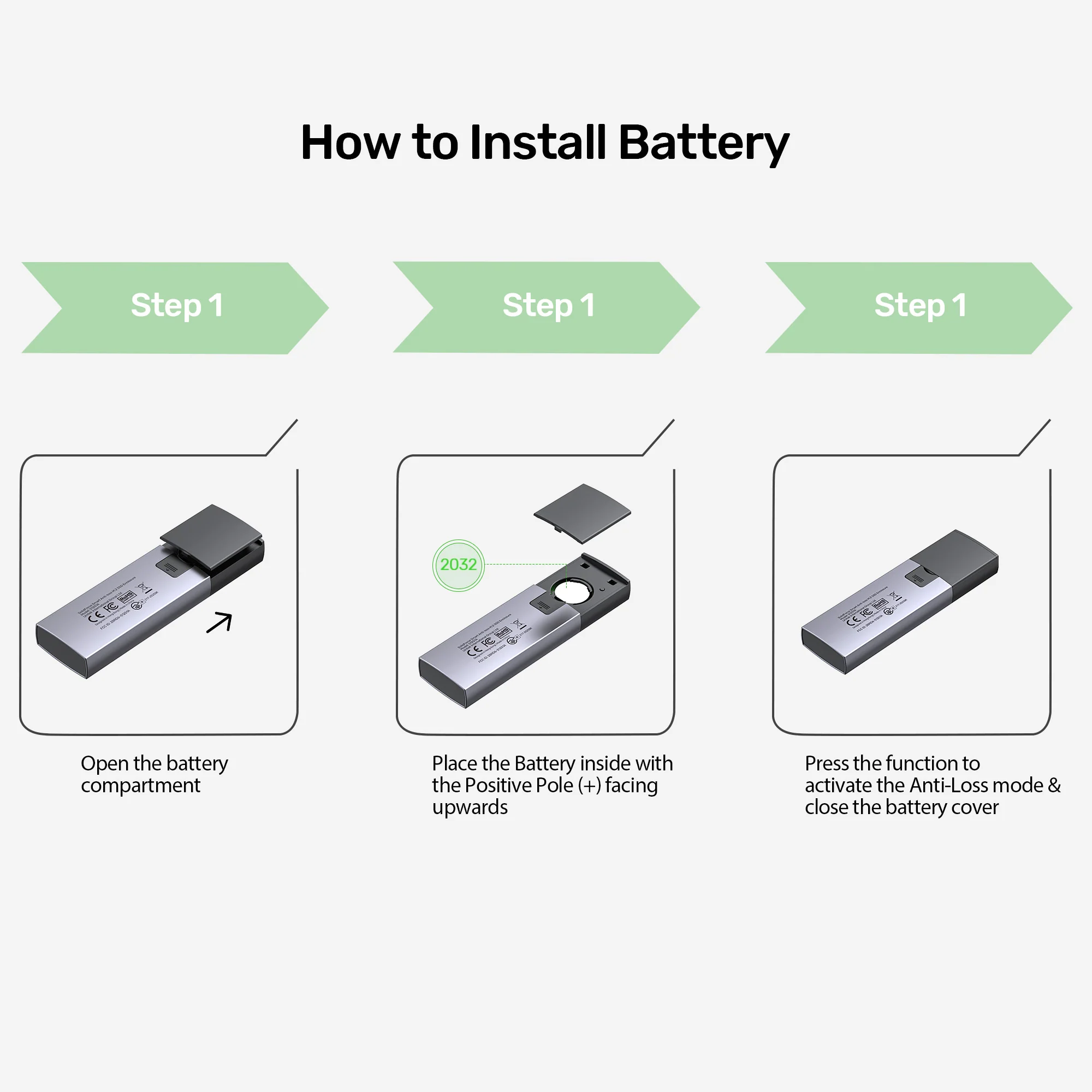
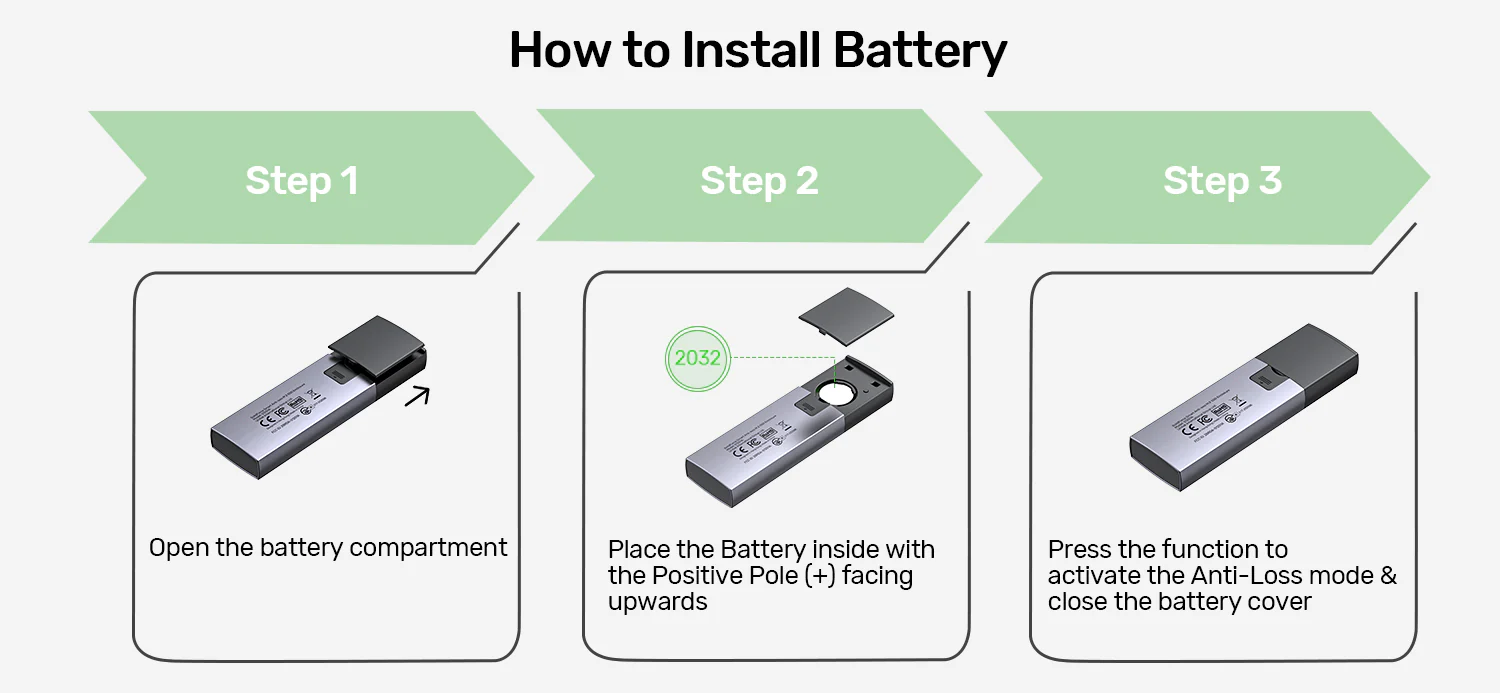
How to Install Battery
- Open the battery compartment
- Place the battery inside with the positive pole (+) facing upwards
- Press the function button to activate Anti-Loss mode, then close the battery cover
Simple setup ensures your data stays protected and trackable!
M.2 SSD Installation
Follow these four easy steps to install your M.2 SSD into the enclosure:
- Place the silicone thermal pad between the SSD and the aluminum heat exchanger
- Press the unlock button to remove the protective case
- Insert the M.2 SSD, secure it firmly, and reinstall the protective case
- Connect the product via the cable to start using it
Quick, tool-free setup ensures optimal heat dissipation and reliable performance!
Products Specifications
- Brand: UNITEK
- SKU: S1251AGY01 (SolidForce Series)
- Type: Smart Anti-loss M.2 NVMe SSD Enclosure
- Color: Space Grey
- Material: Aluminum Alloy
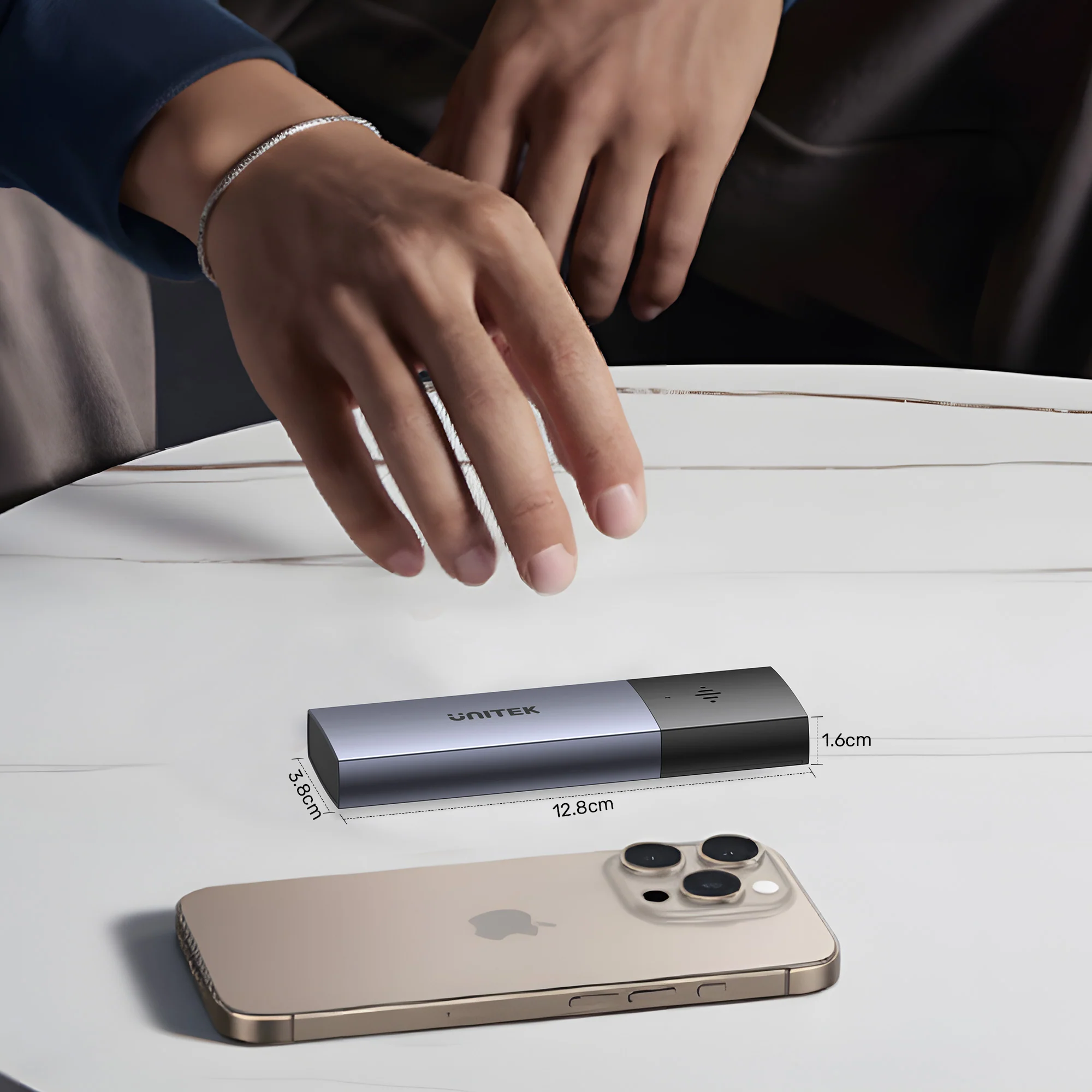
- Dimensions: 128.0mm × 38.0mm × 16.5mm
- Data Transfer Rate: 10 Gbps (USB 3.2 Gen 2)
- SSD Compatibility: M.2 PCIe NVMe SSD (2230/2242/2260/2280)
- Connection Type: USB-C (upstream) with 30cm 10Gbps USB-C to USB-C cable + USB-A adapter
- Tracking Technology: Apple Find My integration, Bluetooth 5.1 (BLE) 2.4GHz
- Positioning Modes: RSSI/AoA/AoD multi-mode positioning
- Alerts: Instant pop-up separation alerts, audible buzzer alarm
- Location Features: Last-known location recording with navigation guidance
- Battery: CR2032 (included), up to 1 year battery life
- LED Indicator: Dual-color (Blue: Power/Read-Write, Green: Anti-loss tracking)
- Supported Features: UASP, TRIM
- OS Compatibility: Windows, macOS, Linux kernel 3.x, iOS, iPadOS, Android
- Included Accessories: 30cm 10Gbps USB-C to C/A cable, Silicone Thermal Pad, Aluminum Heat Exchanger, CR2032 Battery
- Warranty: 12 Months (Pakistan)
What’s in the Box
1 x UNITEK S1251AGY01 SolidForce Smart Anti-loss M.2 SSD Enclosure (Space Grey)
1 x 30cm 10Gbps USB-C to USB-C Cable with USB-A Adapter
1 x Silicone Thermal Pad
1 x Aluminum Heat Exchanger
1 x CR2032 Battery
1 x User Manual
Frequently Asked Questions
Q1: How does the Apple Find My tracking work on this SSD enclosure?
A: The UNITEK SolidForce enclosure integrates seamlessly with Apple’s official Find My app. After pairing (instructions included), you can track your enclosure’s location on a map, trigger an audible buzzer to find it nearby, receive separation alerts when left behind, and see the last-known location with navigation guidance. This is a 100% original product available from the Official UNITEK Store in Pakistan, ensuring authenticity and quality. Explore the full UNITEK HDD/SSD Enclosure collection
Q2: What is the maximum data transfer speed of this enclosure?
A: This enclosure supports up to 10 Gbps data transfer speeds (USB 3.2 Gen 2). It also supports UASP and TRIM acceleration for optimal read/write speeds, fully utilizing PCIe 3.0 and NVMe SSD performance. Purchase from the UNITEK Official Distributor in Pakistan to ensure you receive genuine products with full warranty support.
Q3: What sizes of M.2 SSDs are compatible with this enclosure?
A: This enclosure supports 2230, 2242, 2260, and 2280 M.2 PCIe NVMe SSDs . It does NOT support SATA-based M.2 SSDs. For guaranteed authenticity, always purchase from the UNITEK Pakistan Official Store.
Q4: How long does the CR2032 battery last for the anti-loss feature?
A: The CR2032 battery (included) lasts up to 1 year under normal use. The battery compartment is easy to access for replacement when needed. This is a 100% original product – for more storage solutions, check out the UNITEK SolidForce Reefer TurboCool USB4 40Gbps M.2 SSD Enclosure.
Q5: Does the enclosure work with both USB-C and USB-A ports?
A: Yes! The enclosure includes a 30cm 10Gbps USB-C to USB-C cable with USB-A adapter , allowing you to connect to both modern USB-C laptops and traditional USB-A computers. Purchase from the UGREEN Official Distributor in Pakistan to ensure you receive genuine products with full warranty support.
Q6: Will the Find My feature work if the enclosure is not connected to a computer?
A: Yes! The anti-loss tracking works independently via the built-in Bluetooth 5.1 and CR2032 battery. Even when the enclosure is not connected to a computer, you can still track it via the Find My app and trigger the audible buzzer. For guaranteed authenticity, always purchase from the UGREEN PK Official Store in Pakistan.
Q7: Does this enclosure support UASP and TRIM?
A: Yes! This enclosure supports UASP (USB Attached SCSI Protocol) for faster transfers and TRIM to maintain SSD performance and lifespan. Check the UNITEK S1251AGY01 Price in Pakistan for exceptional value.
Q8: Is this enclosure compatible with iPad Pro and Android devices?
A: Yes! The enclosure supports iPadOS and Android devices (with USB-C ports) for seamless data transfer. Perfect for photographers and videographers who want to offload footage directly to an external SSD. For more mobile storage solutions, browse the UNITEK M.2 NVMe SSD Enclosure USB-C 10Gbps.
Q9: What is the LED indicator showing?
A: The dual-color LED indicator shows:
- Blue solid light – Powered on
- Blue flashing light – Read/Write status
- Green light – Anti-loss tracking status active
When searching for the Best Anti-Loss SSD Enclosure in Pakistan , this UNITEK SolidForce enclosure is the top choice for data protection and portability.
Q10: What is the warranty coverage in Pakistan?
A: All authentic UNITEK products purchased from the UNITEK Official Distributor in Pakistan or the UGREEN Official Distributor in Pakistan come with a comprehensive 12-month warranty against manufacturing defects from the date of purchase. Purchase from authorized retailers for original product warranty and fast delivery in Pakistan.
 No products in the cart.
Reviews
There are no reviews yet.