
UGREEN 55451 USB-C to HDMI Switch – Share One HDMI Display Between Two USB-C Devices
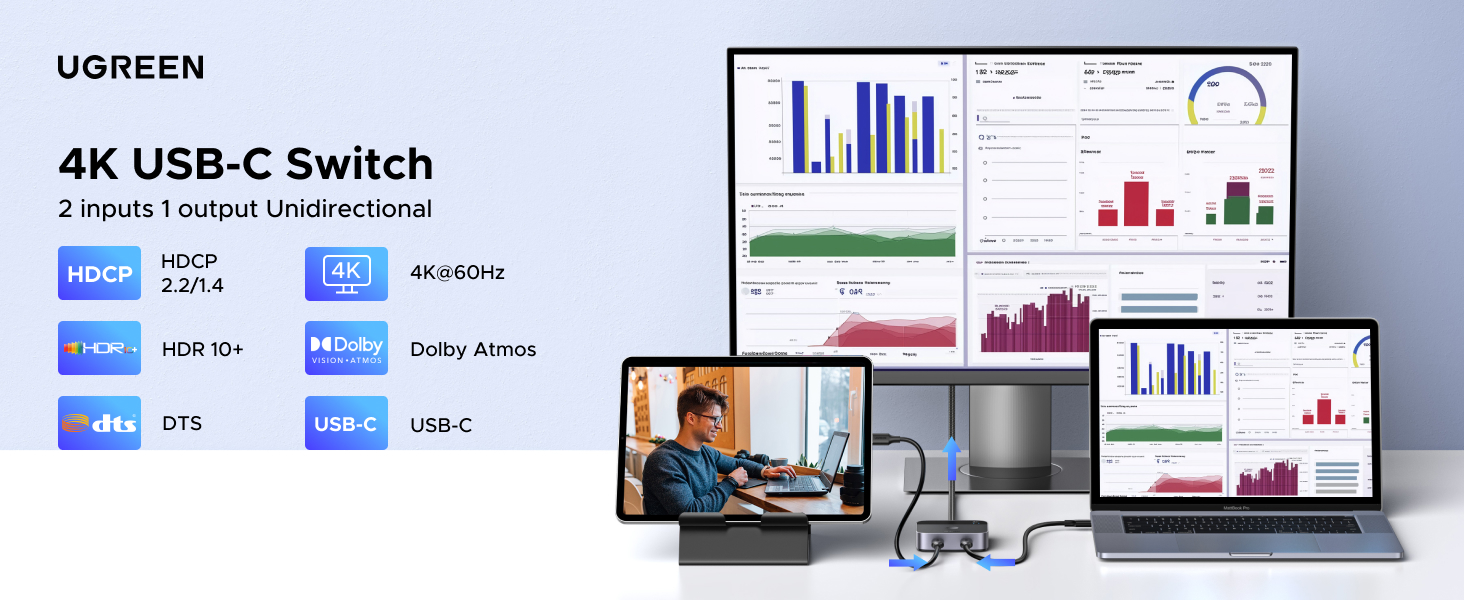

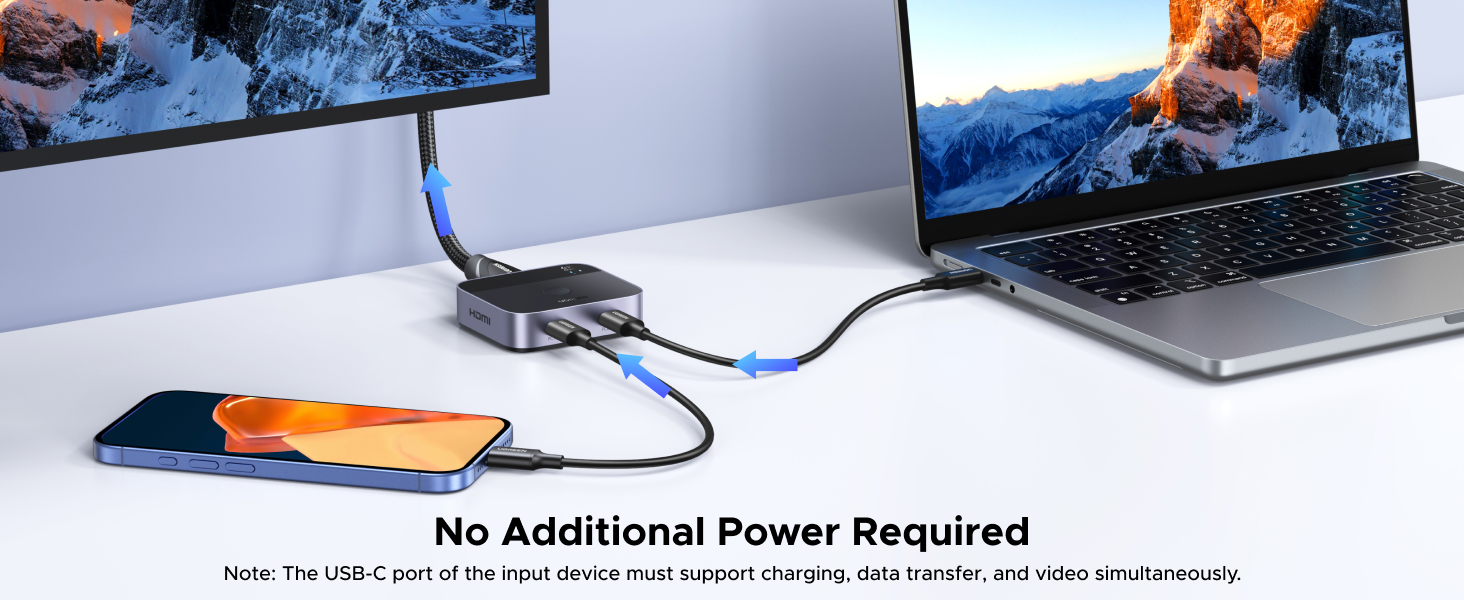
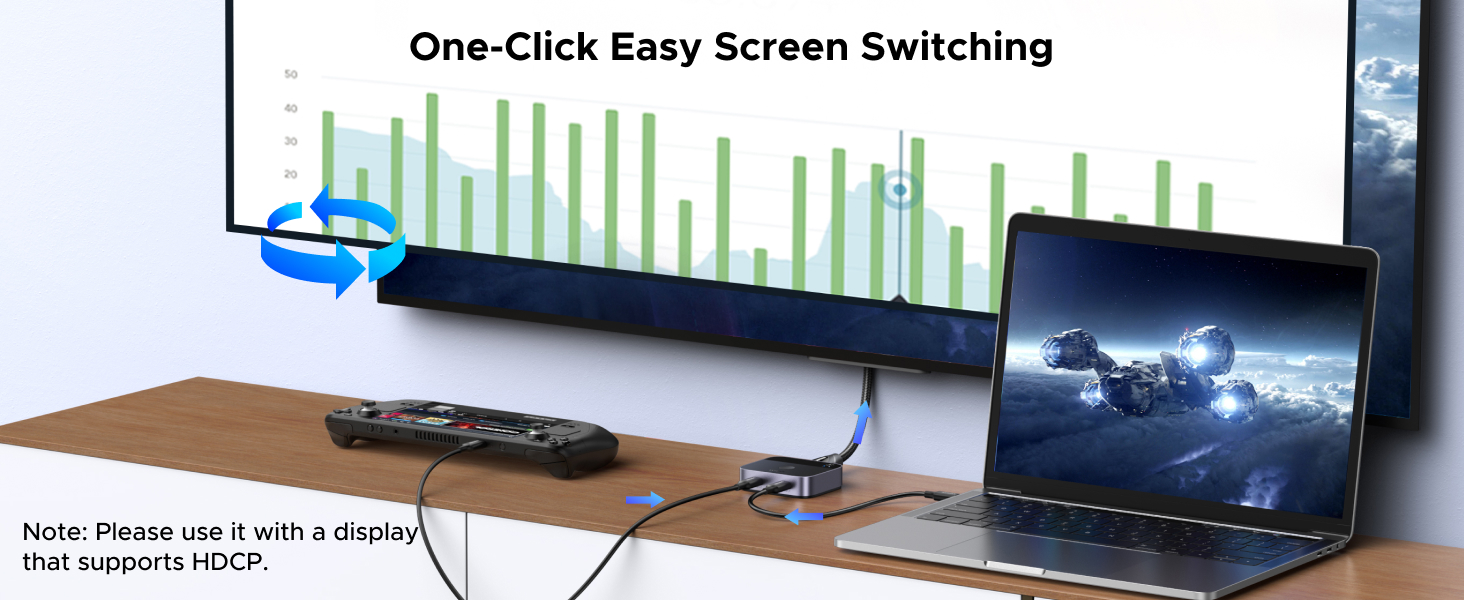
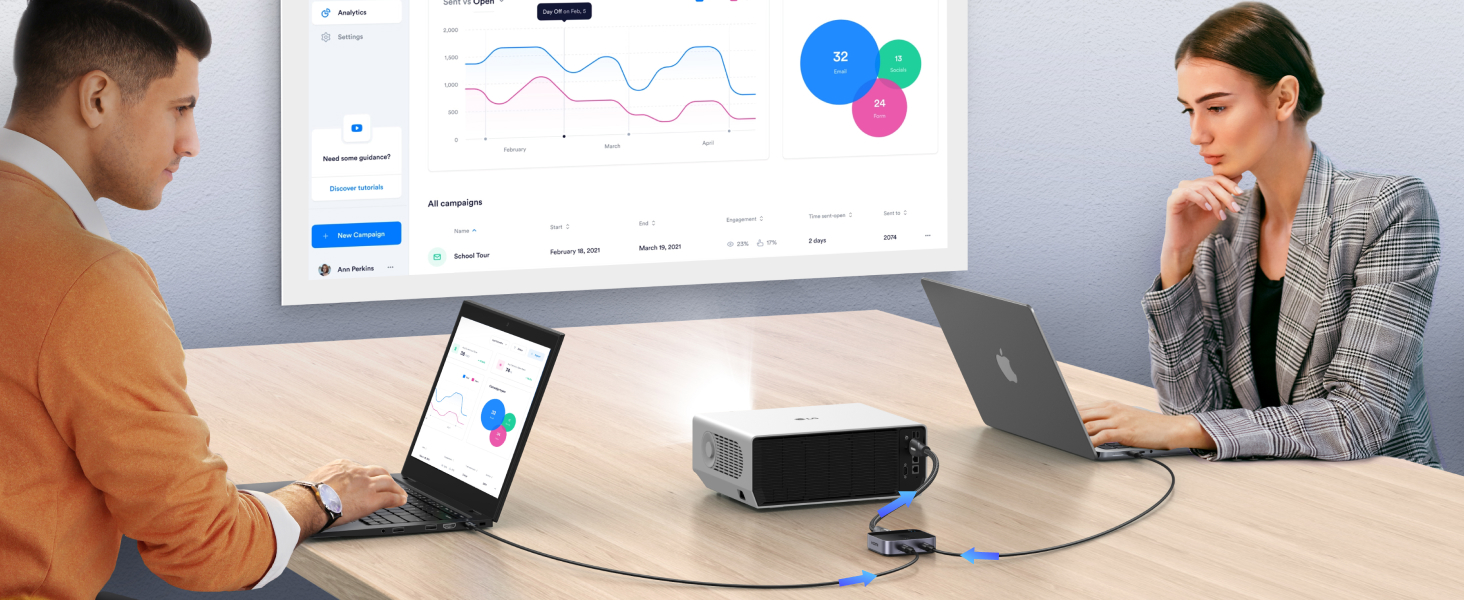
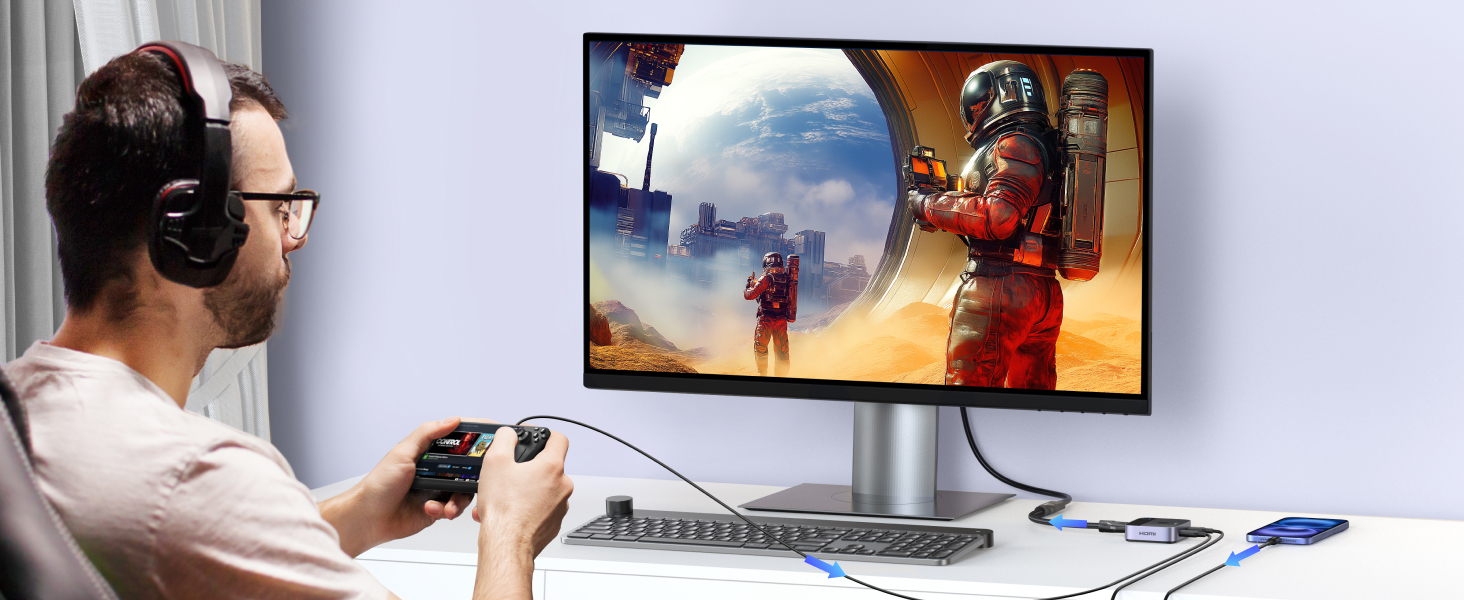
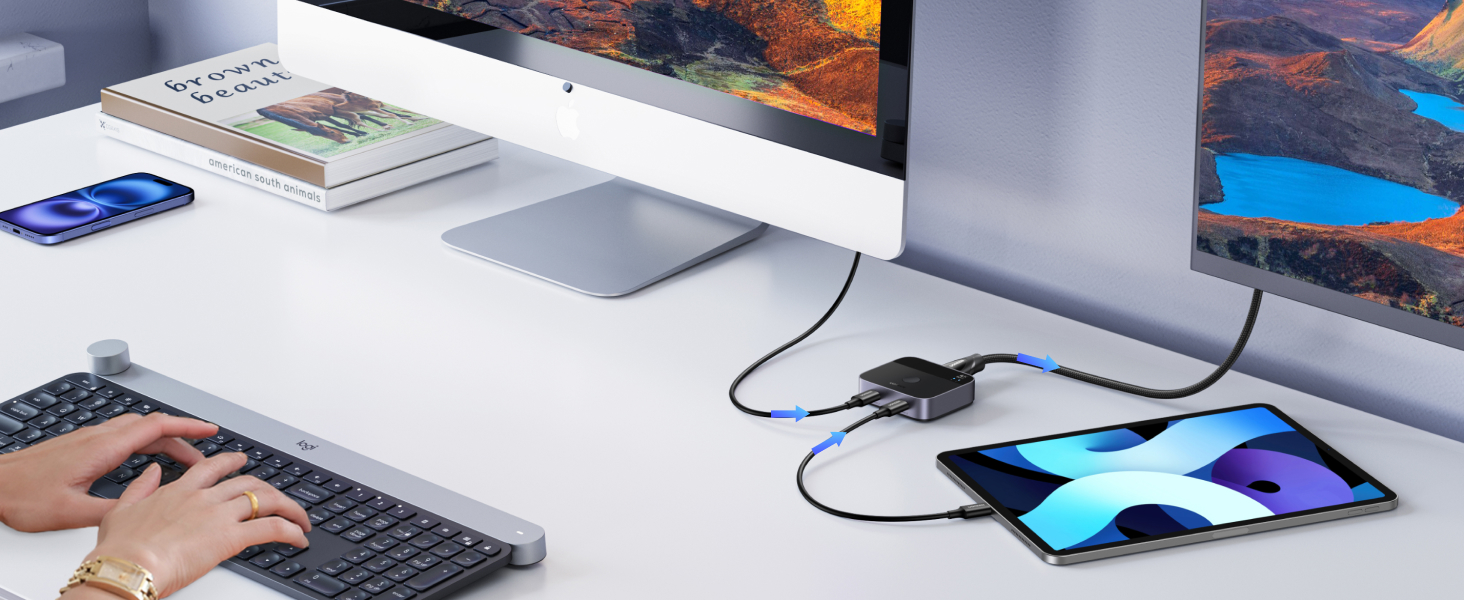
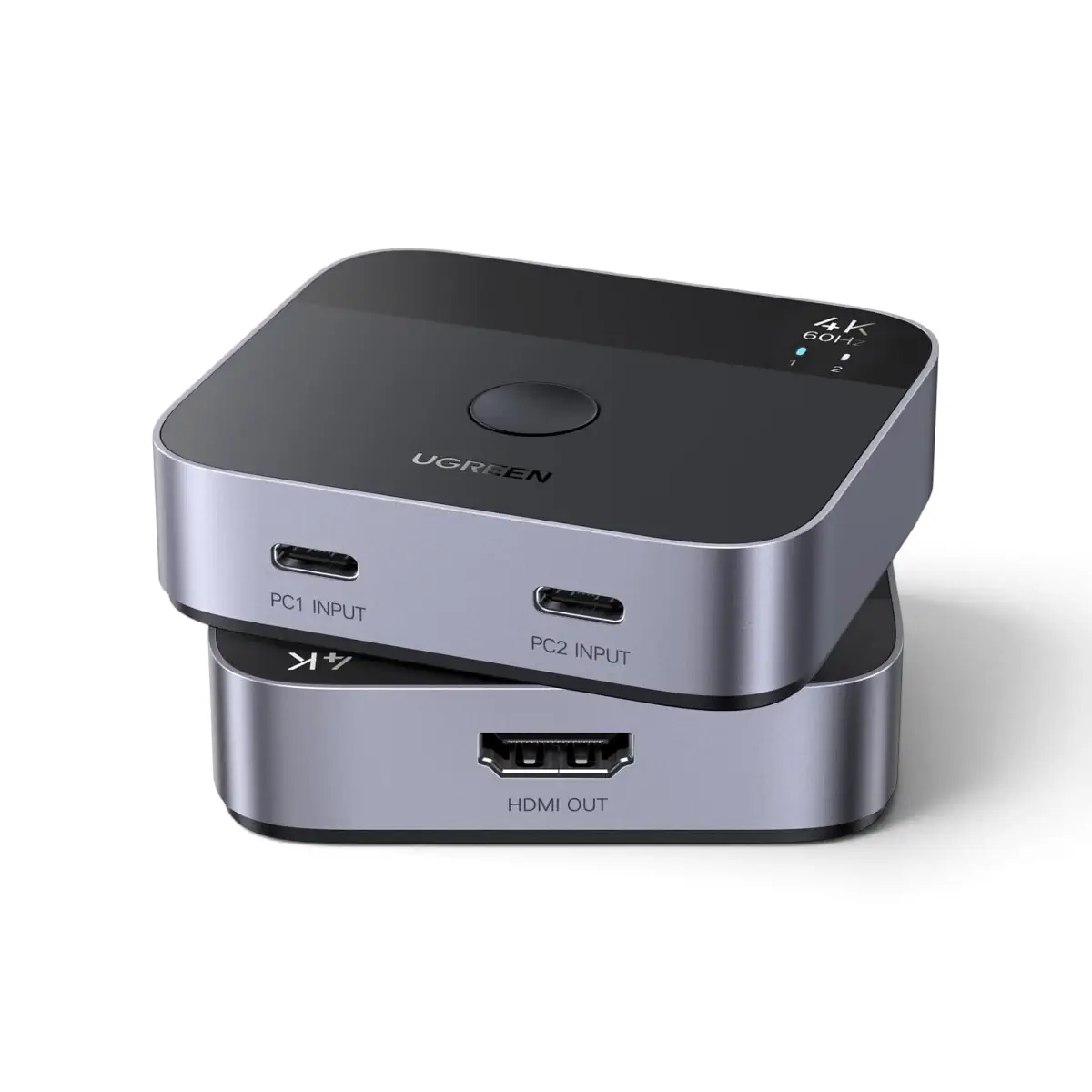
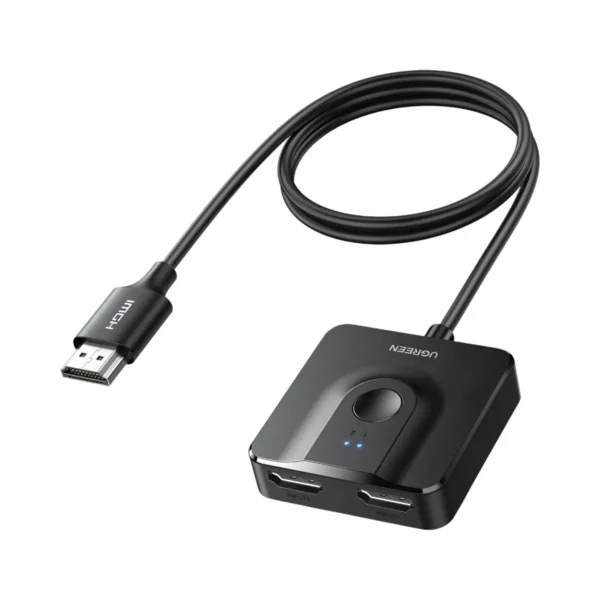
The UGREEN 55451 USB-C to HDMI Switch is a compact video selector designed for users who need to connect two USB-C source devices to one HDMI display.
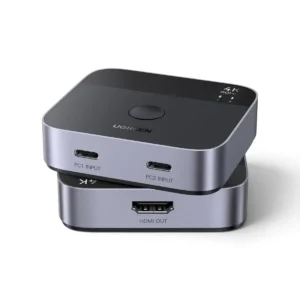
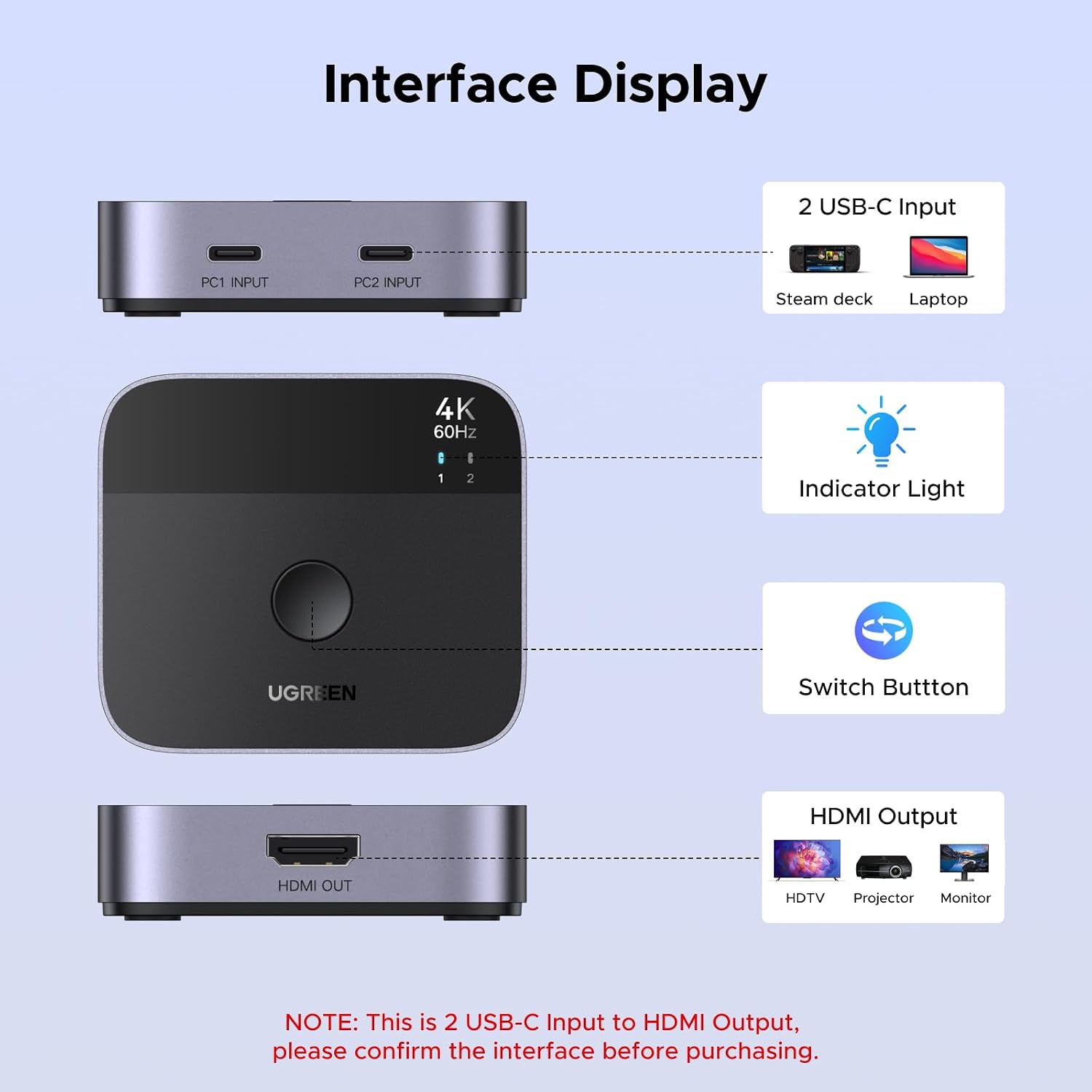
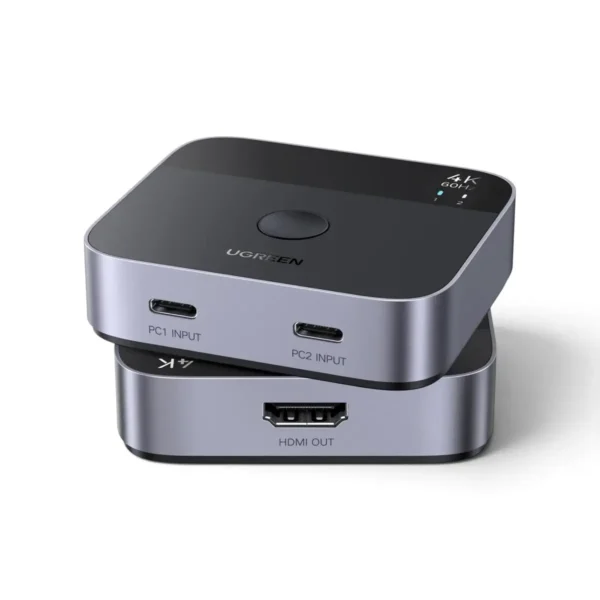
It provides two USB-C input connections and one HDMI output, allowing users to select which connected device sends its video signal to a monitor, television or projector.
This configuration is particularly useful for workstations where two laptops share one monitor, or where users regularly alternate between a computer, tablet, smartphone or compatible handheld gaming device.
Instead of repeatedly unplugging USB-C cables, the UGREEN 55451 provides a convenient way to select the active video source.
The switch supports up to 4K Ultra HD at 60Hz, 18Gbps video bandwidth, HDR10, HDCP 2.2 and compatible Dolby Atmos audio.
Its aluminum and ABS construction makes it suitable for everyday desktop and entertainment use.
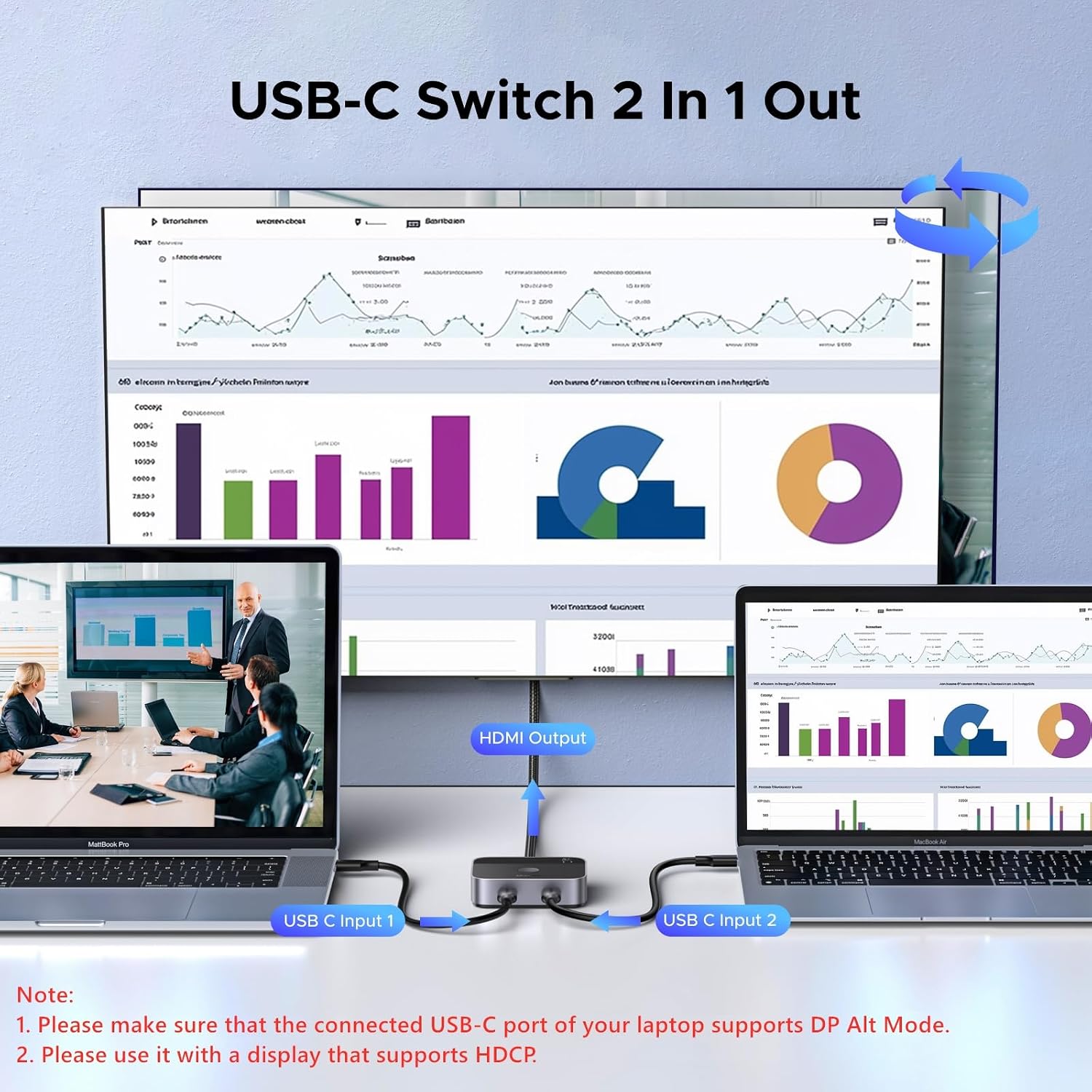
Two USB-C Sources to One HDMI Display
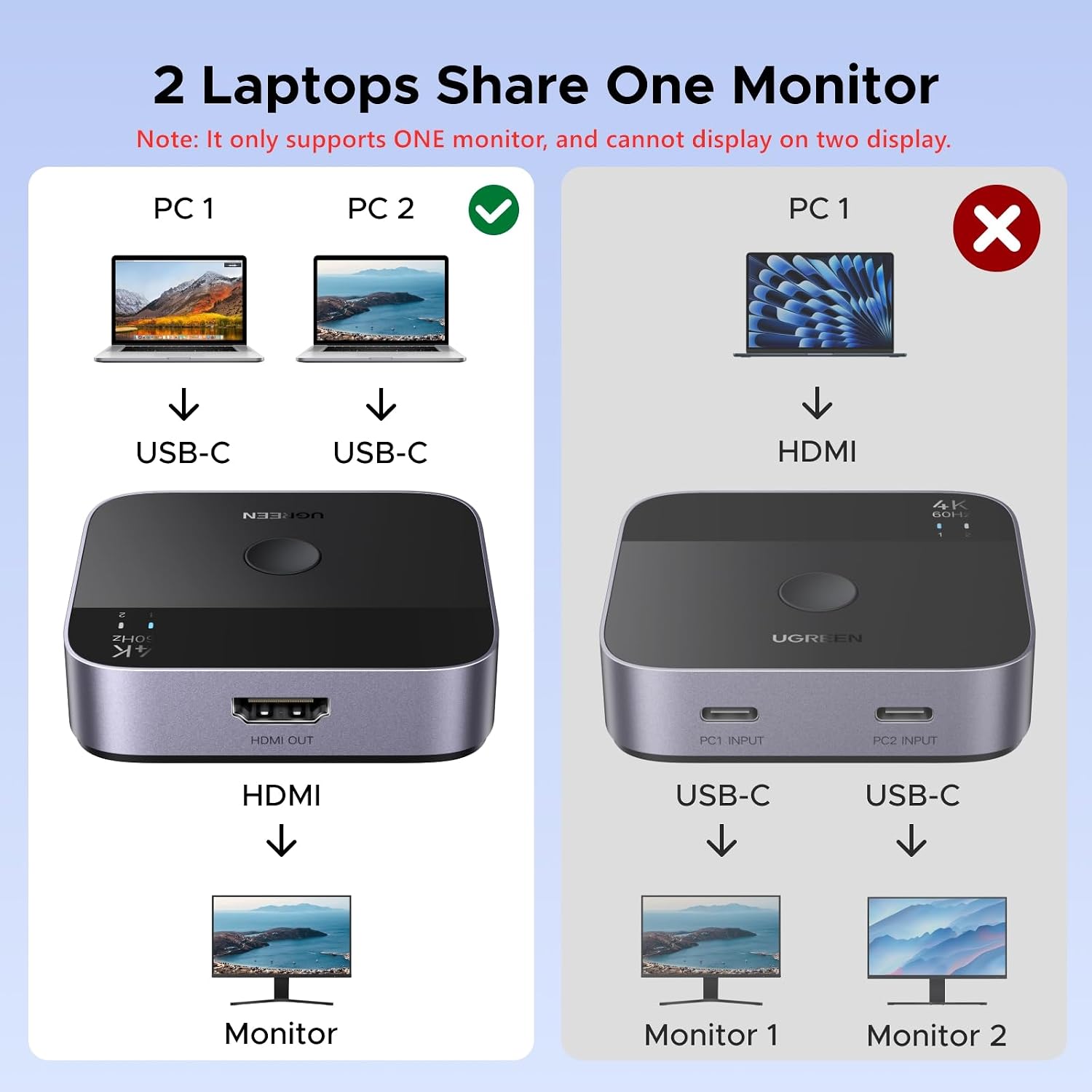
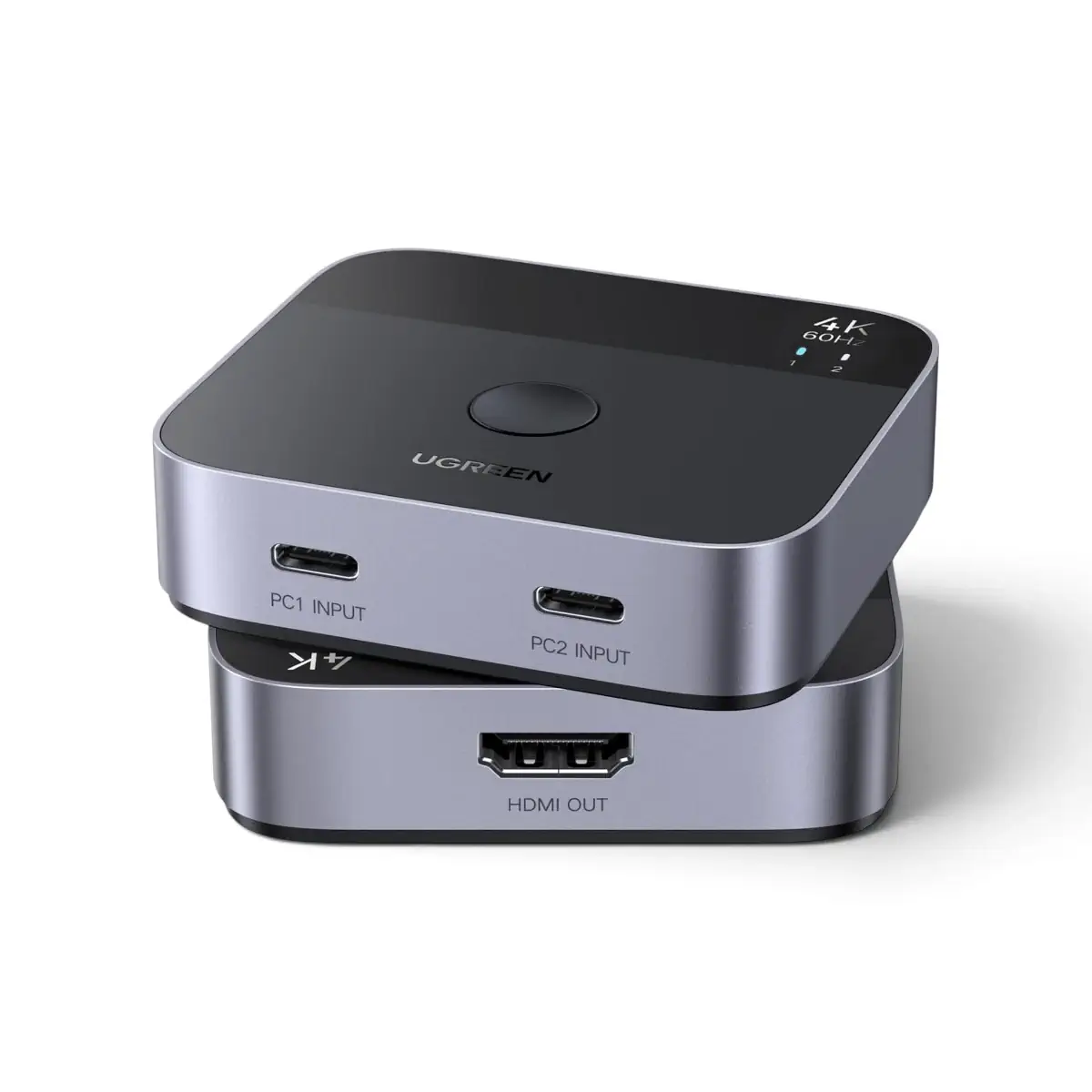
The UGREEN 55451 operates in a fixed 2-input/1-output configuration.
Connection Layout
- USB-C Input 1: First compatible laptop, tablet, smartphone or gaming device
- USB-C Input 2: Second compatible USB-C video source
- HDMI Output: One HDMI monitor, television or projector
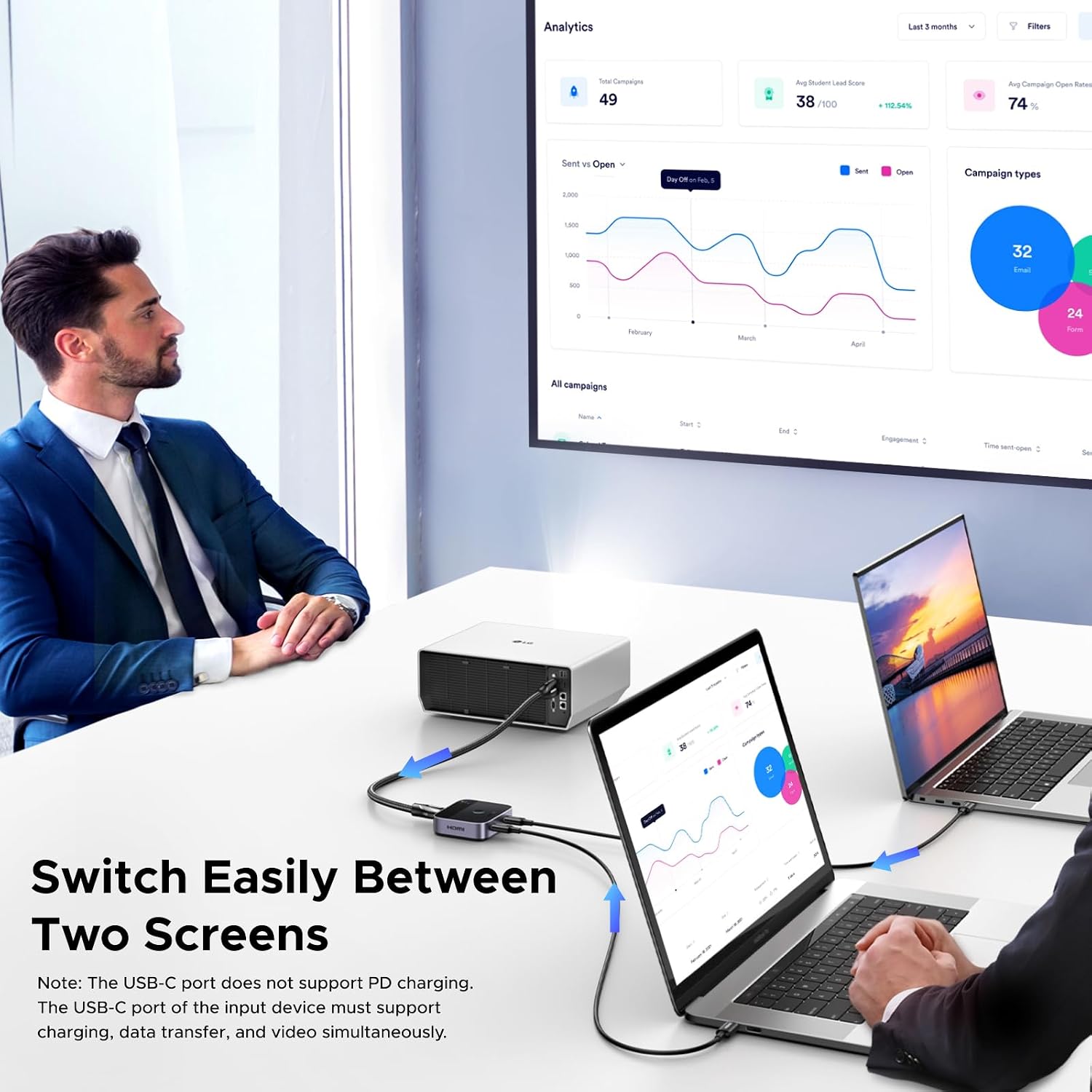
For example, users can connect a MacBook Pro and a Windows laptop to the same HDMI monitor.
The switch allows the user to select which computer’s video appears on the display.
Other practical configurations include:
- MacBook Air and Windows laptop connected to one monitor
- Office laptop and personal laptop sharing one display
- Compatible iPad and laptop connected to one projector
- Steam Deck and ASUS ROG Ally sharing one HDMI screen
- Compatible Samsung Galaxy smartphone and laptop connected to one TV
Only one USB-C source is displayed at a time.
Important: Not a Bidirectional USB-C Switch
The UGREEN 55451 is specifically designed for USB-C video input to HDMI video output.
It does not support reverse operation.
The device cannot receive an HDMI source and convert it into USB-C video output.
It also cannot connect one USB-C source to two HDMI displays.
This product is a 2 USB-C input to 1 HDMI output video selector, not a USB-C-to-USB-C switch, HDMI splitter or KVM switch.
4K Ultra HD Video at 60Hz
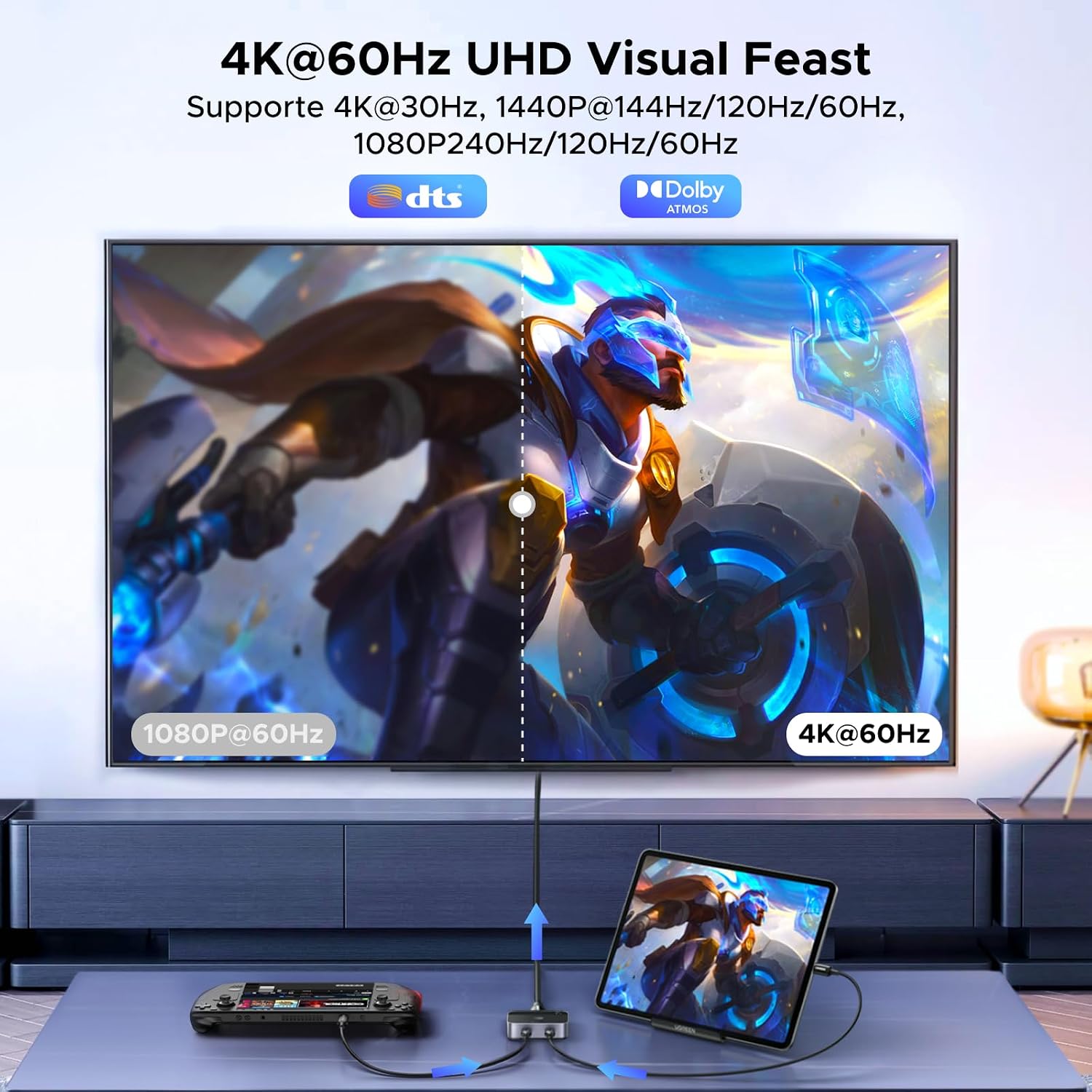
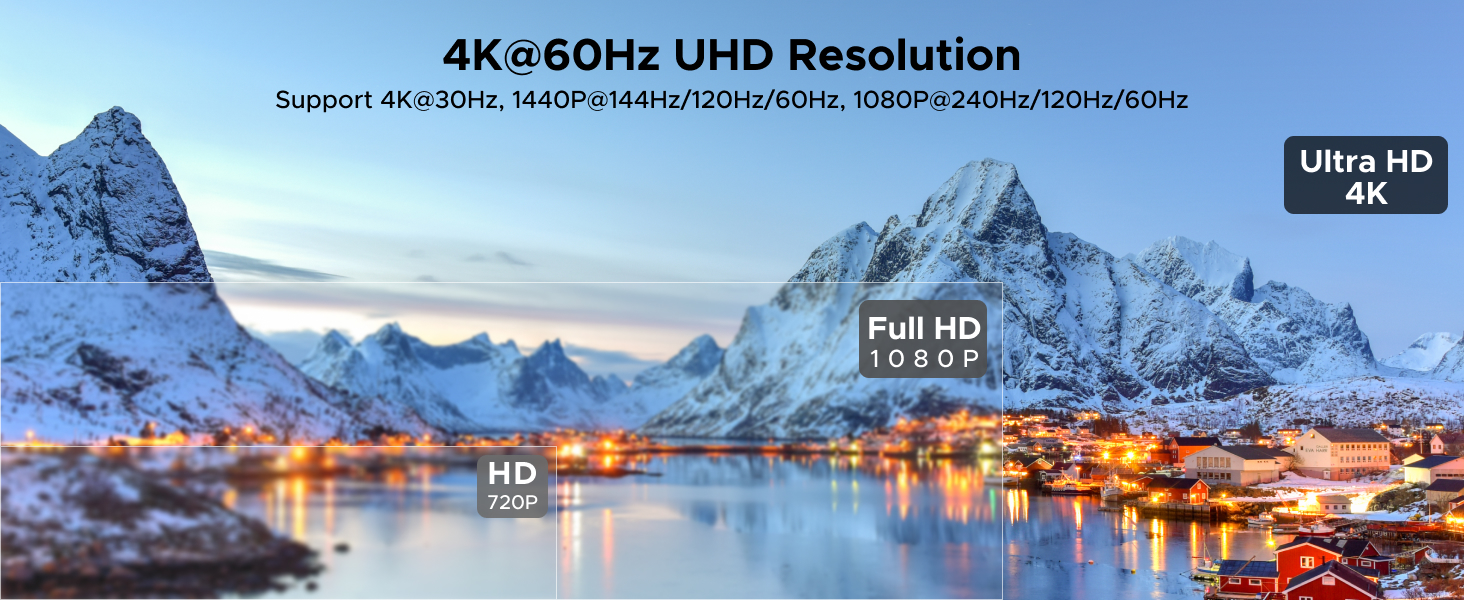
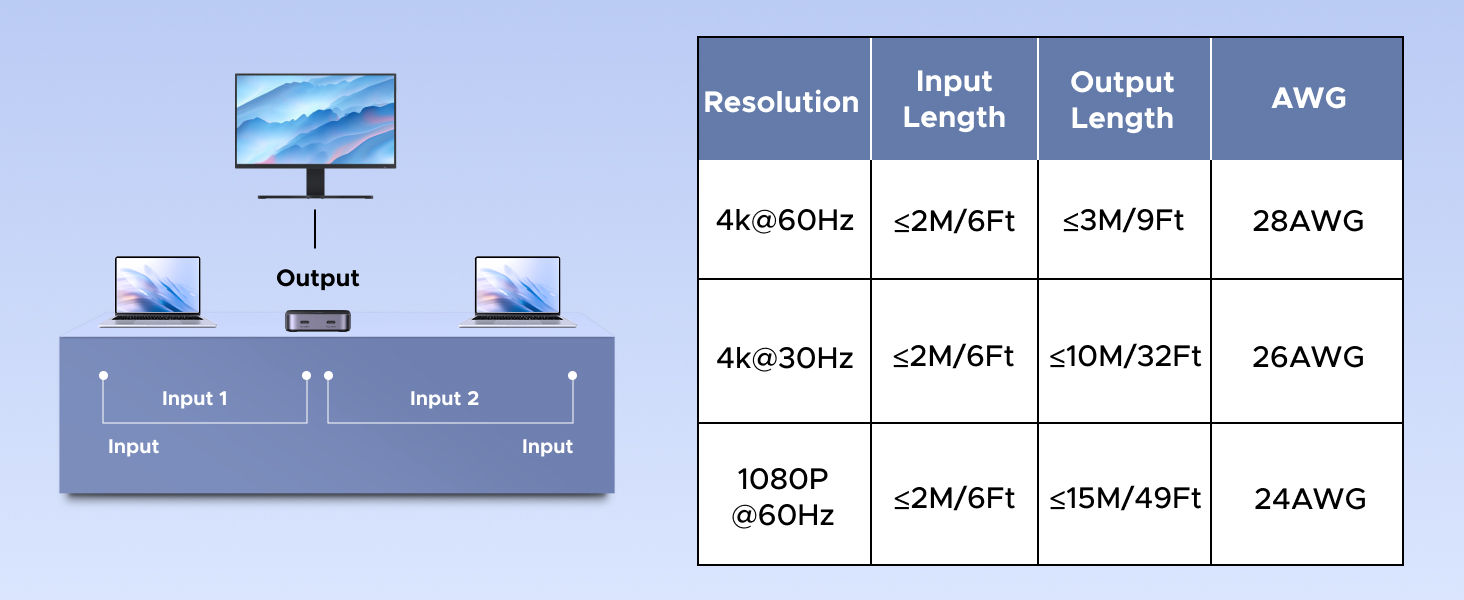
The UGREEN 55451 supports video output at resolutions up to 4K@60Hz.
Supported resolution modes listed in the supplied product specifications include:
- 4K Ultra HD at 60Hz
- 4K Ultra HD at 30Hz
- Full HD 1080p at 60Hz
This makes the switch suitable for compatible 4K monitors, televisions and projectors.
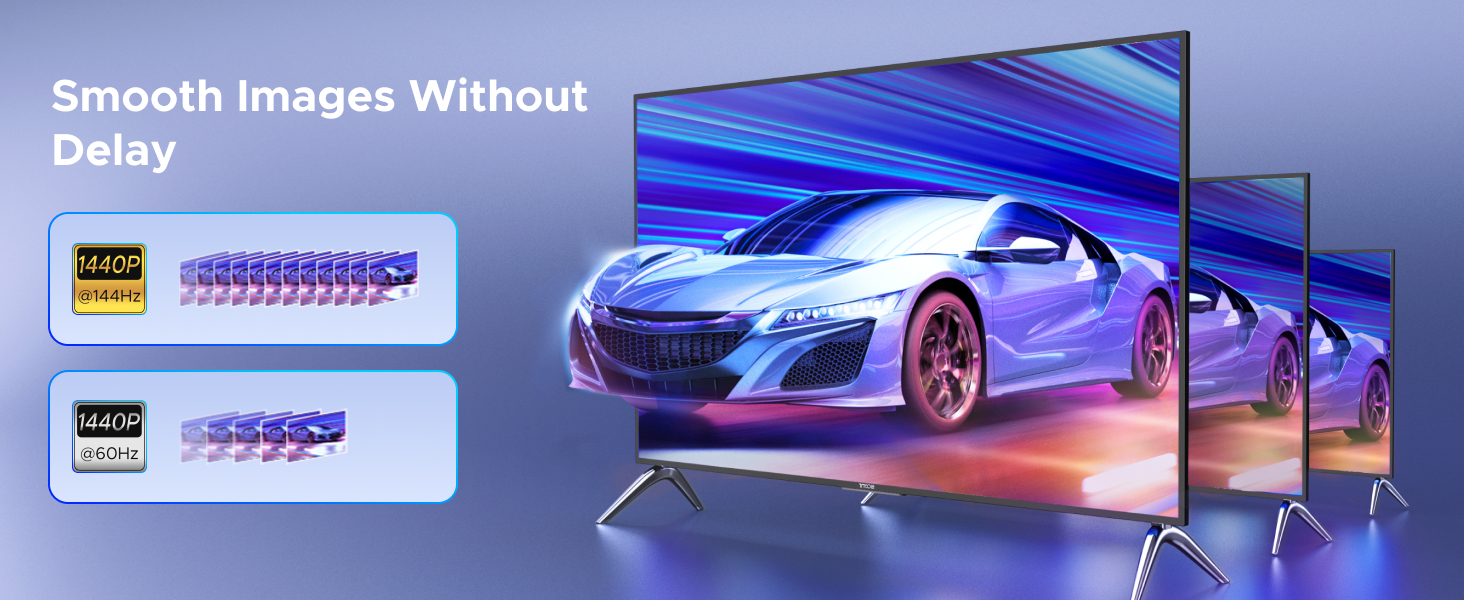
A 4K@60Hz display provides a smoother visual experience than 4K@30Hz when using compatible hardware and content.
The actual resolution and refresh rate depend on the USB-C source device, its video output capabilities, the HDMI display and the connecting cables.
The switch cannot increase a source device’s native video output capability.
18Gbps High-Bandwidth Video Transmission
The UGREEN 55451 supports up to 18Gbps video transmission bandwidth.
This provides the capacity required for supported high-resolution video signals and compatible HDMI audio formats.
Its internal electronics manage the selected USB-C video input and deliver the signal to the HDMI output.
The stated 18Gbps specification refers to supported video transmission bandwidth, not USB file-transfer speed.
This product is not designed to transfer files between the two connected USB-C devices.
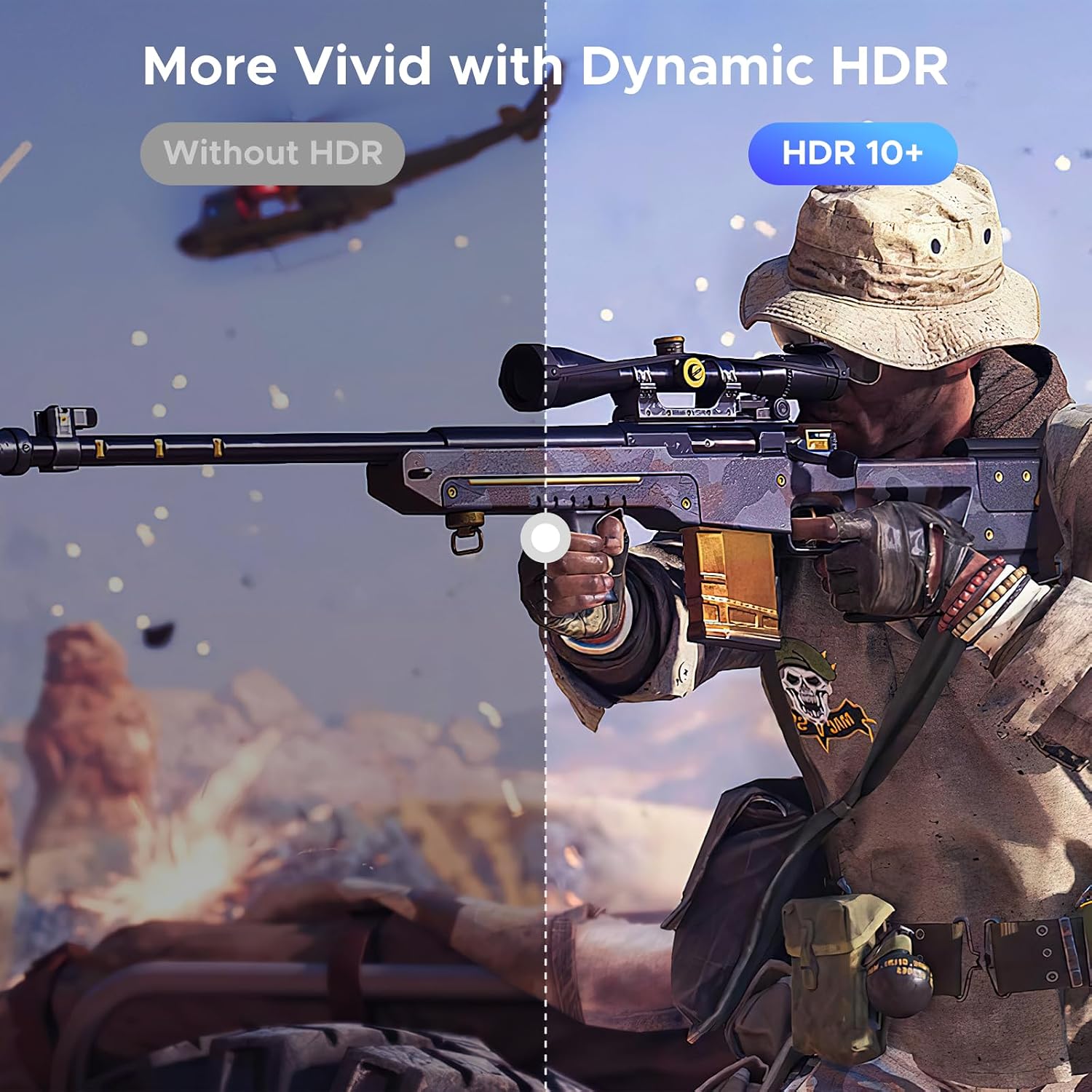
HDR10 for Compatible High Dynamic Range Content
The UGREEN 55451 supports HDR10 with compatible source devices, displays and content.
HDR10 can provide an improved viewing experience through supported high dynamic range video.
For HDR functionality, the connected laptop, tablet, smartphone or other source must support the relevant video output format.
The receiving television or monitor must also support HDR.
The switch does not convert standard dynamic range video into HDR.
HDCP 2.2 Compatibility
The switch supports HDCP 2.2 for compatible protected digital content.
HDCP is used by certain streaming services, media players and display equipment to protect digital video transmissions.
Successful playback of HDCP-protected content requires compatible equipment throughout the connection.
The supplied manufacturer guidance specifically recommends using an HDMI monitor that supports the necessary HDCP requirements.
If the display or another component in the connection does not meet those requirements, protected video may fail to appear.
Dolby Atmos Audio Support
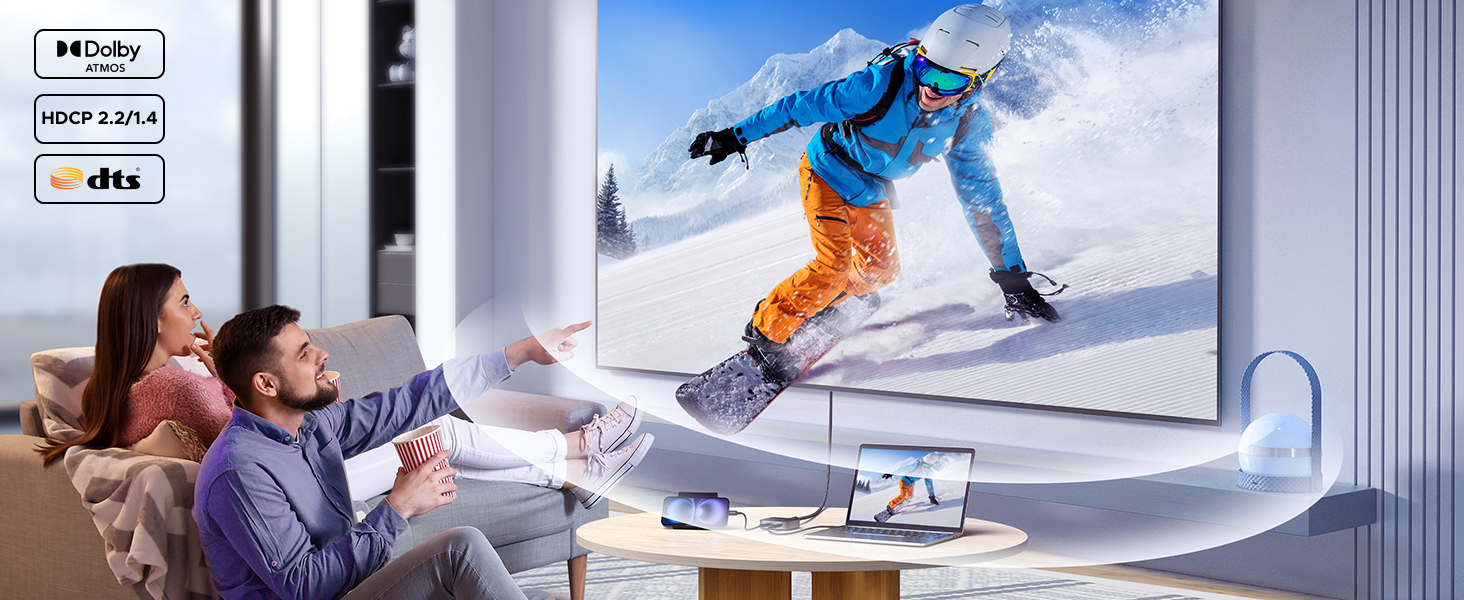
The UGREEN 55451 supports compatible Dolby Atmos audio transmission through its HDMI output.
This is useful for supported entertainment setups where a laptop, tablet or other USB-C device sends video and audio to a television or compatible audio system.
Dolby Atmos playback requires compatible source hardware, content and receiving audio equipment.
The switch passes supported audio signals; it does not independently decode or generate Dolby Atmos sound.
DisplayPort Alternate Mode Is Essential
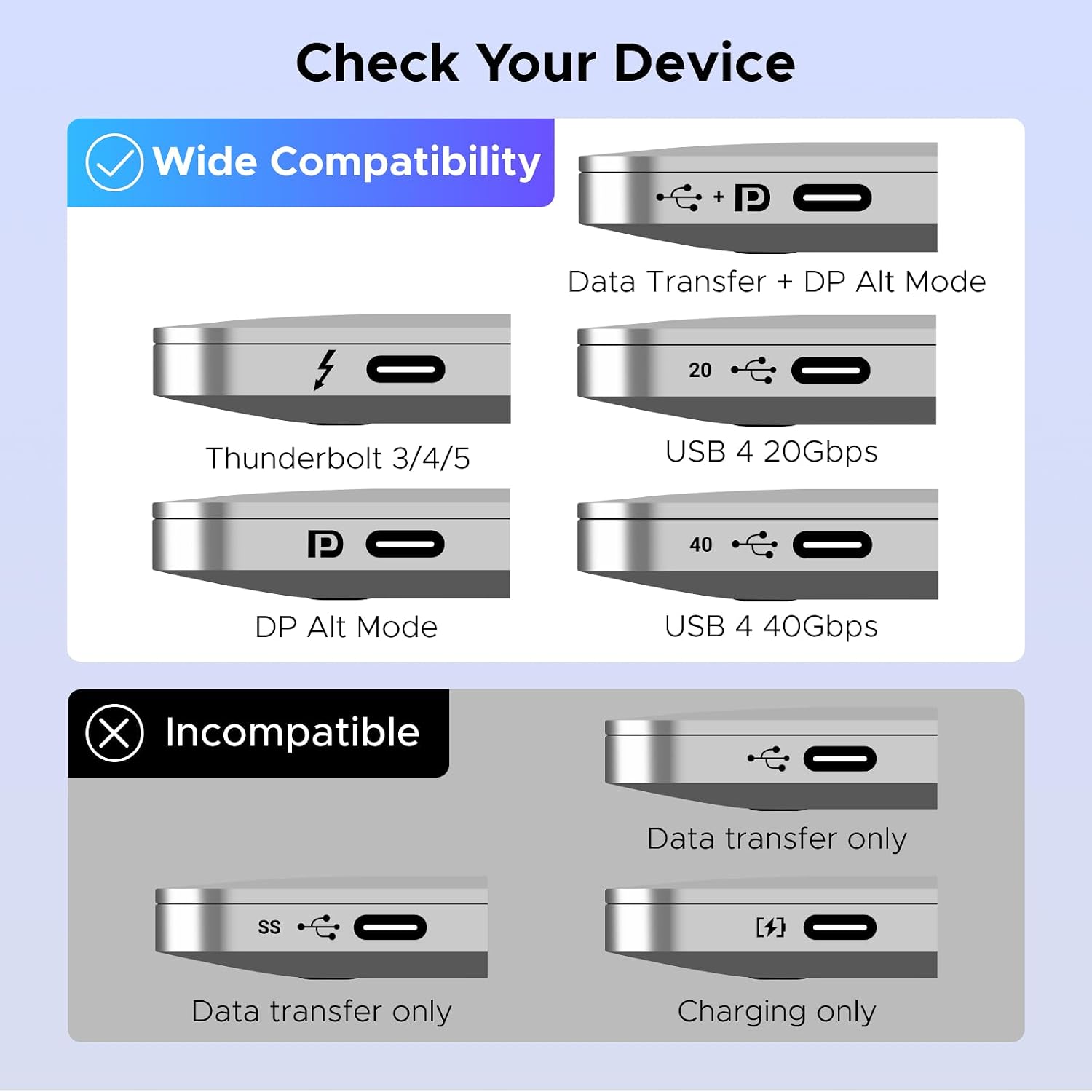
One of the most important compatibility requirements of the UGREEN 55451 is USB-C DisplayPort Alternate Mode.
The USB-C port on each source device must support video output through DP Alt Mode.
A USB-C connector alone does not guarantee video compatibility.
Some USB-C ports support only charging or USB data transfer and cannot output video.
If a connected device lacks compatible USB-C video output, the switch will not produce an HDMI picture from that device.
Before purchasing, check the technical specifications of the laptop, tablet or smartphone to confirm USB-C video output support.
Compatible Thunderbolt or USB4 ports may also provide the required video capability, depending on the device.
Use a Full-Featured USB-C Cable
The manufacturer recommends connecting source devices using:
- A suitable Thunderbolt 4 cable
- A fully functional USB-C cable supporting video output
The USB-C cable length should not exceed 2 meters.
A charging-only USB-C cable may not carry the video signal required by the switch.
For reliable operation, select cables specifically rated for USB-C video transmission.
Cable quality and device compatibility can affect the maximum available resolution.
Manual Switching Between Devices
The UGREEN 55451 allows users to manually select between the two connected USB-C sources.
This is useful when switching between a work computer and a personal laptop during the day.
Automatic source detection and automatic switching are not supported.
The user must select the desired source manually.
The switch is designed for selecting video sources, not for transferring data between connected computers.
Aluminum and ABS Construction
The UGREEN 55451 features a combination of aluminum and ABS materials.
The aluminum housing provides a durable external structure and helps dissipate heat generated during operation.
The compact design makes the switch suitable for desks, monitor stations, meeting rooms and entertainment setups.
Its black finish also blends with common computer accessories and display equipment.
The supplied product information lists a weight of approximately 98 grams.
Plug-and-Play Installation
The UGREEN 55451 is designed for driver-free operation with compatible USB-C video sources and HDMI displays.
To install the switch:
- Connect the first compatible USB-C source to USB-C Input 1 using a full-featured USB-C video cable.
- Connect the second compatible USB-C source to USB-C Input 2 using another suitable USB-C cable.
- Connect the HDMI output to the monitor, television or projector.
- Turn on the source devices and HDMI display.
- Select the desired USB-C input using the switch’s manual control.
- Configure the display output settings on the selected source device if necessary.
No separate software installation is required for the switch itself.
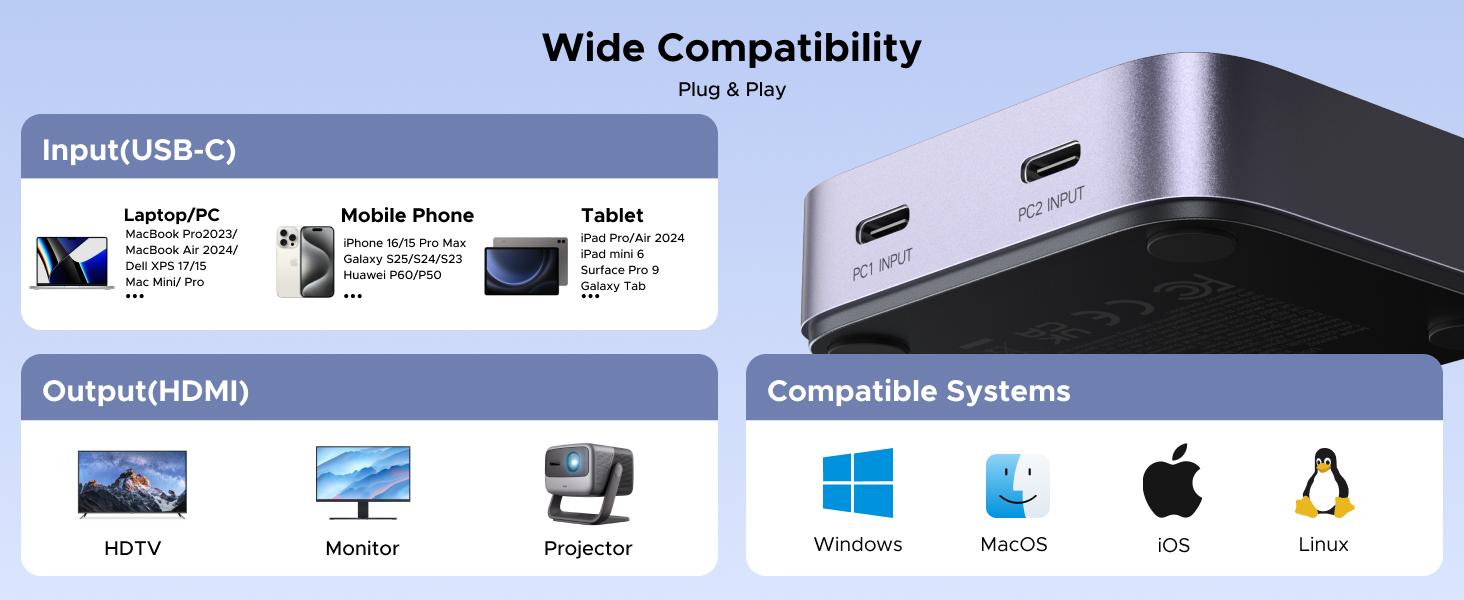
Compatible with Windows, macOS, Linux, iOS and iPadOS
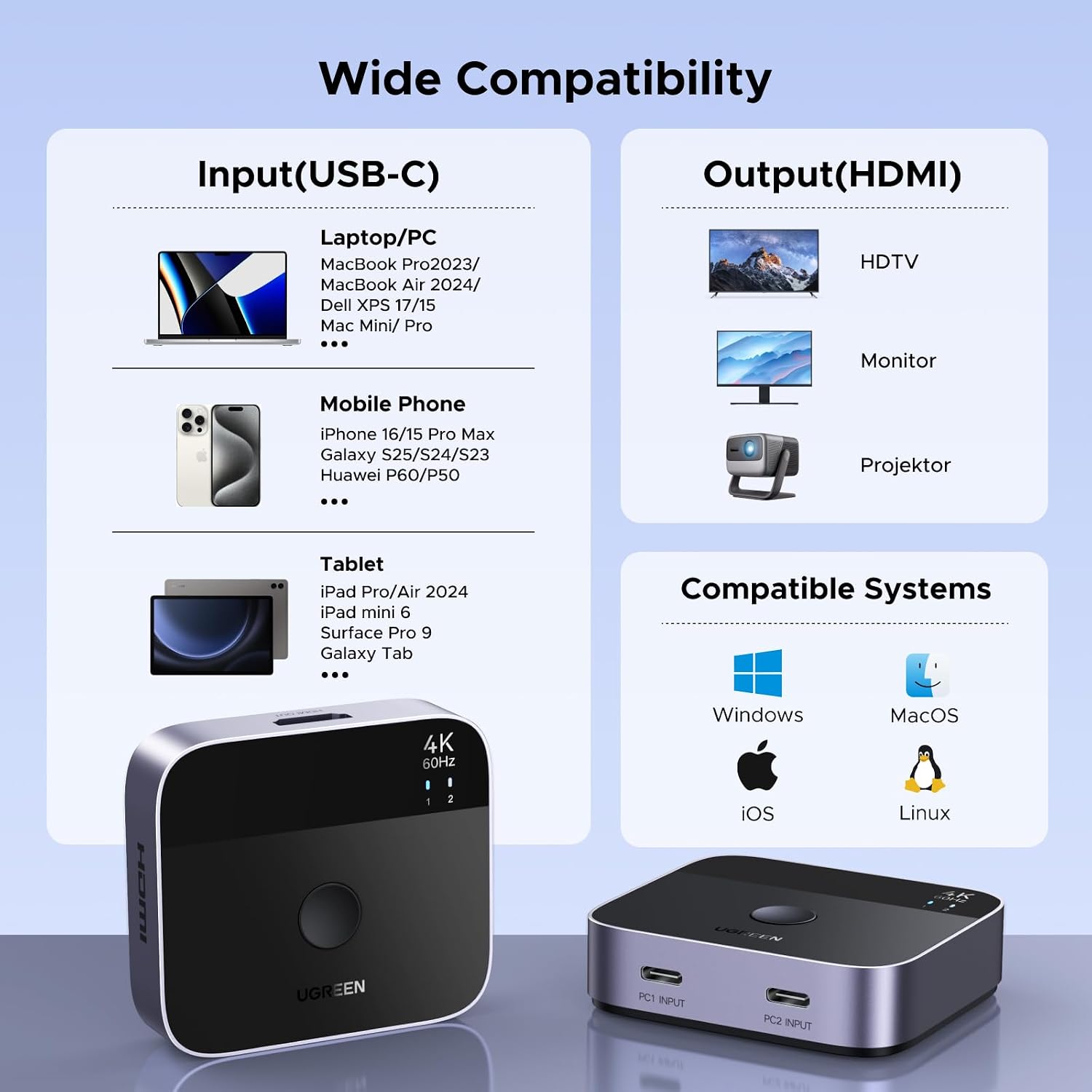
The UGREEN 55451 is designed to work with compatible USB-C video output devices across multiple operating systems.
The supplied specifications identify compatibility with:
- Windows
- macOS
- Linux
- iOS
- iPadOS
The operating system alone does not determine compatibility.
The USB-C port must also support the required video output technology.
Compatible Laptops and Computers
The manufacturer lists compatibility with selected devices, including:
- MacBook Air
- MacBook Pro 14-inch
- MacBook Pro 16-inch
- Compatible MacBook Pro models
- Dell XPS laptops
- Dell Latitude laptops
- Google Pixelbook Go
- Razer Blade laptops
- Compatible USB-C-equipped Windows laptops
- Compatible iMac computers
Compatibility depends on the specific model and its USB-C video output support.
Compatible Tablets and Smartphones
The switch can also work with supported tablets and smartphones that provide USB-C video output.
Examples listed in the supplied product information include:
- Compatible iPad models with USB-C video output
- iPhone 15 series models with supported external display output
- iPhone 16 series models with supported external display output
- Samsung Galaxy S23 Ultra
- Samsung Galaxy S22 Ultra
- Other smartphones supporting USB-C DP Alt Mode
Not every USB-C smartphone supports external display output.
Device-specific video compatibility should be checked before purchase.
Compatible Handheld Gaming Devices
The UGREEN 55451 can be used with supported handheld gaming devices such as:
- Steam Deck
- ASUS ROG Ally
These devices must provide compatible USB-C video output.
The maximum display resolution and refresh rate depend on the connected handheld device and its output settings.
Ideal for Dual-Laptop Workstations
The UGREEN 55451 is particularly useful for people who work with two computers but prefer using one external monitor.
For example, an office employee may use a company laptop during working hours and a personal laptop afterward.
Both computers can remain connected to the switch, with the selected device appearing on the HDMI monitor.
This arrangement reduces repeated cable reconnection and helps keep the workstation organized.
Useful for Presentations and Meeting Rooms
The switch can also be used in conference rooms and meeting spaces.
Two compatible USB-C laptops can be connected to one HDMI projector or display.
A presenter can select the required laptop without physically changing the HDMI display connection.
This is particularly useful for presentations, training sessions and collaborative work.
No External Power Adapter Required
The supplied product information describes the UGREEN 55451 as operating without a separate external power adapter.
It is intended for use with compatible powered USB-C source devices.
A separate wall charger is not required for the switch’s stated operation.
However, this does not mean that the switch provides USB-C Power Delivery charging to connected laptops.
USB-C laptop charging through the switch is not specified as a supported feature.
Features Not Supported
The manufacturer explicitly identifies several limitations:
- No bidirectional HDMI/USB-C operation
- No one-input/two-output mode
- No simultaneous output to two monitors
- No automatic source switching
- No HDMI ARC support
- No HDMI CEC support
- No AMD FreeSync support
- No Thunderbolt docking station connection
- No Thunderbolt hard drive enclosure connection
These limitations are important when choosing the switch for a specific workstation or entertainment setup.
Buy UGREEN 55451 USB-C to HDMI Switch in Pakistan
Order the UGREEN 55451 USB-C to HDMI Switch from UTECH.PK for compatible dual-laptop workstations, presentations, external monitors and multimedia setups. Shop online with nationwide delivery options across Karachi, Lahore, Islamabad, Rawalpindi, Faisalabad, Multan and other cities in Pakistan, with Cash on Delivery where available.
Product Specifications
General Information
- Brand: UGREEN
- Model Number: 55451
- SKU / Manufacturer Part Number: 55451
- Product Type: USB-C to HDMI Video Switch
- Switching Configuration: 2 USB-C Inputs / 1 HDMI Output
- Switching Direction: USB-C to HDMI Only
- Bidirectional Operation: Not Supported
- Color: Black
- Manufacturer: Ugreen Group Limited
- Number of Items: 1
- Product Weight: Approximately 98 g
- Warranty: 24 Months Warranty Service by UGREEN, as stated in the supplied product information
Connectivity
- USB-C Input Ports: 2
- HDMI Output Ports: 1
- Total Physical Ports: 3
- USB-C Video Requirement: DisplayPort Alternate Mode
- Compatible USB-C Cable: Full-Featured USB-C Video Cable or Suitable Thunderbolt 4 Cable
- Maximum Recommended USB-C Cable Length: 2 Meters
- HDMI Display Connection: 1
- Simultaneous Multi-Monitor Output: Not Supported
- USB-C-to-USB-C Data Switching: Not Supported
- USB Peripheral Switching: Not Supported
Video Specifications
- Maximum Resolution: 4K@60Hz
- Additional Resolution: 4K@30Hz
- Full HD Resolution: 1080p@60Hz
- Video Transmission Bandwidth: Up to 18Gbps
- HDR10: Supported
- HDCP Version: HDCP 2.2
- DisplayPort Alt Mode: Required on USB-C Sources
- HDMI ARC: Not Supported
- HDMI CEC: Not Supported
- AMD FreeSync: Not Supported
- 4K@120Hz: Not Specified as Supported
- 8K Resolution: Not Specified as Supported
Audio Specifications
- Audio Transmission: Through HDMI Output
- Dolby Atmos: Supported with Compatible Equipment
- Audio Source: Selected USB-C Device
- Audio Destination: Connected HDMI Display or Compatible Audio Equipment
- Audio Return Channel (ARC): Not Supported
Operation and Power
- Source Selection: Manual
- Automatic Switching: Not Supported
- Driver Installation: Not Required for the Switch
- Plug and Play: Yes, with Compatible Devices
- Separate External Power Adapter: Not Required
- USB-C Power Delivery Charging: Not Specified
- Thunderbolt Docking Station Support: Not Supported
- Thunderbolt Hard Drive Enclosure Support: Not Supported
Physical Specifications
- Housing Materials: Aluminum and ABS
- Color: Black
- Dimensions: Approximately 2.2 × 2.5 × 0.67 Inches
- Approximate Metric Dimensions: 55.9 × 63.5 × 17.0 mm
- Weight: Approximately 98 g
- Design: Compact Desktop Video Selector
- Heat Dissipation: Aluminum Housing
Operating System Compatibility
- Windows: Supported with Compatible USB-C Video Hardware
- macOS: Supported with Compatible USB-C Video Hardware
- Linux: Supported with Compatible USB-C Video Hardware
- iOS: Supported on Compatible Devices with External Video Output
- iPadOS: Supported on Compatible USB-C iPads
Package Information
- Product: UGREEN 55451 USB-C to HDMI Switch
- Number of Units: 1
- Included USB-C Cables: Not Confirmed
- Included HDMI Cable: Not Confirmed
- Separate Power Adapter: Not Required
Important Compatibility and Usage Notes
- This switch supports exactly two USB-C video inputs and one HDMI video output.
- It is not bidirectional and cannot convert HDMI input into USB-C output.
- Only one USB-C source can be displayed on the connected HDMI screen at a time.
- It does not support connecting one USB-C source to two HDMI displays.
- Both USB-C source devices must support DisplayPort Alternate Mode or compatible USB-C video output.
- USB-C charging-only or data-only ports cannot provide the required video signal.
- Use a suitable Thunderbolt 4 cable or full-featured USB-C video cable no longer than 2 meters.
- For protected video playback, the HDMI display and other connected equipment must meet the relevant HDCP requirements.
- Automatic switching is not supported; source selection must be performed manually.
- HDMI ARC, HDMI CEC and AMD FreeSync are not supported.
- Thunderbolt docking stations and Thunderbolt hard drive enclosures must not be connected as source devices.
- This is not a KVM switch and cannot switch USB keyboards, mice or storage devices.
- USB-C Power Delivery charging through the switch is not specified.
- The manufacturer does not confirm 4K@120Hz or HDMI 2.1 gaming features.
- The included cable types and lengths should be checked from the physical package before listing them as supplied accessories.
Frequently Asked Questions
1. What does the UGREEN 55451 USB-C Switch do?
It connects two compatible USB-C video source devices to one HDMI monitor, television or projector. Users can manually select which USB-C device appears on the display.
2. Can I connect two laptops to one HDMI monitor?
Yes. Both laptops must have USB-C ports supporting DisplayPort Alternate Mode or compatible video output. The switch allows one laptop to use the monitor at a time.
3. Does the UGREEN 55451 support 4K at 60Hz?
Yes. The switch supports up to 4K@60Hz, provided the connected USB-C source, cables and HDMI display support the required resolution and refresh rate.
4. Will this switch work with a USB-C port that only supports charging?
No. The USB-C port must support video output through DP Alt Mode or another compatible USB-C video implementation. A charging-only port cannot provide the necessary HDMI video signal.
5. Can I use this switch with a MacBook Air or MacBook Pro?
Yes, with compatible MacBook models that support external video output through their USB-C or Thunderbolt ports. A suitable full-featured USB-C cable is required.
6. Can I connect an iPhone or Samsung Galaxy smartphone?
Yes, provided the smartphone supports compatible USB-C external video output. The supplied specifications list compatible iPhone 15/16 models and Samsung Galaxy S22 Ultra/S23 Ultra devices.
7. Can I connect one USB-C laptop to two HDMI monitors using this switch?
No. The UGREEN 55451 has two USB-C inputs and one HDMI output. It does not support one-input/two-output operation or simultaneous dual-monitor output.
8. Does this switch automatically change to the active laptop?
No. Automatic source switching is not supported. The desired USB-C input must be selected manually.
9. Can I use a regular USB-C charging cable with this switch?
Not necessarily. A charging-only USB-C cable may not transmit video. The manufacturer recommends a fully functional USB-C video cable or suitable Thunderbolt 4 cable, with a maximum recommended length of 2 meters.
10. Does the UGREEN 55451 support laptop charging, USB data switching or Thunderbolt docking stations?
No such charging or USB data switching functionality is specified. The product is designed for USB-C video input to HDMI output. The manufacturer also explicitly advises against connecting Thunderbolt docking stations or Thunderbolt hard drive enclosures.






 No products in the cart.
Write a review