


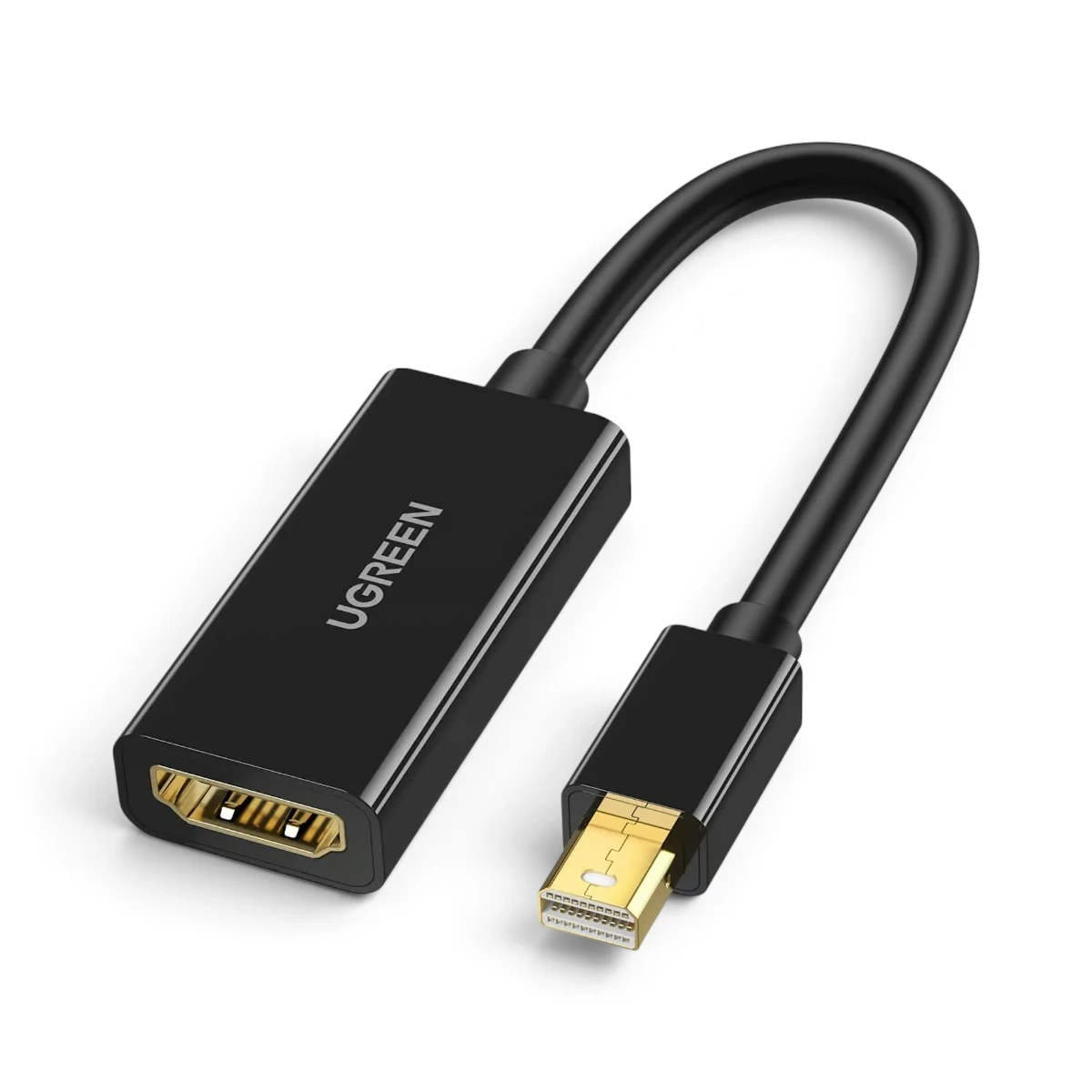


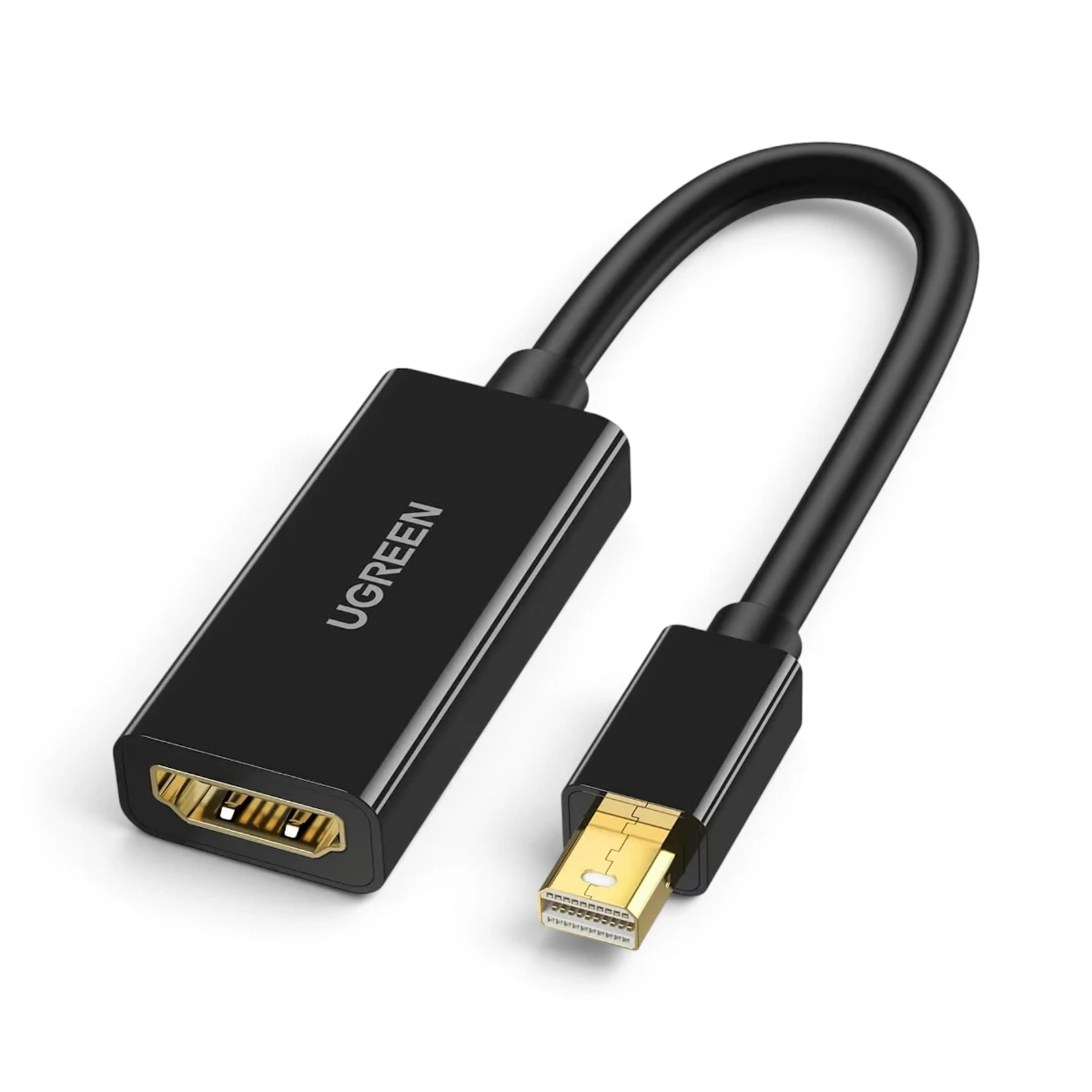
UGREEN 40360 Mini DisplayPort to HDMI Adapter – 4K Display Connectivity for Compatible Laptops and Computers
The UGREEN 40360 Mini DisplayPort to HDMI Adapter is designed to connect compatible laptops and desktop computers with a Mini DisplayPort or Thunderbolt 2 video output to external HDMI displays.
Whether you need to connect an older MacBook to a television, use a Surface Pro with an HDMI projector or extend your ThinkPad workspace to an external monitor, this compact adapter provides a practical display connectivity solution.
Supporting resolutions up to 4K at 30Hz, digital audio transmission and both mirror and extended display modes, the UGREEN 40360 is suitable for office presentations, home entertainment and everyday productivity.
4K Ultra HD Resolution up to 3840 × 2160 at 30Hz
The UGREEN 40360 supports video output up to 3840 × 2160 at 30Hz.
This allows compatible source devices to connect to 4K HDMI displays for detailed visuals and high-resolution content.
It is suitable for applications such as:
- Watching videos on a compatible 4K television
- Viewing high-resolution images
- Displaying presentations on external screens
- Working with documents and spreadsheets
- Using an external monitor for everyday computing
The maximum output resolution depends on the source device’s graphics capabilities, the HDMI display and the connected HDMI cable.
Important: The specified maximum 4K refresh rate is 30Hz, not 60Hz.
Mini DisplayPort Input to HDMI Output
The adapter features a Mini DisplayPort connection for the source device and an HDMI output connection for an external display.
This allows compatible computers with Mini DisplayPort to connect to devices such as:
- HDMI monitors
- HDMI televisions
- HDMI projectors
- Compatible presentation displays
The connection operates in one direction, from Mini DisplayPort to HDMI.
It cannot be used to connect an HDMI computer output to a Mini DisplayPort monitor.
Compatible with Thunderbolt 1 and Thunderbolt 2 Video Ports
Mini DisplayPort and the first two generations of Thunderbolt use the same physical connector design.
The UGREEN 40360 can be used with compatible Thunderbolt 1 and Thunderbolt 2 ports that provide DisplayPort video output.
This makes the adapter particularly useful for supported older Apple laptops and other computers equipped with these connections.
However, the adapter does not support Thunderbolt 3 or Thunderbolt 4 USB-C ports directly.
Computers with USB-C or Thunderbolt 3/4 connections require an appropriate USB-C video adapter instead.
Digital Audio and Video Transmission
The UGREEN 40360 supports transmission of compatible digital audio and video signals from the source device to an HDMI display.
It also supports uncompressed LPCM audio.
This is useful when connecting a compatible laptop to an HDMI television or monitor with built-in speakers.
Audio output requires support from the source device, operating system and connected HDMI equipment.
On some computers, the HDMI audio output may need to be selected manually in the operating system’s sound settings.
Mirror Mode – Display the Same Screen on a Larger Display
Mirror Mode allows a compatible computer to show the same content on its built-in screen and an external HDMI display.
This is useful for:
- Business presentations
- Classroom teaching
- Meetings and conferences
- Demonstrations
- Watching videos on a larger screen
Mirror Mode makes it easier to share content with an audience without requiring everyone to view the laptop screen.
Extend Mode – Expand Your Workspace
Extend Mode allows the external HDMI display to function as an additional desktop workspace.
Instead of showing identical content on both screens, users can move compatible application windows between displays.
This can improve convenience when working with:
- Documents and spreadsheets
- Research and web browsing
- Presentations
- Office applications
- Multiple open windows
Extended desktop functionality depends on the graphics hardware and operating system of the connected computer.
Compatible with Selected MacBook Models
The UGREEN 40360 is suitable for supported older MacBook Air and MacBook Pro models equipped with Mini DisplayPort or compatible Thunderbolt video ports.
Examples listed in the supplied compatibility information include:
MacBook Air
- MacBook Air 2015
- MacBook Air 2016, where the device has a compatible Thunderbolt 2/Mini DisplayPort video port
MacBook Pro
- MacBook Pro 2011
- MacBook Pro 2012
- MacBook Pro 2013
- MacBook Pro 2014
- MacBook Pro 2015
Compatibility depends on the actual port configuration of the individual computer.
MacBook Pro models introduced from late 2016 with USB-C/Thunderbolt 3 ports are not directly compatible with this Mini DisplayPort adapter.
Compatible with Selected Microsoft Surface Pro Models
The adapter supports compatible Microsoft Surface devices equipped with Mini DisplayPort output.
The supplied compatibility list includes:
- Microsoft Surface Pro 3
- Microsoft Surface Pro 4
- Microsoft Surface Pro 5 / Surface Pro (2017)
It is not intended for the original Surface or Surface 2 running Windows RT, as specified in the supplied product notes.
Users should verify the actual display output port before purchasing.
Compatible with Selected Lenovo ThinkPad Models
The UGREEN 40360 can also be used with supported ThinkPad computers that provide a compatible Mini DisplayPort output.
The supplied compatibility list includes:
- ThinkPad P71
- ThinkPad P51 Mobile Workstation
- ThinkPad X1 Yoga
- ThinkPad X1 Carbon 4th Gen
- ThinkPad T470s
- ThinkPad T470p
- ThinkPad T570
- ThinkPad Yoga 370
- ThinkPad L470
Some of these computer families have different port configurations depending on the exact model or variant.
Compatibility should therefore be confirmed by checking the computer’s physical video output port rather than relying on the model name alone.
Compact 0.6ft Adapter Cable
The UGREEN 40360 features a short cable measuring approximately 0.6ft, or 18cm.
Its compact design is convenient for carrying with a laptop and using in office, classroom or travel environments.
The short cable also helps position the HDMI connection away from the computer’s Mini DisplayPort socket.
Simple Display Connection
To use the adapter:
- Connect the Mini DisplayPort end to a compatible computer.
- Connect an HDMI cable to the adapter’s HDMI output.
- Connect the other end of the HDMI cable to the monitor, television or projector.
- Select the appropriate HDMI input on the display.
- Configure the computer’s display settings for Mirror or Extend Mode.
- Select HDMI audio output if supported and required.
The adapter does not require a separate power connection for its normal described operation.
Practical Applications
Home Entertainment
Connect a compatible older MacBook or laptop to an HDMI television for movies and videos.
Office Productivity
Extend your computer desktop onto an HDMI monitor for additional workspace.
Classroom Presentations
Display educational content from a compatible Mini DisplayPort laptop through an HDMI projector.
Business Meetings
Mirror presentations onto an external HDMI screen for meetings and conferences.
Legacy Computer Connectivity
Continue using older Mini DisplayPort or Thunderbolt 2 computers with modern HDMI displays.
Buy UGREEN 40360 Mini DisplayPort to HDMI Adapter in Pakistan
Order the UGREEN 40360 Mini DisplayPort to HDMI Adapter from UTECH.PK for your compatible MacBook, Surface Pro, ThinkPad or desktop computer. Shop online with cash on delivery and nationwide delivery options across Pakistan, including Karachi, Lahore, Islamabad, Rawalpindi, Faisalabad and Multan.
3. Product Specifications
General Information
- Brand: UGREEN
- Product Name: Mini DisplayPort to HDMI Adapter
- Model / SKU: 40360
- Product Type: Mini DP to HDMI Video Adapter
- Connection Direction: Mini DisplayPort to HDMI
- Thunderbolt Compatibility: Compatible Thunderbolt 1 and Thunderbolt 2 video output ports
- Primary Application: Connecting Mini DisplayPort computers to HDMI displays
Video Specifications
- Input Interface: Mini DisplayPort
- Output Interface: HDMI
- Maximum Video Resolution: 3840 × 2160
- Maximum 4K Refresh Rate: 30Hz
- 4K Video Output: Supported on compatible devices
- Video Transmission: Digital
- Mirror Display Mode: Supported by compatible systems
- Extended Display Mode: Supported by compatible systems
- 4K at 60Hz: Not specified; maximum stated 4K mode is 30Hz
- Conversion Direction: One-way
Audio Specifications
- Audio Transmission: Supported
- Uncompressed Audio: LPCM
- Audio Output Interface: HDMI
- Source Audio Requirement: Compatible Mini DisplayPort/Thunderbolt video output with audio support
- External Audio Jack: Not specified
- Microphone Input: Not specified
Physical Specifications
- Cable Length: 0.6ft
- Approximate Cable Length: 18cm
- Input Connector: Mini DisplayPort Male
- Output Connector: HDMI Female
- Adapter Type: Short Cable Adapter
- Housing Material: Not specified
- Cable Jacket Material: Not specified
- Connector Plating: Not specified
- Product Color: Not verified from supplied specifications
- Product Weight: Not specified
Compatibility – Apple
- MacBook Air 2015: Compatible when equipped with the required port
- MacBook Air 2016: Listed as compatible; verify actual port configuration
- MacBook Pro 2011: Compatible with suitable Mini DisplayPort/Thunderbolt video output
- MacBook Pro 2012: Compatible with suitable port
- MacBook Pro 2013: Compatible with suitable port
- MacBook Pro 2014: Compatible with suitable port
- MacBook Pro 2015: Compatible with suitable port
- Late-2016 and Newer USB-C-Only MacBook Pro: Not directly compatible
Compatibility – Microsoft Surface
- Surface Pro 3: Supported
- Surface Pro 4: Supported
- Surface Pro 5 / Surface Pro (2017): Supported
- Original Surface / Surface 2 Windows RT: Not supported according to supplied notes
Compatibility – Lenovo ThinkPad
- ThinkPad P71: Listed; verify port configuration
- ThinkPad P51: Listed; verify port configuration
- ThinkPad X1 Yoga: Listed; verify port configuration
- ThinkPad X1 Carbon 4th Gen: Listed; verify port configuration
- ThinkPad T470s: Listed; verify port configuration
- ThinkPad T470p: Listed; verify port configuration
- ThinkPad T570: Listed; verify port configuration
- ThinkPad Yoga 370: Listed; verify port configuration
- ThinkPad L470: Listed; verify port configuration
Product Identification
- Manufacturer / Brand: UGREEN
- SKU: 40360
- Product Category: DisplayPort to HDMI Adapters
- Barcode: Not provided
- Warranty: Not specified in supplied product information
4. Important Compatibility and Usage Notes
- This adapter converts Mini DisplayPort video output to HDMI input only.
- It is not bidirectional and cannot convert HDMI output to Mini DisplayPort input.
- Maximum specified video resolution is 3840 × 2160 at 30Hz.
- It should not be advertised as supporting 4K at 60Hz.
- The source computer must have a compatible Mini DisplayPort or Thunderbolt 1/2 video output.
- Thunderbolt 3 and Thunderbolt 4 USB-C ports are not directly compatible.
- The adapter is not a USB-C to HDMI converter.
- HDMI audio transmission requires compatible audio output from the source computer.
- The supplied notes indicate that Mini DisplayPort audio and video support on Apple computers is associated with models released after April 2010; confirm the exact computer’s capabilities.
- The supplied guidance recommends using an HDMI 1.4 cable no longer than 8 meters for the specified performance.
- Mirror and Extend Mode availability depends on the computer’s graphics hardware and operating system.
- Some computer models listed in compatibility references may have different port configurations; always verify the physical connector.
- A separate HDMI cable is needed to connect the adapter’s HDMI female output to the display.
- The adapter is not intended for DisplayPort-to-Mini-DisplayPort reverse conversion.
- Support for HDMI 2.1 features, HDR and high-refresh-rate gaming is not specified.
5. Frequently Asked Questions (FAQs)
Q1. What is the UGREEN 40360 Mini DisplayPort to HDMI Adapter used for?
It connects compatible Mini DisplayPort or Thunderbolt 1/2 computers to external HDMI monitors, televisions and projectors.
Q2. Does the UGREEN 40360 support 4K resolution?
Yes. It supports resolutions up to 3840 × 2160 at 30Hz on compatible source devices and displays.
Q3. Can I use it with a MacBook Pro?
Yes, with supported older MacBook Pro models equipped with Mini DisplayPort or compatible Thunderbolt 1/2 ports, including selected 2011–2015 models.
Q4. Is it compatible with MacBook Pro 2016 or newer?
It is not directly compatible with USB-C-only MacBook Pro models introduced from late 2016. Those computers require a suitable USB-C video adapter.
Q5. Does the adapter support audio transmission?
Yes. It supports compatible digital audio transmission, including uncompressed LPCM, from Mini DisplayPort to HDMI.
Q6. Can I use it with Microsoft Surface Pro?
Yes. The supplied compatibility information lists Surface Pro 3, Surface Pro 4 and Surface Pro 5 models with Mini DisplayPort output.
Q7. Does it support Mirror and Extend display modes?
Yes. Both modes can be used when supported by the connected computer and operating system.
Q8. Can I connect an HDMI laptop to a Mini DisplayPort monitor?
No. This adapter is unidirectional and works only from Mini DisplayPort output to HDMI input.
Q9. Does it work with Thunderbolt 3 or USB-C ports?
No. It is designed for compatible Mini DisplayPort and Thunderbolt 1/2 connections, not USB-C or Thunderbolt 3 ports.
Q10. Do I need an additional HDMI cable?
Yes. A compatible HDMI cable is required to connect the adapter’s HDMI female output to your television, monitor or projector.







 No products in the cart.


Write a review