
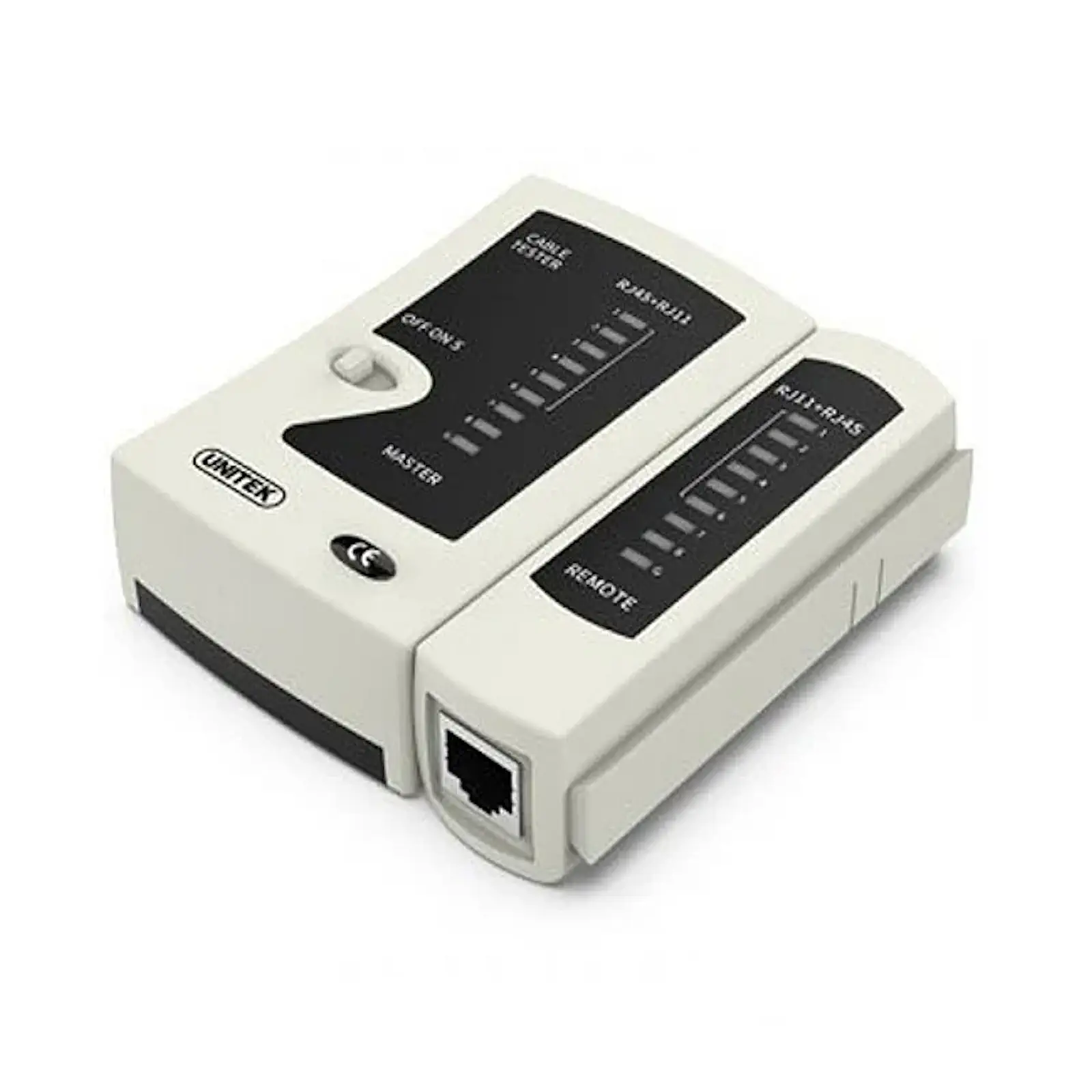
UNITEK OT40GY Network Cable Tester for RJ45 Ethernet & RJ11 Telephone Lines – Portable LAN Tester with LED Display, 9V Battery Powered
First and foremost, this tester provides dual-interface functionality. It can test standard 8P8C RJ45 Ethernet cables (Cat5, Cat5e, Cat6, Cat7) as well as 6P4C/6P2C RJ11/RJ12 telephone cables. Consequently, whether you’re setting up a home office network or installing a telephone line, this one tool handles both tasks efficiently. When searching for the Best Network Cable Tester in Pakistan , look no further – this UNITEK tester is the top choice for professionals and DIY enthusiasts. Check the UNITEK OT40GY Price in Pakistan for exceptional value. Explore the full UNITEK networking collection
Visual LED Feedback for Clear Results
The key feature is its intuitive LED-based diagnostic system. The main unit sends a signal sequence down each wire, and the corresponding LED on the remote unit lights up. A correctly wired cable shows a sequential 1-to-8 (or 1-to-6) LED chase. Any break, short, or miswire is immediately obvious by a missing, out-of-order, or extra-lit LED, making fault identification effortless. Ensure your gaming room wiring is flawless. If an LED fails to light during the sequence, it indicates an open circuit – a break in that specific wire inside the cable. If two LEDs light up simultaneously for the same step, it indicates a short circuit between those two wires. Discover more networking solutions
Built for Reliability and Field Use
Designed for durability, the tester features a sturdy PVC housing that can endure the bumps of a tool bag. Powered by a common 9V battery (typically included), it’s always ready for use without needing a power outlet. Essentially, it’s the go-to verification tool for ensuring every cable run, from a simple patch cable to a full office installation, is perfect before deployment. This simple check can resolve over 50% of perceived “network issues” by conclusively verifying the physical cable layer before troubleshooting hardware or software. Shop quality accessories
Perfect Applications
- Network installers – certify cable runs and ensure proper termination
- IT support staff – quickly diagnose connectivity issues on site
- Telecom technicians – test telephone lines and RJ11 connections
- Home office setups – verify DIY Ethernet cable crimping
- Smart home installers – test pre-installed or newly run data cables
- Gamers – ensure gaming room wiring is flawless for lag-free online play
- Electricians – test low-voltage data cabling installations
- Educational settings – teach networking fundamentals and cable testing
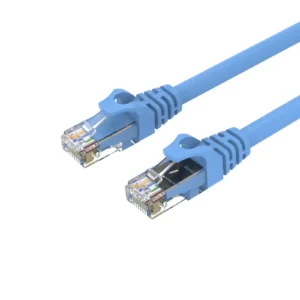
For a complete network toolkit, consider pairing this tester with UNITEK Ethernet cables or UGREEN cable management. Find reliable networking solutions
Products Specifications
- Brand: UNITEK
- Model: OT40GY
- Test Interfaces: RJ45 (8P8C) for Ethernet and RJ11/RJ12 (6P4C/6P2C) for telephone
- Cable Compatibility: Cat5, Cat5e, Cat6, Cat6a, Cat7 Ethernet cables; standard telephone cables
- Testing Modes: Continuity, Short Circuit, Open Circuit, Miswire
- Display: LED Indicator Lights – Sequence 1-8 for RJ45, 1-6 for RJ11
- Diagnostic Features: Visual identification of open circuits (missing LED), short circuits (simultaneous LEDs), and miswires (out-of-order LEDs)
- Power Supply: 1 x 9V Battery (typically included) – standard 9V snap connector
- Housing Material: Durable PVC (robust, job-site ready)
- Product Dimensions: Compact and portable (fits in tool bag or pocket)
- Operation: Manual test button with auto-sequencing
- Includes: Main tester unit + remote unit
- Warranty: 12 Months (Pakistan)
What’s in the Box
1 x UNITEK OT40GY Main Tester Unit
1 x UNITEK OT40GY Remote Unit
1 x User Manual
Frequently Asked Questions
Q1: What types of cables can this tester check?
A: It can test RJ45 Ethernet cables (used for internet and networking) and RJ11/RJ12 telephone cables. It works on all common categories: Cat5, Cat5e, Cat6, and Cat7. This is a 100% original product available from the Official UNITEK Store in Pakistan, ensuring authenticity and quality. Explore the full UNITEK networking collection
Q2: Can it tell me the length of a cable or measure signal quality?
A: No, this is a basic continuity tester. It checks for wire mapping, shorts, and opens. It does not measure cable length, attenuation, or crosstalk (NEXT). For advanced certification, you would need a professional cable certifier. Purchase from the UNITEK Official Distributor in Pakistan to ensure you receive genuine products with full warranty support.
Q3: How do I use it to test an Ethernet cable?
A: Connect the main unit to one end of the cable and the remote unit to the other end. Turn it on. The LEDs will light in sequence from 1 to 8. If all 8 lights chase in order on both units, the cable is good. For guaranteed authenticity, always purchase from the UNITEK Pakistan Official Store.
Q4: What does it mean if an LED doesn’t light up?
A: If an LED fails to light during the sequence, it indicates an open circuit – a break in that specific wire inside the cable. This is a 100% original product available from the Official UGREEN Store in Pakistan (for related accessories), ensuring authenticity and quality.
Q5: What if two LEDs light up at the same time?
A: If two LEDs light up simultaneously for the same step, it indicates a short circuit between those two wires inside the cable. Purchase from the UGREEN Official Distributor in Pakistan to ensure you receive genuine products with full warranty support.
Q6: Can I use it to test a network cable that is already installed in a wall?
A: Yes, absolutely. This is one of its primary uses. Plug the main unit into the wall jack and the remote unit into the patch panel or the other end of the cable to test in-wall runs. For guaranteed authenticity, always purchase from the UGREEN PK Official Store in Pakistan.
Q7: Is it suitable for a complete beginner?
A: Yes, it is very straightforward. The visual LED guide makes it intuitive. The manual provides clear instructions. It’s a great first tool for anyone learning about networking basics. Check the UNITEK OT40GY Price in Pakistan for exceptional value.
Q8: How do I test a telephone (RJ11) cable?
A: Use the RJ11 ports on both the main and remote units. The tester will then sequence through LEDs 1 through 6 (or 4, depending on the cable), following the same diagnostic principles. When searching for the Best Network Cable Tester in Pakistan , this UNITEK tester is the top choice for professionals and DIY enthusiasts.
Q9: Why is this an essential tool for IT work?
A: It saves immense time and frustration. Instead of replacing hardware or software troubleshooting blindly, you can first conclusively verify the physical cable layer. This simple check can resolve over 50% of perceived “network issues.” Every IT professional’s toolkit should have one. This is a 100% original product available from the Official UNITEK Store in Pakistan, ensuring authenticity and quality.
Q10: What is the warranty on this product?
A: UNITEK offers a standard manufacturer’s warranty. For detailed warranty terms and service, please check the documentation or contact UNITEK Pakistan support. Purchase from the UNITEK Official Distributor in Pakistan or the UGREEN Official Distributor in Pakistan. All products come with original product warranty and fast delivery in Pakistan when you order from authorized retailers. Shop with confidence at UNITEK Pakistan



 No products in the cart.
Reviews
There are no reviews yet.