Description

UGREEN 90119 9-in-1 Docking Station 4K@60Hz Dual HDMI USB C Hub Powered RJ45 Gigabit Ethernet Type C Hub with PD 100W Charging, USB 3.0 Ports, SD/TF Card Reader, for MacBook Pro/Air, Dell XPS, HP, and More

usb c hub

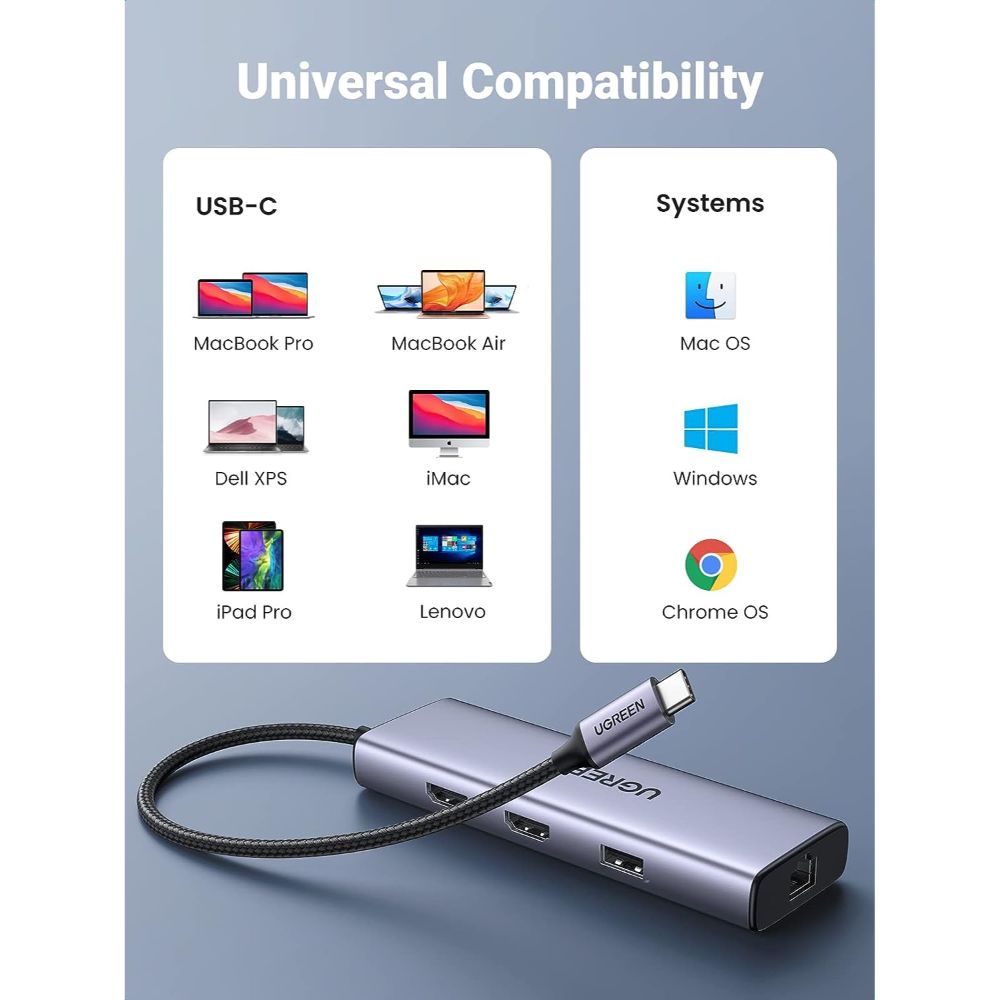
UGREEN 9-in-1 USB C HUB, extremely compact and slim body, The hub would be ideal for everyday carrying, commuting and travelling. A laptop docking station provides a stable connection and increases the productivity of your device by expanding the female Type C port to multiple possibilities of connectivity.

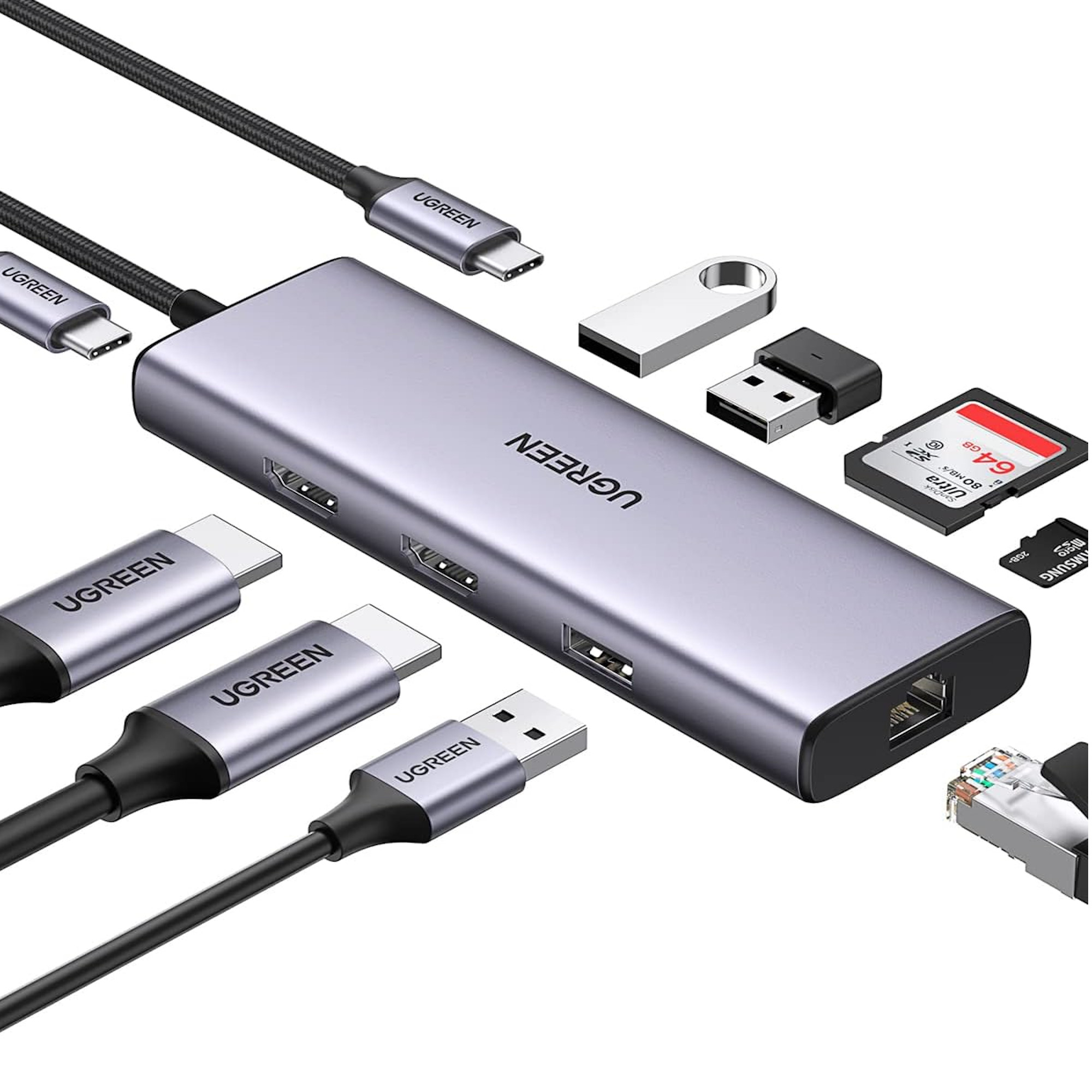
Interfaces are in the following:

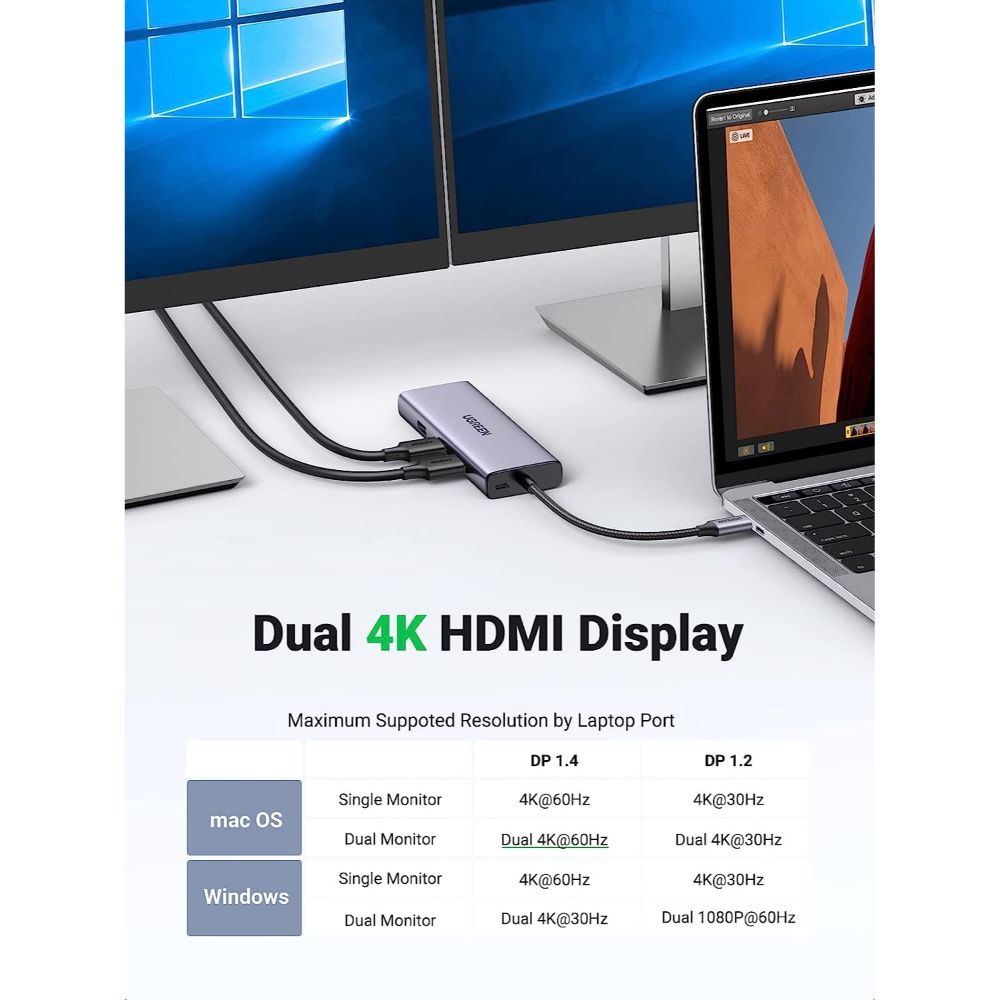
2 × Max 4K@60hz HDMI: Max resolution up to 4K@60Hz
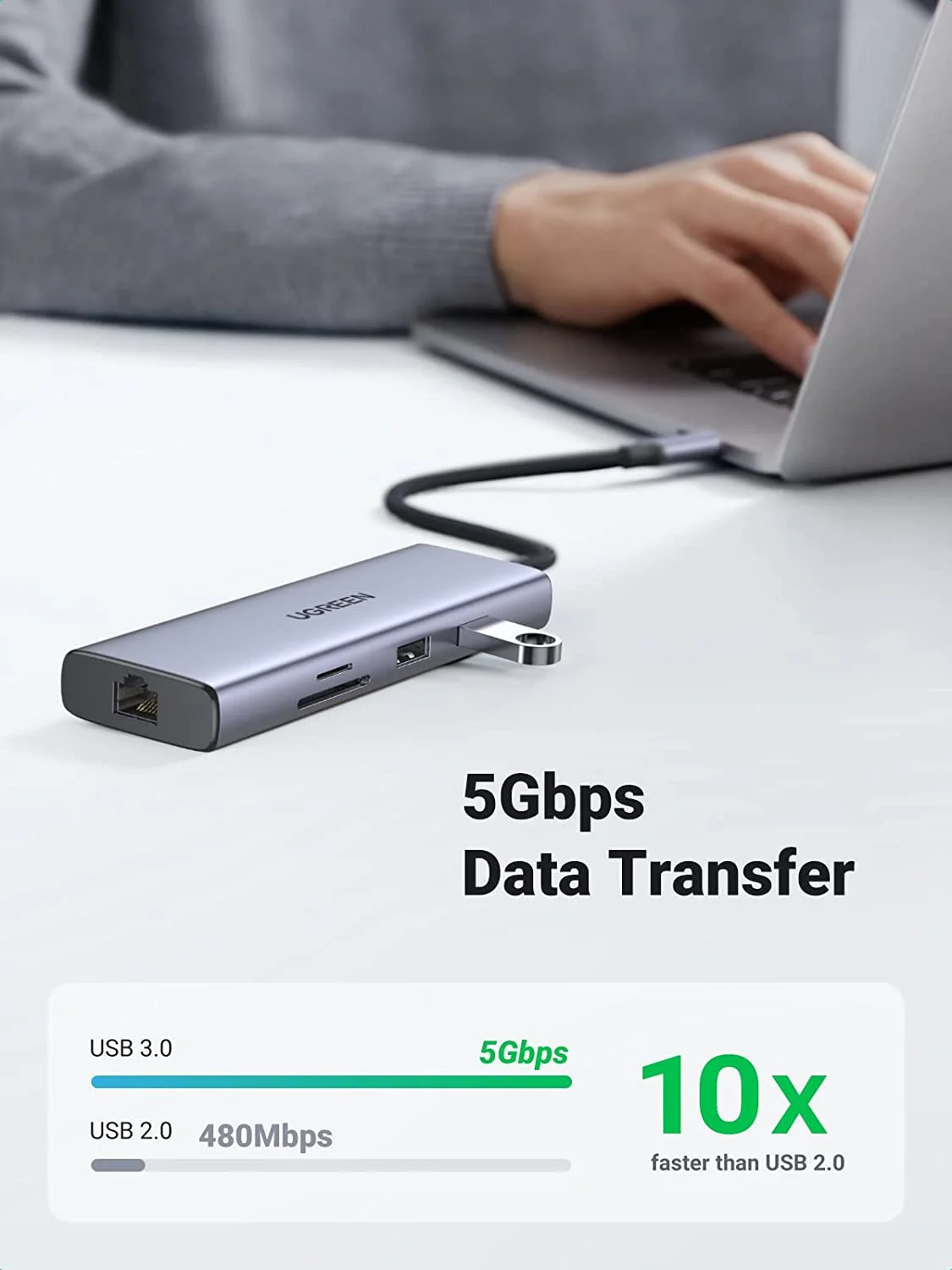
1 × USB2.0 Ports: Data transfer speed up to 480mb/s;
2 × USB3.0 Ports: Data transfer speed up to 5Gbp
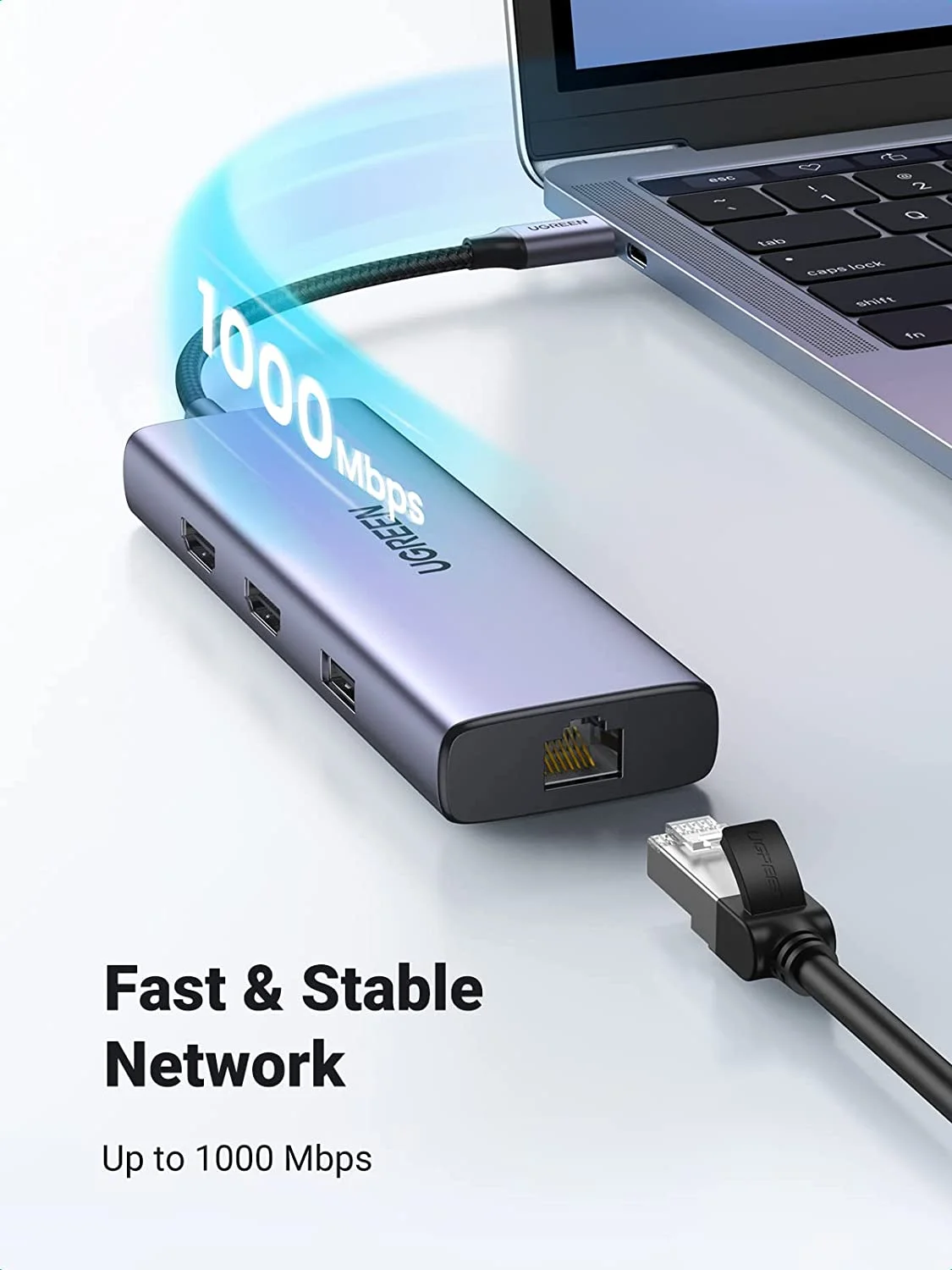
1 × Gigabit Ethernet: Max support Gigabit
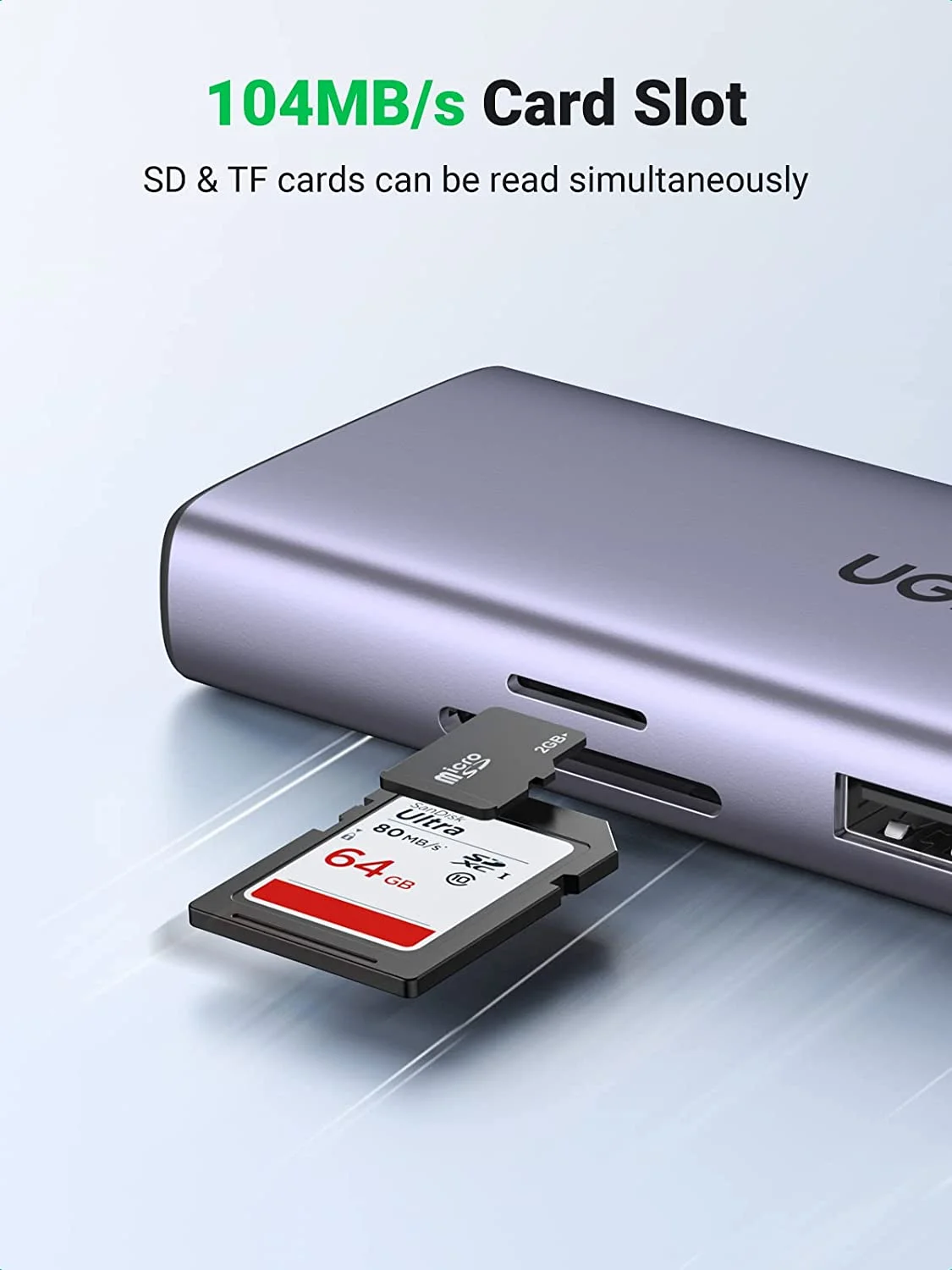
1 × SD Card Slot & 1 * Micro SD Card Slot: Speed up to 104MB/s
1 × Max Up 65W PD Charging

ugreen usb c hub

2 HDMI Ports Support Works Simultaneously

Dual 4K@60Hz compatibility list:

MacBook Pro M1 2021 2020 2019 2018
MacBook Air M1 2021 2020
iPAD Pro 2018 2020 2021
Dual 1080P@60HZ compatibility list:
Lenovo X1 BOOK 14”
HUAWEI MATEBOOK X PRO 13.9”
DELL XPS 15 BOOK
iPAD Air 10.9”
HUAWEI MATE20 Pro
HUAWEI P30 Pro P40 Pro
Samsung Galaxy S23Ultra/S23/S22 Ultra/S22/S21 Ultra/S21/S20 Plus/S20/S10e/S10 Plus/S10

usb power hub

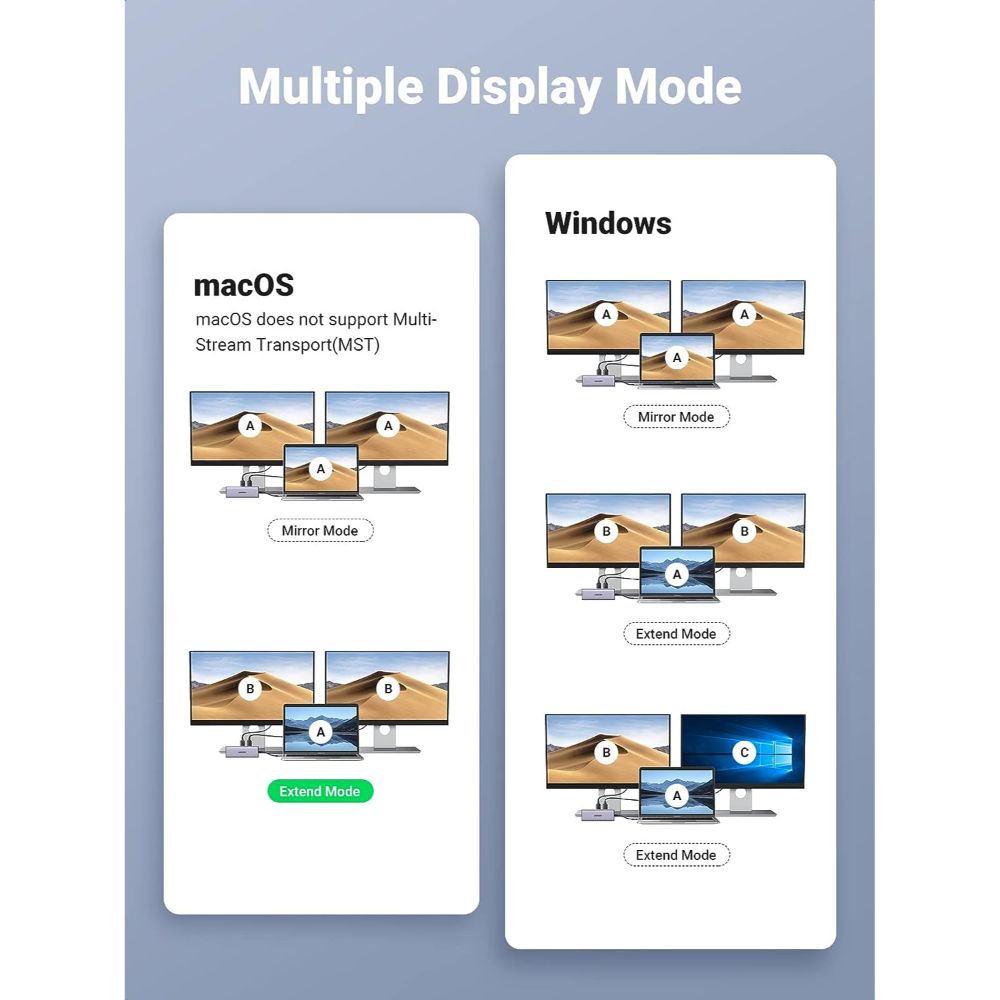
How to set Mirror Mode or Extend Mode:

For Win laptops: Click the Graphic Settings or Win+P to choose mirror or extend mode
For MacBook laptops: Apple logo-System Preferences-Displays-Mirror Display(Yes or Not)

Please Noted:

1.For Apple laptops, Does NOT support 2 external displays show different images.
2. The resolution of monitors will be always consistent with a laptop if the mirror displayed under the Windows system.
3. Charging: Please plug in the Laptop’s power adapter to the USB-C Power Delivery port before connecting an external hard drive or multiple display purpose. The Type C PD Charging port for power passing-thru only.
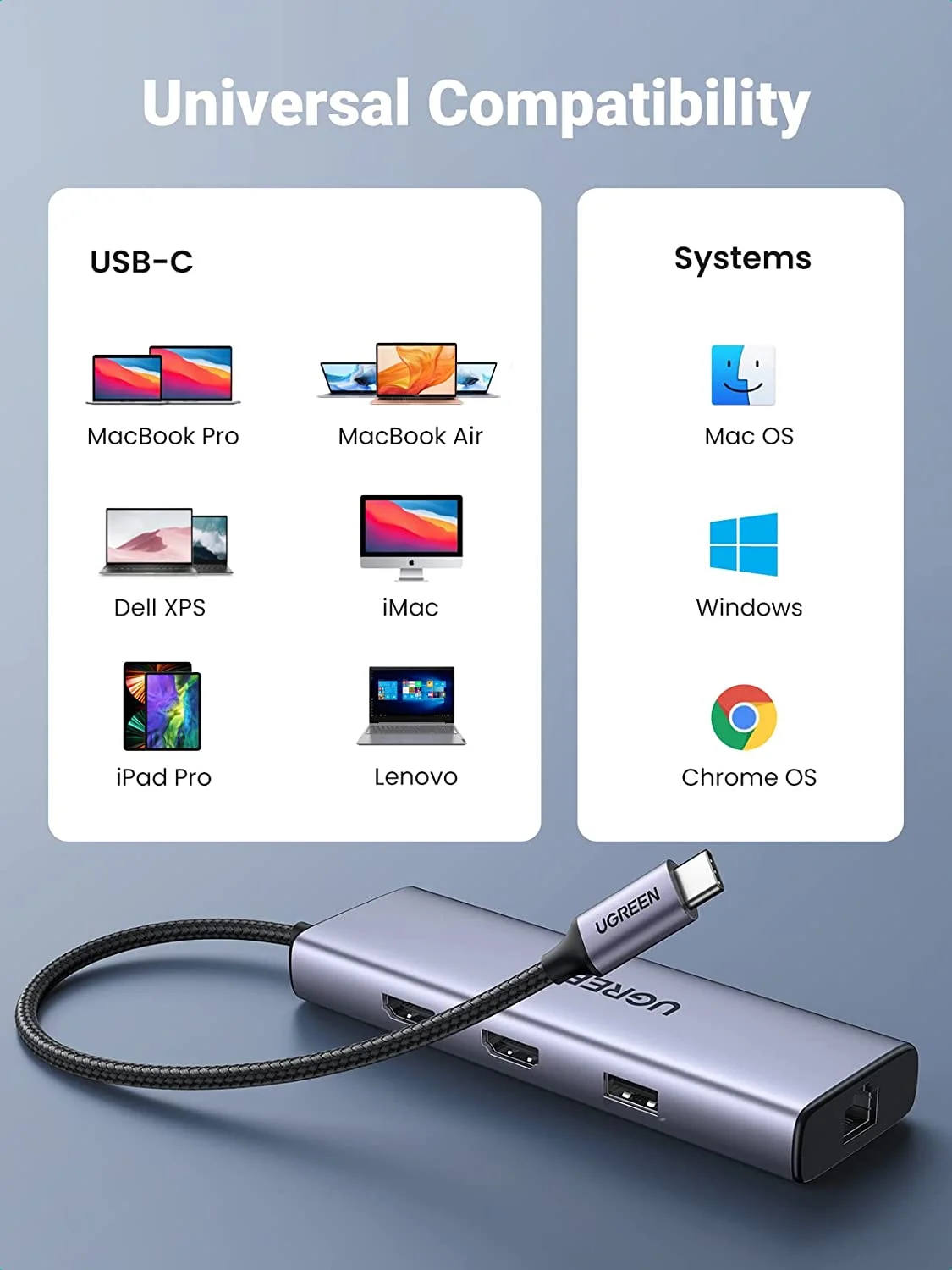
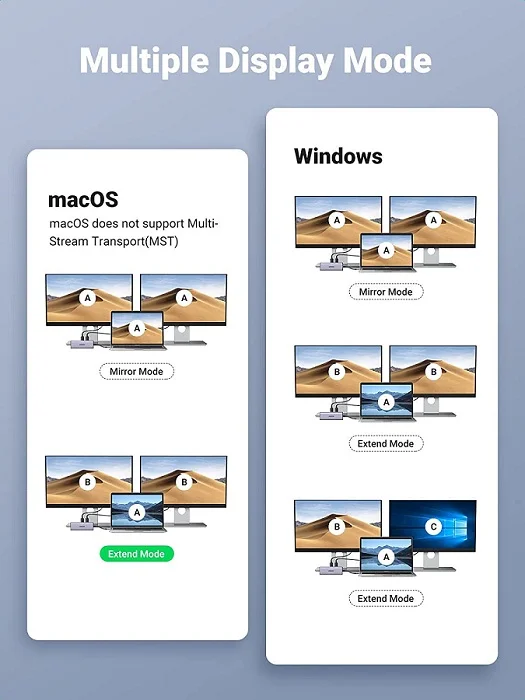
Interfaces are in the following:

2 * Max 4K@60hz HDMI: Max resolution up to 4K@60Hz
1 * USB2.0 Ports: Data transfer speed up to 480mb/s;
2 * USB3.0 Ports: Data transfer speed up to 5Gbp
1 * Gigabit Ethernet: Max support Gigabit
1 * SD Card Slot & 1 * Micro SD Card Slot: Speed up to 104MB/s
1 * Max Up 65W PD Charging

Dual 4K@60Hz compatibility list:

MacBook Pro 2019 16”
MacBook Ari 2020 13”
iPad Pro 2018 11”
iPad Pro 2020 11”
iPad Pro 2021 12.9”
iPad Pro 2020 12.9”

Dual 1080P@60HZ compatibility list:

Lenovo X1 BOOK 14”
HUAWEI MATEBOOK X PRO 13.9”
DELL XPS 15 BOOK
iPad Air 10.9”
HUAWEI MATE20 Pro
HUAWEI P30 Pro P40 Pro
Samsung S21
How to set Mirror Mode or Extend Mode:
For Win laptops: Click the Graphic Settings or Win+P to choose mirror or extend mode.
For MacBook laptops: Apple logo-System Preferences-Displays-Mirro
Warrenty & Claim

Your Peace of Mind Guaranteed

In a world filled with uncertainties, the UGREEN PK offers a glimmer of certainty and assurance. When you choose UGREEN products, you’re not just getting top-notch technology; you’re also investing in a worry-free experience. With our 1-Year Official Warranty and a streamlined warranty claim process, your satisfaction is our priority.

Understanding the Coverage

Our 1-year warranty is designed to provide coverage for manufacturing defects and malfunctions that may occur under normal usage conditions. It’s a testament to our commitment to delivering products of the highest quality.

Exclusions to Keep in Mind

While we stand firmly behind our warranty, it’s important to note that it does not extend to damages resulting from misuse, accidents, or unauthorized modifications. We encourage our customers to use our products as intended, knowing they are built to last.

Step 1: Reach Out to Us

If you encounter any issues with your UGREEN product during the warranty period, your first course of action is to contact our dedicated customer support team. We are just a message or call away, reachable via email at [email protected] or through mobile at +92-333-1777611. We are here to assist you promptly and professionally.

Step 2: Provide the Necessary Information

To expedite the process, please provide the following information when you contact us:

  • Your contact details.
  • Order number or proof of purchase.
  • A detailed description of the issue you are experiencing.
Step 3: Returning the Product

We may request that you return the product to us. Please send it to our return address. We recommend securely packaging the item and using a trusted courier service to ensure a safe transit. The product should be returned in original packaging, including all accessories and manuals, the warranty claim will not be accepted without the original packaging (box).

Step 4: Assessment and Resolution

Once we receive your product, our team will conduct a thorough assessment to understand the issue. We’re committed to resolving it promptly, whether through repair, replacement, or a refund, depending on the nature of the situation.

Your Satisfaction, Our Commitment

At UGREEN PK, we take immense pride in delivering products that enhance your digital experiences. We firmly believe that quality and reliability should be standard, and our warranty is a reflection of this commitment. We’re dedicated to ensuring that your UGREEN product continues to perform to your satisfaction.

Conclusion

In an ever-changing world, the choice of UGREEN products is your assurance of quality and reliability. Our 1-year warranty is your peace of mind, and our commitment is your guarantee. Should any issue arise, we’re here to make it right and keep you connected with confidence.

FAQs

How long is the warranty period for UGREEN products?

Our products come with a 1-year warranty from the date of purchase, providing you with peace of mind.

What does the warranty cover?

The warranty covers manufacturing defects and malfunctions under normal usage conditions.

Can I make a warranty claim without my proof of purchase?

While having your proof of purchase is ideal, please contact our customer support, and they will assist you to the best of their ability.

What should I do if I encounter an issue with my UGREEN product?

Contact our customer support via email or mobile, and they will guide you through the warranty claim process.

Who Will Pay for Courier Charges in a Warranty Claim?

In the case of a warranty claim, all courier charges, including those for returning the product and re-couriering it, are to be borne by the customer. It is the customer’s responsibility to cover these costs associated with the warranty claim process.

How long does it take to process a warranty claim?

We aim to resolve warranty claims promptly; the duration may vary depending on the nature of the issue, but our team is committed to providing efficient service.

Reviews (4)
Ratings

5.0

4 Product Ratings
5
4
4
0
3
0
2
0
1
0

Review this product

Share your thoughts with other customers

Write a review

Customer Reviews (4)

  1. Taha Mustafa (verified owner)

  2. Haris Rizwan (verified owner)

  3. Asif Zeeshan

  4. Usman Ghani (verified owner)

    If you’re looking for a reliable docking station, this one’s a total win.

Q & A

Q & A

Ask a question
You must be logged in to ask a question Log In
There are no questions yet