
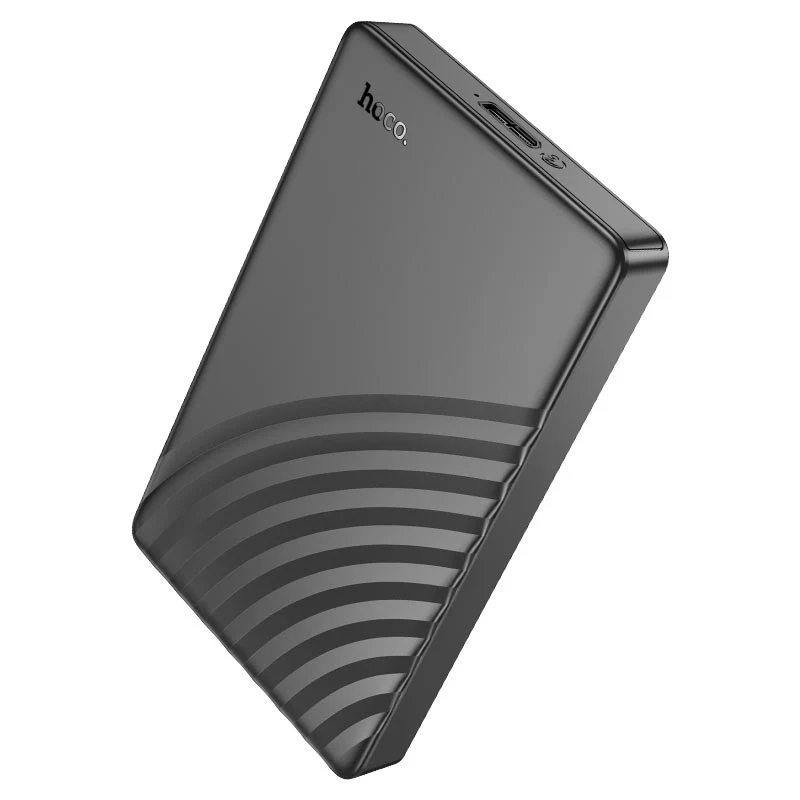
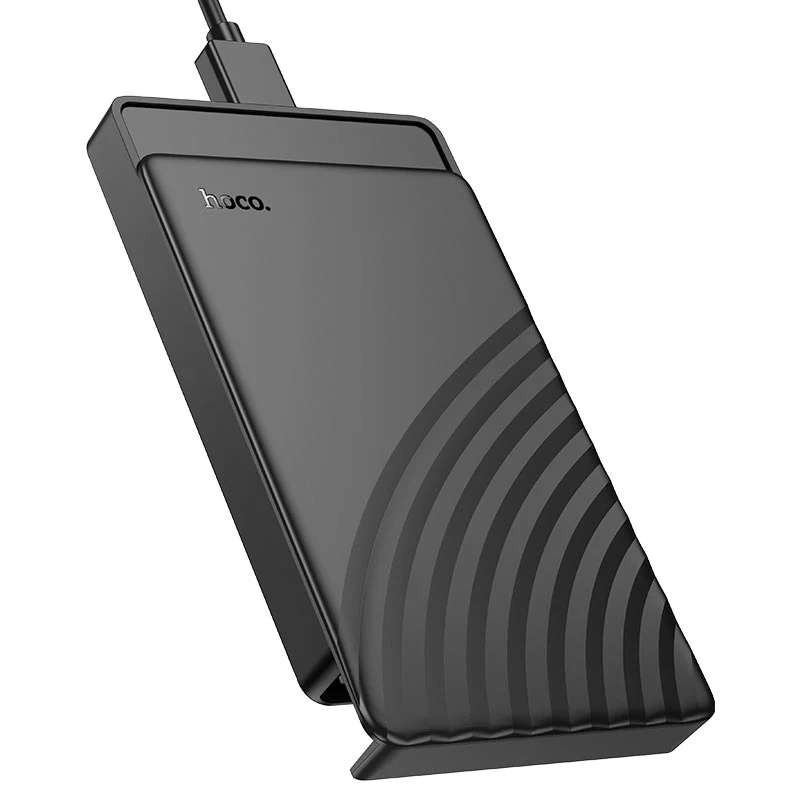
HOCO HB46 USB 3.0 2.5″ SATA Hard Drive Enclosure | Tool-Free Installation | UASP & TRIM Support | for HDD/SSD up to 6TB | Includes Cable
Have an old laptop hard drive or a spare SSD sitting in a drawer? Give it a new life and create a powerful portable storage solution with the Hoco HB46 Hard Drive Enclosure. This ingenious device turns any internal 2.5-inch SATA drive into a fully functional external USB drive in seconds, thanks to its revolutionary tool-free, slide-to-open design. No screws, no fuss—just slide, insert, and you’re ready to go. Experience blazing-fast data transfers with SuperSpeed USB 3.0 technology, achieving speeds up to 5Gbps. For even greater efficiency, it supports the UASP acceleration protocol, which can boost read/write speeds by up to 70% and reduce CPU usage compared to standard USB 3.0. If you’re using an SSD, TRIM support helps maintain its optimal performance and longevity over time. The enclosure intelligently manages power with a sleep mode to protect your valuable data and drive. It’s the perfect, cost-effective way to back up important files, carry your media library, or repurpose old components. For complete data management, remember to check out our range of external hard drives and USB hubs.
Specifications
- Brand: Hoco
- Model: HB46
- Interface: SATA to USB 3.0 (Micro-B)
- Theoretical Speed: Up to 5 Gbps
- Supported Protocols: UASP, TRIM
- Supported Drives: 2.5″ SATA HDD / SSD (7mm / 9.5mm thickness)
- Max. Capacity Support: Up to 6TB
- Power Supply: Powered via USB port (No external power required)
- Installation: Tool-Free, Sliding Cover
- Cable Included: 50cm USB-A to Micro-B USB 3.0 Cable
- Material: ABS Plastic
- Dimensions: 126 × 78 × 14.5mm
- Weight: 83.6g
What’s in the Box
- Hoco HB46 Hard Drive Enclosure
- USB 3.0 Cable (USB-A to Micro-B)
- User Manual
FAQs
1. Do I need any tools to install my hard drive?
No. The enclosure features a unique tool-free, sliding cover design. You simply slide the cover open, insert your drive, and close it—no screws or tools are needed.
2. What hard drive sizes are compatible?
It supports standard 2.5-inch SATA drives (both HDD and SSD) with a thickness of 7mm or 9.5mm.
3. What is the maximum hard drive capacity it supports?
It supports drives with capacities up to 6TB.
4. What is UASP and why is it important?
UASP (USB Attached SCSI Protocol) is an advanced transfer protocol that significantly increases data transfer speeds and reduces CPU usage, making file copies much faster than standard USB 3.0.
5. Does it work with macOS and Windows?
Yes, it is plug-and-play and requires no drivers for most modern operating systems, including Windows, macOS, and Linux.
6. Does it support TRIM for SSDs?
Yes, it supports the TRIM command. This is essential for maintaining the speed and health of your Solid State Drive over its lifespan.
7. Is an external power adapter required?
No. The enclosure draws all the power it needs directly from the computer’s USB port.
8. What type of USB cable does it use?
It uses a USB 3.0 Micro-B cable. This specific cable (50cm in length) is included in the box.
9. Can I use it with a 3.5-inch desktop hard drive?
No. This enclosure is designed specifically for 2.5-inch laptop-sized drives only. 3.5-inch drives require more power and a larger enclosure.
10. Is this a genuine Hoco product?
Yes, ugreenpk.com is an authorized retailer. You are purchasing a 100% genuine Hoco product with a official warranty.
 No products in the cart.
Reviews
There are no reviews yet.