




VENTION ACNBB VGA to HDMI Converter – Connect Older Computers to Modern HDMI Displays
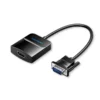
The VENTION ACNBB VGA to HDMI Converter provides a convenient solution for connecting an older VGA-equipped computer or laptop to a modern HDMI monitor, television or projector.
Many desktop computers and older laptops feature VGA video outputs, while newer displays increasingly use HDMI inputs. The ACNBB bridges this connection gap through active signal conversion, allowing compatible VGA video sources to be displayed on HDMI screens.
With support for Full HD 1080p at 60Hz, a separate 3.5mm audio connection and Micro USB power input, this adapter is suitable for office presentations, classroom displays, home entertainment and everyday computer use.
Full HD 1080p at 60Hz Video Conversion
The VENTION ACNBB supports output resolution up to 1920 × 1080 at 60Hz.
This makes it suitable for displaying:
- Office documents and spreadsheets
- PowerPoint presentations
- Online educational content
- Full HD video playback
- Everyday desktop applications
- Compatible older PC games
Actual output resolution depends on the VGA source, graphics settings and connected HDMI display.
The adapter does not support 4K output.
VGA Input to HDMI Output – Correct Signal Direction
The VENTION ACNBB is a one-way active video converter.
Its signal path is:
VGA Source → VENTION ACNBB Converter → HDMI Display
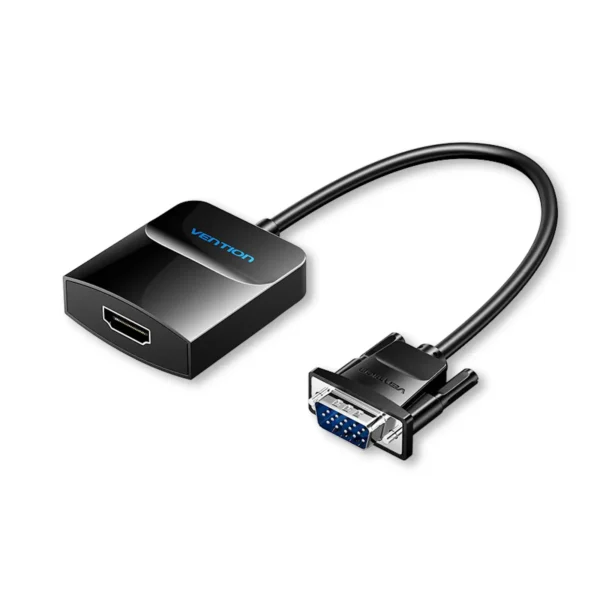
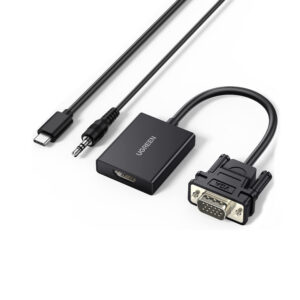
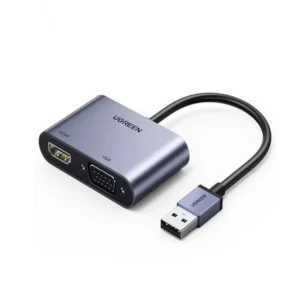
The VGA male connector attaches to the VGA output of a compatible computer or laptop. The HDMI female socket connects to an HDMI cable leading to the display.
This converter cannot be used to connect an HDMI-output computer to a VGA-input monitor.
Customers should confirm their source and display connectors before purchasing.
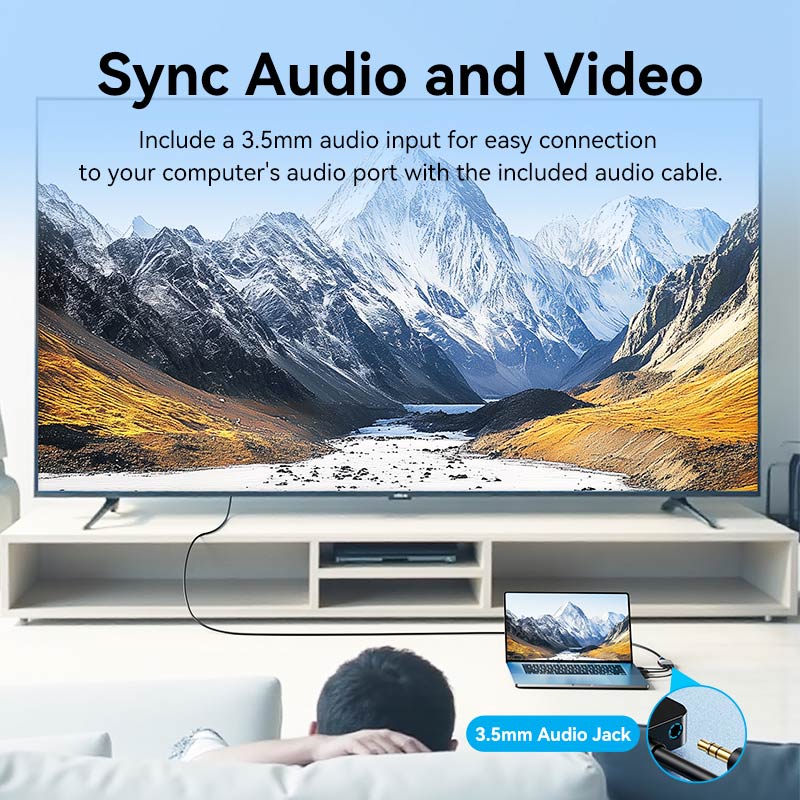
3.5mm Audio Input for HDMI Sound
VGA carries video but does not transmit an audio signal.
To address this limitation, the VENTION ACNBB includes a separate 3.5mm audio input.
Connect the supplied audio cable between the computer’s compatible audio output and the converter’s audio input. The converter can then combine the audio with the video signal for transmission through HDMI.
Audio playback requires a compatible HDMI display or connected audio system capable of receiving sound.
For video-only use, the audio connection may not be necessary.
Micro USB Power for Active Signal Conversion
The VENTION ACNBB requires external power through its Micro USB input.
Connect the supplied Micro USB power cable to a suitable 5V/1A USB power source.
The power connection supports the converter’s active signal-processing circuitry.
For reliable operation, keep the Micro USB power cable connected while using the converter.
A USB power adapter is not listed among the supplied accessories and should not be assumed to be included.
Nickel-Plated Connectors and Shielded Construction
The converter features nickel-plated connectors, a pure copper core and aluminum shielding.
These construction features are intended to support reliable electrical connectivity and signal transmission.
Its ABS housing provides a lightweight enclosure suitable for home, classroom and office setups.
Driver-Free Hardware Connection
The VENTION ACNBB is designed for straightforward hardware installation.
For a typical setup:
- Connect the VGA male connector to the computer’s VGA output.
- Connect an HDMI cable from the converter’s HDMI female socket to the display’s HDMI input.
- Connect the supplied 3.5mm audio cable if sound transmission is required.
- Connect the Micro USB cable to a suitable 5V/1A power source.
- Select the appropriate HDMI input on the display.
- Adjust the computer’s display resolution and audio output settings as needed.
The converter does not require a dedicated software driver. Display functionality still depends on the computer’s graphics hardware and operating-system configuration.
Suitable for Offices, Classrooms and Home Entertainment
The VENTION ACNBB is useful when connecting older VGA video equipment to newer HDMI displays.
Typical applications include:
- Older desktop PCs connected to HDMI monitors
- VGA-output laptops connected to HDMI projectors
- Classroom presentations
- Office meeting-room displays
- Home video playback
- Compatible legacy equipment with VGA video output
Gaming consoles and other devices must provide a compatible VGA output to use this converter.
VENTION ACNBB VGA to HDMI Converter Price in Pakistan
If you need to connect a VGA-output computer to an HDMI display, the VENTION ACNBB offers Full HD video conversion, optional audio transmission and external USB power in one compact adapter.
Check the current VENTION ACNBB price in Pakistan at UGREEN PK, with ordering options for customers in Karachi, Lahore, Islamabad, Rawalpindi, Faisalabad, Multan and other cities nationwide.
Product Specifications
- Brand: VENTION
- Model: ACNBB
- Product Type: Active VGA to HDMI Converter
- Color: Black
- Video Input: VGA Male
- Audio Input: 3.5mm Female
- Video and Audio Output: HDMI Female
- Signal Direction: VGA to HDMI Only
- Maximum Supported Resolution: 1920 × 1080
- Maximum Supported Refresh Rate: 60Hz at 1080p
- Video Format: Full HD 1080p
- External Power Input: Micro USB Type-B
- Power Requirement: 5V/1A
- Connector Finish: Nickel-Plated
- Conductor Material: Pure Copper
- Shielding Material: Aluminum
- Housing Material: ABS
- Converter Cable Length: 0.15m
- Supplied Accessory Cable Length: 1m, as stated in the provided product information
- Audio Support: Separate 3.5mm Input for HDMI Audio Transmission
- Driver Installation: No Dedicated Converter Driver Required
- Source Device Requirement: Compatible VGA Video Output
- Display Requirement: Compatible HDMI Input
- Operating Systems: Hardware-based operation with compatible VGA-output devices
- Warranty: 12 Months, as stated in the existing product information
What’s in the Box
- 1 × VENTION ACNBB VGA to HDMI Converter
- 1 × 3.5mm Audio Cable
- 1 × Micro USB Power Cable
- 1 × User Manual, as stated in the existing listing
Please Note: An HDMI connection cable and a USB wall power adapter are not confirmed as included.
Important Compatibility and Usage Notes
- This product supports VGA-to-HDMI conversion only.
- It cannot convert an HDMI source into a VGA display signal.
- The source device must provide a compatible VGA output.
- The display must have a compatible HDMI input.
- A separate HDMI cable is required to connect the converter to the display.
- The Micro USB power connection should be connected to a suitable 5V/1A supply.
- A 3.5mm audio connection is required when audio is needed from a VGA-equipped source.
- The maximum stated output is 1080p at 60Hz, not 4K.
- Actual resolution and audio operation depend on the connected devices and settings.
Frequently Asked Questions
1. What is the VENTION ACNBB VGA to HDMI Converter used for?
It connects a compatible computer or laptop with VGA output to a monitor, television or projector with HDMI input.
2. Can I use this converter from HDMI to VGA?
No. The VENTION ACNBB works only from VGA input to HDMI output. It is not bidirectional.
3. Does it support 1080p Full HD resolution?
Yes. It supports output up to 1920 × 1080 at 60Hz when the connected source and display support the required settings.
4. Does the converter support audio?
Yes. It has a separate 3.5mm audio input. Connect the supplied audio cable from your computer’s audio output to transmit compatible audio alongside the HDMI video.
5. Why does the converter require Micro USB power?
The converter uses active circuitry to process the VGA signal and generate HDMI output. It requires a suitable 5V/1A power connection.
6. Is a USB power adapter included?
The provided package information confirms a Micro USB power cable but does not confirm a USB wall power adapter.
7. Does the converter require drivers?
No dedicated converter driver is required. Your computer must still support VGA output and have its display settings configured correctly.
8. Can I connect an older desktop PC to an HDMI television?
Yes, provided the desktop has compatible VGA output and the television has HDMI input. You will also need an HDMI cable and the required USB power connection.
9. Does the converter support 4K or 120Hz gaming?
No. The maximum stated output is Full HD 1080p at 60Hz. It is not intended for 4K or high-refresh-rate HDMI applications.
10. Where can I buy the VENTION ACNBB VGA to HDMI Converter in Pakistan?
You can check its current availability and price at UGREEN PK and select the available delivery and payment options for your location.


 No products in the cart.
Write a review